
Runners rely on their smartwatches for accurate distance, pace, and route tracking. But if you’ve noticed your watch showing a zigzag path instead of a smooth trail, or your recorded mileage seems off by hundreds of meters, you’re dealing with GPS drift. This frustrating issue undermines training data, skews performance analysis, and can even affect race pacing strategies. While GPS technology has improved dramatically, it’s still vulnerable to environmental interference, hardware limitations, and user habits. Understanding the root causes and applying targeted fixes can restore confidence in your device’s accuracy.
What Is GPS Drift and Why It Matters for Runners
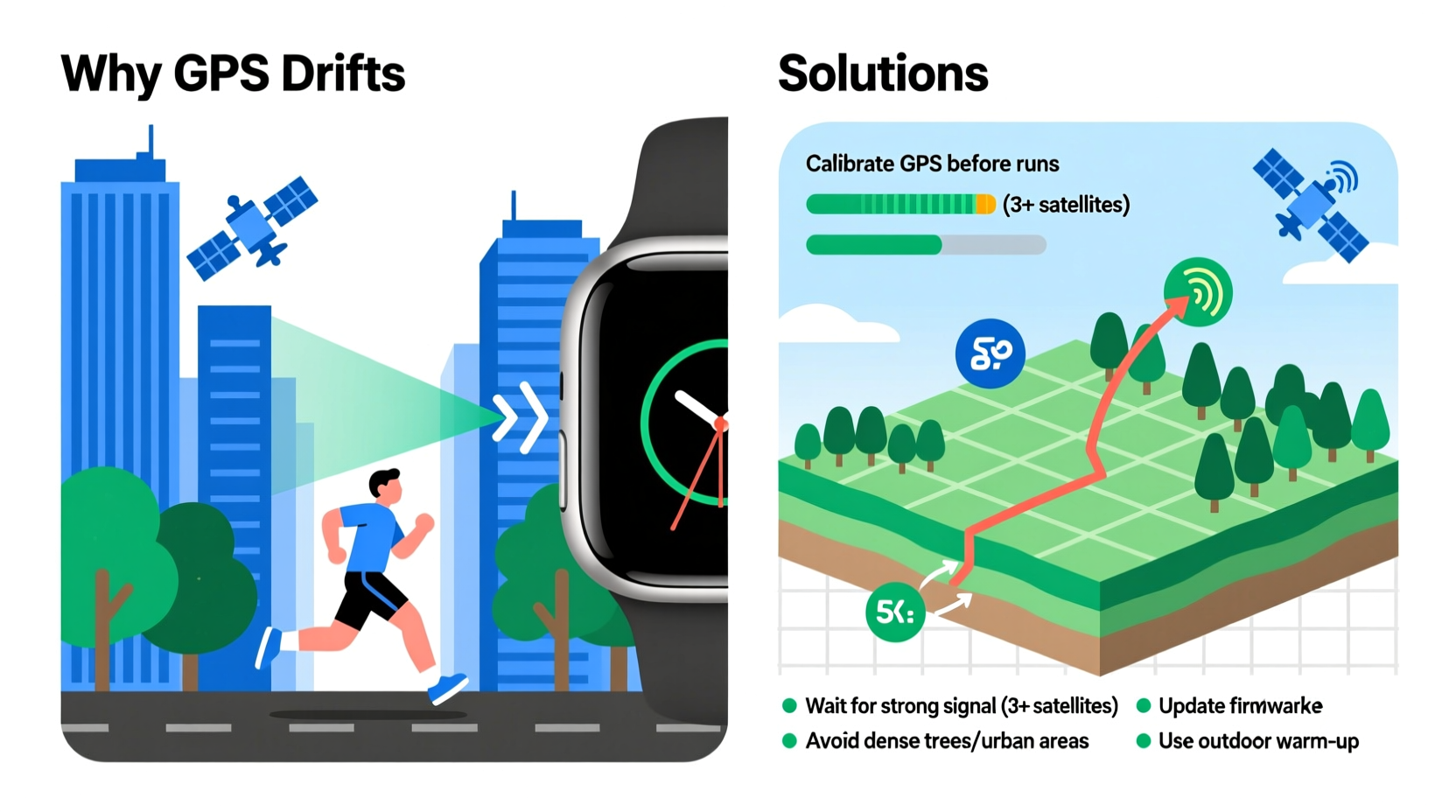
GPS drift occurs when your smartwatch records location points that deviate from your actual path. Instead of plotting a clean line along roads or trails, the watch may show sudden jumps, loops, or phantom segments—especially noticeable on short turns or straightaways. These inaccuracies stem from signal noise, weak satellite reception, or delayed updates from orbiting satellites.
For casual users, minor drift might be a nuisance. For serious runners, it impacts more than just map aesthetics. Inaccurate distance tracking distorts average pace calculations. Overestimated mileage inflates training load metrics like VO₂ max estimates or recovery recommendations. In races where course measurement matters, even small errors can mislead pacing decisions or invalidate personal records.
“GPS accuracy in wearables is highly context-dependent. Urban environments, tree cover, and even wrist position can introduce significant error margins.” — Dr. Lena Torres, Senior Researcher in Wearable Sensor Technology, MIT Media Lab
Common Causes of Smartwatch GPS Inaccuracy During Runs
Several factors contribute to GPS drift. Most are not due to faulty devices but rather real-world challenges in acquiring and maintaining reliable satellite signals.
Satellite Signal Obstruction
Tall buildings, dense tree canopies, tunnels, and even steep hillsides block or reflect GPS signals. When satellites are obscured, your watch receives intermittent or delayed data, leading to interpolation errors—where the system guesses your position between valid points, often incorrectly.
Atmospheric Interference
Weather conditions such as heavy cloud cover, humidity, or solar activity disrupt signal transmission between satellites and receivers. Though less common, ionospheric delays can add several meters of error per reading.
Low-Quality or Outdated GPS Chips
Not all smartwatches use the same GPS hardware. Budget models or older generations may feature single-band GPS chips that lock onto fewer satellites and update positions less frequently. Newer watches with multi-band or dual-frequency GPS reduce multipath errors and improve signal stability.
Wrist Movement and Device Position
The way you wear your watch affects antenna performance. Excessive arm swing, especially during trail running or hiking, introduces motion artifacts. If the watch sits too loosely or rotates on your wrist, the internal sensors—including GPS—may struggle to maintain consistent orientation.
Poor Warm-Up Time Before Starting
Many runners press “Start” before the watch fully acquires a satellite lock. Without a stable initial fix, early data points are based on coarse approximations, causing exaggerated drift at the beginning of a run.
Step-by-Step Guide to Minimize GPS Drift
Fixing GPS drift isn’t about magic settings—it’s about optimizing conditions and using best practices. Follow this sequence before and during every outdoor run.
- Power On Early: Turn on GPS mode 30–60 seconds before starting your run. Stand still in an open area, away from tall structures. Let the watch connect to multiple satellites (ideally 8+).
- Check Satellite Count: Some apps (like Garmin Connect or Polar Flow) display real-time satellite count. Aim for at least 7–8 visible satellites before hitting start.
- Position Matters: Wear the watch snugly on the back of your hand, slightly above the wrist bone. Avoid covering it with long sleeves or gloves that block the antenna.
- Avoid Signal Traps: Steer clear of narrow urban canyons, underground passages, and heavily forested trails unless necessary. If unavoidable, expect reduced accuracy.
- Enable Glonass or Galileo (if available): Modern watches support additional satellite networks beyond the U.S.-based GPS. Turning on GLONASS (Russia), Galileo (EU), or BeiDou (China) increases satellite availability and improves precision.
- Use Firmware Updates: Manufacturers regularly release firmware patches that enhance GPS algorithms. Keep your watch updated via its companion app.
- Reset Location Services Weekly: Clear cached location data on both your watch and phone. On iOS, go to Settings > Privacy > Location Services > System Services > Reset Warnings. On Android, clear location cache under App Settings.
Comparison: Features That Improve GPS Accuracy Across Brands
| Feature | Garmin | Apple Watch | Samsung Galaxy Watch | Coros / Polar |
|---|---|---|---|---|
| Multiband GPS | Yes (High-end models) | Apple Watch Ultra only | No | Coros Vertix 2: Yes; Polar Vantage: No |
| GLONASS Support | Yes | Yes | Yes | Yes |
| Galileo Support | Yes | Yes | Yes | Yes |
| Wi-Fi Assisted GPS | Yes | Yes (when paired) | Yes | Limited |
| Offline Maps + Route Tracking | Yes | No | No | Coros: Yes; Polar: Partial |
| Recommended Use Case | Trail/ultra runners | Casual to mid-level road runners | Urban fitness tracking | Endurance athletes needing precision |
This comparison shows that while most major brands offer basic GPS functionality, high-precision features like multiband support and offline navigation remain limited to premium models. Choosing a watch aligned with your typical running environment is crucial.
Real Example: Fixing Chronic GPS Errors in City Running
Mark, a recreational runner in Chicago, consistently noticed his Apple Watch recording 5.5 km for his standard 5 km loop. His route passed through downtown areas flanked by skyscrapers, creating severe signal bounce. After reviewing his data, he realized the watch often started recording before securing a solid GPS lock.
He implemented two changes: first, he began standing outside his apartment for 45 seconds before starting runs, allowing full satellite acquisition. Second, he switched from “Outdoor Run” to “Indoor Run” mode when navigating underground pedestrian tunnels, then resumed tracking once back above ground. He also enabled both GPS and GLONASS in settings.
Within a week, his average distance error dropped from 10% to under 3%. More importantly, his pace graphs smoothed out, reflecting true effort rather than erratic jumps caused by signal loss.
Checklist: Optimize Your Smartwatch GPS Performance
- ✅ Wait 30–60 seconds for GPS lock before starting
- ✅ Enable secondary satellite systems (GLONASS, Galileo)
- ✅ Wear the watch securely on the top of your wrist
- ✅ Update watch firmware monthly
- ✅ Avoid starting runs near large metal structures or under bridges
- ✅ Use Wi-Fi or cellular connection briefly before heading out (helps download A-GPS data)
- ✅ Calibrate compass periodically (via settings menu)
- ✅ Consider external Bluetooth foot pods for critical accuracy needs
Note: Foot pods bypass GPS entirely by measuring stride length and cadence. They’re ideal for track workouts or tunnel-heavy routes but require calibration and don’t provide mapping.
Frequently Asked Questions
Can I completely eliminate GPS drift?
No system is perfect. Even military-grade GPS has margin of error. However, following best practices can reduce drift to less than 1–2% over moderate distances. In challenging environments, sub-5% accuracy is considered acceptable.
Does charging my watch affect GPS accuracy?
Not directly. However, charging generates electromagnetic interference. If you test GPS while plugged in, especially with low-quality cables, signal noise may increase. Always test GPS accuracy on battery power.
Is there a difference between GPS accuracy on Android vs. iOS paired watches?
Yes. iPhones generally have better-assisted GPS (A-GPS) databases due to tighter integration with Apple Maps. Android phones vary widely depending on manufacturer and chipsets. Watches that operate independently (like Garmin or Coros) are less affected by phone OS differences.
Expert Insight: The Future of Wearable GPS
As sensor fusion evolves, future smartwatches will combine GPS with inertial measurement units (IMUs), barometric altimeters, and AI-driven predictive modeling to fill gaps during signal loss.
“We’re moving toward hybrid positioning—using GPS, Wi-Fi triangulation, cellular towers, and motion sensors together. The next generation won’t just record location; it’ll anticipate movement patterns to correct drift in real time.” — Dr. Rajiv Mehta, Director of Mobile Sensing, Stanford Wearable Electronics Initiative
This means upcoming devices could automatically detect when you enter a tunnel and estimate your path using stride dynamics until GPS reacquires. Such advancements will make today’s drift issues largely obsolete—but only if users continue to follow foundational best practices.
Conclusion: Take Control of Your Running Data
GPS drift doesn’t mean your smartwatch is broken—it means the complex interplay between satellites, hardware, and environment requires informed handling. By understanding what causes inaccuracies and taking deliberate steps to mitigate them, you regain trust in your metrics. Accurate data leads to smarter training decisions, better goal setting, and honest progress tracking.




 浙公网安备
33010002000092号
浙公网安备
33010002000092号 浙B2-20120091-4
Comments
No comments yet. Why don't you start the discussion?