
If your TV remote feels sluggish—responding slowly or requiring multiple button presses—it’s more than just a minor annoyance. A lagging remote can disrupt your viewing experience, especially when you're switching inputs, adjusting volume during intense scenes, or trying to pause quickly. While it's easy to assume the remote is simply worn out, the issue often lies elsewhere: interference, environmental factors, or device misalignment. Understanding the root causes and knowing how to address them can save you time, money, and frustration.
Modern remotes rely on infrared (IR) or radio frequency (RF) signals to communicate with your television or streaming box. Both technologies are generally reliable, but they’re not immune to disruptions. Whether it’s physical obstructions, competing devices, or internal component wear, several factors can degrade performance. This guide breaks down the most common reasons for remote lag, identifies hidden interference sources, and provides practical solutions to get your remote working smoothly again.
How TV Remotes Work: IR vs. RF
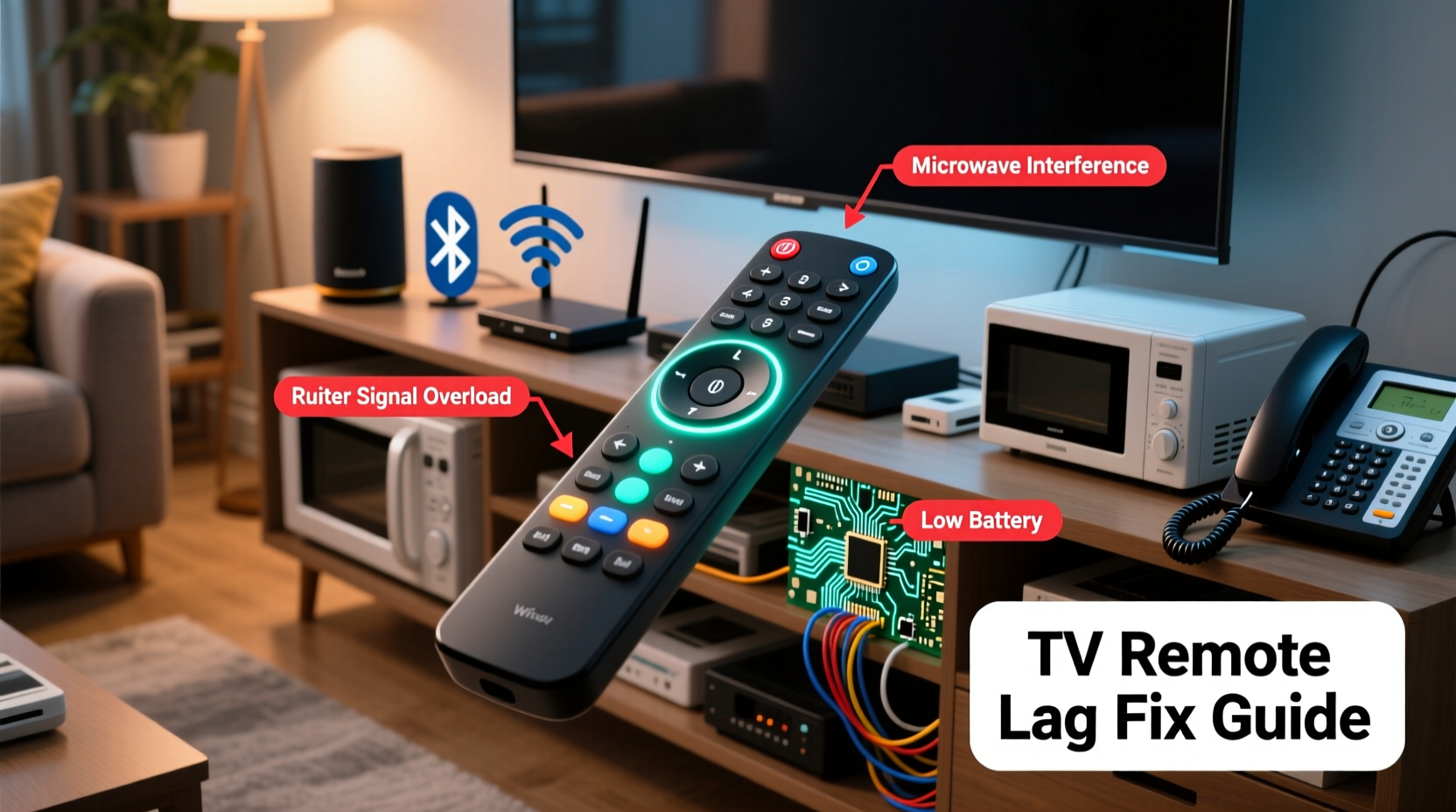
To understand why a remote might be lagging, it helps to know how it communicates with your TV. Most remotes fall into two categories: infrared (IR) and radio frequency (RF).
- Infrared (IR) Remotes: These use invisible light pulses to send commands. They require a direct line of sight between the remote and the TV’s IR sensor. Obstructions like furniture, glass, or even people walking by can block the signal.
- Radio Frequency (RF) Remotes: These use wireless radio waves (often Bluetooth or Wi-Fi) and don’t require line of sight. They can operate through walls and from different rooms, making them more reliable in complex home setups.
While RF remotes are less prone to physical interference, they can still suffer from signal congestion, especially in homes with many wireless devices. IR remotes, though simpler, are highly sensitive to environmental conditions and alignment.
“Even small changes in room layout or lighting can impact IR signal integrity. It’s not always the remote—it’s often the environment.” — David Lin, Home Electronics Engineer at AVTech Labs
Common Causes of Remote Lag
Lag isn’t random. It usually stems from one or more identifiable issues. Below are the most frequent culprits:
1. Weak or Dying Batteries
The most obvious—and often overlooked—cause is low battery power. As batteries deplete, the remote emits weaker signals, leading to delayed or missed responses.
2. Physical Obstructions
Furniture, decorative objects, or even a TV cabinet door can block the IR beam. Even transparent materials like glass or acrylic can reflect or diffuse IR signals.
3. Interference from Light Sources
Bright sunlight, halogen lamps, and LED bulbs emit infrared radiation that can interfere with your remote’s signal. This “noise” confuses the TV’s IR receiver, causing delays or false triggers.
4. Signal Congestion (RF Remotes)
If your remote uses Bluetooth or Wi-Fi (common with smart TV remotes), nearby devices like routers, cordless phones, microwaves, or baby monitors can cause RF interference, especially on the 2.4 GHz band.
5. Dirty or Misaligned IR Sensor
Dust, fingerprints, or smudges on the TV’s IR sensor window can weaken signal reception. Similarly, if the sensor is partially covered by a sticker or frame, response times will suffer.
6. Remote or TV Firmware Issues
Outdated firmware on either the remote or the TV can lead to communication inefficiencies. Some smart remotes rely on software updates to maintain optimal performance.
Step-by-Step Guide to Diagnose and Fix Remote Lag
Follow this systematic approach to identify and resolve the source of lag:
- Test the batteries: Replace them with brand-new ones. Avoid mixing old and new batteries or using different brands together.
- Check for obstructions: Ensure nothing blocks the path between the remote and the TV’s front panel. Move any objects that might reflect or absorb IR light.
- Clean the IR sensor: Use a soft, dry microfiber cloth to gently wipe the sensor area on the TV. Do not use cleaners or abrasive materials.
- Reduce ambient light: Close blinds during daylight or reposition bright lamps. Consider switching to warm-white LEDs, which emit less IR noise.
- Restart the TV and remote: Power off the TV completely, unplug it for 60 seconds, then restart. For RF remotes, remove the batteries for 30 seconds to reset.
- Re-pair RF remotes: If your remote uses Bluetooth (e.g., Roku, Fire TV, Apple TV), go to settings and re-pair the remote with the device.
- Update firmware: Check your TV and remote for available software updates through the system settings menu.
- Test in another room: Try using the remote with the same TV in a different location to rule out environmental interference.
If none of these steps resolve the issue, the problem may lie with the remote itself—such as worn-out buttons or internal circuit damage—or with the TV’s receiver hardware.
Potential Interference Sources in Your Home
Many everyday devices emit signals that can interfere with your remote. The table below lists common culprits and their impact:
| Device | Type of Interference | Impact on Remote | Solution |
|---|---|---|---|
| LED Lighting | Infrared noise | Disrupts IR signal reception | Use warm-white LEDs; avoid placing lights near TV |
| Direct Sunlight | Strong IR emission | Overwhelms IR sensor | Close curtains or reposition TV |
| Wi-Fi Router | RF congestion (2.4 GHz) | Affects Bluetooth/Wi-Fi remotes | Switch router to 5 GHz; increase distance |
| Microwave Oven | RF leakage | Temporary disruption of RF signals | Keep microwave away from entertainment center |
| Cordless Phone | RF interference | Signal dropout for RF remotes | Replace with DECT 6.0 model (less interference) |
| Glass Cabinet Doors | IR reflection/blocking | Prevents signal from reaching sensor | Leave doors open or use IR repeater |
Mini Case Study: The Living Room That Blocked Signals
Mark, a homeowner in Portland, noticed his Samsung Smart TV remote was increasingly unresponsive. He had to press buttons multiple times, and sometimes the TV didn’t respond at all. He replaced the batteries twice, cleaned the remote, and even bought a replacement—but the issue persisted.
After consulting a technician, he discovered the real culprit: a new set of energy-efficient LED ceiling lights installed above the TV. The cool-white LEDs emitted strong infrared frequencies that flooded the TV’s sensor, effectively drowning out the remote’s signal. The solution? Switching to warm-white bulbs reduced the IR noise significantly. Within minutes, the remote responded instantly.
This case highlights how seemingly unrelated upgrades—like lighting—can have unintended consequences on electronic performance. Always consider recent changes in your environment when troubleshooting tech issues.
Do’s and Don’ts of Remote Maintenance
| Do’s | Don’ts |
|---|---|
| Replace batteries regularly | Use expired or mixed batteries |
| Keep the IR sensor clean | Apply cleaning sprays directly to the sensor |
| Store remote in a dry place | Leave it in humid areas like bathrooms |
| Update TV and remote firmware | Ignore system update notifications |
| Use IR extenders for enclosed setups | Assume the remote is broken without testing |
Troubleshooting Checklist
Use this checklist to systematically eliminate potential causes of remote lag:
- ✅ Replace remote batteries with fresh ones
- ✅ Ensure clear line of sight between remote and TV
- ✅ Clean the TV’s IR sensor with a dry cloth
- ✅ Turn off bright lights or close blinds during daytime
- ✅ Restart the TV and unplug for 60 seconds
- ✅ Re-pair Bluetooth/Wi-Fi remotes
- ✅ Check for firmware updates on TV and remote
- ✅ Move or shield interfering devices (routers, microwaves)
- ✅ Test the remote with another compatible device
- ✅ Consider using an IR repeater if TV is enclosed
FAQ
Can Wi-Fi affect my TV remote?
Yes, if your remote uses Bluetooth or Wi-Fi (like those for Roku, Fire Stick, or Apple TV), a crowded 2.4 GHz band can cause interference. Try moving your router away or switching connected devices to 5 GHz to reduce congestion.
Why does my remote work only when I’m close to the TV?
This typically indicates weak signal transmission. Causes include low batteries, a failing IR LED in the remote, or a dirty/misaligned sensor on the TV. It can also happen if there’s strong ambient IR light overwhelming the signal.
Is it worth repairing a lagging remote?
For basic IR remotes, replacement is usually more cost-effective than repair. However, for high-end RF remotes with voice control or backlighting, contacting the manufacturer for support or buying an official replacement may be worthwhile.
Conclusion
A lagging TV remote is rarely a hopeless case. In most instances, the fix lies in simple adjustments—replacing batteries, removing obstructions, or reducing interference from household devices. By understanding how IR and RF signals behave, you can diagnose issues accurately and apply targeted solutions. Regular maintenance, such as cleaning sensors and updating firmware, goes a long way in preserving responsiveness.
Don’t rush to replace your remote or TV. Instead, methodically test each potential cause. Often, the solution is simpler than it seems. With the right approach, you can restore seamless control and enjoy uninterrupted viewing once again.




 浙公网安备
33010002000092号
浙公网安备
33010002000092号 浙B2-20120091-4
Comments
No comments yet. Why don't you start the discussion?