
Sitting in front of a screen for hours has become an unavoidable part of modern life—whether you're working, studying, or unwinding with a show. But if you’ve noticed that your vision feels hazy, strained, or temporarily blurred after extended digital use, you’re not alone. This phenomenon, often dismissed as minor fatigue, can affect focus, productivity, and long-term eye health. The good news: most cases are reversible with proper understanding and action.
Blurred vision after screen time isn’t just about tired eyes—it’s a sign that your visual system is under stress. Digital screens emit blue light, demand constant focusing adjustments, and reduce natural blinking. Over time, these factors contribute to a condition commonly known as digital eye strain or computer vision syndrome. Understanding the root causes and implementing targeted recovery strategies can restore clarity and prevent future discomfort.
The Science Behind Screen-Induced Blurry Vision
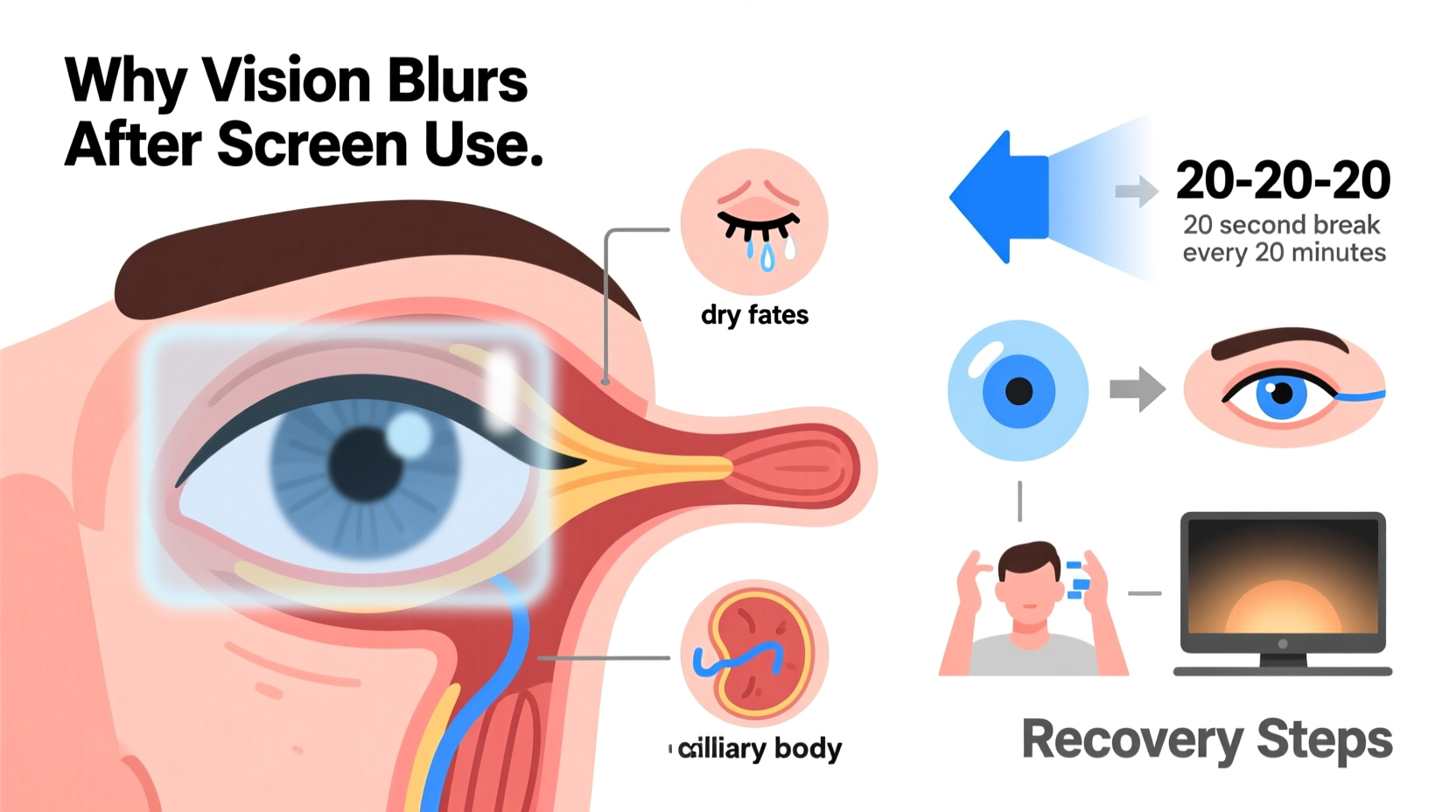
Your eyes aren’t designed for prolonged near-focus tasks like staring at a glowing screen. When you look at a monitor, tablet, or phone, several physiological processes kick in:
- Accommodation strain: The ciliary muscles in your eyes contract to keep nearby objects in focus. Extended contraction leads to muscle fatigue.
- Reduced blink rate: People blink about 66% less while using screens. Normal blinking (15–20 times per minute) keeps the cornea lubricated; reduced blinking causes dryness and blurriness.
- Blue light exposure: High-energy visible (HEV) blue light from screens may contribute to retinal stress and disrupt circadian rhythms, indirectly affecting visual processing.
- Convergence insufficiency: Your eyes must turn inward slightly to focus on close objects. Sustained convergence over hours strains the extraocular muscles.
These combined effects lead to temporary refractive changes—your eyes struggle to refocus quickly when looking away, resulting in blur. In some cases, especially among contact lens wearers or those with uncorrected vision issues, the effect is more pronounced.
“Digital eye strain is one of the fastest-growing optometric concerns. The symptoms are real, measurable, and largely preventable with behavioral adjustments.” — Dr. Lena Patel, Optometrist and Vision Health Researcher
Common Triggers of Post-Screen Blurriness
Not all screen time affects everyone equally. Several environmental and personal factors amplify the risk:
| Factor | How It Contributes to Blurriness |
|---|---|
| Poor lighting | Glare or contrast between screen and surroundings forces eyes to work harder. |
| Improper screen distance | Too close (<40 cm) increases focusing demand; too far reduces readability. |
| Uncorrected vision problems | Mild astigmatism or presbyopia worsens under sustained screen load. |
| Dehydration | Reduces tear production, increasing dry eye symptoms and blurriness. |
| Screen brightness/contrast | Excessively bright screens cause pupil constriction and glare sensitivity. |
Step-by-Step Recovery Plan for Blurry Vision
If your vision blurs after screen use, immediate and consistent action can reverse the symptoms within minutes to days. Follow this structured recovery timeline:
- Pause and Look Away (Immediate – First 5 Minutes)
Stop screen use. Close your eyes for 30 seconds, then open them and focus on an object at least 20 feet away for 20 seconds. Repeat three times. This resets accommodation and relaxes ciliary muscles. - Rehydrate and Lubricate (Within 10 Minutes)
Drink a glass of water. Use preservative-free artificial tears to replenish the tear film. Avoid redness-reducing drops—they can worsen dryness over time. - Perform Eye Exercises (Daily, 2–3 Times)
Try the “20-20-20” rule: every 20 minutes, look at something 20 feet away for 20 seconds. Add palming: rub hands together to warm them, then gently cup over closed eyes without pressure. Hold for 1 minute to encourage relaxation. - Optimize Environment (Ongoing)
Adjust room lighting to match screen brightness. Use matte screen filters to reduce glare. Increase text size to minimize squinting. - Rest and Reassess (Evening or After Long Sessions)
Apply a warm compress for 5–10 minutes to stimulate oil glands in eyelids (meibomian glands), improving tear quality. Evaluate whether your glasses prescription needs updating.
Prevention Checklist: Protect Your Vision Daily
Recovery is essential, but prevention ensures long-term eye health. Use this checklist daily:
- ✅ Follow the 20-20-20 rule during screen sessions
- ✅ Blink consciously every few minutes
- ✅ Keep screens at optimal distance and height
- ✅ Use blue light filters or night mode after sunset
- ✅ Stay hydrated throughout the day
- ✅ Schedule annual eye exams, even if no symptoms
- ✅ Replace old or scratched lenses—distorted optics increase strain
Real Example: How Sarah Regained Visual Clarity
Sarah, a 32-year-old software developer, began experiencing frequent blurriness after her eight-hour coding shifts. Initially, she assumed it was due to lack of sleep. But when the blur persisted into evenings—even when reading a book—she consulted an optometrist.
After testing, she was diagnosed with mild dry eye syndrome exacerbated by screen use. Her blink rate was only 5 times per minute, and her workspace had harsh overhead lighting causing screen glare. She wasn’t wearing her updated prescription glasses consistently, relying instead on older contacts.
Her doctor recommended a three-week plan: switch to daily disposable contacts, use lubricating drops twice daily, adjust her desk lighting, and strictly follow the 20-20-20 rule. Within ten days, Sarah reported significantly clearer vision. By week three, her eye fatigue had dropped by 80%, and she no longer needed naps after work to relieve eye pressure.
Sarah’s case highlights how multiple small factors compound into noticeable symptoms—and how systematic correction brings rapid improvement.
Do’s and Don’ts of Managing Screen-Related Vision Issues
| Do’s | Don’ts |
|---|---|
| Use anti-glare screen protectors | Stare at screens in dark rooms |
| Take 5-minute breaks every hour | Ignore persistent blurriness lasting hours |
| Adjust text size for comfortable reading | Rub your eyes when they feel tired |
| Wear computer-specific glasses if prescribed | Use expired or shared eye drops |
| Position monitors to avoid window reflections | Work through severe eye pain or double vision |
“Many patients come in worried about permanent damage. Reassuringly, in 95% of cases, symptoms resolve with lifestyle changes and proper ergonomics.” — Dr. James Wu, Clinical Director at Metro Eye Wellness Center
Frequently Asked Questions
Can blue light glasses really help with blurry vision?
Yes, for some users. Blue light-blocking lenses reduce glare and may improve contrast sensitivity, especially in low-light environments. While research on their long-term benefits is ongoing, many report reduced eye fatigue and quicker recovery after screen use. Choose lenses with a slight amber tint for indoor evening use, but avoid heavy tints during daylight unless advised by an eye care professional.
Is blurry vision after screens a sign of a serious eye condition?
Usually not. Most cases stem from temporary eye strain or dryness. However, if blurriness persists beyond 30 minutes after stopping screen use, occurs in one eye only, or is accompanied by headaches, double vision, or light sensitivity, consult an optometrist. These could indicate underlying issues like uncorrected refractive errors, binocular vision disorders, or early cataracts.
How long does it take for vision to recover after screen overuse?
For mild digital eye strain, recovery typically takes 10–30 minutes with rest and blinking exercises. If dry eye or muscle fatigue is involved, full relief may take several hours. Chronic cases—where poor habits persist for weeks—can require consistent intervention over 2–4 weeks to restore baseline clarity.
Final Thoughts: Prioritize Your Visual Wellbeing
Blurry vision after screen use is a warning signal, not a normal side effect of modern life. Your eyes are signaling overload, and ignoring these cues can lead to chronic discomfort, reduced productivity, and unnecessary stress. The strategies outlined here—ranging from immediate relief techniques to long-term ergonomic adjustments—are grounded in clinical evidence and real-world effectiveness.
You don’t need to eliminate screen time to protect your vision. Instead, integrate smart habits: regular breaks, proper hydration, optimized lighting, and proactive eye care. Small changes compound into significant improvements in visual comfort and clarity.




 浙公网安备
33010002000092号
浙公网安备
33010002000092号 浙B2-20120091-4
Comments
No comments yet. Why don't you start the discussion?