
If your internet crawls every evening while streaming, gaming, or video calling, you're not alone. Many households experience frustratingly slow WiFi specifically during nighttime hours. The issue isn't imaginary—it's rooted in network congestion, interference, and outdated infrastructure. More importantly, there’s a modern solution: mesh WiFi networks. These systems are designed to eliminate dead zones, manage heavy traffic efficiently, and deliver consistent speeds even during peak usage times.
This article breaks down the technical and behavioral reasons behind nighttime slowdowns, explains how mesh networks address these problems, and provides actionable steps to improve your home network for good.
Why WiFi Slows Down at Night: The Hidden Causes
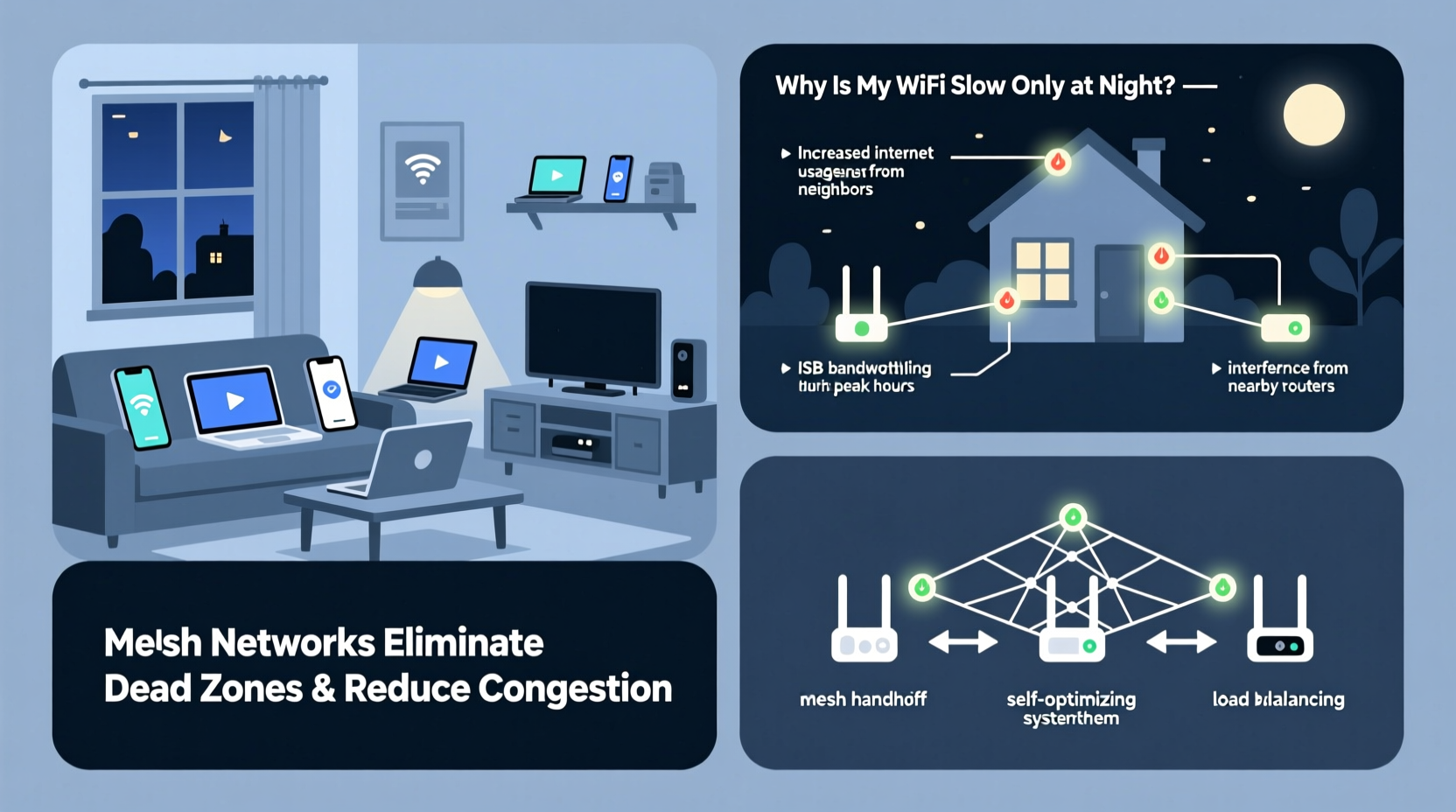
Nighttime internet slowdowns stem from a mix of internal and external factors. While it may seem like your router suddenly becomes less capable after 7 PM, the reality involves increased demand, signal interference, and neighborhood congestion.
Increased Household Device Usage
Evening hours typically mark the end of work and school routines. That’s when multiple users begin streaming Netflix, playing online games, browsing social media, or downloading large files. A single router—especially an older model—struggles to maintain strong connections across dozens of devices simultaneously.
Each device consumes bandwidth, and routers have limited processing power to handle data requests. When too many devices connect at once, latency increases and throughput drops.
Neighbor Network Interference
In densely populated areas—apartments, townhouses, suburban neighborhoods—dozens of WiFi networks operate within close proximity. Most home routers default to the same 2.4 GHz band, which has fewer non-overlapping channels (only three: 1, 6, and 11). At night, as neighbors stream and game, their signals interfere with yours.
This phenomenon, known as co-channel interference, forces your devices to wait their turn to transmit data, causing delays and reduced speeds—even if your own network is lightly used.
ISP Throttling and Network Congestion
Internet Service Providers (ISPs) often oversubscribe their local nodes. For example, a neighborhood node might be engineered to support 100 Mbps total but serve 50 homes each paying for 100 Mbps plans. During off-peak hours, this works fine. But at night, when everyone is online, the shared capacity becomes a bottleneck.
Some ISPs also employ traffic shaping or throttling on high-bandwidth activities like 4K streaming or peer-to-peer file sharing during peak times, further reducing performance.
“We see up to a 40% drop in average throughput between 7 PM and 11 PM in urban areas due to localized congestion.” — Dr. Lena Patel, Senior Network Engineer at Broadband Insights Group
How Mesh Networks Solve Nighttime WiFi Issues
Traditional single-router setups were designed for simpler, smaller homes with fewer connected devices. Today’s smart homes—with security cameras, thermostats, voice assistants, and multiple mobile devices—demand smarter solutions. Mesh WiFi systems offer a fundamental upgrade in coverage, capacity, and intelligence.
What Is a Mesh Network?
A mesh WiFi system replaces your standalone router with multiple interconnected units called nodes. One node connects directly to your modem, acting as the main router. Additional satellite nodes are placed throughout your home, wirelessly linking to form a seamless network.
Unlike range extenders—which merely repeat a weak signal—mesh nodes communicate intelligently, creating dynamic pathways for data. They self-optimize using protocols like IEEE 802.11k/v/r for fast roaming and load balancing.
Better Coverage, Fewer Dead Zones
One major cause of perceived slowness is poor signal strength in certain rooms. If your router is in the basement and you’re upstairs, the signal degrades through walls and floors. This forces devices to operate at lower data rates or disconnect entirely.
Mesh systems eliminate this by placing nodes strategically—near bedrooms, offices, or entertainment centers—ensuring full-strength WiFi everywhere. Stronger signal means faster speeds and more stable connections.
Tri-Band Backhaul and Band Steering
Premium mesh systems use tri-band technology: two 5 GHz bands and one 2.4 GHz band. One 5 GHz band handles client devices (your phone, laptop), while the other is reserved exclusively for communication between nodes (backhaul).
This dedicated backchannel prevents internal traffic from competing with user traffic, significantly improving efficiency. Additionally, band steering automatically directs compatible devices to the faster 5 GHz band, freeing up 2.4 GHz for legacy gadgets.
Smart Traffic Management
Modern mesh systems include Quality of Service (QoS) features that prioritize critical applications. You can set rules to give video calls or gaming consoles higher priority over background downloads or software updates.
Some models even integrate AI-based optimization that learns your usage patterns and allocates resources accordingly—exactly when you need them most.
Case Study: The Johnson Family’s Evening Streaming Struggle
The Johnsons live in a 2,200-square-foot suburban home with five residents and over 15 connected devices. Every night, their living room TV would buffer during dinner, Zoom calls from their home office froze, and their kids complained about lag in online games.
They had a five-year-old dual-band router in the hallway closet—obstructed by walls and surrounded by electrical wiring. Speed tests showed 150 Mbps near the router but dropped to 12 Mbps in the master bedroom.
After installing a tri-band mesh system with three nodes (living room, upstairs hall, and basement), they saw immediate improvements. All devices maintained 80+ Mbps even during peak usage. The automatic channel selection avoided neighbor interference, and QoS settings ensured streaming took priority over cloud backups.
Six months later, no buffering complaints—and the parents finally finished *Stranger Things* without interruptions.
Step-by-Step Guide to Upgrading to a Mesh Network
Moving from a traditional router to a mesh system doesn’t require technical expertise. Follow this proven sequence for best results:
- Assess Your Home Layout: Measure square footage and note where you need coverage. Homes under 1,500 sq ft usually need 2 nodes; larger homes may require 3 or more.
- Choose the Right System: Look for tri-band models if you have heavy usage. Popular reliable brands include Eero Pro 6, Netgear Orbi RBK752, and TP-Link Deco XE75.
- Unbox and Position Nodes: Place the primary node near your modem. Satellite nodes should be within 30–50 feet of each other, avoiding thick walls or appliances.
- Connect and Configure: Use the manufacturer’s app (iOS/Android) to set up the network. It will guide you through naming your SSID, setting passwords, and optimizing placement.
- Test and Optimize: Run speed tests in different rooms. Adjust node positions if needed. Enable QoS and firmware auto-updates for long-term performance.
- Monitor Performance: Most apps provide real-time insights into device connections, bandwidth usage, and signal strength—use them to troubleshoot proactively.
WiFi Optimization Checklist Before Buying a Mesh System
Before investing in new hardware, try these low-cost fixes to rule out simple issues:
- Restart your router and modem nightly to clear memory leaks.
- Update router firmware through the admin interface.
- Switch to less congested WiFi channels using a tool like Wi-Fi Analyzer (Android) or AirPort Utility (iOS).
- Use Ethernet for stationary devices (TVs, desktops) to reduce wireless load.
- Disable unused features like WPS or guest networks that consume resources.
- Check if your ISP plan delivers promised speeds—run a wired speed test via computer connected directly to modem.
- Consider upgrading your internet plan if household demand exceeds current bandwidth.
Mesh vs. Traditional Router vs. Range Extender: A Comparison
| Feature | Traditional Router | Range Extender | Mesh WiFi System |
|---|---|---|---|
| Coverage Area | Up to 1,500 sq ft (ideal) | Extends existing signal poorly | Full home coverage (scalable) |
| Seamless Roaming | No – manual reconnection | No – separate network names | Yes – single SSID, smooth handoff |
| Backhaul Efficiency | N/A | Shared band (slows overall speed) | Dedicated radio (tri-band models) |
| Interference Resistance | Low – fixed channels | Worsens congestion | High – automatic optimization |
| Setup & Management | Web interface (technical) | Inconsistent interfaces | Mobile app with guided setup |
| Cost (Entry-Level) | $50–$100 | $40–$80 | $180–$300 (for 2–3 pack) |
While mesh systems cost more upfront, their long-term value in reliability, ease of use, and performance makes them the superior choice for modern homes.
Frequently Asked Questions
Can I keep my current internet provider with a mesh network?
Yes. Mesh systems replace your router, not your internet service. Simply connect the primary mesh node to your existing modem. You’ll still receive the same plan speeds—but utilize them more effectively.
Do all mesh systems work with any modem?
Most do, as long as your modem has an available Ethernet port. However, avoid using outdated or ISP-provided combo modem-routers unless they’re in bridge mode. Otherwise, double NAT issues may arise. Check compatibility lists before purchasing.
Will a mesh network reduce my electricity bill?
Not directly. In fact, multiple nodes consume slightly more power than a single router. However, improved efficiency may allow you to decommission old equipment (like repeaters or secondary routers), balancing energy use. Overall, power differences are negligible compared to performance gains.
Final Thoughts: Take Control of Your Home Network
Nighttime WiFi slowdowns aren’t inevitable. They’re symptoms of outdated networking approaches struggling to meet today’s digital demands. By understanding the root causes—congestion, interference, poor coverage—you can make informed decisions about upgrading your setup.
Mesh WiFi systems represent a significant leap forward in home networking. They don’t just boost speed—they create intelligent, adaptive networks that grow with your needs. Whether you’re working remotely, streaming in 4K, or supporting a household full of devices, a well-designed mesh system ensures everyone stays connected without compromise.




 浙公网安备
33010002000092号
浙公网安备
33010002000092号 浙B2-20120091-4
Comments
No comments yet. Why don't you start the discussion?