
Smart speakers have become central to modern homes, simplifying daily routines with voice-controlled lighting, music, timers, and information. Yet, even the most advanced devices occasionally respond with “I didn’t catch that” or execute completely unrelated actions. These errors aren't random—they stem from a combination of technical limitations, environmental interference, and user behavior. Understanding the root causes is the first step toward achieving reliable, frustration-free interactions.
Voice assistants like Amazon Alexa, Google Assistant, and Apple’s Siri rely on complex algorithms to convert spoken language into actionable commands. While they continue to improve, they are not infallible. Misunderstandings occur more frequently than users expect, often due to factors easily overlooked. The good news: most issues can be corrected with targeted adjustments to setup, usage habits, and device management.
Why Voice Recognition Fails: Common Causes
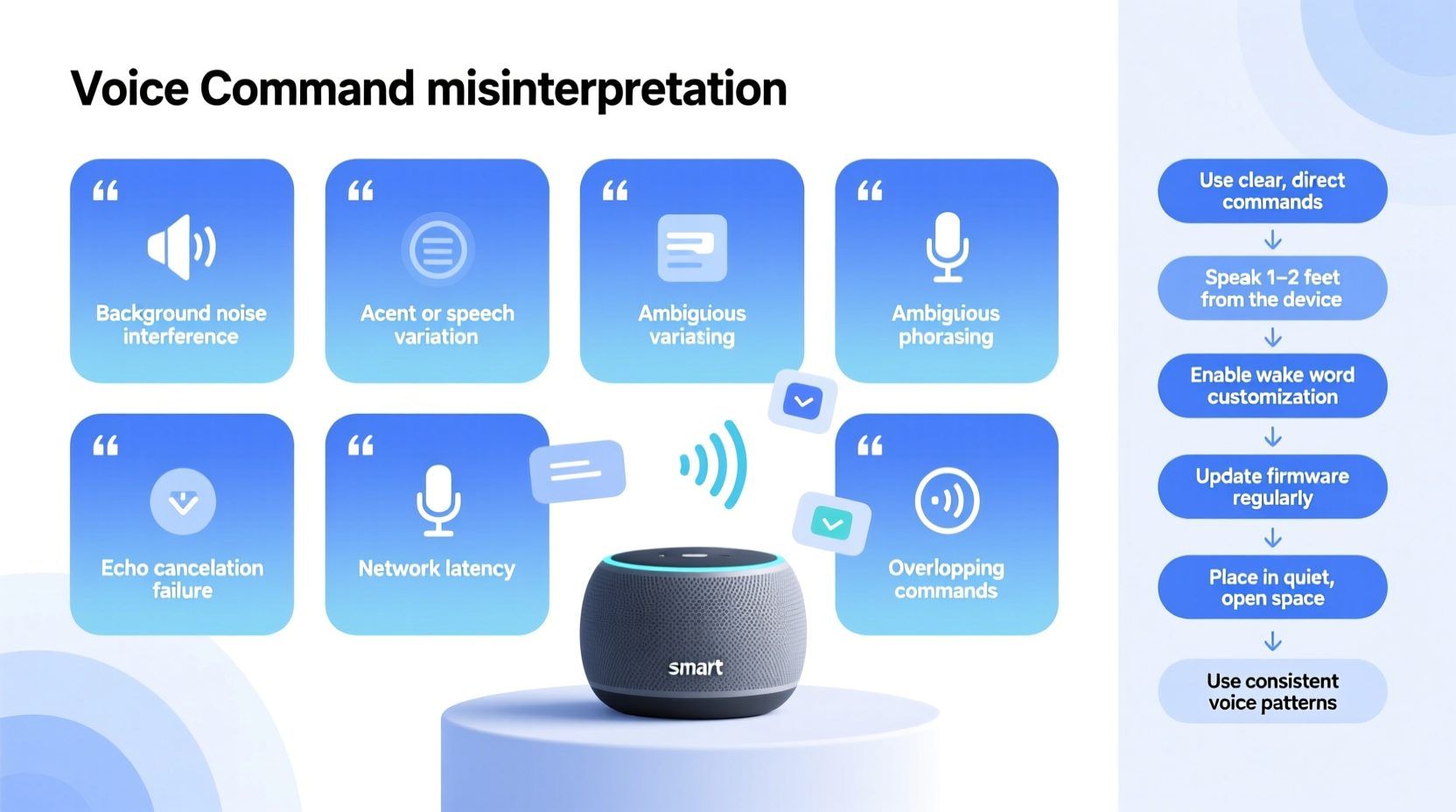
At its core, voice recognition depends on two processes: detecting the wake word (like “Hey Google” or “Alexa”) and interpreting the command that follows. Each stage is vulnerable to disruption. Below are the most frequent reasons smart speakers fail to understand commands accurately.
- Ambient noise interference: Background sounds—TVs, fans, dishwashers, pets, or overlapping conversations—can distort speech signals before they reach the microphone.
- Poor microphone placement: Devices tucked behind furniture, near walls, or in corners suffer from echo and muffled audio pickup.
- Accents and speech patterns: Voice models are typically trained on dominant regional accents. Non-native speakers or those with strong regional dialects may experience lower recognition rates.
- Low internet bandwidth: Cloud-based processing requires stable connectivity. Slow or unstable connections delay or corrupt data transmission.
- Outdated firmware: Older software versions lack improvements in natural language understanding and noise filtering.
- Overlapping commands: Rapid-fire requests or speaking too quickly after the wake word can cause the assistant to miss parts of the sentence.
These factors don’t operate in isolation. A speaker in a noisy kitchen with outdated software and poor positioning faces compounded challenges. Recognizing these triggers allows users to implement precise fixes rather than relying on trial and error.
Environmental Adjustments for Better Accuracy
The physical environment plays a surprisingly large role in voice recognition performance. Even high-end microphones struggle when placed in acoustically challenging rooms. Consider the following improvements:
- Reduce background noise: Turn off unnecessary appliances during critical interactions. Use quiet hours for voice routines like morning alarms or bedtime controls.
- Add soft furnishings: Carpets, curtains, and upholstered furniture absorb sound reflections. Hard floors and bare walls create echoes that confuse microphones.
- Avoid placing near electronics: Devices like TVs, refrigerators, or routers emit low-frequency hums that interfere with voice clarity.
- Use multiple speakers strategically: In large homes, distribute devices so one is always nearby. This reduces the need to shout across rooms.
Acoustic treatment doesn’t require professional installation. Simple changes—like moving the speaker from a bookshelf corner to a central coffee table—can dramatically improve pickup quality.
Mini Case Study: The Kitchen Speaker That Kept Failing
Mark installed an Echo Dot above his kitchen counter to control lights and set cooking timers. Despite clear diction, it frequently misunderstood “set timer for ten minutes” as “play tin miners.” After troubleshooting, he realized three issues: the device was mounted next to a humming microwave, directly against a tile backsplash, and used during dinner prep when the exhaust fan ran.
He relocated the speaker to a shelf further from appliances, turned off the fan when using voice commands, and added a small fabric placemat behind the device to dampen reflections. Within days, error rates dropped from nearly 40% to less than 5%. His solution cost nothing but required careful observation.
Optimizing Your Voice Profile and Settings
Most voice assistants support personalized voice profiles, allowing them to adapt to individual speech patterns. Enabling this feature significantly improves accuracy, especially in multi-user households.
For example, Google Assistant’s Voice Match and Alexa’s Voice Profiles use machine learning to recognize unique vocal characteristics. During setup, users record a series of phrases so the system builds a reference model. Over time, the assistant becomes better at distinguishing between family members and filtering out non-target voices.
| Platform | Feature Name | How to Enable |
|---|---|---|
| Amazon Alexa | Voice Profiles | Open Alexa app → Settings → Your Profile & Family → Add Voice Profile |
| Google Assistant | Voice Match | Google Home app → Account → Voice Match → Add Voice Model |
| Apple Siri | Personalized Voice Recognition | Settings → Siri & Search → Listen for “Hey Siri” → Set up |
Once enabled, consistently use the same device for training. Avoid shouting or altering your tone unnaturally—speak as you would in conversation. Recalibrate the profile every few months, especially if recovering from a cold or experiencing persistent errors.
“Voice recognition isn’t one-size-fits-all. Systems trained on individual voices see up to 30% improvement in accuracy over generic models.” — Dr. Lena Torres, NLP Researcher at MIT Media Lab
Step-by-Step Guide to Improve Smart Speaker Accuracy
Follow this systematic approach to maximize your smart speaker’s understanding over seven days. Small, consistent changes yield measurable results.
- Day 1: Audit Your Environment
Walk through each room where a smart speaker is located. Note sources of noise, proximity to walls, and competing electronics. Make a list of potential fixes. - Day 2: Reposition Devices
Move speakers to open areas at head height. Ensure microphones face the primary interaction zone. Test responsiveness from common locations (sofa, doorway, etc.). - Day 3: Update Firmware
Check for updates in your companion app (Alexa, Google Home, Home app). Install any pending software upgrades to access the latest speech models. - Day 4: Train Your Voice Profile
Enroll in voice personalization if you haven’t already. Speak clearly and complete all required phrases without interruption. - Day 5: Reduce Ambient Noise
Temporarily disable noisy appliances during testing. Use rugs or blankets to soften reflective surfaces. Consider noise-reducing enclosures if needed. - Day 6: Refine Command Structure
Use concise, predictable phrasing. Instead of “Can you maybe turn the living room lights down a bit?”, say “Dim living room lights to 50%.” - Day 7: Test and Monitor
Spend 15 minutes issuing varied commands. Track success rate. Repeat problematic phrases slowly and reposition if necessary.
Advanced Tips and Hidden Features
Beyond basic setup, several underused features can boost reliability:
- Enable follow-up mode: Allows hands-free back-to-back commands without repeating the wake word. Reduces strain on pronunciation.
- Adjust microphone sensitivity: Some apps let you tweak input levels or enable “quiet listening” modes for hushed environments.
- Use explicit device targeting: In multi-speaker homes, say “Hey Google, tell the bedroom speaker to play jazz” to avoid confusion.
- Review voice history: Check your assistant’s activity log to see how it interpreted past commands. Identify recurring misinterpretations.
Additionally, consider investing in smart displays or hubs with multiple microphones and beamforming technology. These devices focus on sound from specific directions, improving clarity in noisy settings.
Checklist: Maximize Voice Command Accuracy
- ✅ Position speaker at ear level, away from walls and obstructions
- ✅ Reduce background noise during frequent use times
- ✅ Enable and train a personalized voice profile
- ✅ Install the latest firmware and app updates
- ✅ Use clear, structured commands (e.g., “Turn off kitchen lights”)
- ✅ Test microphone response weekly with standard phrases
- ✅ Review voice history for recurring errors
- ✅ Consider upgrading to a device with enhanced mic array
Frequently Asked Questions
Why does my smart speaker hear me but do the wrong thing?
This usually means the wake word was detected correctly, but the command was misinterpreted. It could be due to similar-sounding words (“play classical” vs. “play colossal”), background noise, or an incomplete phrase. Try rephrasing with simpler terms and ensure you’re within three meters of the device.
Can accents really affect voice recognition?
Yes. While major platforms support many dialects, accuracy varies. Accents underrepresented in training data may require extra voice profile training. Google and Amazon regularly expand their models, so performance improves over time. Users can also submit feedback via the app to help refine recognition.
Should I reset my smart speaker if it keeps misunderstanding me?
Resetting should be a last resort. First, try updating software, retraining your voice profile, and adjusting placement. If problems persist across multiple devices, contact support—there may be account-level sync issues affecting recognition.
Conclusion: Speak Clearly, Listen Closely, Act Wisely
Smart speakers are powerful tools, but their effectiveness hinges on mutual understanding—between human and machine. Misheard commands are rarely the fault of the user or the device alone; they result from mismatched expectations, suboptimal conditions, and untrained systems. By addressing environmental noise, refining voice profiles, and adopting precision in speech, users regain control over their voice-driven experiences.
The journey to flawless voice control isn’t instantaneous, but it’s achievable. Start with one speaker, apply the steps outlined here, and measure the difference. As these devices evolve, so should our approach to using them—not louder, but smarter.




 浙公网安备
33010002000092号
浙公网安备
33010002000092号 浙B2-20120091-4
Comments
No comments yet. Why don't you start the discussion?