
Streaming 4K movies, gaming in high resolution, video conferencing, and smart home automation—all rely on a stable, fast wireless connection. As internet speeds climb and households accumulate more connected devices, upgrading your Wi-Fi has become a frequent consideration. The latest buzz centers around WiFi 6 and its successor, WiFi 6E. But for most home users focused on seamless streaming, is the jump to WiFi 6E worth the investment?
The answer isn’t a simple yes or no. It depends on your current setup, household size, number of devices, internet plan, and future needs. To make an informed decision, it's essential to understand what sets WiFi 6 and WiFi 6E apart—and whether those differences translate into meaningful improvements for everyday use.
Understanding WiFi 6 and WiFi 6E: What’s the Difference?
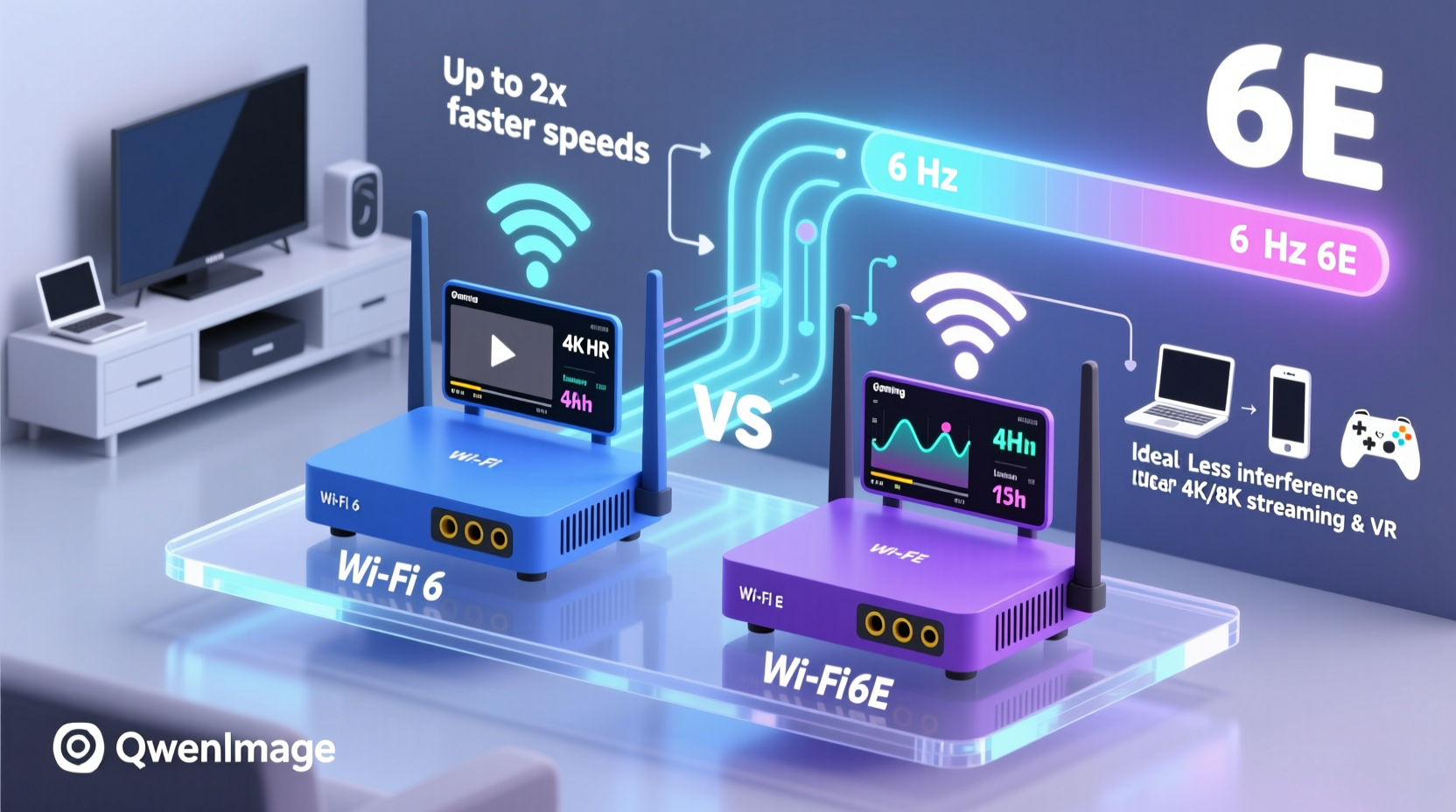
WiFi 6, officially known as IEEE 802.11ax, was introduced in 2019 as a major leap over WiFi 5 (802.11ac). It brought improvements in efficiency, capacity, and speed—especially in crowded networks. Key features include OFDMA (Orthogonal Frequency Division Multiple Access), which allows multiple devices to share a single transmission channel, and MU-MIMO (Multi-User, Multiple Input, Multiple Output), enabling routers to communicate with several devices simultaneously.
WiFi 6E builds upon WiFi 6 but adds one critical component: access to the 6 GHz band. While WiFi 6 operates on the traditional 2.4 GHz and 5 GHz bands, WiFi 6E unlocks the newly available 6 GHz spectrum, offering significantly more bandwidth and less interference.
This additional band doesn’t increase raw speed per se—it’s not like going from 100 Mbps to 1 Gbps—but it dramatically improves network responsiveness, reduces latency, and minimizes congestion. In practical terms, this means smoother streaming during peak usage times and better performance when multiple devices are active.
Real-World Performance: Streaming at Home
For streaming enthusiasts, the primary concern is consistency. Buffering, pixelation, or sudden drops in quality can ruin the viewing experience. Let’s examine how WiFi 6 and WiFi 6E perform under typical home conditions.
In a household with two people streaming Netflix and YouTube on 4K TVs, while others browse on tablets and smartphones, WiFi 6 already handles traffic efficiently. With OFDMA and improved scheduling, it manages device contention well, reducing lag and packet loss. Most gigabit internet plans can be fully utilized by a good WiFi 6 router without bottlenecks—assuming devices support WiFi 6.
WiFi 6E shines in denser environments. Imagine a family of four, each with multiple devices: smartphones, laptops, tablets, smart TVs, gaming consoles, and IoT gadgets like cameras and voice assistants. That could mean 15–20 connected devices competing for bandwidth. On the 5 GHz band, channels become congested, especially in urban areas where neighboring networks interfere. The 6 GHz band in WiFi 6E provides up to 14 additional 80 MHz channels (and seven 160 MHz channels), virtually eliminating channel overlap.
As a result, 4K and 8K streams start faster, load more reliably, and maintain higher bitrates. Gamers benefit too, with lower ping times—important if you’re using cloud gaming services like Xbox Cloud Gaming or NVIDIA GeForce Now alongside streaming.
“WiFi 6E isn't about raw speed gains; it's about network cleanliness. Think of it like adding extra lanes to a highway during rush hour.” — Dr. Lena Torres, Wireless Network Engineer at MIT Lincoln Laboratory
Comparison Table: WiFi 6 vs WiFi 6E
| Feature | WiFi 6 | WiFi 6E |
|---|---|---|
| Bands Supported | 2.4 GHz, 5 GHz | 2.4 GHz, 5 GHz, 6 GHz |
| Max Theoretical Speed | Up to 9.6 Gbps (shared) | Up to 9.6 Gbps (shared) |
| Available Channels (6 GHz not applicable) | Limited 5 GHz channels; often congested | 14+ non-overlapping 80 MHz channels in 6 GHz |
| Interference Risk | Moderate to high (especially in cities) | Very low (6 GHz is exclusive to WiFi 6E devices) |
| Range and Wall Penetration | Good on 5 GHz; better on 2.4 GHz | Shorter range; struggles through walls and floors |
| Device Compatibility | Wide (most phones, laptops post-2020) | Limited (requires WiFi 6E-capable devices) |
| Ideal Use Case | Medium-sized homes, moderate device count | Dense networks, 4K/8K streaming, low-latency needs |
Mini Case Study: The Martinez Family Setup
The Martinez family lives in a three-bedroom suburban home with six residents and over 18 connected devices. They recently upgraded their internet to a 1 Gbps fiber plan and noticed that despite the speed test showing full bandwidth, their 4K streaming would occasionally buffer during evenings when everyone was online.
Their old router supported only WiFi 5. They first upgraded to a high-end WiFi 6 mesh system. Initially, performance improved—streaming became more consistent, and downloads were faster. However, during family movie nights, when all three TVs streamed simultaneously and kids played online games, minor stutters persisted.
They then switched to a tri-band WiFi 6E mesh system. The change was noticeable: no more buffering, even with all devices active. Video calls remained crystal clear, and large file downloads didn’t impact streaming. The key difference? The 6 GHz band handled the bulk of high-bandwidth tasks without competing with older IoT devices stuck on 2.4 GHz.
However, they did face one limitation: the master bedroom, farthest from the main node, had weak 6 GHz signal. They resolved this by placing a second mesh node nearby, ensuring full coverage. This illustrates that while WiFi 6E offers superior performance, proper placement and potentially additional hardware are necessary for optimal results.
Do You Really Need WiFi 6E for Streaming?
Let’s break down who benefits and who might not need the upgrade:
- You likely don’t need WiFi 6E if:
- Your internet plan is under 300 Mbps.
- You have fewer than 10 connected devices.
- You live in a small apartment or house with minimal interference.
- Your current WiFi 6 router delivers stable 4K streaming.
- You should consider WiFi 6E if:
- You have a gigabit or multi-gigabit internet plan.
- You stream 4K or 8K content frequently across multiple screens.
- You experience lag or buffering during peak usage hours.
- You own or plan to buy WiFi 6E-compatible devices (e.g., Samsung Galaxy S23+, MacBook Pro 14\" M2, certain gaming laptops).
- You work from home with large video uploads/downloads.
It’s also important to note that WiFi 6E requires compatible client devices. Even with a top-tier WiFi 6E router, your phone or laptop must support the 6 GHz band to take advantage of it. As of 2024, only premium smartphones, tablets, and laptops offer this capability. Most smart TVs, streaming sticks, and IoT devices still operate on 2.4 GHz or 5 GHz.
Step-by-Step Guide: Should You Upgrade?
Follow this logical process to determine whether WiFi 6 or WiFi 6E is right for your streaming needs:
- Assess Your Internet Plan: Check your actual download speed using a wired connection. If it’s below 500 Mbps, WiFi 6 is likely sufficient.
- Inventory Connected Devices: Count all Wi-Fi-enabled devices. More than 12 suggests potential congestion.
- Test Current Performance: Run speed tests on your main streaming devices during peak hours. Note any drops in throughput or high latency.
- Check Device Compatibility: Verify if your phones, laptops, and streaming boxes support WiFi 6 or WiFi 6E.
- Evaluate Physical Layout: Large homes or those with thick walls may require mesh systems. WiFi 6E’s shorter range means strategic node placement is crucial.
- Compare Router Options: Look at tri-band WiFi 6E routers (like ASUS ROG Rapture GT-AXE16000 or Netgear Nighthawk RAXE500) versus high-end dual-band WiFi 6 models.
- Consider Future-Proofing: If you plan to stay in your home for years and expect more devices or faster internet, WiFi 6E may be a smarter long-term investment.
Frequently Asked Questions
Is WiFi 6E faster than WiFi 6?
Not necessarily in raw top speed—the theoretical maximum is the same. However, WiFi 6E delivers consistently higher real-world performance due to less congestion on the 6 GHz band, resulting in faster response times and reduced latency.
Can I use WiFi 6E with my existing devices?
You can connect older devices to a WiFi 6E router—they’ll simply operate on the 2.4 GHz or 5 GHz bands. Only WiFi 6E-capable devices can access the 6 GHz band. So yes, it’s backward compatible, but you won’t see the full benefits unless your devices support it.
Does WiFi 6E improve range?
No—in fact, the 6 GHz signal has shorter range and poorer wall penetration than 5 GHz. For whole-home coverage, especially in larger houses, a mesh system with multiple nodes is recommended when using WiFi 6E.
Final Checklist Before Upgrading
- ✅ Confirmed internet speed is 500 Mbps or higher
- ✅ More than 10 active Wi-Fi devices in the home
- ✅ Frequent 4K/8K streaming or online gaming
- ✅ Primary devices (phone, laptop, TV) support WiFi 6E
- ✅ Willing to invest in a mesh system if needed for coverage
- ✅ Looking for future-proof network infrastructure
Conclusion: Make the Right Choice for Your Home
WiFi 6 is more than capable for most home streaming setups today. If you're on a mid-tier internet plan and have a modest number of devices, upgrading from WiFi 5 to WiFi 6 will likely resolve any performance issues. The efficiency gains alone make it a worthwhile step forward.
WiFi 6E, however, is a premium solution designed for power users, tech-forward households, and those pushing the limits of bandwidth. Its true value lies not in headline-grabbing speed boosts, but in delivering a cleaner, more responsive network environment—critical when every second of latency affects your 4K stream or multiplayer game.
If you're building a new smart home, investing in high-resolution media, or anticipating growing bandwidth demands, WiFi 6E is a forward-looking choice. But if your needs are straightforward and your current setup works well, hold off. Technology evolves quickly, and waiting for WiFi 7—which brings even wider channels and improved efficiency—might be the smarter move in the near term.




 浙公网安备
33010002000092号
浙公网安备
33010002000092号 浙B2-20120091-4
Comments
No comments yet. Why don't you start the discussion?