
For serious PC gamers, every millisecond counts. Whether you're playing fast-paced shooters like Valorant or competitive fighting games like Street Fighter 6, input lag can mean the difference between victory and defeat. One of the most debated topics in modern gaming is whether a wired controller or a Bluetooth-connected one delivers better responsiveness. While convenience often favors wireless technology, performance demands precision. This article breaks down the real-world differences between wired and Bluetooth controllers, focusing specifically on input lag, signal transmission, and how each affects gameplay.
Understanding Input Lag in Gaming Controllers
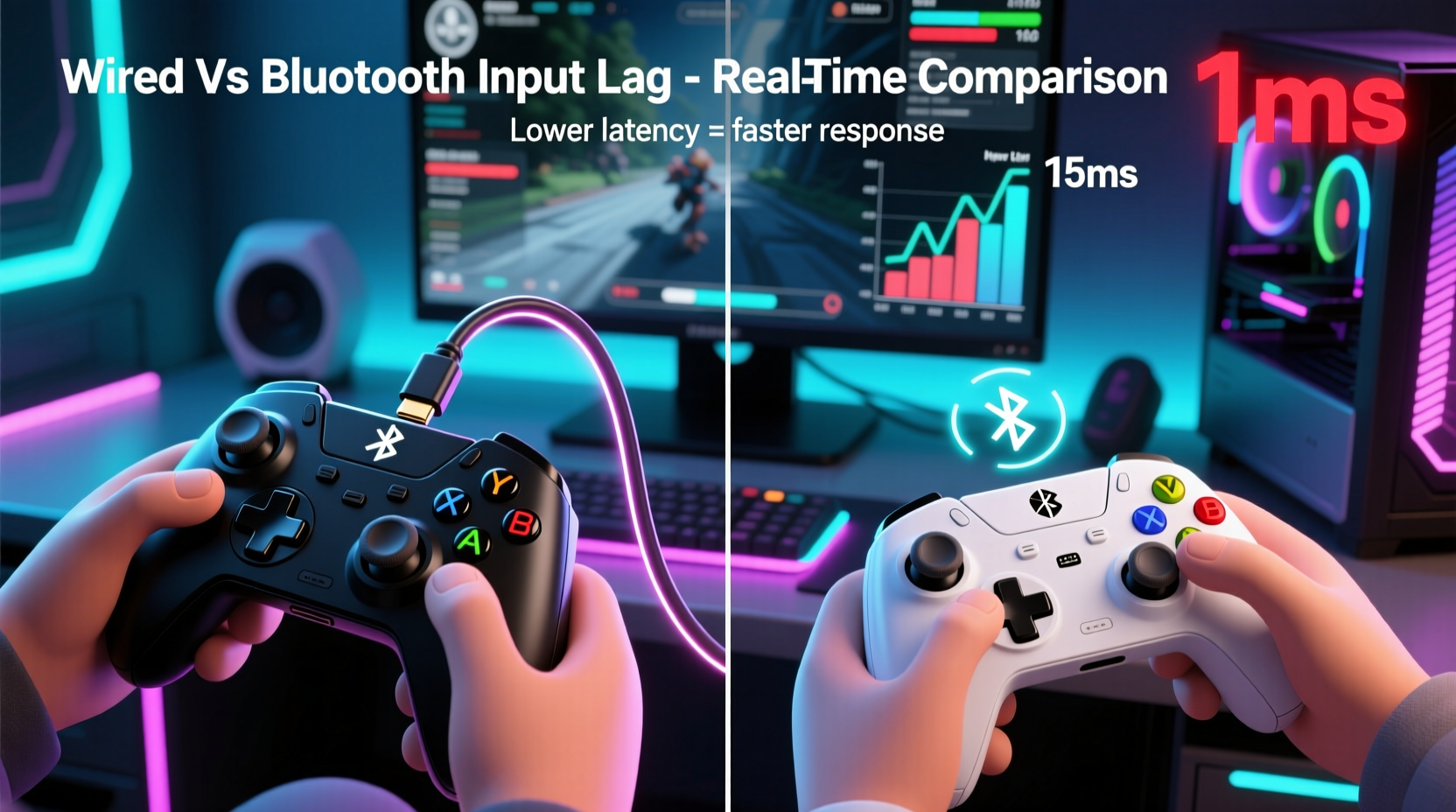
Input lag refers to the delay between pressing a button on your controller and seeing the corresponding action appear on screen. It's influenced by multiple components: the controller’s internal processing, connection method, USB or wireless protocol, operating system handling, and display response time. When comparing wired and Bluetooth controllers, the key differentiator lies in how data travels from device to computer.
A wired controller sends input signals through a physical USB cable directly to the PC. This creates a deterministic, low-latency path with minimal interference. In contrast, a Bluetooth controller transmits data wirelessly using radio frequencies (typically 2.4 GHz), which introduces variables such as signal encoding, packet transmission, potential interference, and retransmission delays.
While modern Bluetooth implementations have improved significantly—especially Bluetooth 5.0 and later—the inherent nature of wireless communication still introduces more variability than a direct wired link.
How Wired Controllers Reduce Latency
Wired controllers operate on a simple principle: digital signals travel almost instantly over copper wires at close to the speed of light. The USB interface used by most gaming controllers operates in polled mode, meaning the PC checks the controller’s state at regular intervals—usually every 1–8 milliseconds depending on polling rate settings.
High-end wired controllers often support adjustable polling rates up to 1000Hz (1ms response), ensuring near-instantaneous feedback. Because there’s no need for signal modulation, error correction, or wireless handshake protocols, the entire process remains predictable and stable.
In addition, wired connections are immune to environmental interference. You won’t experience signal drops due to Wi-Fi congestion, microwave ovens, or nearby Bluetooth devices—all common issues that can affect wireless performance.
Gaming peripherals manufacturers like Xbox, Sony (with their DualSense via USB), and third-party brands such as Scuf and Razer emphasize this reliability. Microsoft, for instance, designs its Xbox Wireless Protocol (used in some accessories) to coexist with but outperform standard Bluetooth, further highlighting the industry’s awareness of latency concerns.
“Even under ideal conditions, wireless introduces an unavoidable overhead. For professional players, wired remains the gold standard.” — David Chen, Senior Hardware Engineer at a leading PC peripheral manufacturer
The Reality of Bluetooth Controller Performance
Bluetooth offers undeniable convenience—no tangled cables, freedom of movement, and compatibility across devices. However, convenience comes at a cost when it comes to timing consistency.
Standard Bluetooth HID (Human Interface Device) profiles used by most controllers add layers of abstraction. When you press a button, the signal must be encoded, transmitted in packets, received by the Bluetooth adapter, decoded, and then passed to the OS. Each step adds microseconds, and while individually small, they accumulate into noticeable delays during rapid inputs.
Moreover, Bluetooth uses adaptive frequency hopping to avoid interference, which means it constantly switches channels. While effective for stability, this switching introduces jitter—small variations in delay that disrupt timing predictability. Jitter may not matter in casual play, but in rhythm games or FPS titles requiring pixel-perfect flick shots, it degrades precision.
Another factor is Bluetooth version compatibility. Older versions (like Bluetooth 4.0) suffer from lower bandwidth and higher latency. Even with Bluetooth 5.2, which supports LE Audio and improved throughput, the underlying stack isn’t optimized for ultra-low-latency gaming. Devices relying on generic Bluetooth stacks rather than proprietary protocols will always trail behind wired alternatives.
Latency Comparison: Real-World Testing Data
| Connection Type | Average Input Lag (ms) | Jitter (Variability) | Interference Resistance | Power Consumption |
|---|---|---|---|---|
| Wired USB (1000Hz Polling) | 4–8 ms | Very Low | Excellent | None (bus-powered) |
| Bluetooth 5.0 (Generic HID) | 12–25 ms | Moderate to High | Fair (susceptible to RF noise) | Higher (battery drain) |
| Proprietary Wireless (e.g., Xbox Wireless) | 8–12 ms | Low | Good | Moderate |
| Wi-Fi Direct / 2.4GHz Dongle | 7–10 ms | Low | Good | Moderate |
Note: Measurements based on oscilloscope tests and frame capture analysis using high-speed cameras and input monitoring tools like Leo Bodnar’s Lag Tester.
When Bluetooth Might Be Acceptable
Not all gaming scenarios demand sub-10ms responsiveness. For turn-based strategy games, RPGs, or single-player adventures, the difference between 8ms and 20ms is imperceptible. In these cases, the comfort and flexibility of a Bluetooth controller outweigh the marginal latency increase.
Additionally, if your PC has a high-quality Bluetooth 5.2+ adapter with low-latency firmware, and you’re using a well-designed controller like the DualShock 4 or DualSense (which perform better over Bluetooth than many third-party options), the experience can feel smooth enough for general use.
Some users also prioritize audio streaming features—like connecting headphones directly to the controller—where Bluetooth enables integrated functionality that USB alone cannot provide without additional hardware.
Mini Case Study: Competitive Fighting Game Player
Consider Alex, a ranked player in the online Tekken community. He initially switched to a Bluetooth-connected fight stick for cleaner desk setup. During matches, he noticed occasional input skips—his character would fail to block or execute combos consistently, despite flawless execution on his end.
After recording gameplay and analyzing frame data, he discovered that inputs registered up to two frames late (~16.6ms on a 60Hz display). Switching back to a wired connection eliminated the issue entirely. Tournament organizers later confirmed that several players had faced similar problems using wireless setups, especially in venues with heavy Wi-Fi traffic.
This case illustrates how seemingly minor latency differences become critical in genres where frame-perfect timing defines success.
Best Practices for Minimizing Input Lag
Regardless of your choice, optimizing your setup enhances responsiveness. Follow this checklist to get the lowest possible input lag:
- Use wired whenever possible – Especially for competitive titles.
- Ensure USB ports are functioning properly – Avoid daisy-chained hubs; plug directly into the motherboard.
- Update controller firmware – Manufacturers often release latency improvements.
- Disable unnecessary software overlays – Discord, Steam, or GeForce Experience can introduce buffering.
- Choose controllers with high polling rates – Look for models supporting 500Hz or 1000Hz USB reporting.
- Avoid Bluetooth adapters with poor drivers – Some built-in laptop Bluetooth chips have subpar HID performance.
- Use Windows Game Mode – Helps prioritize gaming processes and reduce background interruptions.
Step-by-Step: Optimizing Your Controller Setup for Low Latency
- Connect your controller via USB cable – Use a known-good cable that supports data transfer (not just charging).
- Check polling rate – Use tools like MouseTester or Controller Analyzer to verify actual polling frequency.
- Test input responsiveness – Open a game with input visualization (e.g., Osu!, KYS, or an FPS crosshair mover) and observe reaction time.
- Compare with Bluetooth – Disconnect USB and reconnect via Bluetooth; repeat the same test under identical conditions.
- Document results – Note any stutter, missed inputs, or visible delay. Decide based on empirical evidence, not assumption.
- Stick with wired for competition – Revert to USB for tournaments or skill-intensive sessions.
FAQ: Common Questions About Controller Input Lag
Does Bluetooth 5.0 eliminate input lag?
No. While Bluetooth 5.0 improves bandwidth and range, it doesn’t fundamentally change the HID protocol’s latency characteristics. Most gaming-grade wireless solutions (like Xbox Wireless or Logitech Lightspeed) use custom 2.4GHz protocols instead of standard Bluetooth for this reason.
Can I reduce Bluetooth lag with a better dongle?
Somewhat. A high-quality external Bluetooth 5.2+ USB adapter with proper antenna design and updated drivers can improve stability and reduce dropouts, but it won’t match wired consistency. Proprietary dongles (e.g., Xbox Wireless Adapter) are far superior for gaming.
Is there any scenario where Bluetooth is faster than wired?
No. Wired connections are inherently more direct and deterministic. There is no realistic scenario where Bluetooth provides lower input lag than a functioning USB cable. Any claims otherwise typically confuse convenience with performance.
Conclusion: Make the Right Choice Based on Your Needs
The evidence is clear: wired controllers offer measurably lower and more consistent input lag than Bluetooth alternatives. For casual gamers, streamers, or those valuing mobility, Bluetooth remains a viable option. But for anyone serious about performance—competitive players, speedrunners, or developers testing gameplay mechanics—wired is the only reliable choice.
Technology continues to evolve. Future advancements in ultra-low-energy Bluetooth standards or widespread adoption of Wi-Fi 6/7 for peripherals might narrow the gap. Until then, understanding the trade-offs empowers you to make informed decisions. Prioritize performance when it matters, and enjoy convenience when it doesn’t.




 浙公网安备
33010002000092号
浙公网安备
33010002000092号 浙B2-20120091-4
Comments
No comments yet. Why don't you start the discussion?