
In the fast-evolving world of digital product design, choosing between wireframes and high-fidelity prototypes isn't just a matter of preference—it's a strategic decision that shapes how teams collaborate, test ideas, and bring products to life. While both tools serve essential roles in the design process, their application varies significantly depending on project goals, team structure, and development timelines. Today’s designers aren’t necessarily picking one over the other; instead, they’re leveraging both at different stages to maximize efficiency and user insight. Understanding when and why each is used—and what modern design teams actually favor—can help you make smarter decisions in your own workflow.
Understanding the Core Differences
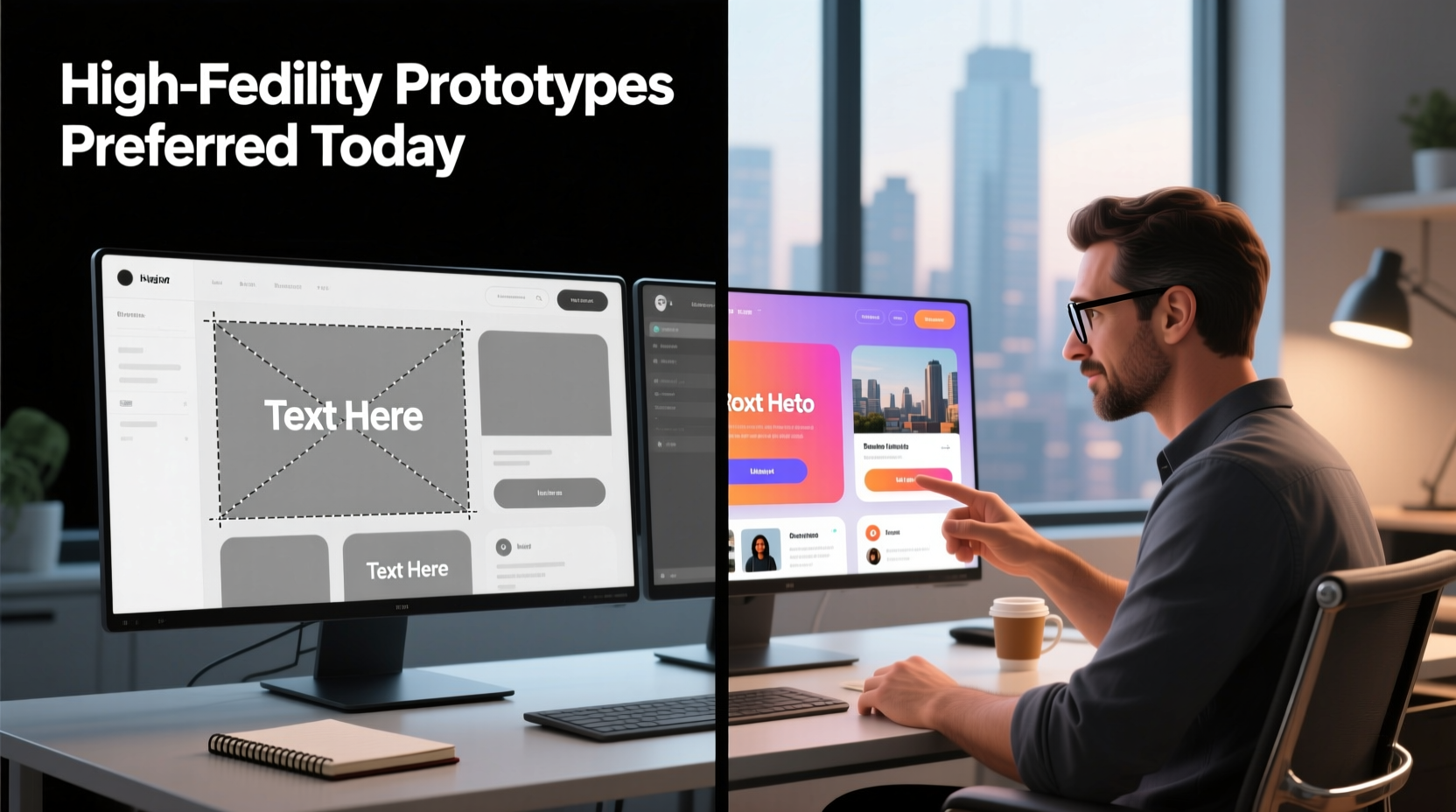
Before diving into preferences, it’s crucial to distinguish between wireframes and high-fidelity prototypes. Though often mentioned together, they represent fundamentally different stages of the design lifecycle.
Wireframes are skeletal blueprints of a digital interface. They focus on layout, information hierarchy, and basic functionality without visual styling. Think of them as architectural sketches—simple, grayscale, and intentionally low-detail. Their primary goal is to align stakeholders on structure before investing time in aesthetics or interactivity.
High-fidelity prototypes, on the other hand, simulate the final product with near-realistic visuals, interactions, animations, and micro-transitions. These are pixel-perfect mockups built in tools like Figma, Adobe XD, or Sketch, often linked to mimic user flows. They’re used for usability testing, stakeholder presentations, and developer handoff.
When Wireframes Still Reign Supreme
Despite the rise of powerful prototyping tools, wireframes remain indispensable in early-stage ideation. Many design leads emphasize their value in fostering rapid iteration and reducing cognitive load during brainstorming sessions.
“We start every project with hand-drawn wireframes,” says Lena Torres, Senior UX Lead at a Berlin-based fintech startup. “It forces us to think about function before form. When you add color, typography, and shadows too early, teams get distracted by aesthetics instead of solving the right problem.”
This sentiment echoes across agile environments where speed and flexibility are paramount. Wireframes allow designers to explore multiple layout options in under an hour, gather feedback, and pivot without significant sunk cost. They’re also highly effective in cross-functional workshops involving non-designers—product managers, developers, and business analysts can engage more easily with simple boxes and labels than polished interfaces.
Moreover, wireframes reduce ambiguity in requirements documentation. By mapping out user flows and screen relationships early, they act as a shared language between design and development teams, minimizing misinterpretations later in the cycle.
The Rise of High-Fidelity Prototypes in Modern Workflows
While wireframes dominate the discovery phase, high-fidelity prototypes have become the go-to tool for validation and communication in later stages. With tools offering advanced interaction design, auto-layout, and component libraries, creating realistic simulations has never been faster.
According to a 2023 survey by UX Collective, 78% of mid-to-senior-level designers reported using high-fidelity prototypes for usability testing, up from 56% in 2020. The reason? Realism drives better feedback. Users interacting with a prototype that looks and behaves like the final product respond more authentically, revealing issues that wouldn’t surface with static wireframes.
For example, subtle animation cues, loading states, and responsive breakpoints can only be evaluated in a high-fidelity environment. A button that appears functional in a wireframe might feel sluggish or confusing when actually clicked in a prototype—insights impossible to capture without interactivity.
“We used to test wireflows with paper click-throughs. Now, our MVP tests run entirely on interactive prototypes. The quality of user feedback improved dramatically.” — Raj Mehta, Head of Product Design, HealthSync Inc.
Additionally, high-fidelity prototypes streamline collaboration with developers. Annotating designs, exporting assets, and inspecting CSS values directly from tools like Figma reduces back-and-forth and accelerates handoff. Some teams even treat prototypes as living documentation, updating them alongside code changes.
Comparative Breakdown: Wireframes vs High-Fidelity Prototypes
| Aspect | Wireframes | High-Fidelity Prototypes |
|---|---|---|
| Level of Detail | Low (grayscale, basic shapes) | High (colors, typography, imagery) |
| Interactivity | Limited or static | Interactive flows, transitions, hover states |
| Time Investment | Low (minutes to hours per screen) | High (hours to days per flow) |
| Best Used For | Ideation, structural planning, stakeholder alignment | User testing, developer handoff, investor demos |
| Feedback Quality | Focused on layout and navigation | Realistic user behavior, emotional response |
| Tool Examples | Balsamiq, pen & paper, Whimsical | Figma, Adobe XD, InVision Studio |
A Real-World Scenario: From Sketch to Simulation
Consider a recent case at NovaEd, an ed-tech company launching a new student dashboard. The design team began with whiteboard sketches, then digitized key screens into wireframes using Balsamiq. Over two sprint planning sessions, they validated the placement of course modules, progress tracking, and messaging features with internal stakeholders.
Once structural consensus was reached, they moved to Figma. There, they built a high-fidelity prototype incorporating the brand’s color palette, custom icons, and dynamic data cards. Using smart animate features, they simulated how a student would navigate from enrollment to quiz submission.
The prototype was then tested with five real users via UserTesting.com. One participant struggled to locate the “Submit Assignment” button—not because it was poorly placed, but because the loading spinner obscured it momentarily. This issue was invisible in the wireframe stage but critical in practice. The team adjusted the animation timing and added a confirmation state, all before writing a single line of code.
This phased approach—wireframes first, prototypes second—allowed NovaEd to balance speed and precision, avoiding costly redesigns post-development.
Do Designers Prefer One Over the Other?
The answer isn’t binary. Most experienced designers don’t see wireframes and high-fidelity prototypes as competitors, but as complementary tools in a staged process. However, industry trends suggest a growing reliance on high-fidelity outputs—even earlier in the cycle.
Tools like Figma have blurred the lines between wireframing and prototyping. Designers can start with low-fidelity frames and gradually increase fidelity within the same file, maintaining continuity. Auto-layout and variant components make it easy to toggle between simplified and detailed views, reducing the need to recreate work across tools.
That said, purists argue that skipping wireframes risks premature optimization. “If you jump straight into high-fi, you’re designing for polish, not problem-solving,” warns Dr. Amara Lin, cognitive scientist and UX researcher at Stanford’s d.school. “The brain latches onto visual details quickly. You might fall in love with a beautiful header while ignoring a broken navigation underneath.”
Ultimately, preference depends on context:
- Startups under tight deadlines may skip wireframes entirely, using templated UI kits to build clickable prototypes in days.
- Enterprise teams often follow structured processes, using wireframes for compliance and audit trails.
- Remote or distributed teams lean toward high-fidelity prototypes for clearer asynchronous communication.
Step-by-Step: How to Choose the Right Tool for Your Project
Follow this practical timeline to determine when to use wireframes versus high-fidelity prototypes:
- Define project phase: Discovery? Validation? Handoff? Early stages favor wireframes; later stages demand fidelity.
- Identify audience: Are you presenting to engineers, users, or executives? Engineers benefit from wireframes; executives expect polished demos.
- Set testing goals: Testing navigation logic? Use wireframes. Evaluating emotional response or interaction patterns? Go high-fidelity.
- Assess time and resources: Limited time? Prioritize key flows in high-fi. Ample exploration time? Map everything in wireframes first.
- Plan for iteration: If major changes are expected, stay low-fi. If the design is stabilizing, invest in high-fi for accuracy.
Checklist: Optimizing Your Design Workflow
Use this checklist to ensure you're applying the right tool at the right time:
- ✅ Start with sketches or low-fidelity wireframes for initial concept exploration
- ✅ Validate information architecture and user flows before adding visual design
- ✅ Transition to high-fidelity only after structural approval
- ✅ Incorporate real content (not lorem ipsum) in high-fi prototypes
- ✅ Test interactivity and edge cases (error states, loading) in prototypes
- ✅ Share prototypes with developers using inspect mode and design tokens
- ✅ Archive wireframes as historical records for future reference
Frequently Asked Questions
Can I skip wireframes and go straight to high-fidelity prototypes?
Yes, especially if you’re working from established design systems or iterating on existing products. However, for new or complex features, skipping wireframes increases the risk of structural flaws that are costly to fix later. Use discretion based on project novelty and team experience.
Are wireframes still relevant in agile environments?
Absolutely. Agile thrives on rapid feedback, and wireframes enable quick pivots. Many agile teams use “wireflow” documents—linked wireframes showing user journeys—to align sprints. Their lightweight nature fits perfectly with short cycles and frequent retrospectives.
How detailed should a wireframe be?
A wireframe should include all functional elements (buttons, menus, input fields) and indicate hierarchy through size and placement. Avoid colors, fonts, and images. Labels and annotations help clarify intent, especially when sharing with non-designers.
Conclusion: It’s Not About Preference—It’s About Purpose
The debate over wireframes versus high-fidelity prototypes isn’t settled by popularity, but by purpose. Today’s designers don’t universally prefer one over the other—they choose based on what the project needs at each stage. Wireframes excel in clarity and speed during ideation; high-fidelity prototypes deliver realism and precision in validation.
The most effective design teams master both, moving fluidly from sketch to simulation. They understand that great design isn’t about how polished a mockup looks, but how well it solves real user problems. By matching the right tool to the right moment, they reduce waste, improve collaboration, and ship better products faster.




 浙公网安备
33010002000092号
浙公网安备
33010002000092号 浙B2-20120091-4
Comments
No comments yet. Why don't you start the discussion?