
Parallel parking remains one of the most challenging aspects of urban driving. Even experienced drivers can feel anxious when navigating tight spaces between parked cars. Fortunately, modern technology offers tools designed to reduce stress and improve precision: wireless backup cameras and rearview mirror displays. While both aim to enhance visibility, they function differently and offer distinct advantages. Understanding their capabilities is key to choosing the right system for mastering parallel parking with confidence.
How Wireless Backup Cameras Work
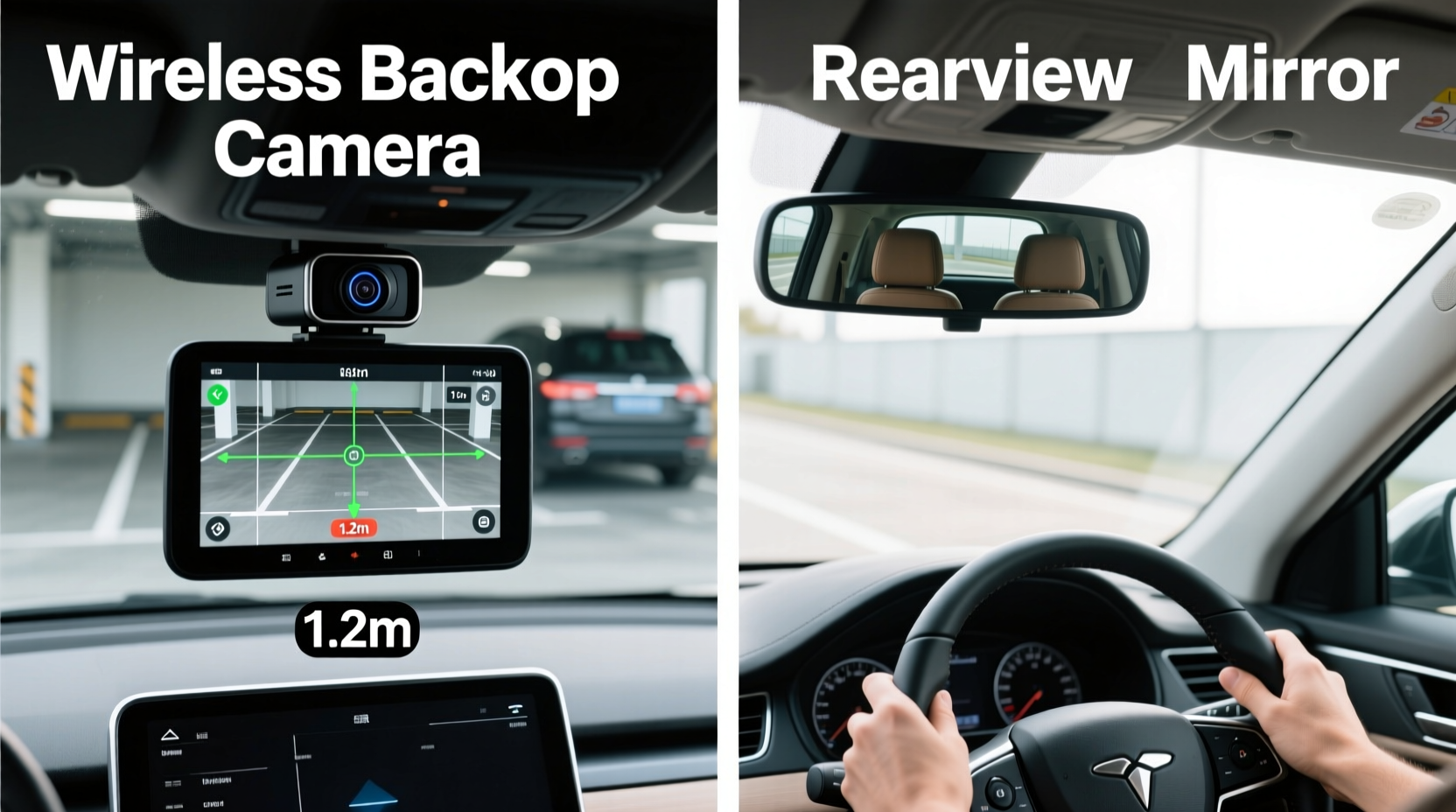
A wireless backup camera transmits a live video feed from a small camera mounted on the rear of the vehicle to a display screen, typically located on the dashboard or integrated into an aftermarket monitor. Unlike wired systems, it uses a wireless signal—usually 2.4GHz or 5.8GHz—to send footage without requiring extensive cabling through the car’s chassis.
The camera activates automatically when the vehicle is shifted into reverse, providing a real-time view of what’s behind the car. Many models include grid lines that shift dynamically based on steering input, helping drivers visualize the vehicle’s path as they back up. Some advanced versions even support night vision and wide-angle lenses (up to 170 degrees), reducing blind spots significantly.
Rearview Mirror Displays: Function and Benefits
A rearview mirror display integrates a digital screen directly into the existing rearview mirror housing. When the vehicle shifts into reverse, the mirror transforms into a monitor showing footage from a rear-mounted camera. This dual-purpose design maintains the mirror’s original function while adding a backup view, minimizing dashboard clutter.
Because the screen sits at eye level and in the driver’s natural line of sight, many users find these displays less distracting than lower-mounted screens. The transition between using the mirror and viewing the camera feed is seamless, allowing drivers to glance upward without shifting focus dramatically. Additionally, since the wiring can often follow the same path as the original mirror’s electrical connections, installation is frequently simpler than standalone systems.
“Rearview mirror displays reduce cognitive load during parking maneuvers by keeping visual feedback within the primary field of view.” — Dr. Alan Reyes, Human Factors Engineer at Mobility Insights Lab
Comparing Performance in Parallel Parking Scenarios
When it comes to parallel parking, both systems offer clear benefits over relying solely on side mirrors and physical turns. However, subtle differences affect ease of use, accuracy, and reaction time.
Wireless backup cameras generally provide wider field-of-view options and higher-resolution output, especially in premium models. Their dedicated screens can be positioned for optimal viewing, though placement below the dash may require drivers to look away from the road ahead. In tight city streets where every inch counts, the clarity and dynamic guidelines of a high-end wireless camera can make alignment more precise.
In contrast, rearview mirror displays keep the driver’s eyes closer to the forward sightline. This reduces head movement and supports quicker transitions between monitoring traffic behind and checking proximity to curbs or adjacent vehicles. However, some users report that mirror-integrated screens can wash out in bright sunlight or reflect glare if not properly tinted.
| Feature | Wireless Backup Camera | Rearview Mirror Display |
|---|---|---|
| Installation Complexity | Moderate (requires power and mounting) | Low to Moderate (often plug-and-play) |
| Field of View | Up to 170° (varies by model) | Typically 120°–150° |
| Screen Position | Dash or console-mounted | Eye-level, integrated into mirror |
| Visibility in Sunlight | Good (depends on screen quality) | Fair to Good (glare possible) |
| Interference Risk | Moderate (wireless signal dependent) | Low (short-range transmission) |
| Cost Range | $50–$300+ | $80–$250 |
Step-by-Step: Using Technology to Master Parallel Parking
Regardless of which system you choose, technique matters. Here’s a proven method for using either a wireless backup camera or rearview mirror display to execute a smooth parallel park:
- Position your car correctly: Pull up alongside the car in front of the open spot, aligning your rear bumper with theirs. Leave about two feet of space between vehicles.
- Check surroundings: Use side mirrors and shoulder checks to confirm no pedestrians, cyclists, or fast-approaching traffic are near.
- Shift into reverse and activate camera: As the display turns on, begin reversing slowly while watching the screen for reference points.
- Turn the wheel fully toward the curb: Once your front door is aligned with the rear bumper of the front car, turn the steering wheel all the way to the right (for right-side parking).
- Monitor distance cues: Watch the screen for how close your rear corner is to the curb and the car behind. Use grid lines to estimate trajectory.
- Straighten the wheels: When your car is at a 45-degree angle, begin turning the wheel left to straighten out as you continue reversing.
- Final adjustment: Stop when your vehicle is centered in the space. Shift forward briefly if needed to center, then recheck clearance on both sides.
Mini Case Study: Urban Delivery Driver Adopts Rearview Mirror Display
Jamal Thompson drives a compact van for a local courier service in downtown Chicago. His job requires frequent stops and tight parallel parking in congested areas. After damaging his bumper twice in six months, he invested in a rearview mirror display with built-in backup camera.
Within three weeks, Jamal reported a dramatic improvement. “I’m not craning my neck anymore,” he said. “The screen flips on instantly when I reverse, and because it’s right in front of me, I don’t lose track of what’s happening up ahead. I’ve avoided several close calls just by seeing a bike rider approaching from behind.”
He also noted fewer adjustments per parking attempt. Where he used to average four back-and-forth movements, he now completes most parks in one or two tries. “It’s saving me time, fuel, and wear on the transmission,” he added.
Which System Makes Parallel Parking Easier?
The answer depends on driving habits, vehicle type, and personal preference—but data and user reports suggest rearview mirror displays have a slight edge for everyday parallel parking.
Their ergonomic advantage—keeping the display in the driver’s natural gaze zone—reduces distraction and improves situational awareness. For city drivers who park multiple times per hour, this efficiency adds up. Additionally, the integration with the existing mirror means less visual clutter and a cleaner interior setup.
However, wireless backup cameras remain superior in raw performance for some applications. Larger screens, customizable overlays, and better low-light imaging make them ideal for larger vehicles like trucks and SUVs, where depth perception is harder. If you frequently tow trailers or carry bulky cargo that blocks rear visibility, a standalone wireless system may offer greater utility.
For most passenger vehicles used in urban environments, a rearview mirror display strikes the best balance between functionality, safety, and ease of use.
Checklist: Choosing the Right System for Your Needs
- ✅ Determine your primary use case: daily city driving vs. occasional backup aid
- ✅ Measure available space for screen installation (if not using mirror-integrated option)
- ✅ Check compatibility with your vehicle’s electrical system and reverse light circuit
- ✅ Look for anti-glare screen coating, especially if you drive in sunny climates
- ✅ Prioritize models with minimal input lag (under 200ms preferred)
- ✅ Consider weather resistance rating for the camera (IP67 or higher recommended)
- ✅ Test viewing angles to ensure coverage of curbs and adjacent vehicles
- ✅ Read user reviews focusing on reliability and long-term durability
Common Pitfalls and How to Avoid Them
Even the best technology can fail if misused. One common mistake is over-relying on the camera at the expense of physical checks. No system eliminates blind spots entirely—especially those close to the bumper or above ground level. Always combine camera use with shoulder checks and awareness of moving obstacles.
Another issue is poor calibration. If the on-screen guidelines don’t match your car’s actual turning radius, misjudgments occur. Recalibrate after tire changes or suspension work. Some systems allow manual adjustment via menu settings.
Finally, dirt and obstructions on the camera lens render even the highest-end systems useless. Clean the lens regularly with a microfiber cloth and consider models with built-in wipers or retractable covers for harsh conditions.
FAQ
Can I install a rearview mirror display myself?
Yes, most rearview mirror displays are designed for DIY installation. They typically connect to the reverse wire and ground, and many come with plug-and-play harnesses that match common vehicle models. Basic tools and about 30–60 minutes are usually sufficient.
Do wireless backup cameras suffer from signal lag?
Lower-quality models may experience noticeable delay—up to half a second—which can be dangerous during slow reversing. Higher-end units use digital transmission protocols (like Wi-Fi 5.8GHz) to minimize latency. Look for specs indicating “real-time” or “low-latency” performance.
Are these systems legal everywhere?
Yes, both wireless backup cameras and rearview mirror displays are legal in all 50 U.S. states and comply with federal safety standards. In fact, since 2018, all new vehicles under 10,000 pounds sold in the U.S. must include a backup camera system.
Conclusion: Make Smarter Parking a Habit
Mastering parallel parking isn’t just about skill—it’s about leveraging the right tools. Between wireless backup cameras and rearview mirror displays, both offer substantial improvements over traditional methods. But when it comes to reducing effort, enhancing safety, and streamlining daily drives, rearview mirror displays hold a quiet advantage through superior ergonomics and seamless integration.
That said, the best system is the one you’ll use consistently and correctly. Whether you prioritize screen size, ease of installation, or glance efficiency, invest in a reliable model and take time to learn its nuances. With practice, technology-assisted parking becomes second nature, turning a once-stressful task into a smooth, confident maneuver.




 浙公网安备
33010002000092号
浙公网安备
33010002000092号 浙B2-20120091-4
Comments
No comments yet. Why don't you start the discussion?