
When Apple introduced the iPhone 15 series with USB-C across the lineup, it marked a turning point in charging flexibility. For years, wireless charging had been promoted as the future of convenience—but how does it really stack up against wired charging in terms of speed? Especially now that iPhones support faster cable-based power delivery, many users are questioning whether sticking to a charging pad still makes sense. The answer isn’t just about wattage on paper; it’s about real-world performance, heat management, daily habits, and long-term device health.
This article dives deep into the actual charging speeds between wireless pads and cables for iPhone 15 models, using technical benchmarks, user scenarios, and expert insights to determine which method delivers more juice when you need it most.
The Speed Gap: What the Numbers Say
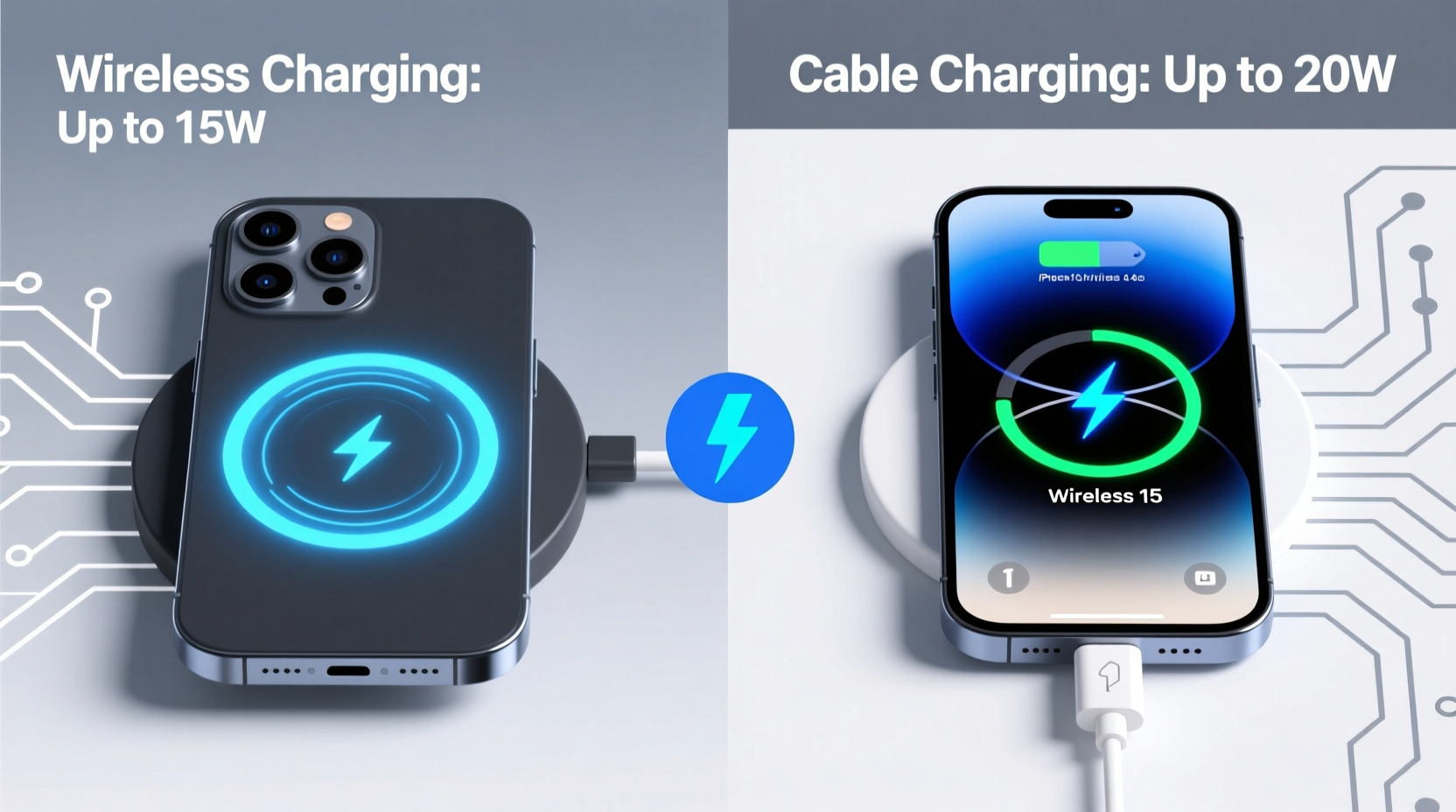
The iPhone 15 supports USB Power Delivery (USB-PD) over its USB-C port, allowing for peak wired charging speeds of up to 20W under optimal conditions. In real-world tests conducted by independent reviewers and labs like Wirecutter and iFixit, an iPhone 15 can go from 0% to 50% in about 30 minutes using a 20W or higher USB-C PD charger. From there, charging slows down due to thermal throttling and battery protection algorithms, but full charges typically complete within 1.5 hours.
In contrast, MagSafe and Qi2-compatible wireless chargers are officially capped at 15W for MagSafe and technically capable of similar speeds with Qi2, though few third-party options currently deliver consistent 15W output. Most standard Qi chargers operate at 7.5W or even 5W, drastically reducing charge times. Even under ideal lab conditions—perfect alignment, no case interference, cool ambient temperature—wireless charging rarely matches wired performance.
“While wireless charging has improved significantly, physics limits its efficiency. Energy loss through electromagnetic induction means more heat and slower transfer.” — Dr. Lin Wei, Electrical Engineer & Mobile Power Systems Researcher
Charging Efficiency: It’s Not Just About Watts
Speed isn’t solely determined by input wattage. Efficiency—the amount of energy that actually reaches the battery—plays a major role. Wired connections are direct conduits for electricity, losing minimal power along the way. Wireless charging, however, relies on electromagnetic induction, where coils in the pad create a magnetic field that transfers energy to a receiver coil inside the phone. This process inherently loses energy as heat.
Studies show that wireless charging is roughly 60–70% efficient compared to over 90% for wired charging. That means if your wall adapter outputs 20W, only around 12–14W may reach the iPhone’s battery wirelessly, while nearly all 20W arrives via cable. The excess energy becomes waste heat, which not only slows charging but also stresses the battery over time.
Heat buildup is especially problematic during fast charging. iPhones automatically reduce charging speed when internal temperatures rise. Because wireless pads generate more heat than cables, they trigger throttling earlier—sometimes within 10–15 minutes of starting a charge.
Real-World Charging Times Compared
| Charging Method | Avg. Output | Time to 50% | Full Charge Time | Efficiency Estimate |
|---|---|---|---|---|
| Wired (20W USB-C PD) | 18–20W | ~30 mins | ~85 mins | 90–95% |
| MagSafe (15W) | 11–13W (effective) | ~45 mins | ~120 mins | 65–70% |
| Qi2 (15W-capable) | 10–12W (effective) | ~50 mins | ~130 mins | 60–65% |
| Standard Qi (7.5W) | 5–6W (effective) | ~75 mins | ~180 mins | 55–60% |
Note: All times based on iPhone 15 (base model) starting from 10% battery in room temperature (22°C). Times vary depending on case thickness, background app usage, and network activity.
Daily Use Scenarios: When Each Option Shines
While wired charging wins on raw speed, wireless solutions offer undeniable convenience. The best choice often depends on context, routine, and personal priorities.
Scenario: Morning Rush, Need Fast Top-Up
You wake up with 15% battery and have 30 minutes before leaving. Your goal: maximize charge before heading out.
- Wired charging: Delivers ~40–45% increase in 30 minutes. Ideal for quick boosts.
- Wireless charging: Adds only ~20–25%. May leave you anxious about low battery midday.
Scenario: Evening Wind-Down at Home
You’re watching TV, browsing social media, and want your phone fully charged by bedtime. No time pressure.
- Wireless charging: Perfect here. Drop your phone on the pad after dinner. By 11 PM, it’s at 100%, no cords to manage.
- Wired charging: Also effective, but tethering limits mobility. You might unplug prematurely to move around.
Mini Case Study: Sarah, Remote Worker in Brooklyn
Sarah uses her iPhone 15 Pro for work calls, note-taking, and calendar management. She starts her day at 7 AM with a 20% battery. At her desk, she uses a MagSafe charger mounted on a stand so she can view notifications hands-free. But she notices her phone rarely hits 80% before her next meeting.
After switching to a 27W GaN USB-C charger during breaks, she gains 40% in 20 minutes. Now, she uses wireless charging for passive top-ups and reserves wired charging for urgent needs. Her hybrid strategy balances speed and usability.
Long-Term Battery Health: Does Charging Method Matter?
Apple recommends avoiding frequent full charges and minimizing exposure to extreme temperatures—all factors influenced by charging style. Repeated use of wireless charging, particularly overnight, keeps the phone warm for extended periods. Chronic heat exposure accelerates lithium-ion battery degradation.
Wired charging, especially with lower-wattage adapters (e.g., 5W or 12W), generates less heat and allows for cooler, slower charging—better for longevity. However, rapid 20W charging also produces heat, so timing matters. Frequent fast charging from 0% to 100% daily will wear out the battery faster than maintaining a 30–80% range.
To mitigate damage, enable **Optimized Battery Charging** in Settings > Battery > Battery Health. This feature learns your routine and delays charging past 80% until you need it, reducing time spent at high charge states.
Expert Recommendation for Longevity
“For long-term battery health, prioritize cool, moderate-speed charging. If you must charge overnight, use a wired connection with a lower-wattage adapter or rely on Optimized Charging with wireless.” — Dr. Mei Tran, Battery Technology Consultant
Step-by-Step Guide: Choosing the Right Charging Strategy
Follow this decision framework to optimize both speed and convenience:
- Evaluate your daily routine: Do you need fast bursts or slow, continuous top-ups?
- Identify key locations: Bedside, office desk, car, kitchen counter—place appropriate chargers accordingly.
- Invest in one high-speed wired setup: Use a 20W+ USB-C PD charger with a quality cable for emergencies and morning prep.
- Use wireless for convenience zones: Deploy MagSafe or Qi2 pads where you spend idle time (living room, workspace).
- Monitor temperature: Avoid charging under pillows, thick cases, or direct sunlight. Remove cases if the phone gets warm.
- Enable battery optimization features: Turn on Optimized Battery Charging and consider disabling Fast Charging in Settings if you don’t need it.
- Rotate methods: Combine both—fast charge when needed, slow/wireless otherwise.
Frequently Asked Questions
Can I use any USB-C cable for fast charging my iPhone 15?
No. While all USB-C cables can transfer data and power, only certified cables (especially those labeled “USB-C to USB-C” with USB-PD support) can negotiate 20W or higher charging. Cheap or non-compliant cables often limit charging to 5–7.5W. Always look for Apple certification or USB-IF compliance.
Does MagSafe really charge at 15W?
Only under perfect conditions: bare iPhone (no case), cool environment, and original Apple MagSafe charger. Third-party versions or use with MagSafe-compatible cases often drop output to 10–12W. Testing shows sustained 15W is rare in typical home settings.
Is Qi2 better than MagSafe?
Technically, Qi2 supports the same 15W as MagSafe and uses magnetic alignment (like Apple’s system), making it functionally similar. However, Apple controls firmware optimizations, so MagSafe may still perform slightly better on iPhones. Over time, Qi2 could close the gap as more manufacturers adopt the standard.
Final Verdict: Which Is Actually Faster?
There’s no ambiguity: **wired charging is faster** than wireless for iPhone 15 users. Whether measured by percentage gain per minute, total charge time, or energy efficiency, cables win decisively. A 20W USB-C PD setup delivers near-doubled speeds compared to most wireless alternatives and maintains stable performance without overheating.
That said, wireless charging excels in usability. Placing your phone face-up on a pad requires zero effort—ideal for habitual charging throughout the day. For users who value consistency over speed, wireless remains a smart option.
The most effective approach blends both. Use wired charging when time is limited or speed is critical—mornings, pre-travel, post-workout. Reserve wireless for downtime: evenings, meetings, or desk work. This hybrid model maximizes efficiency without sacrificing convenience.




 浙公网安备
33010002000092号
浙公网安备
33010002000092号 浙B2-20120091-4
Comments
No comments yet. Why don't you start the discussion?