
In an era where smart homes and minimalist design converge, the wireless charging tree stand has emerged as a sleek solution promising both function and form. With its branching arms cradling smartphones, earbuds, and even smartwatches, it looks like something from a high-end tech showroom. But beyond aesthetics, does it deliver real utility? Or is it merely decorative gadgetry with a premium price tag? To answer this, we need to examine how these devices work, their performance in everyday use, and how they stack up against conventional charging methods.
What Is a Wireless Charging Tree Stand?
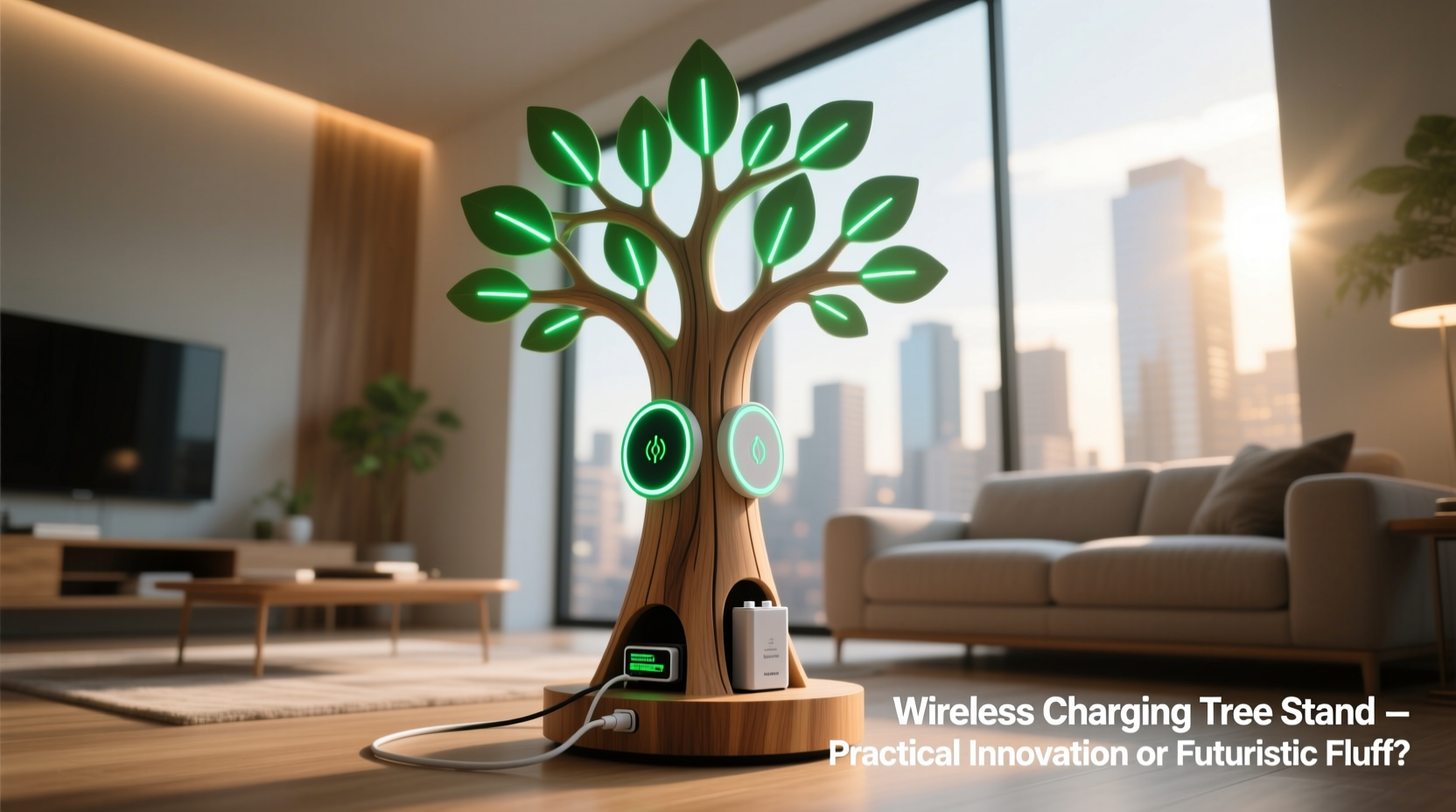
A wireless charging tree stand is a multi-device charging station designed to resemble a small sculptural tree, typically made of metal or wood, with multiple “branches” extending outward. Each branch contains a Qi-compatible wireless charging pad, allowing users to place compatible devices—like smartphones, earbuds, or watches—onto designated spots without plugging in cables.
These stands often support fast charging (up to 15W for certain iPhones and Android devices), include built-in cooling fans or heat dissipation systems, and may feature ambient lighting or USB-C passthrough ports. Some models even integrate smart features like voice assistants or nightstand clocks.
The appeal lies in decluttering nightstands, desks, or entryway tables by replacing tangled cords with a single, elegant unit. But elegance doesn’t always equate to efficiency.
Pros: Where the Tree Stand Shines
Despite skepticism, wireless charging tree stands offer several tangible advantages that justify consideration—especially for certain users.
- Minimalist Aesthetic: The clean lines and absence of visible cords make it ideal for modern interiors. It doubles as decor while serving a functional purpose.
- Multi-Device Convenience: For households with multiple gadgets—iPhone, AirPods, Apple Watch—it eliminates the need for three separate chargers.
- Durability of Ports: Reducing plug-and-unplug cycles helps preserve charging ports on devices, which are common failure points over time.
- Safety & Simplicity: No exposed wires reduce tripping hazards and pet-chewing risks. Ideal for shared spaces or homes with children.
- Smart Integration: High-end models sync with smart home ecosystems, enabling scheduling, low-power modes, and notifications via LED indicators.
For digital minimalists or those embracing cord-free living, the tree stand isn't just aspirational—it's a logical step toward simplifying daily routines.
Cons: The Practical Limitations
Beneath the polished surface, several drawbacks limit widespread practicality.
- Slower Charging Speeds: Even at 15W, wireless charging lags behind wired fast charging (which can reach 30–65W on many Android phones). Overnight charging works fine, but quick top-ups aren't feasible.
- Precision Placement Required: Unlike plug-in charging, alignment matters. Devices must be centered precisely; slight shifts can interrupt charging.
- Heat Build-Up: Wireless transfer generates heat. Without proper ventilation, prolonged use can throttle charging speed or degrade battery health over time.
- Limited Device Compatibility: Not all wearables or phones support wireless charging. Older models, rugged cases, or thick accessories often block induction.
- Higher Cost: Entry-level tree stands start around $80, with premium versions exceeding $200—significantly more than buying individual wireless pads.
Additionally, most tree stands lack surge protection or backup power, making them vulnerable during electrical fluctuations. And because they’re stationary, mobility is zero—you can’t take calls or use your phone while it’s charging unless you unplug it, defeating the convenience.
Real-World Example: Life with a Charging Tree
Consider Sarah, a freelance designer who works from home. Her desk was once a jungle of cords: one for her iPhone 14, another for AirPods Pro, and a third for her iPad. She invested in a mid-tier wireless charging tree stand after seeing it featured in a lifestyle blog.
At first, she loved it. Her workspace looked cleaner, and placing devices at night became ritualistic—like tucking them in. But within weeks, minor frustrations surfaced. Her phone didn’t charge fully by morning when placed slightly off-center. The AirPods case sometimes lost connection if nudged. When she needed to check messages during charging, she had to lift the phone, disrupting the process.
She also discovered that using her phone while it charged meant abandoning the stand entirely. After two months, she reverted to a mix of magnetic wireless pads and a cable for faster syncing. The tree now sits unused on a side table—still beautiful, but functionally obsolete.
Sarah’s experience reflects a broader trend: initial excitement followed by underutilization due to subtle inefficiencies.
Expert Insight: What Engineers Say
“Wireless charging is convenient, but physics limits its efficiency. Energy loss through electromagnetic induction means you're trading speed and thermal safety for simplicity.” — Dr. Alan Zhou, Electrical Engineer at MIT Media Lab
“The tree stand concept is sound for low-frequency use, like bedside charging. But for power users or those needing rapid recharge, cables remain superior.” — Lena Park, Senior Product Designer at ChargeHub Inc.
Experts agree: wireless charging excels in convenience, not performance. The tree stand amplifies convenience through consolidation, but it doesn’t overcome fundamental technical constraints.
Comparison: Tree Stand vs. Traditional Charging Methods
| Feature | Wireless Charging Tree Stand | Individual Wireless Pads | Wired Chargers |
|---|---|---|---|
| Charging Speed | Slow to moderate (5–15W) | Moderate (same range) | Fast (18–65W+) |
| Cable Clutter | Low (single power cord) | Moderate (multiple cords) | High (multiple cords) |
| Device Flexibility | Low (fixed positions) | Medium (movable pads) | High (any outlet) |
| Cost | High ($80–$250) | Moderate ($20–$60 each) | Low ($10–$30) |
| Battery Longevity Impact | Moderate (heat risk) | Moderate (similar) | Low (cooler operation) |
| Aesthetic Appeal | High | Low to Medium | Low |
This comparison reveals a clear trade-off: aesthetic and organizational benefits come at the cost of speed, flexibility, and affordability.
When It Makes Sense: A Practical Checklist
Not everyone should buy a wireless charging tree stand—but some will benefit significantly. Use this checklist to decide:
- ✅ You own multiple Qi-compatible devices (e.g., iPhone, Galaxy Buds, Wear OS watch).
- ✅ You value a tidy, clutter-free space more than rapid charging.
- ✅ You charge devices overnight and don’t need daytime top-ups.
- ✅ Your primary use case is bedside or desk-based (stationary setup).
- ✅ You appreciate design-forward tech and are willing to pay a premium.
- ❌ You frequently move devices while charging (e.g., watching videos).
- ❌ You rely on fast charging during short breaks (e.g., lunch hour).
- ❌ You use non-wireless devices or thick protective cases.
If four or more “✅” apply, a tree stand could enhance your routine. Otherwise, simpler alternatives may serve better.
Step-by-Step Guide: Optimizing Your Charging Tree Experience
If you’ve decided to adopt a wireless charging tree stand, follow these steps to maximize effectiveness:
- Choose the Right Model: Look for models with independent charging coils, heat sensors, and overcharge protection. Brands like Belkin, Anker, and Native Union offer reliable options.
- Position Strategically: Place on a stable, flat surface near a power outlet. Avoid humid areas or direct sunlight to prevent overheating.
- Remove Thick Cases: Cases over 3mm or those with metal components interfere with induction. Consider a slim alternative for nighttime use.
- Align Devices Carefully: Center each device on its pad. Listen for confirmation sounds or watch for indicator lights.
- Monitor Temperature: If the device or stand feels hot, discontinue use temporarily. Allow cooling before resuming.
- Update Firmware: Some smart models receive updates via apps—ensure you’re running the latest version for optimal performance.
- Use a Surge Protector: Plug the stand into a surge-protected outlet to safeguard against voltage spikes.
Following these steps won’t eliminate inherent limitations, but they’ll help you get the most out of your investment.
Frequently Asked Questions
Can I charge non-Qi devices on a wireless charging tree?
No. Only devices with built-in Qi wireless charging capability can be used. Adapters exist for older phones, but they add bulk and reduce efficiency, defeating the aesthetic purpose of the tree stand.
Do wireless charging tree stands damage batteries over time?
Potentially, yes—if heat isn’t managed. Continuous slow charging combined with poor ventilation can accelerate lithium-ion battery degradation. Modern phones have safeguards, but long-term nightly use may still impact battery health compared to intermittent wired charging.
Are there eco-friendly models available?
A few brands now offer tree stands made from sustainable materials like bamboo or recycled aluminum. However, energy inefficiency remains an issue—wireless charging consumes about 20–30% more electricity than wired charging due to energy loss during transmission.
Conclusion: Function Meets Form—But With Caveats
The wireless charging tree stand is neither pure fluff nor a revolutionary necessity. It occupies a nuanced middle ground: a well-designed tool for specific lifestyles. For those prioritizing order, aesthetics, and low-friction charging routines, it delivers genuine value. But for anyone needing speed, flexibility, or budget efficiency, traditional methods remain superior.
Its success depends not on technology alone, but on alignment with user habits. As wireless standards evolve—such as longer-range charging or improved efficiency—the gap between convenience and performance may narrow. Until then, treat the tree stand as a lifestyle enhancement, not a productivity upgrade.




 浙公网安备
33010002000092号
浙公网安备
33010002000092号 浙B2-20120091-4
Comments
No comments yet. Why don't you start the discussion?