
As smartphones become more integrated into daily life, how we charge them has evolved just as quickly. Wireless charging is now standard on most high-end devices, offering convenience and a clutter-free experience. But with that convenience comes a growing concern: does wireless charging degrade your phone’s battery faster than traditional wired methods? The answer isn’t straightforward, but it hinges on three key factors—heat generation, charging speed, and long-term usage patterns. Understanding these elements helps users make informed decisions about which method best supports long-term battery health.
How Lithium-Ion Batteries Degrade Over Time
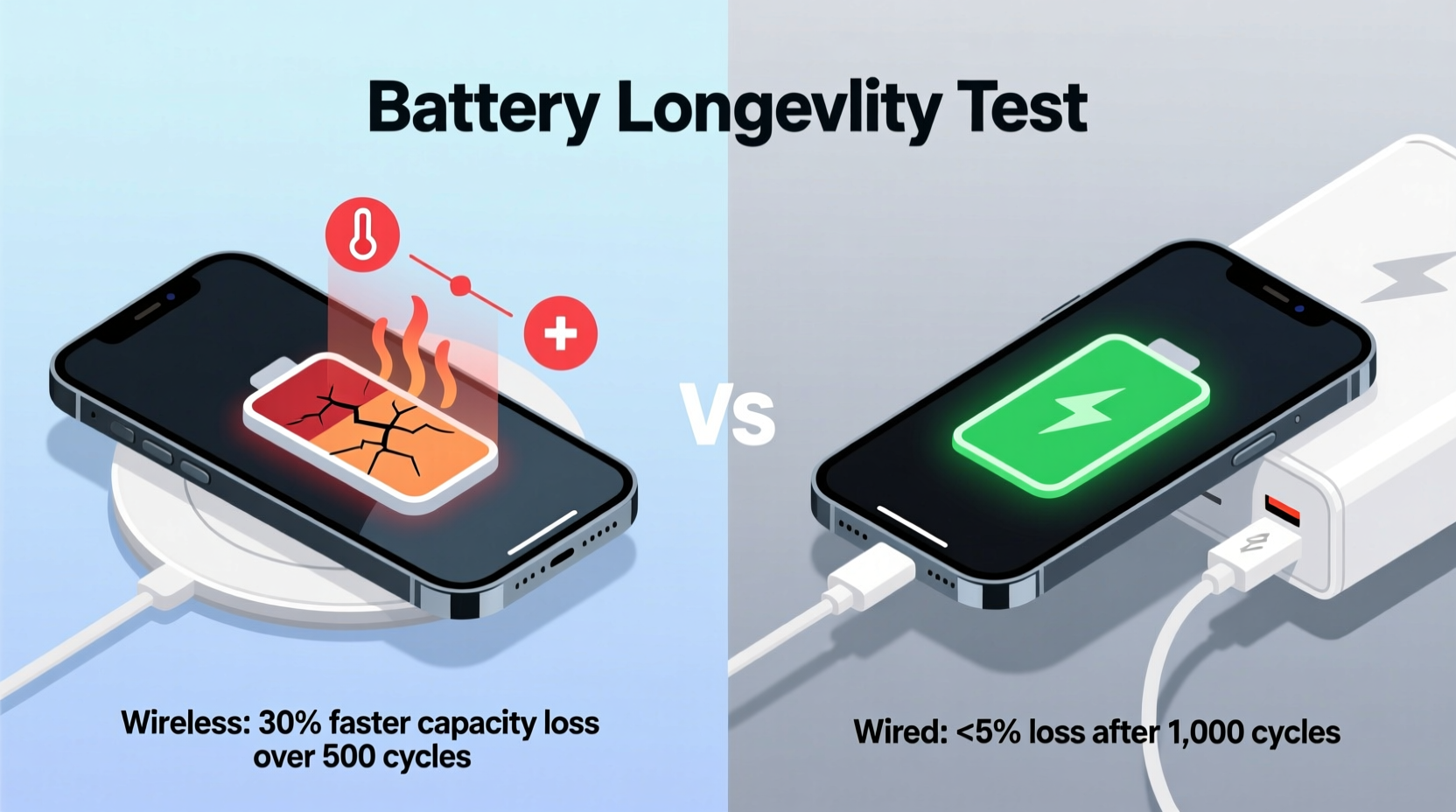
All modern smartphones use lithium-ion (Li-ion) batteries, which are sensitive to environmental stressors. Battery degradation is inevitable, but the rate depends heavily on user habits and external conditions. Key contributors include:
- Heat exposure: High temperatures accelerate chemical reactions inside the battery, leading to capacity loss.
- Charge cycles: Each full 0–100% cycle slightly reduces overall capacity. Most Li-ion batteries last around 500 full cycles before dropping to 80% of original capacity.
- Overcharging and deep discharging: Keeping a battery at 100% for extended periods or letting it drop below 20% regularly stresses internal components.
- Voltage levels: Storing batteries at high voltage (above 80%) for long durations increases wear.
The way you charge—whether wirelessly or via cable—affects all of these factors, especially heat and charging duration. That’s where the real comparison begins.
Wireless Charging: Convenience at a Thermal Cost
Wireless charging uses electromagnetic induction to transfer power from a charging pad to your phone. While sleek and convenient, this process is inherently less efficient than direct electrical conduction through a cable. Energy is lost in the form of heat during transmission—typically 15–30% more than wired charging under similar conditions.
This excess heat doesn’t just come from inefficiency; it also builds up because the phone must remain stationary and in close contact with the charger. Unlike wired charging, where heat can dissipate more easily if the phone is used while charging, wireless setups often trap warmth between the device and the pad.
“Prolonged exposure to elevated temperatures is one of the most damaging factors for lithium-ion batteries. Even moderate increases over time can significantly reduce lifespan.” — Dr. Lin Zhao, Battery Research Scientist, MIT Energy Initiative
Many manufacturers include thermal management systems, such as automatic throttling when temperature rises. However, frequent overnight wireless charging—especially on non-certified pads—can still lead to cumulative thermal stress.
Wired Charging: Efficiency and Control
Wired charging delivers energy directly through a conductive connection, minimizing energy loss and heat generation. Modern USB-C chargers with Power Delivery (PD) protocols offer intelligent voltage regulation, adjusting output based on the phone’s current needs. This precision reduces strain on the battery.
Additionally, wired connections allow for faster charging speeds without proportional heat spikes—assuming proper cables and adapters are used. For example, a 30W wired PD charger may reach 50% battery in 20 minutes with minimal temperature increase, whereas an equivalent wireless charger might take twice as long and raise the device temperature by 5–8°C more.
Another advantage of wired charging is flexibility. You can unplug once charged, avoid overcharging, and even charge while using the phone more comfortably. These small behaviors add up in preserving battery longevity.
Comparing Real-World Impact: A Side-by-Side Analysis
| Factor | Wireless Charging | Wired Charging |
|---|---|---|
| Energy Efficiency | ~70–85% | ~90–95% |
| Average Heat Output | Moderate to high | Low to moderate |
| Charging Speed (Max) | 15W (Qi), up to 50W (proprietary) | Up to 100W+ (with PD) |
| Battery Stress Level | Higher due to heat and slower top-off phase | Lower with smart charging tech |
| User Behavior Impact | Often left overnight; higher chance of overcharging | Easier to monitor and disconnect |
| Lifespan Impact (Estimated) | Slight reduction (~10–15% over 2 years with heavy use) | Minimal with proper practices |
The data shows that while both methods are safe within normal usage, wireless charging introduces more variables that negatively affect battery longevity—primarily heat and prolonged charging duration.
Real Example: Two Users, One Phone Model
Consider two individuals using the same flagship smartphone over a 14-month period:
- User A relies exclusively on certified wireless charging. They place their phone on the pad every night before bed, starting from 30% and charging until morning. The bedroom averages 24°C, and the phone is often covered by a silicone case.
- User B uses a 20W USB-C PD charger. They charge during the day, typically from 20% to 80%, unplugging once done. No overnight charging occurs.
After 14 months, both phones undergo battery health testing. User A’s battery capacity measures at 79% of original, while User B’s remains at 88%. Though other factors play a role, the consistent thermal load and full-cycle charging pattern of wireless contributed to faster degradation in User A’s case.
Best Practices to Minimize Battery Wear—Regardless of Method
The goal isn't to eliminate wireless charging but to use it wisely. Battery longevity improves dramatically with mindful habits. Follow this checklist to protect your device:
🔋 Battery Health Checklist
- ✅ Keep charge levels between 20% and 80% whenever possible.
- ✅ Use manufacturer-certified chargers and cables/pads.
- ✅ Remove thick cases during charging, especially wireless.
- ✅ Avoid charging on soft surfaces like beds or couches—poor ventilation traps heat.
- ✅ Enable optimized charging features (e.g., iOS “Optimized Battery Charging” or Android “Adaptive Charging”).
- ✅ Limit fast-charging to times of need; don’t use it daily unless necessary.
- ✅ Store your phone in cool environments—never leave it in a hot car.
Step-by-Step Guide to Optimizing Your Charging Routine
- Assess your daily usage: Determine when you need peak charge. Most people don’t require 100% every day.
- Set a charging window: Charge during off-peak hours—like after dinner—instead of leaving it plugged in overnight.
- Use partial charging: Stop at 80% to reduce voltage stress. Recharge later if needed.
- Alternate methods: Use wired charging for rapid top-ups and wireless for convenience during downtime.
- Monitor battery health monthly: On iPhone, go to Settings > Battery > Battery Health. On Android, use apps like AccuBattery to track wear.
- Update software regularly: Manufacturers often release firmware improvements that enhance charging logic.
- Replace old chargers: Worn cables or outdated Qi pads lose efficiency and generate more heat.
This routine balances convenience and battery preservation, allowing users to enjoy wireless charging without sacrificing long-term performance.
Frequently Asked Questions
Does wireless charging always produce more heat than wired?
Yes, generally. Due to energy loss in electromagnetic transfer and lack of airflow when placed flat on a pad, wireless charging generates more heat than wired, especially at higher wattages. However, newer fast-wireless systems with active cooling are narrowing this gap.
Is it bad to leave my phone on a wireless charger overnight?
Modern phones stop charging at 100%, so overcharging isn’t the issue. The problem is sustained high voltage combined with periodic trickle charging to maintain full capacity. This, along with potential heat retention, contributes to long-term wear. Using “optimized charging” modes mitigates this risk.
Can I extend my battery’s life by only using wired charging?
Yes, switching primarily to wired charging—especially with controlled charge limits and cooler operating temps—can slow degradation. Studies suggest such practices may extend usable battery life by 12–18 months compared to constant wireless use.
Conclusion: Balance Convenience with Long-Term Care
Wireless charging doesn’t inherently \"ruin\" your battery, but it does introduce conditions—namely increased heat and longer charging durations—that accelerate wear over time. Wired charging remains the more efficient and battery-friendly option, particularly when paired with smart usage habits like avoiding full cycles and managing temperature.
The ideal approach isn’t choosing one method over the other, but rather integrating both strategically. Use wireless charging for convenience during the day or when quick top-offs aren’t needed, and reserve wired charging for faster, cooler, and more controlled sessions. Combine this with software features designed to limit overnight stress, and you’ll maximize both convenience and battery lifespan.




 浙公网安备
33010002000092号
浙公网安备
33010002000092号 浙B2-20120091-4
Comments
No comments yet. Why don't you start the discussion?