
When it comes to modern home security and convenience, few upgrades are as impactful as integrating your entryway alerts with a voice assistant like Amazon Alexa. Whether you're installing a new system or upgrading an existing one, the choice between a wireless doorbell and a smart chime can significantly affect how well your front door notifications work within your Alexa-powered ecosystem. While both options eliminate the need for complex wiring, their functionality, integration depth, and user experience with Alexa differ in key ways. Understanding these distinctions helps ensure seamless voice control, real-time alerts, and long-term satisfaction.
Understanding the Core Differences
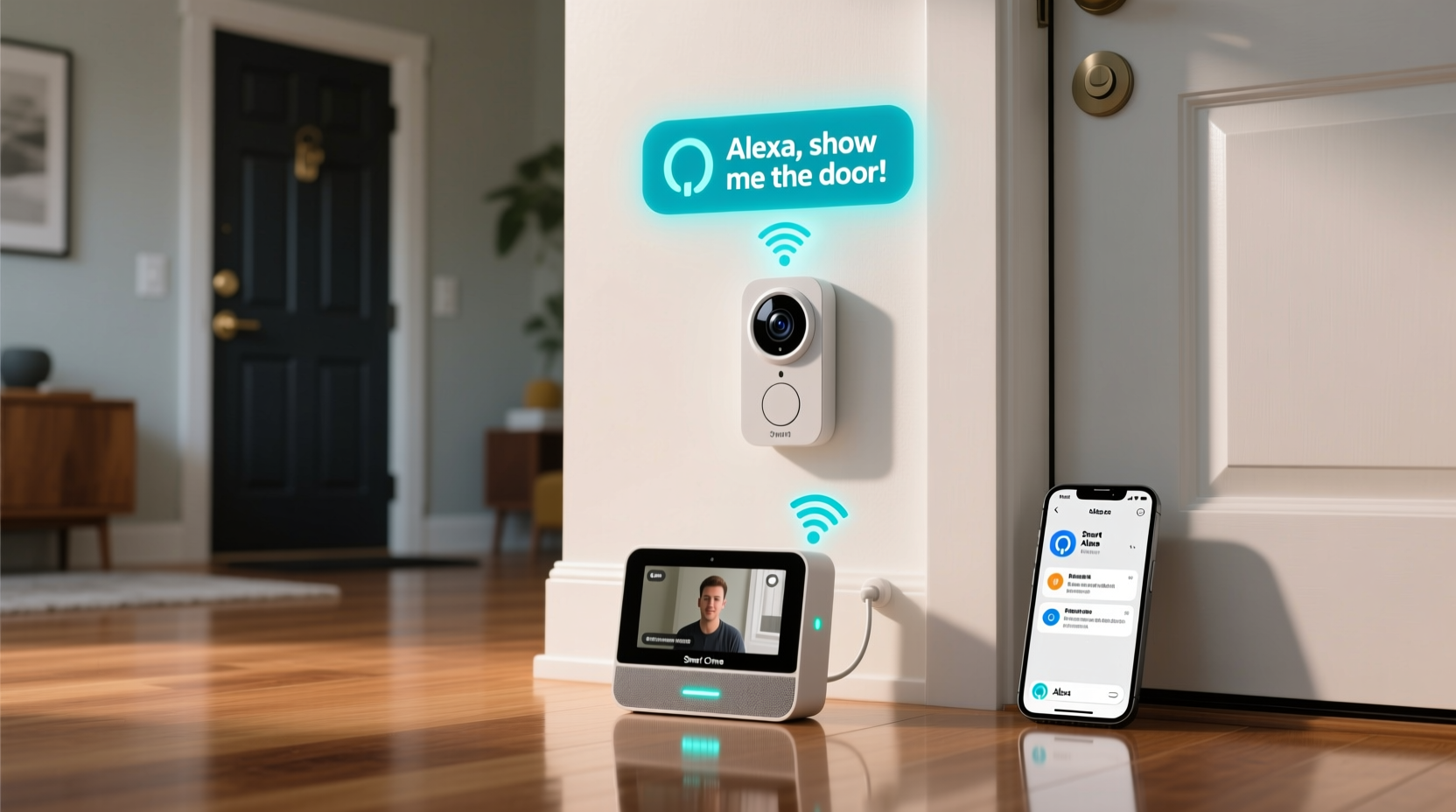
A wireless doorbell and a smart chime serve similar purposes—alerting you when someone is at the door—but they operate differently and offer varying levels of intelligence and connectivity. A traditional wireless doorbell typically consists of a button (transmitter) mounted outside and a receiver (chime unit) inside the home. Pressing the button sends a radio signal to the chime, producing a sound. Many newer models include basic smart features like adjustable melodies or extended range, but they generally lack Wi-Fi connectivity.
In contrast, a smart chime is designed from the ground up for integration with smart home platforms. It connects directly to your home Wi-Fi network and works in tandem with smart doorbells—often those with built-in cameras—to deliver synchronized alerts across devices. When paired with Alexa, smart chimes can trigger voice announcements, appear in routines, and sync with other smart speakers and displays.
Integration Depth with Alexa: What Really Matters
Not all \"smart\" devices integrate equally with Alexa. True integration means more than just being able to say, “Alexa, announce when someone presses the doorbell.” It involves bidirectional communication, automation support, visual feedback on Echo Show devices, and inclusion in broader smart home scenes.
Smart chimes, especially those from brands like Ring, Nest, or Eufy that design ecosystems around voice assistant compatibility, offer deeper integration. For example, a Ring Chime Pro not only amplifies Wi-Fi for Ring devices but also receives live alerts that trigger Alexa announcements throughout the home. You can set up routines where the front door press turns on lights, displays the camera feed on an Echo Show, and plays a custom tone through all compatible speakers.
On the other hand, many standalone wireless doorbells—even those labeled “Wi-Fi enabled”—only send push notifications to a mobile app. They may allow Alexa to read out a notification via a skill, but this is often limited to text-to-speech alerts rather than native event triggers. These systems don’t participate in Alexa Routines, cannot be controlled by voice commands beyond basic status checks, and usually lack multi-room audio synchronization.
“True smart home value isn’t just about remote access—it’s about context-aware automation. Devices that natively speak Alexa’s language unlock far more potential.” — Marcus Lin, Smart Home Systems Architect
Comparison Table: Wireless Doorbell vs Smart Chime
| Feature | Wireless Doorbell (Basic) | Smart Chime |
|---|---|---|
| Wi-Fi Connectivity | Rare; usually RF-only | Standard |
| Alexa Skill Support | Limited (notification reading only) | Full (native events, announcements) |
| Voice Alerts via Alexa | Only if using third-party skills | Yes, automatic and customizable |
| Integration with Alexa Routines | No | Yes |
| Camera Feed Display on Echo Show | No | Yes (when paired with compatible doorbell) |
| Multi-Room Audio Sync | No | Yes |
| Setup Complexity | Very simple (no app needed) | Moderate (app and account required) |
| Price Range | $20–$50 | $30–$80 |
Real-World Example: The Smith Family Setup
The Smiths recently upgraded their home security after missing several deliveries due to poor chime audibility. Their old wired chime barely reached the basement home office. They considered two options: a budget wireless doorbell and a Ring Video Doorbell paired with a Ring Chime.
They chose the smart chime route. After installation, every doorbell press now triggers a spoken alert from all Alexa-enabled devices: “Someone is at the front door.” The Echo Show 8 in the kitchen automatically displays the live camera feed, and a routine turns on the porch light during evening hours. Even when working remotely, Mr. Smith receives instant mobile alerts linked to Alexa history.
Had they opted for a basic wireless doorbell, they would have gained louder indoor alerts but lost automation, video integration, and whole-home awareness. The initial cost was slightly higher, but the long-term utility and peace of mind justified the investment.
Step-by-Step: Setting Up a Smart Chime with Alexa
To maximize integration benefits, follow this sequence when installing a smart chime:
- Choose a Compatible System: Select a smart chime that pairs with a Wi-Fi doorbell and supports Alexa natively (e.g., Ring Chime, Nest Doorbell with Home Chime).
- Install the Doorbell First: Mount the camera-equipped doorbell at the front entrance, ensuring stable Wi-Fi and power (battery or wired).
- Download the Brand App: Use the manufacturer’s app (like Ring or Google Home) to register the doorbell and test motion detection and chime sync.
- Add the Smart Chime: Plug the chime into a wall outlet in a central area. Pair it through the same app for amplified indoor alerts.
- Link to Alexa: Open the Alexa app, go to Devices > Add Device > Security & Sensors, and follow prompts to connect via the brand’s skill.
- Create a Routine: In Alexa, build a routine such as: “When doorbell is pressed → Announce ‘Visitor at front door’ on all Echo devices → Show camera on Echo Show.”
- Test Thoroughly: Press the doorbell and verify alerts across devices, including voice, visuals, and lighting automations.
This process ensures full interoperability and transforms a simple doorbell press into a coordinated smart home event.
Checklist: Choosing the Right Option for Alexa Integration
- ☐ Does the device connect to Wi-Fi and support a dedicated app?
- ☐ Is there an official Alexa skill listed in the Alexa app?
- ☐ Can the device trigger Alexa Routines based on doorbell events?
- ☐ Does it support live camera streaming on Echo Show or Fire TV?
- ☐ Can Alexa make spoken announcements when the bell rings?
- ☐ Is the chime compatible with your existing or planned smart doorbell?
- ☐ Does the manufacturer provide regular firmware updates?
If most answers are “yes,” you’re looking at a strong candidate for deep Alexa integration. If many are “no,” consider whether basic audio signaling meets your needs—or if you’re better off investing in a true smart solution.
Frequently Asked Questions
Can I use any wireless doorbell with Alexa?
Technically, yes—but with limitations. Only models that either have built-in Alexa support or integrate via a third-party hub (like IFTTT) can communicate with Alexa. Even then, functionality is often restricted to notifications rather than full automation. For reliable, feature-rich interaction, choose a smart chime designed for Alexa compatibility.
Do I need both a smart doorbell and a smart chime?
Not always. If your smart doorbell has a strong internal speaker or you keep your phone nearby, a separate chime may be redundant. However, a smart chime improves audio coverage in large homes, reduces reliance on mobile alerts, and enables multi-room Alexa responses. It’s especially useful in noisy environments or for households with hearing-impaired members.
Why doesn’t my wireless doorbell show up in Alexa Routines?
Most basic wireless doorbells aren’t recognized as “events” by Alexa because they don’t transmit digital signals over IP networks. Instead, they use proprietary radio frequencies. Without API-level access or a cloud-connected bridge, Alexa cannot detect or react to these triggers. To resolve this, upgrade to a Wi-Fi-enabled doorbell and chime system that publishes events to the cloud.
Final Considerations: Future-Proofing Your Entryway
The decision between a wireless doorbell and a smart chime ultimately hinges on your vision for your smart home. If your goal is simply to hear the doorbell more clearly, a low-cost wireless model suffices. But if you want your front door to become an intelligent access point—integrated with lighting, cameras, voice alerts, and automation—a smart chime is essential.
Moreover, Alexa’s ecosystem continues to evolve. Features like Alexa Guard+, which listens for glass break or smoke alarm sounds, work best when integrated with a network of connected sensors and chimes. By choosing a smart chime today, you position your home to take advantage of future innovations without replacing core components.
Manufacturers are also moving toward unified platforms. For instance, Amazon’s ownership of Ring ensures tight coupling between Ring devices and Alexa. This means faster updates, deeper integrations, and exclusive features unavailable to generic wireless systems.
Conclusion
While both wireless doorbells and smart chimes solve the fundamental problem of notifying you when someone arrives, only the smart chime delivers meaningful, scalable integration with Alexa. From automated routines and multi-device alerts to visual feeds and voice interactivity, smart chimes transform passive notifications into active home intelligence.
If you’re building a responsive, interconnected living environment, the smart chime isn’t just an upgrade—it’s a strategic foundation. Evaluate your current setup, prioritize long-term usability over short-term savings, and invest in a system that grows with your smart home ambitions.




 浙公网安备
33010002000092号
浙公网安备
33010002000092号 浙B2-20120091-4
Comments
No comments yet. Why don't you start the discussion?