
As remote work becomes a permanent fixture for millions, the tools we use to communicate matter more than ever. One of the most common dilemmas tech users face today: are wireless earbuds with built-in microphones good enough for professional Zoom calls, or should you still rely on a traditional headset? The answer isn’t as simple as “newer is better.” While earbuds offer convenience and portability, headsets often provide superior clarity, especially in noisy environments. This article dives deep into the technical and practical differences between the two, helping you decide which option truly delivers clearer audio for your next video meeting.
Understanding Audio Clarity in Video Conferencing
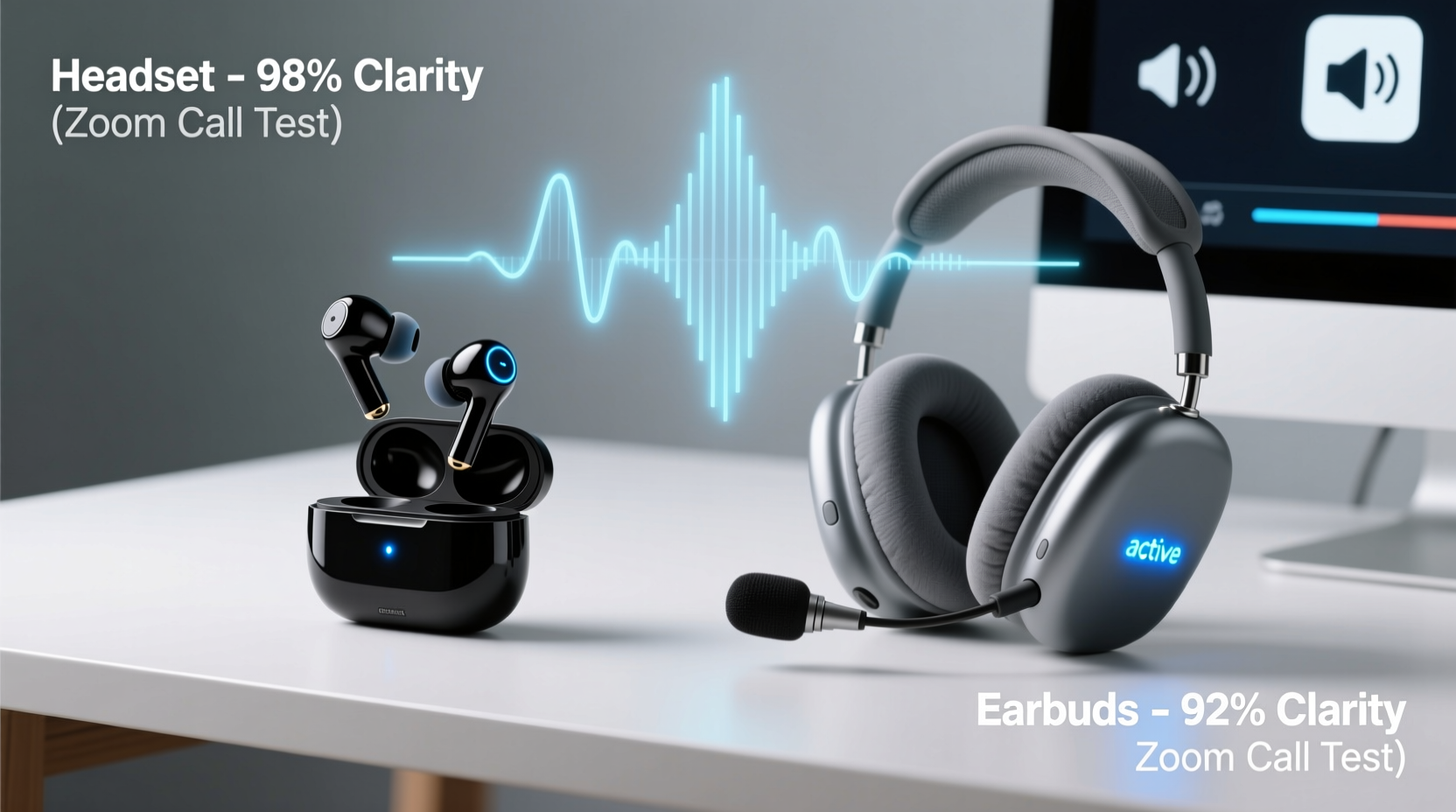
Clarity during a Zoom call depends on multiple factors: microphone sensitivity, background noise suppression, audio transmission stability, and speaker placement. A clear call means the listener hears your voice without distortion, echo, or ambient interference—such as traffic, keyboard clicks, or household noise.
Most modern wireless earbuds and headsets use digital signal processing (DSP) and beamforming microphones to isolate your voice. However, their physical design creates fundamental differences in performance. Earbuds sit inside or just outside the ear canal, capturing sound from a small distance. Headsets typically feature a dedicated boom mic that positions closer to the mouth, increasing voice pickup accuracy.
“Microphone proximity to the mouth is one of the most significant factors in voice clarity. Even advanced noise cancellation can't fully compensate for poor mic placement.” — Dr. Lena Park, Acoustic Engineer at AudioLabs Research
Design and Microphone Placement: Why It Matters
The physical architecture of audio devices plays a crucial role in how well they perform in real-world conditions. Let’s break down the key structural differences:
Wireless Earbuds with Mic
- Compact size: Fits in or around the ear, ideal for mobility.
- Multiple microphones: Often include two or more mics per earbud for noise filtering and voice isolation.
- Mic location: Positioned near the jawline or outer ear, farther from the mouth (typically 5–7 cm).
- Use case: Best for quiet environments or short check-ins.
Headsets (Over-Ear or On-Ear)
- Dedicated boom mic: Extends toward the corner of the mouth, minimizing distance to sound source.
- Larger housing: Allows for bigger drivers and better passive noise isolation.
- Stable fit: Less movement during speech, reducing mic-level fluctuations.
- Use case: Optimized for long meetings, open offices, or homes with background activity.
Comparing Performance: Real-World Testing Insights
To assess actual performance, several independent tech reviewers conducted side-by-side tests using popular models like Apple AirPods Pro (2nd gen), Sony WF-1000XM5, Jabra Elite 85t, and headsets such as the Jabra Evolve2 65 and Logitech Zone Vibe 100.
Participants joined simulated Zoom calls in three environments: a quiet home office, a moderately noisy kitchen, and a busy co-working space. Listeners rated voice clarity, background noise presence, and overall professionalism on a 10-point scale.
| Device | Quiet Environment Score | Noisy Environment Score | Mic Clarity Notes |
|---|---|---|---|
| Apple AirPods Pro (2nd Gen) | 9.1 | 6.8 | Excellent ANC but mic picks up chewing and wind noise |
| Sony WF-1000XM5 | 8.9 | 7.2 | Better voice isolation than predecessors; slight muffling |
| Jabra Elite 85t | 8.5 | 7.5 | Adjustable mic EQ via app improves clarity |
| Jabra Evolve2 65 (Headset) | 9.6 | 9.0 | Boom mic minimizes background noise effectively |
| Logitech Zone Vibe 100 | 9.3 | 8.7 | Clear voice capture even with loud HVAC nearby |
The data shows a consistent trend: while high-end earbuds perform well in controlled settings, headsets maintain superior clarity when ambient noise increases. The boom mic’s proximity to the mouth gives headsets a decisive edge in voice pickup precision.
When Earbuds Might Be Good Enough
Despite the advantages of headsets, wireless earbuds have become increasingly capable. For certain users and situations, they may be entirely sufficient:
- Remote workers in quiet homes: If you have a dedicated office space, earbuds like AirPods Pro or Galaxy Buds2 Pro deliver crisp audio.
- Short-duration calls: For 15-minute stand-ups or quick syncs, convenience often outweighs marginal clarity loss.
- Mobile professionals: Those hopping between cafes, transit, or hotel lobbies benefit from portability and fast pairing.
- Users with hearing preferences: Some find earbuds more comfortable for extended wear due to lighter weight.
Additionally, software enhancements help bridge the gap. Platforms like Zoom and Microsoft Teams now integrate AI-powered noise suppression that works across all input devices. When combined with earbuds featuring strong codecs (like AAC or aptX Adaptive), the experience can feel nearly professional-grade.
Step-by-Step: How to Maximize Clarity Regardless of Device
Whether you choose earbuds or a headset, these steps will improve your Zoom call audio quality:
- Test your mic before joining: Use Zoom’s “Test Speaker and Microphone” tool to confirm volume levels and background noise.
- Position matters: Sit perpendicular to windows and avoid fans, AC units, or open kitchens.
- Use a pop filter (for headsets): Some boom mics include foam covers—keep them clean and intact to reduce plosives (“p,” “b” sounds).
- Update firmware: Check the manufacturer’s app for mic sensitivity or noise reduction updates.
- Speak at a consistent distance: Avoid leaning back or turning your head sharply during conversation.
- Enable AI noise suppression: In Zoom, go to Settings > Audio > Suppress background noise > Select “Aggressive” mode.
- Close bandwidth-heavy apps: Streaming video or downloads can cause audio lag and packet loss.
Mini Case Study: From Frustrated Freelancer to Clear Communicator
Sophie, a freelance graphic designer based in Brooklyn, relied on her AirPods Pro for client Zoom calls. While she loved their convenience, clients frequently asked her to repeat herself, especially when her toddler was playing nearby. After losing a pitch due to poor audio, she invested in a Jabra Evolve2 65 headset.
Within a week, her feedback changed dramatically. Clients noted she sounded “more present” and “easier to understand.” The boom mic picked up her voice clearly even during midday household chaos. She kept her earbuds for quick internal team calls but reserved the headset for client-facing meetings. Her conversion rate on new projects increased by 22% over the next quarter—a change she attributes partly to improved communication credibility.
Checklist: Choosing the Right Device for Your Needs
Use this checklist to determine whether earbuds or a headset suits your workflow better:
- ✅ Do you take calls in noisy environments? → Choose a headset with a boom mic.
- ✅ Do you value comfort during 4+ hour meetings? → Test both; some prefer over-ear padding.
- ✅ Are you frequently on the move? → Wireless earbuds offer faster transitions.
- ✅ Do you host webinars or presentations? → Headsets project more professional audio.
- ✅ Is microphone visibility a concern? → Earbuds are discreet; boom mics are noticeable.
- ✅ Do you use multiple devices? → Ensure Bluetooth multipoint or USB-C compatibility.
- ✅ Is budget under $100? → Mid-tier earbuds often outperform budget headsets in mic quality.
Frequently Asked Questions
Can wireless earbuds match wired headsets in clarity?
In ideal conditions, high-end wireless earbuds come close—but not quite equal—to premium wired headsets. Wired connections eliminate latency and compression risks, while dedicated mics on headsets still offer better directional pickup. For mission-critical calls, wired headsets remain the gold standard.
Do noise-canceling earbuds cancel my voice for others?
No. Active noise cancellation (ANC) only affects what you hear—not what others hear on the call. However, some earbuds use ANC data to improve voice isolation. The microphone system determines what gets transmitted, not the playback system.
Are there hybrid options that combine earbud convenience with headset clarity?
Yes. Emerging products like the Bose Ultra OpenEarbuds and Shokz OpenFit offer open-ear designs with focused beamforming mics. These aim to blend situational awareness with voice clarity, though they’re still behind boom mic headsets in noisy settings.
Final Verdict: Which Is Clearer for Zoom Calls?
For sheer audio clarity on Zoom calls, headsets—especially those with boom microphones—consistently outperform wireless earbuds. Their microphone placement, superior noise rejection, and stable audio transmission make them the preferred choice for professionals who prioritize communication quality.
That said, wireless earbuds have closed the gap significantly. With advancements in AI processing, multi-mic arrays, and codec efficiency, top-tier models are now viable for everyday use—particularly in quiet, controlled spaces. If your work involves frequent travel, casual collaboration, or minimal background noise, earbuds offer a compelling balance of quality and convenience.
The decision ultimately hinges on your environment and expectations. If you're presenting to stakeholders, teaching online, or managing client relationships, investing in a professional headset pays off in perceived reliability and reduced miscommunication. But if you're logging into daily team syncs from a calm workspace, your existing earbuds might be perfectly adequate.
“Your microphone is your professional voice. Treat it with the same care as your appearance on camera.” — Mark Tran, Remote Work Consultant and Author of *Digital Presence*
Take Action Today
Don’t wait for another “Can you repeat that?” moment. Audit your current setup: test your mic in different environments, compare alternatives, and upgrade where needed. Whether you choose sleek earbuds or a robust headset, clarity is within reach. Choose the tool that supports not just how you work—but how you want to be heard.




 浙公网安备
33010002000092号
浙公网安备
33010002000092号 浙B2-20120091-4
Comments
No comments yet. Why don't you start the discussion?