
For runners, reliable audio control during a workout isn’t just about convenience—it’s about safety, rhythm, and staying in the zone. Whether you're adjusting volume mid-sprint, skipping a distracting track, or answering an urgent call, how you interact with your earbuds matters. The two dominant control methods—physical volume buttons and touch-sensitive panels—each come with distinct advantages and drawbacks. But when it comes to running, one often proves more practical than the other.
This article breaks down the real-world differences between wireless earbuds with physical volume controls and those relying solely on touch sensors. From sweat resistance to accidental triggers, we’ll examine how each system performs under the stress of movement, weather, and gloves. If you’ve ever fumbled with earbuds mid-run or accidentally paused your playlist with a brush of your hair, this guide will help you choose the right pair for your stride.
Physical Volume Controls: Precision in Motion
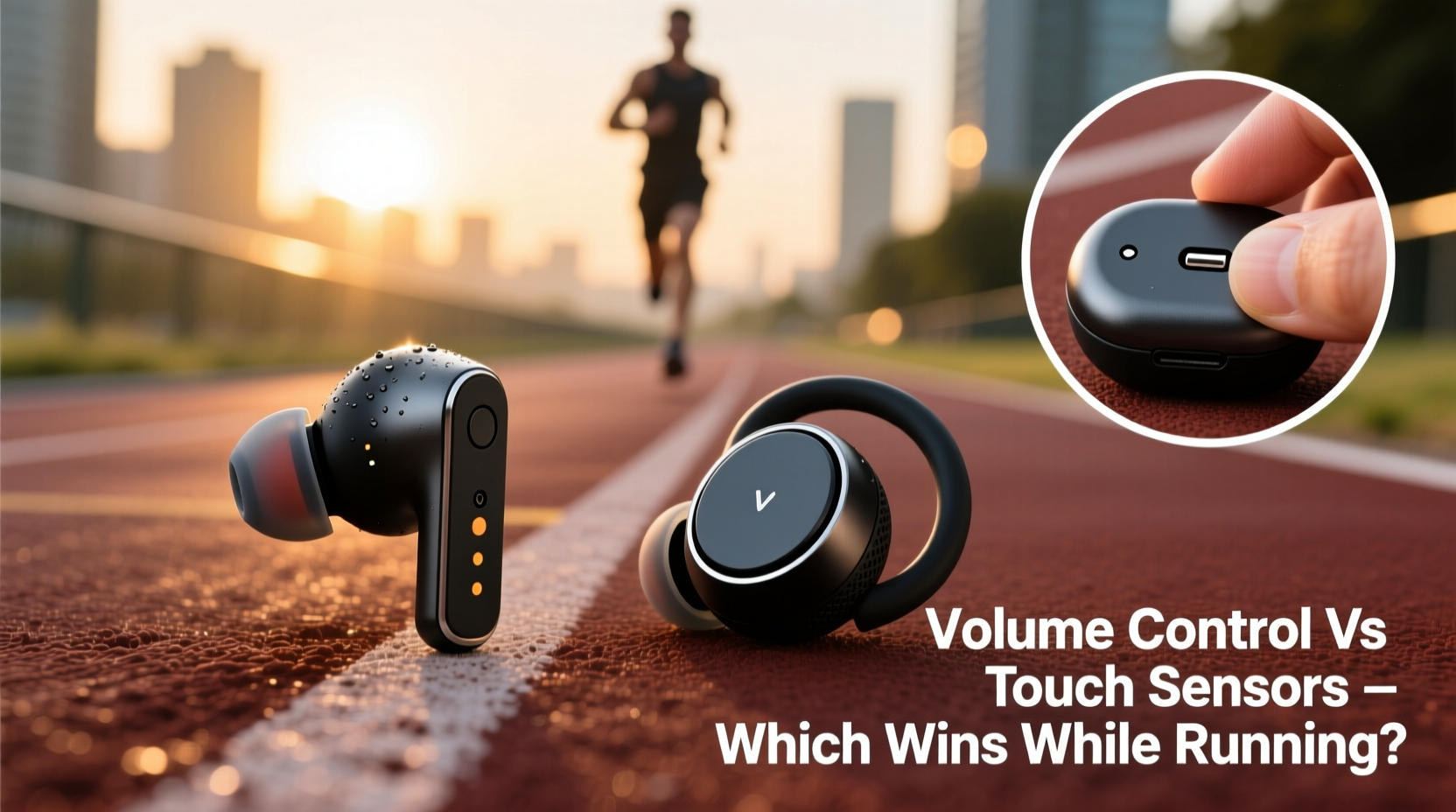
Earbuds equipped with physical volume controls use small, tactile buttons—often located on the outer stem or housing—that allow users to increase or decrease volume by pressing up or down. Some models even include dedicated playback buttons or multifunction switches.
The biggest advantage of physical buttons is their reliability during dynamic activity. When running, especially outdoors or in variable conditions, having a control method that doesn’t rely on skin contact or gesture sensitivity ensures consistent responsiveness. You can press a button with wet fingers, sweaty hands, or even while wearing gloves—something touch sensors struggle with.
Additionally, physical buttons offer haptic feedback. You feel the click or depression, confirming your input was registered. This tactile confirmation is crucial when you can’t safely look at your phone or earbuds while maintaining pace or navigating traffic.
Why Buttons Excel During Runs
- Consistent input: No need to worry about moisture interference or sensor calibration.
- Glove-friendly operation: Essential for cold-weather runners.
- Fewer misfires: Unlike touch sensors, buttons rarely activate from windblown hair or cheek contact.
- Easier learning curve: Button functions are intuitive—up for louder, down for quieter.
Brands like Jabra, Shure, and older Sony models have long favored physical controls for their sports-focused lines, citing user demand for dependability over sleek design. The Jabra Elite series, for instance, uses rubberized side buttons that remain responsive even after miles of heavy sweating.
Touch Sensors: Sleek but Sensitive
Touch-sensitive earbuds detect swipes, taps, or presses on the earbud surface using capacitive technology—similar to smartphone screens. A swipe up might increase volume, a double-tap skips tracks, and a long press activates voice assistants.
The appeal is clear: a seamless, minimalist design without protruding parts. Manufacturers favor touch controls because they allow for slimmer profiles, better water sealing, and a modern aesthetic. Apple’s AirPods Pro and many high-end models from Samsung and OnePlus use touch interfaces exclusively.
But for runners, these benefits come with trade-offs. Capacitive sensors require skin conductivity to function. Sweat, rain, or gloves can disrupt this connection, making controls unresponsive when you need them most. Worse, they’re prone to false triggers—leaning your head on a pillow during cooldown, adjusting your headphones, or even wind pressure can register as inputs.
“Touch controls are elegant in theory, but they fail under real athletic conditions. Runners need certainty, not guesswork.” — Dr. Lena Torres, Human Factors Engineer at Mobility Labs
The Reality of Touch Controls Mid-Run
- Inconsistent response with sweat: Moisture alters skin conductivity, leading to missed or repeated commands.
- No tactile feedback: You don’t know if a command registered unless the audio changes.
- Difficult with gloves: Most touch systems won’t work through fabric.
- Accidental activation: Common during head turns, hat adjustments, or storage in pockets.
Some manufacturers attempt to mitigate these issues with firmware updates—adding delays before activation or requiring longer presses—but these fixes often make the interface slower and more frustrating.
Side-by-Side Comparison: Buttons vs Touch
| Feature | Physical Buttons | Touch Sensors |
|---|---|---|
| Responsiveness during runs | High – works consistently | Moderate – varies with conditions |
| Glove compatibility | Yes | No |
| Sweat/rain resistance | Unaffected | May malfunction |
| Accidental triggers | Rare | Common |
| Durability over time | Buttons may wear, but last years | No moving parts, but sensors degrade |
| Ease of use without looking | Easy – tactile cues | Harder – requires memorization |
While touch sensors win in aesthetics and waterproofing potential, physical buttons dominate in functional reliability—especially in motion.
Real Runner Scenario: The Rainy 10K Trial
Jamal, a recreational marathoner, tested two pairs of earbuds during a rainy 10-kilometer training run: the Apple AirPods Pro (touch controls) and the Jabra Elite Active 75t (physical buttons).
At the 3-kilometer mark, the skies opened. Jamal needed to increase volume over the sound of rain and passing traffic. With the AirPods, he swiped upward repeatedly—no response. His fingers were too wet for the capacitive sensor. After five attempts, the volume jumped suddenly to maximum, startling him. Later, a brush of his jacket cuff triggered a pause, cutting off his podcast mid-sentence.
Switching to the Jabra earbuds the following week, the experience was different. Even soaked, the rubberized volume buttons responded instantly. One firm press increased volume; another confirmed the change with a subtle beep. No swipes, no guesswork—just reliable control.
“I don’t care how sleek it looks,” Jamal said afterward. “If I can’t control it when I’m drenched, it’s not built for running.”
Step-by-Step: Choosing the Right Earbuds for Running
- Assess your environment: Do you run in rain, snow, or extreme heat? Physical buttons handle moisture better.
- Test for glove use: If you run in winter, ensure controls work with gloves. Buttons almost always do.
- Check for haptic feedback: Try demo units if possible. Can you feel the input confirm?
- Review accidental trigger history: Search online forums for complaints about unintended pauses or calls.
- Prioritize customization: Some apps let you reprogram touch gestures or disable certain ones—useful for reducing errors.
- Consider hybrid models: A few earbuds combine a physical button (for play/pause) with touch for volume—best of both worlds.
Expert Recommendations and Industry Trends
Despite user preference for reliability, the market trend leans toward touch controls. Design minimalism and IP68 waterproofing are selling points, and removing physical components reduces potential failure points from dust and water ingress.
Yet, professional athletes and serious runners often bypass flagship consumer models in favor of rugged, purpose-built gear. “Endurance athletes prioritize function over form,” says fitness tech reviewer Mark Delaney. “They’d rather have a slightly bulkier earbud that works every time than a sleek one that fails mid-race.”
Some manufacturers are responding. JBL’s Endurance series features twist-lock buttons that resist accidental presses. AfterShokz, known for bone-conduction headphones, retains physical controls across its lineup for outdoor safety. Meanwhile, niche brands like Altec Lansing and Pioneer offer hybrid solutions with touch for music and buttons for volume.
“The best control method is the one you don’t have to think about. For runners, that’s still physical buttons.” — Sarah Lin, Audio Product Designer at SoundLogic
FAQ: Common Questions About Earbud Controls While Running
Can I clean touch-sensitive earbuds with wet wipes?
Yes, but only when powered off and completely dry before use. Avoid alcohol-based cleaners, which can degrade the sensor coating over time. Always follow manufacturer guidelines.
Do any touch-controlled earbuds work with gloves?
Very few. Most capacitive sensors require direct skin contact. Some specialized gloves with conductive fingertips may work, but results vary widely by model. Physical buttons remain the only reliable option for gloved use.
Are physical buttons more prone to breaking?
Early models had durability concerns, but modern designs use rubber seals and reinforced mechanisms. Many button-based earbuds now carry IP57 ratings or higher. In practice, mechanical failure is rare compared to software glitches in touch systems.
Final Verdict: What’s Easier While Running?
When evaluating ease of use during running, physical volume controls outperform touch sensors in nearly every practical category. They offer immediate feedback, consistent performance in adverse conditions, and fewer interruptions from false inputs. While touch sensors provide a sleek, modern interface, their reliance on skin conductivity and gesture accuracy makes them less dependable when you’re moving, sweating, or exposed to the elements.
That said, personal preference and ecosystem matter. If you’re deeply invested in an all-touch ecosystem like Apple’s, you may adapt to the quirks. Firmware improvements and better gesture algorithms may close the gap in future models. But for now, if uninterrupted control during runs is your priority, choose earbuds with physical volume buttons.
Checklist: Buying Wireless Earbuds for Running
- ✅ Prioritize physical volume controls for reliability
- ✅ Ensure IPX5 or higher water and sweat resistance
- ✅ Test for secure fit during high-motion activities
- ✅ Verify compatibility with your running watch or app
- ✅ Disable unnecessary touch gestures to prevent accidents
- ✅ Consider battery life relative to your average run duration
- ✅ Check for low-latency mode if using video-guided workouts
Conclusion
Your earbuds should enhance your run, not interrupt it. While touch sensors represent the future of minimalist design, they’re not yet optimized for the unpredictable reality of running. Physical volume controls deliver the immediacy, reliability, and resilience that active users need. Before choosing based on looks or brand loyalty, ask yourself: when I’m three miles in, soaked in sweat, and need to adjust my music—what will actually work?




 浙公网安备
33010002000092号
浙公网安备
33010002000092号 浙B2-20120091-4
Comments
No comments yet. Why don't you start the discussion?