
For professionals who spend eight or more hours a day at a desk, the choice of keyboard is not just about convenience—it directly impacts productivity, posture, and physical well-being. Among the most debated options are wireless keyboards and mechanical keyboards. While both have strong followings, understanding their differences in typing comfort, especially over extended periods, can help you make a decision that supports both efficiency and health.
The ideal keyboard should reduce finger strain, support natural hand positioning, and minimize distractions like lag or noise. Yet many users choose based on aesthetics or brand loyalty rather than ergonomic performance. This article breaks down the real-world implications of using wireless versus mechanical keyboards for prolonged typing, combining technical insight with practical user experience.
Evaluating Typing Comfort: Key Factors
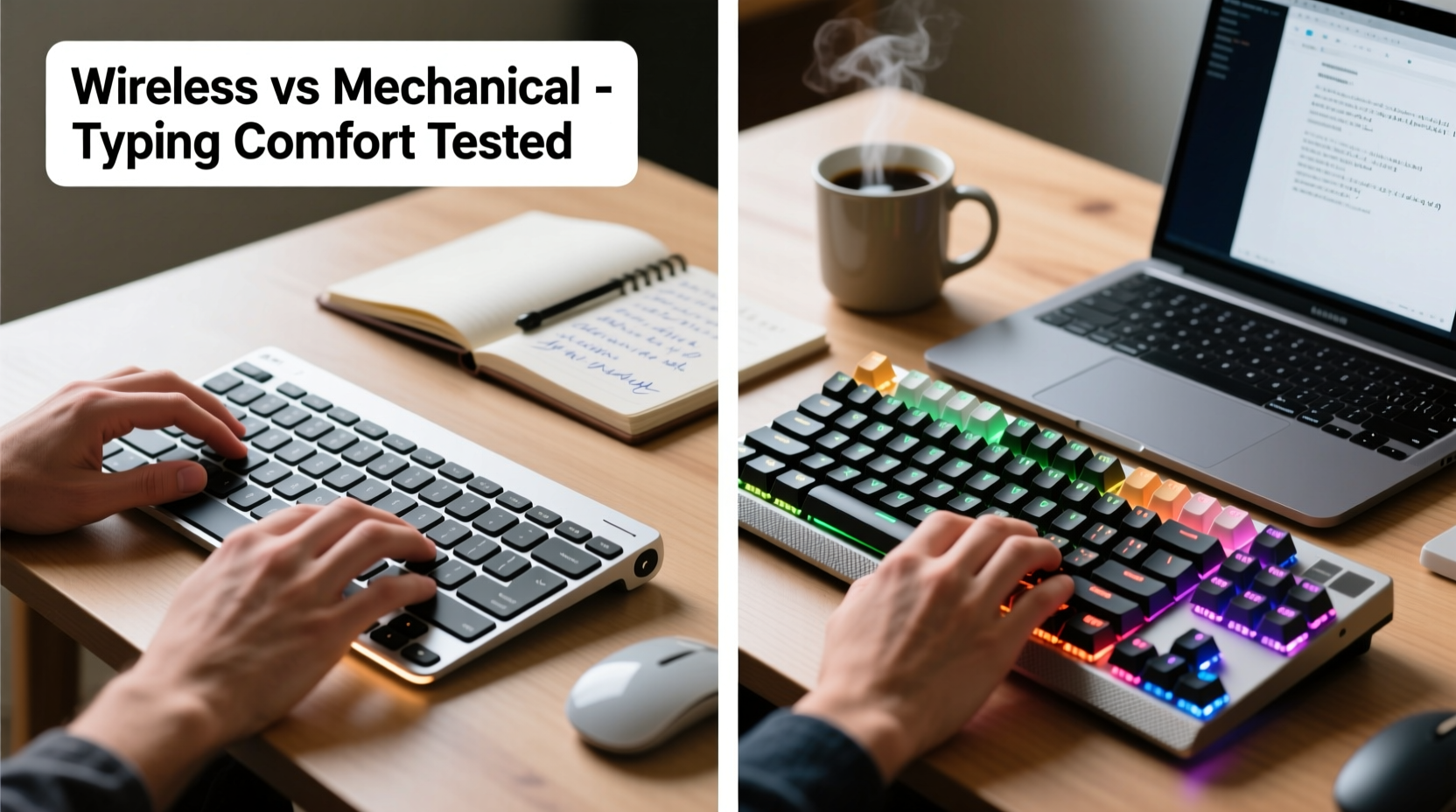
Typing comfort isn’t subjective—it’s shaped by measurable factors including key travel, actuation force, tactile feedback, noise level, and wrist alignment. These elements influence how fatigued your hands and forearms become after several hours of continuous use.
- Key Travel: The distance a key moves when pressed. Too shallow, and typing feels imprecise; too deep, and it demands excessive effort.
- Actuation Force: The pressure needed to register a keystroke. Lower force reduces finger fatigue but may increase typos.
- Tactile Feedback: Whether you feel a bump or click when a key activates. Helps typists know a keystroke was registered without bottoming out.
- Noise Level: Critical in shared offices or quiet environments. Loud clicks can cause stress over time, even to the user.
- Ergonomic Design: Includes layout, tilt, and whether the keyboard promotes neutral wrist posture.
Wireless and mechanical keyboards approach these factors differently, often leading to trade-offs between mobility and precision.
Wireless Keyboards: Portability Meets Modern Simplicity
Wireless keyboards have gained popularity due to their clean setup, reduced cable clutter, and compatibility with multiple devices—especially tablets and laptops. Most modern wireless models use Bluetooth or a USB dongle for connection and are typically designed with low-profile scissor-switch or membrane keys.
These keyboards excel in minimalist workspaces and hybrid setups where users switch between devices frequently. Their lightweight construction makes them easy to reposition, which can be beneficial for adjusting desk ergonomics throughout the day.
However, when it comes to typing endurance, wireless keyboards often fall short. Scissor switches, while quiet and compact, offer limited key travel (usually 1.5–2mm) and minimal tactile response. This forces users to press harder or rely on visual confirmation, increasing strain over time.
Battery life is another consideration. While most last weeks between charges, a dying battery can lead to inconsistent responsiveness—a subtle but disruptive issue during focused writing or coding. Additionally, latency—though minimal in high-end models—can still introduce a slight delay, particularly noticeable in fast-paced typing.
Mechanical Keyboards: Engineered for Precision and Endurance
Mechanical keyboards use individual mechanical switches under each key, offering superior feedback, durability, and customization. Each keystroke is precise, with consistent actuation and tactile or audible confirmation depending on the switch type.
Popular switch variants include:
- Cherry MX Blue: Clicky and tactile—ideal for typists who want feedback but potentially distracting in quiet settings.
- Cherry MX Brown: Tactile but quieter, balancing feedback with office-friendly noise levels.
- Cherry MX Red: Linear and smooth, preferred by gamers but also suitable for light-touch typists.
The deeper key travel (typically 2–4mm) and defined actuation point allow typists to develop muscle memory quickly, reducing errors and finger fatigue. Because less force is required to trigger a keystroke—especially with linear or light-tactile switches—mechanical keyboards can actually promote more efficient typing over long durations.
Additionally, mechanical keyboards are built to last. Many models boast switch lifespans of 50 million keystrokes or more, far exceeding the 5–10 million of membrane-based wireless keyboards. This longevity translates into fewer replacements and more consistent performance year after year.
“Mechanical keyboards provide a level of tactile precision that reduces cognitive load during typing. When your fingers know exactly when a key has registered, you don’t second-guess your input.” — Dr. Lena Patel, Human Factors Engineer at ErgoDesign Labs
Direct Comparison: Wireless vs Mechanical
To clarify the differences, here's a side-by-side comparison based on typing comfort during an 8-hour workday:
| Feature | Wireless Keyboard | Mechanical Keyboard |
|---|---|---|
| Key Switch Type | Membrane or scissor-switch | Individual mechanical switches (e.g., Cherry MX) |
| Key Travel | 1.5–2mm (shallow) | 2–4mm (deeper, more responsive) |
| Tactile Feedback | Limited or absent | Strong (varies by switch) |
| Noise Level | Quiet (ideal for shared spaces) | Can be loud (clicky switches), but quiet options available |
| Ergonomic Flexibility | Often flat; some have tilt adjustment | Many support split designs, tenting, and external palm rests |
| Battery/Power | Requires charging or batteries | Wired models need no battery; wireless mechanical exist but are pricier |
| Durability | 3–5 years with heavy use | 7+ years; switches often replaceable |
| Typing Fatigue Over 8 Hours | Higher due to lack of feedback and shallow keys | Lower with proper switch selection and ergonomics |
This table highlights a central truth: mechanical keyboards are engineered for sustained typing performance, while wireless keyboards prioritize convenience and portability.
Real-World Example: A Copywriter’s Experience
Sophie, a freelance copywriter based in Portland, used a slim wireless keyboard for her first three years of remote work. She appreciated its sleek design and seamless pairing with her iPad and laptop. But after consistently working 9-to-6 days, she began experiencing soreness in her fingertips and occasional cramping in her right hand.
After consulting an occupational therapist, she switched to a tenkeyless mechanical keyboard with Brown switches and added a negative-tilt stand. Within two weeks, she reported a significant drop in finger fatigue and improved typing accuracy. “I didn’t realize how much I was over-pressing each key until I started using a mechanical board,” she said. “Now I barely tap the keys, and my words flow faster.”
Her case illustrates how seemingly minor differences in switch mechanics can compound into major comfort issues—or improvements—over time.
Hybrid Option: Wireless Mechanical Keyboards
For those unwilling to sacrifice either typing quality or cable-free flexibility, wireless mechanical keyboards are now a viable option. Brands like Logitech, Keychron, and Durgod offer models with Bluetooth connectivity, rechargeable batteries, and full mechanical switch arrays.
These hybrids combine the best of both worlds: the tactile precision of mechanical switches with the freedom of wireless operation. However, they come at a higher price point—often $120–$200—and may require firmware updates or multi-device management. Battery life varies, but most last 2–4 weeks on a single charge with moderate use.
If your workflow involves switching between desktop, laptop, and tablet, a wireless mechanical model could be the optimal balance. Just ensure it uses hot-swappable switches so you can customize the feel later if needed.
Actionable Checklist: Choosing Your Ideal Keyboard
Use this checklist to evaluate your needs before purchasing:
- ✅ Assess your daily typing volume: Do you write, code, or transcribe for 4+ hours?
- ✅ Determine your workspace: Is it fixed (desk) or mobile (coffee shops, co-working)?
- ✅ Test switch types: Try Cherry MX Brown for balanced feedback or Red for lighter touch.
- ✅ Prioritize ergonomics: Look for keyboards with adjustable feet, negative tilt, or split layouts.
- ✅ Consider noise: If you work in a quiet environment, avoid clicky Blue switches.
- ✅ Decide on connectivity: Wired ensures zero latency; wireless offers flexibility but check for lag.
- ✅ Budget for longevity: A $130 mechanical keyboard may save money over five years compared to replacing cheaper models.
Frequently Asked Questions
Can a wireless keyboard be as comfortable as a mechanical one?
Generally, no—most wireless keyboards use membrane or scissor switches that lack the tactile precision and responsiveness of mechanical switches. However, high-end wireless mechanical keyboards do exist and offer comparable comfort, though at a premium cost.
Do mechanical keyboards cause more noise and disturb coworkers?
It depends on the switch. Clicky switches like Cherry MX Blues are loud and may not suit open offices. However, tactile (Brown) or linear (Red) switches are significantly quieter. Some models also include sound-dampening features like O-rings or foam lining.
Is there a risk of repetitive strain injury (RSI) with either type?
Both types can contribute to RSI if used improperly. Shallow-key wireless keyboards may encourage over-pressing, while poorly positioned mechanical boards can misalign wrists. The key is pairing any keyboard with proper ergonomics: monitor height, chair support, and frequent breaks.
Step-by-Step Guide to Improving Typing Comfort
Follow this timeline to optimize your typing setup regardless of keyboard type:
- Week 1: Evaluate your current keyboard. Note any discomfort, missed keystrokes, or fatigue patterns.
- Week 2: Research switch types and test demos if possible. Visit electronics stores or borrow from friends.
- Week 3: Purchase a new keyboard (preferably mechanical or wireless mechanical) and set it up with correct tilt and distance.
- Week 4: Adjust typing habits—use light keystrokes, keep wrists floating, and take micro-breaks every 30 minutes.
- Ongoing: Monitor comfort levels monthly. Consider adding a vertical mouse or ergonomic chair for full-body support.
Final Recommendation
For professionals prioritizing typing comfort during long work hours, mechanical keyboards—particularly those with tactile or linear switches—offer superior ergonomics, durability, and reduced fatigue. While traditional wireless keyboards win in portability and aesthetics, they often compromise on the very features that make extended typing sustainable.
The growing availability of wireless mechanical keyboards now allows users to enjoy both worlds: responsive typing and cable-free convenience. Investing in such a model, paired with proper desk ergonomics, can transform your work experience—making typing not just efficient, but genuinely comfortable.




 浙公网安备
33010002000092号
浙公网安备
33010002000092号 浙B2-20120091-4
Comments
No comments yet. Why don't you start the discussion?