
For graphic designers, every pixel matters. The tools they use directly influence the quality and efficiency of their output. Among these tools, the mouse plays a critical role—especially during tasks like vector tracing, photo retouching, or interface prototyping. Yet one question continues to spark debate: should designers opt for a wired or wireless mouse when precision is paramount?
The answer isn’t as straightforward as it once was. Technological advancements have narrowed the gap between wired and wireless peripherals, but subtle differences in latency, consistency, and ergonomics still impact workflow. This article examines both options in depth, focusing on what truly affects precision in real-world design environments.
Understanding Precision in Graphic Design Workflows
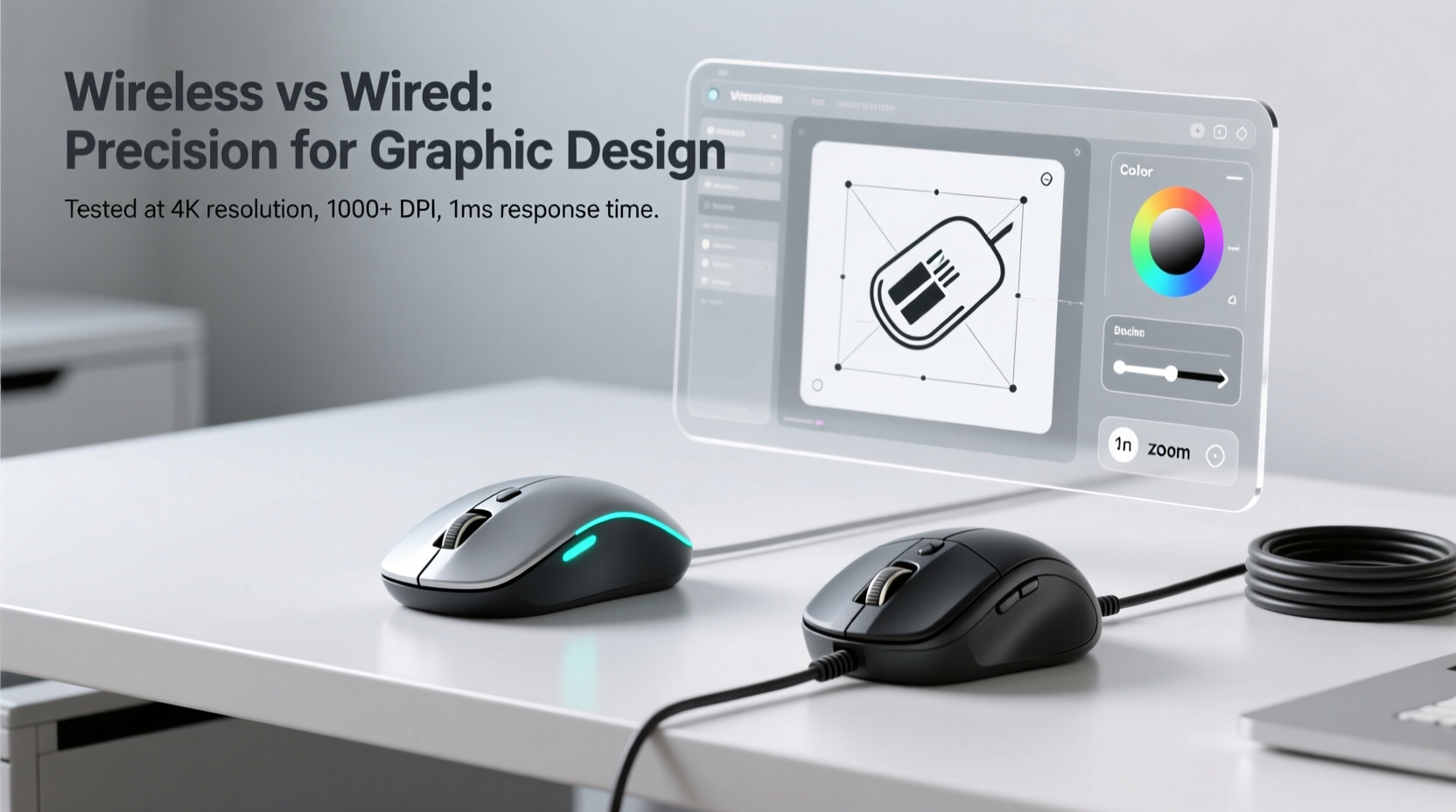
Precision in digital design refers to how accurately a mouse translates hand movement into cursor motion on screen. It’s influenced by several factors: sensor accuracy, polling rate, acceleration behavior, and connection stability. For illustrators using Adobe Illustrator or Photoshop, even minor inconsistencies can lead to jagged lines, misaligned selections, or shaky brush strokes.
A high-precision mouse must deliver consistent tracking across different surfaces, minimal input lag, and zero signal dropouts. While DPI (dots per inch) sensitivity gets much attention, it's not the sole determinant of precision. Equally important are the underlying hardware components and data transmission method—wired versus wireless.
Wired Mice: The Traditional Standard for Reliability
Wired mice have long been the default choice for professionals due to their direct, uninterrupted data path. With no intermediary signals to decode or potential interference to contend with, wired connections offer predictable performance.
Most modern wired mice support USB polling rates of 500Hz to 1000Hz, meaning the computer checks the mouse position up to 1,000 times per second. This results in near-instantaneous response times—typically under 1ms. High-end models often feature advanced optical sensors with true 1-to-1 tracking, ensuring that every physical movement is mirrored precisely on screen.
Additionally, because they draw power directly from the USB port, wired mice don’t suffer from battery-related fluctuations in performance. There’s no risk of sudden disconnection or reduced responsiveness due to low charge. This makes them particularly reliable during extended design sessions.
“Even with today’s best wireless tech, I still reach for my wired mouse when doing fine-detail masking in Photoshop. The peace of mind matters.” — Daniel Reyes, Senior UI/UX Designer at PixelForge Studios
Wireless Mice: Closing the Gap with Modern Innovations
Gone are the days when wireless meant sluggish response and frequent dropouts. Today’s premium wireless mice utilize advanced technologies such as Bluetooth Low Energy (BLE), proprietary 2.4GHz RF dongles, and dual-mode connectivity to deliver near-wired performance.
Leading brands like Logitech, Razer, and Microsoft now offer wireless models with polling rates up to 1000Hz—matching their wired counterparts. Some even implement adaptive frequency hopping to avoid interference in crowded wireless environments. Additionally, modern sensors like Logitech’s HERO or PixArt’s PMW3395 provide exceptional tracking accuracy across various surfaces without acceleration artifacts.
Battery life has also improved dramatically. Many wireless mice last months on a single charge and include fast-charging features. However, while latency has dropped significantly—some claiming as low as 0.5ms—the cumulative effect of signal encoding, transmission delay, and occasional jitter remains a concern for perfectionists.
In practice, most users won’t notice any difference during general navigation or broad brushwork. But when pixel-level control is required—such as outlining intricate shapes or adjusting anchor points in Illustrator—the margin for error shrinks. In these moments, even microsecond delays can disrupt flow.
Comparative Analysis: Key Performance Factors
| Factor | Wired Mouse | Wireless Mouse |
|---|---|---|
| Latency | Consistently sub-1ms | Typically 1–3ms; varies with model and connection type |
| Polling Rate | Routinely 1000Hz | Up to 1000Hz on high-end models |
| Connection Stability | Uninterrupted; immune to RF interference | Generally stable, but susceptible to congestion in dense Wi-Fi areas |
| Sensor Accuracy | High; consistent power delivery ensures optimal sensor function | Comparable on flagship models; may throttle during low battery |
| Ergonomics & Workspace Freedom | Restricted by cable length; potential drag or snagging | Greater mobility; cleaner desk setup |
| Maintenance Needs | Minimal; cable integrity over time | Battery management, charging cycles, firmware updates |
The table illustrates that while wireless mice have made impressive strides, wired models maintain an edge in consistency and reliability—two qualities essential for precision-critical tasks.
Real-World Scenario: Freelance Illustrator’s Workflow
Lena Cho, a freelance vector artist based in Vancouver, uses both wired and wireless mice depending on context. During client-facing presentations or mobile sketching sessions, she prefers her compact wireless mouse for its portability and clean setup. However, when working on final illustrations involving complex paths and tight curves, she switches to her wired mouse.
“I noticed early on that my linework felt slightly less confident with the wireless,” she explains. “Not broken or laggy—just… softer. Like there was a tiny buffer between my hand and the screen. Once I switched back to wired for detailed work, the lines became crisper, more controlled.”
Lena attributes this partly to psychological confidence. Knowing her tool won’t fail mid-stroke allows her to focus entirely on the creative process. She now uses a dual-system approach: wireless for ideation and layout, wired for refinement and export.
Step-by-Step: Choosing the Right Mouse for Your Design Needs
- Evaluate your primary workspace. Do you work mostly at a fixed desk or frequently move between locations? Fixed stations favor wired setups; mobile workflows benefit from wireless freedom.
- Test latency perception. Try dragging a small selection box across a grid in Photoshop. Does the motion feel fluid and immediate? Any stutter indicates higher effective latency.
- Check sensor specifications. Look for mice with true tracking (no smoothing), adjustable DPI (ideally 800–1600 range for design), and surface calibration tools.
- Assess build quality and comfort. Long hours demand ergonomic design. Ensure buttons are tactile, scroll wheels precise, and palm support adequate.
- Review connectivity options. For wireless, prefer dedicated USB dongles over Bluetooth when possible—they typically offer lower latency and better synchronization.
- Conduct a side-by-side test. Spend a full design session with each mouse performing identical tasks. Note differences in fatigue, accuracy, and confidence.
Expert Recommendations and Industry Trends
According to Dr. Alan Zhou, a human-computer interaction researcher at MIT Media Lab, “The perceptual threshold for input delay in creative tasks is around 8 milliseconds. Below that, most users don’t consciously detect lag. But skilled professionals often operate below conscious awareness—they feel discrepancies before they see them.”
This insight underscores why elite designers report preferring wired devices despite identical specs on paper. Subtle variations in signal processing, firmware optimization, and electromagnetic shielding contribute to a sense of ‘directness’ that’s hard to quantify but easy to feel.
That said, industry trends show increasing adoption of wireless gear—even among pros. Adobe’s 2023 Creative Cloud User Survey found that 62% of full-time designers now use wireless mice daily, citing clutter reduction and multi-device pairing as key drivers. Only 18% reported noticeable drawbacks in precision.
The takeaway? For many, convenience outweighs marginal gains in responsiveness—especially as wireless technology matures.
Frequently Asked Questions
Can a wireless mouse keep up with fast pen-like movements in Photoshop?
Yes, high-end wireless mice with 1000Hz polling rates and advanced sensors can track rapid movements effectively. However, some artists report a slight \"buffered\" sensation compared to wired alternatives, particularly during sustained strokes or quick directional changes.
Does Bluetooth introduce more lag than a USB dongle?
Generally, yes. Bluetooth connections often run at lower polling rates (125Hz) and are more prone to interference. For best performance, choose a wireless mouse with a dedicated 2.4GHz USB receiver instead of relying on built-in Bluetooth.
Is it worth upgrading to a wired mouse if I already own a good wireless one?
If you’re satisfied with your current mouse and aren’t experiencing issues with accuracy or lag, an upgrade may not be necessary. However, if you frequently work on high-resolution canvases requiring pixel-perfect control, testing a high-quality wired alternative could reveal meaningful improvements.
Final Verdict: Which Offers Better Precision?
When measured strictly by technical benchmarks related to precision—latency, tracking consistency, and signal fidelity—wired mice still hold a measurable advantage. They offer unmatched stability and eliminate variables introduced by wireless transmission protocols.
However, the gap has narrowed to the point where only the most discerning professionals will perceive a difference. For casual or mid-level design work, a top-tier wireless mouse performs admirably. Its benefits in workspace flexibility and aesthetic cleanliness often justify the trade-off.
The ideal solution may lie in integration. Many designers now adopt a hybrid strategy: using wireless for brainstorming, wireframing, and client collaboration, then switching to wired for final detailing and production phases. This balances practicality with uncompromised precision.
“The right tool depends on the phase of creation. Early stages thrive on freedom. Final polish demands certainty.” — Mara Singh, Lead Designer at Studio Forma
Take Action: Optimize Your Design Setup Today
Your mouse is more than just a pointer—it’s an extension of your hand. Whether you choose wired or wireless, the goal is seamless interaction between thought, gesture, and outcome. Take time to evaluate your current device. Test alternatives. Adjust settings. Listen to what your workflow tells you.
If you've been holding off on trying a new mouse due to assumptions about wireless limitations, reconsider. Technology evolves. So do we. But when pixel-perfect accuracy is non-negotiable, trust in direct, uninterrupted connection remains the gold standard.




 浙公网安备
33010002000092号
浙公网安备
33010002000092号 浙B2-20120091-4
Comments
No comments yet. Why don't you start the discussion?