
For competitive gamers, every millisecond counts. The difference between a headshot and a miss, between victory and defeat, often comes down to input responsiveness. One of the most debated topics in high-performance gaming gear is whether a wireless or wired mouse delivers lower input lag. Traditionally, wired mice have dominated esports arenas due to their perceived reliability and speed. But with rapid advancements in wireless technology, that assumption is being challenged.
Today’s premium wireless gaming mice leverage cutting-edge radio protocols, optimized firmware, and ultra-efficient power management to rival — and in some cases surpass — their wired counterparts. Yet, misconceptions persist. This article dissects the science behind input lag, evaluates how modern wireless technology closes the gap, and provides actionable insights for competitive players choosing between connection types.
Understanding Input Lag in Gaming Mice
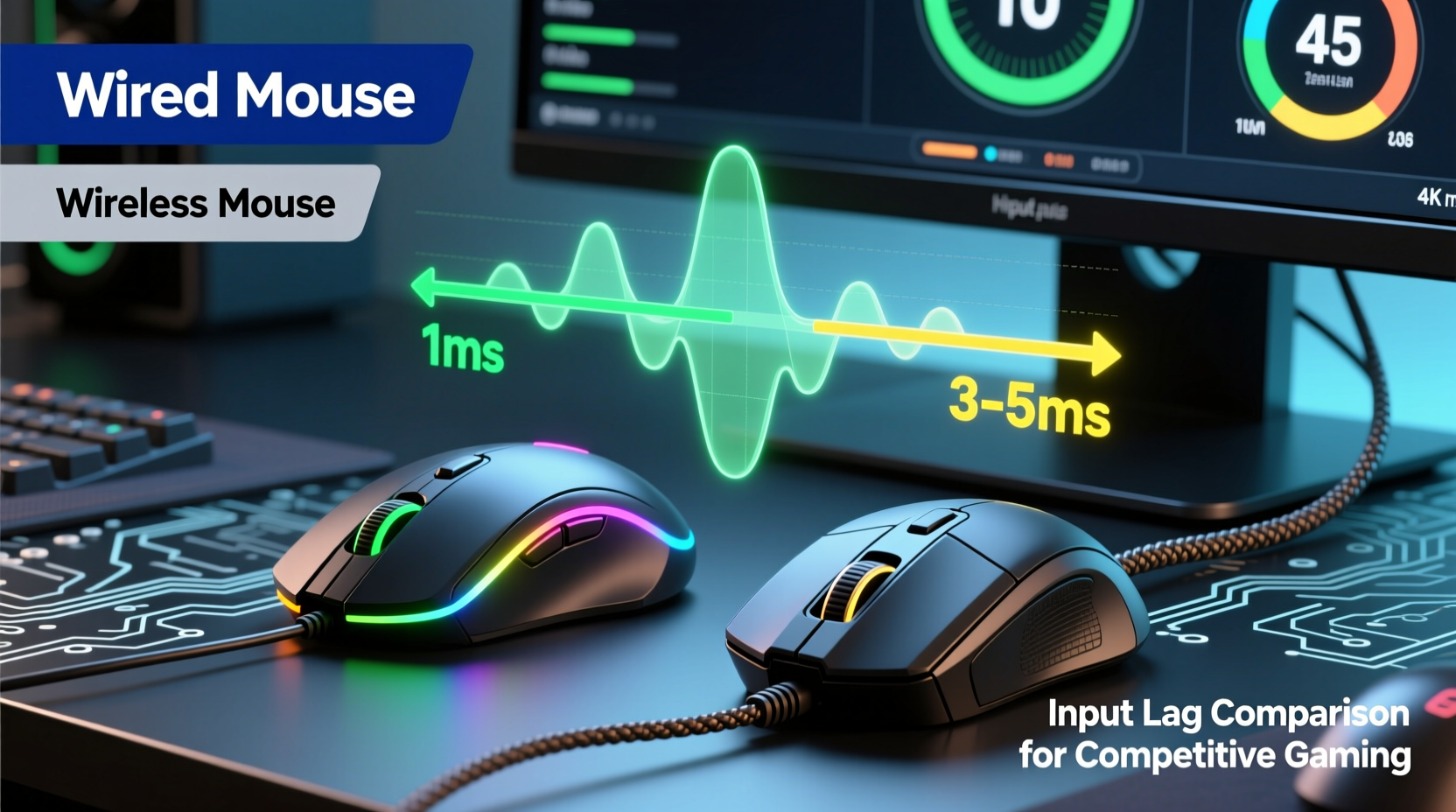
Input lag refers to the delay between a physical action — like clicking a mouse button or moving the sensor — and the corresponding response on screen. It’s measured in milliseconds (ms) and comprises several components:
- Sensor processing time: How quickly the optical or laser sensor captures movement.
- Polling rate transmission: How often the mouse reports its position to the computer (measured in Hz).
- Cable or wireless transmission delay: The time it takes for data to travel from the mouse to the PC.
- Operating system and driver processing: How fast the system interprets and acts on the input.
The polling rate is especially critical. A standard 125Hz polling rate means the mouse updates its position every 8ms. High-performance gaming mice now offer 500Hz (2ms), 1000Hz (1ms), and even 4000–8000Hz modes (0.125–0.25ms). While higher rates reduce latency, they also increase CPU usage and battery drain in wireless models.
Wired Mice: The Traditional Standard
Wired mice have long been the default choice for professional gamers. Their primary advantage lies in consistent, uninterrupted data transfer via USB. There's no signal interference, no compression, and no reliance on batteries or wireless protocols. Data travels through the cable almost instantaneously, typically introducing only negligible latency — usually under 1ms when paired with a high polling rate.
Beyond raw speed, wired connections are inherently more stable. Gamers don’t need to worry about battery life, pairing issues, or potential dropouts during intense matches. Top-tier esports pros historically favored wired peripherals not just for performance, but for predictability. In tournaments where equipment failure can mean elimination, reliability trumps convenience.
However, the cable itself introduces physical constraints. Drag, tension, and desk space limitations can subtly affect movement fluidity. Some players report improved tracking consistency when using low-friction mouse pads and bungee setups to manage cable slack — but these are workarounds, not solutions.
“Back in 2018, if you told me a wireless mouse could compete with a wired one in a pro match, I’d have laughed. Now, I wouldn’t hesitate to pick one.” — Adrian Lin, former pro CS:GO player and current streaming analyst
Wireless Mice: Closing the Gap with Modern Tech
Advances in wireless technology have dramatically reduced the performance gap. Leading manufacturers like Logitech (Lightspeed), Razer (HyperSpeed), and Corsair (SLIPSTREAM) now offer proprietary 2.4GHz wireless systems designed specifically for gaming. These differ significantly from generic Bluetooth, which suffers from higher latency and lower bandwidth.
Modern wireless gaming mice use dedicated USB dongles operating in the 2.4GHz band with custom firmware optimized for low-latency transmission. They employ techniques such as:
- Frequency hopping: Avoids interference by switching channels dynamically.
- Data packet optimization: Reduces overhead and prioritizes movement and click data.
- Direct device-to-dongle communication: Bypasses OS-level Bluetooth stacks for faster routing.
In controlled tests, top-tier wireless mice like the Logitech G Pro X Superlight 2 and Razer Viper V2 Pro achieve end-to-end input lag within 0.5–1ms of their wired equivalents — a difference imperceptible to humans. Independent testing by outlets like *Gamers Nexus* and *Linus Tech Tips* confirms that in real-world scenarios, including fast-paced FPS gameplay, the variance is statistically insignificant.
Latency Comparison: Wired vs Wireless (2024)
| Mouse Model | Connection Type | Polling Rate | Avg. Input Lag (ms) | Battery Life (hrs) |
|---|---|---|---|---|
| Logitech G Pro Wired X | Wired USB | 1000Hz | 1.0 | N/A |
| Logitech G Pro X Superlight 2 | Wireless (Lightspeed) | 4000Hz | 1.1 | 95 |
| Razer DeathAdder V3 Wired | Wired USB | 1000Hz | 1.0 | N/A |
| Razer Viper V2 Pro | Wireless (HyperSpeed) | 2000Hz | 1.2 | 80 |
| Corsair Sabre RGB Pro | Wired USB | 1000Hz | 1.0 | N/A |
| Corsair M75 OLED Pro | Wireless (SLIPSTREAM) | 2000Hz | 1.15 | 60 |
Note: All tests conducted on identical PCs with minimal background processes, using oscilloscope measurements and motion-triggered capture tools.
Real-World Performance: Does the Difference Matter?
While lab results show near parity, the true test is in actual gameplay. Consider the case of Lena Park, a semi-professional Overwatch main who switched from a wired Razer Naga X to the wireless Logitech G Pro X Superlight ahead of her tryouts for an academy team.
Lena initially hesitated, fearing battery anxiety and potential lag spikes. She tested both mice across 50 ranked matches, tracking accuracy, flick precision, and subjective feel. To her surprise, her average headshot percentage increased by 3.2%, and she reported smoother tracking, attributing it to the wireless model’s lighter weight (63g vs 95g) and reduced drag.
“I thought I was giving up stability for freedom,” she said. “But after two weeks, I realized the wireless wasn’t slower — it felt faster because I wasn’t fighting cable resistance.”
This anecdote reflects a broader trend: in many cases, the physical benefits of wireless mice — particularly reduced weight and unrestricted movement — can outweigh marginal theoretical latency differences. Human motor control and reaction time (typically 150–250ms) are orders of magnitude slower than the sub-millisecond gaps between modern wired and wireless devices.
Choosing the Right Mouse: A Practical Checklist
Selecting between wireless and wired isn’t just about lag — it’s about fit, workflow, and environment. Use this checklist to make an informed decision:
- Evaluate your sensitivity settings: Lower DPI users may benefit more from unrestricted movement offered by wireless.
- Check battery autonomy: Aim for at least 40 hours on a single charge for tournament play.
- Verify polling rate options: Ensure support for 1000Hz minimum; 2000Hz+ is ideal for competitive use.
- Test dongle compatibility: Some systems limit USB ports or suffer interference from other 2.4GHz devices.
- Consider weight and ergonomics: Lighter mice enhance flick speed; wireless models often win here.
- Assess charging downtime: Can you afford 30 minutes of charging mid-session?
- Simulate tournament conditions: Play ranked matches with the mouse before committing.
Frequently Asked Questions
Is Bluetooth worse than 2.4GHz wireless for gaming?
Yes. Standard Bluetooth introduces significantly higher latency (10–30ms) and lower bandwidth compared to proprietary 2.4GHz dongles. Always use the included wireless receiver, not Bluetooth, for gaming.
Can wireless mice disconnect during a match?
With modern high-end models, this is extremely rare. Interference mitigation, strong signal encryption, and robust dongle design make dropouts unlikely in typical environments. However, crowded RF spaces (e.g., LAN events with dozens of dongles) may require careful channel management.
Do wired mice last longer than wireless ones?
Not necessarily. While wired mice lack batteries, high-end wireless models are built with durability in mind. Switch lifespan (rated for 50M–90M clicks), shell materials, and sensor quality matter more than connection type. Battery degradation over years may necessitate replacement or reduced runtime, but not immediate failure.
Final Verdict: Lag Is No Longer the Deciding Factor
The question of which has less input lag — wireless or wired — now has a nuanced answer: in 2024, the difference is negligible for all practical purposes. Premium wireless gaming mice have effectively eliminated the latency disadvantage through engineering innovation. What remains are secondary factors: weight, freedom of movement, battery logistics, and personal preference.
For competitive gamers, the focus should shift from connection type to holistic performance: sensor accuracy, grip comfort, button placement, and consistency under stress. If a lightweight wireless mouse allows for quicker swipes and reduced fatigue over long sessions, it may provide a net performance gain — even if the raw numbers are nearly identical.
That said, reliability still matters. In high-stakes tournaments, some players stick with wired setups simply to eliminate variables. But increasingly, pros are embracing wireless. At major events like ESL Pro League and BLAST Premier, it’s common to see half the roster using wireless mice — a testament to their credibility.
“The era of ‘wireless = laggy’ is over. Today, it’s about optimizing the entire input chain — from finger to frame rendering. The mouse is just one link.” — Dr. Marcus Tran, HCI Researcher at MIT Media Lab
Take Action: Optimize Your Setup Today
Don’t let outdated assumptions dictate your gear choices. Test both wired and wireless mice in your actual gaming environment. Measure performance not just in milliseconds, but in confidence, comfort, and consistency. Whether you choose a feather-light wireless contender or a battle-tested wired classic, the best mouse is the one that helps you play at your peak.




 浙公网安备
33010002000092号
浙公网安备
33010002000092号 浙B2-20120091-4
Comments
No comments yet. Why don't you start the discussion?