
Choosing between a wireless and a wired security camera system is one of the most consequential decisions for homeowners and business operators aiming to protect their property. While both options promise surveillance capabilities, they differ significantly in installation demands, long-term reliability, signal integrity, and adaptability. Understanding these differences ensures you select a system that aligns with your environment, technical comfort, and security goals.
Wireless systems have gained popularity due to their ease of setup and flexibility, but they are not always the best fit for every scenario. Wired cameras, though often perceived as outdated or cumbersome, remain the gold standard for consistent performance and resilience in challenging conditions. This article breaks down the core distinctions between wireless and wired setups, focusing on installation practicality and operational reliability—two factors that directly impact effectiveness over time.
Installation: Simplicity vs. Permanence
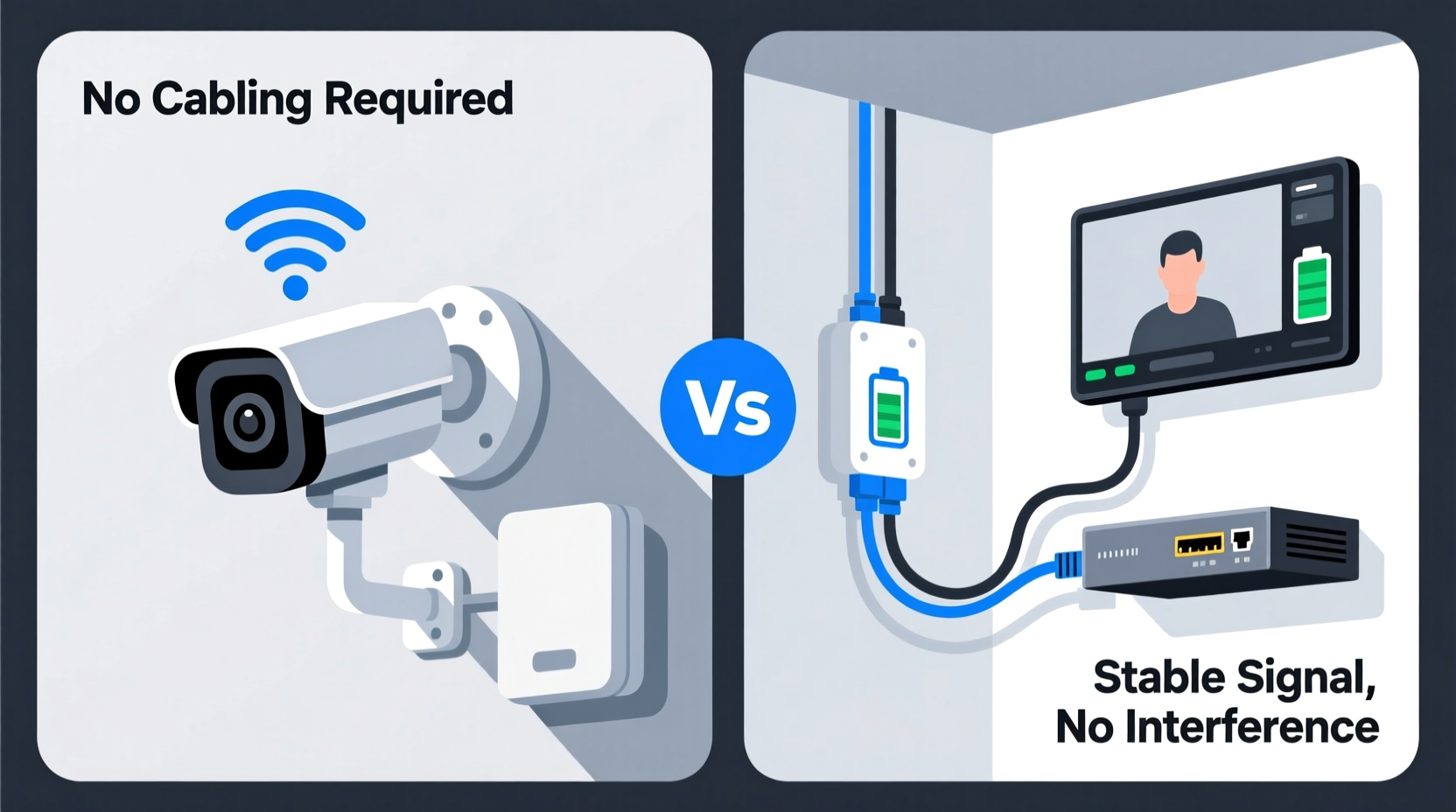
The installation process is typically the first point of comparison between wireless and wired systems. Wireless cameras win on convenience: no drilling through walls for cables, no need to run wires along baseboards, and minimal tools required. Most models mount with a few screws and connect via Wi-Fi using a mobile app. Setup can be completed in under an hour, even by users with limited technical experience.
In contrast, wired cameras demand more effort. Each unit must be physically connected to a central recorder (DVR/NVR) via coaxial or Ethernet cables. Power also needs to be delivered either through a separate wire or via Power over Ethernet (PoE), which simplifies cabling but requires compatible equipment. Running cables across rooms, through attics, or behind walls may require professional help, especially in finished spaces where aesthetics matter.
Step-by-Step: Installing a Wireless System
- Choose camera locations with strong Wi-Fi coverage and clear views.
- Mount each camera using included hardware.
- Power on and sync with the companion app via QR code or pairing mode.
- Connect to your home network and assign static names to each camera.
- Test live feed and adjust angles as needed.
Step-by-Step: Installing a Wired System
- Plan camera positions and map cable routes back to the NVR/DVR location.
- Run Ethernet or coaxial cables from each camera to the recorder, securing them safely.
- Install PoE switches if using IP cameras to deliver data and power over a single cable.
- Mount cameras and connect cables.
- Configure the recorder, assign IP addresses, and verify signal strength.
- Test recordings and fine-tune motion detection zones.
While wireless wins on speed and simplicity, wired installations offer structural permanence. Once complete, a wired system rarely needs adjustment and is less prone to user error during setup.
Reliability: Signal, Power, and Performance
Reliability separates adequate surveillance from truly dependable protection. A camera that fails during a break-in due to connectivity issues defeats its purpose. Here, wired systems hold a distinct advantage.
Wired cameras transmit video over dedicated cables, ensuring consistent bandwidth and zero interference. They are immune to Wi-Fi congestion, router outages, or neighborhood signal noise. Since they’re usually powered through PoE or direct wiring, they don’t rely on batteries that degrade or require frequent charging.
Wireless cameras, however, depend entirely on Wi-Fi stability. If your router restarts, experiences interference from microwaves or neighboring networks, or suffers signal drop-offs in distant areas, video transmission can lag, freeze, or disconnect. Battery-powered models add another layer of risk: low battery alerts might come too late, leaving blind spots at critical moments.
“Wi-Fi-based systems introduce a single point of failure—the network. In mission-critical environments, hardwired connections are non-negotiable.” — Daniel Reeves, Security Infrastructure Engineer
Mini Case Study: The Suburban Homeowner’s Dilemma
Sarah installed four wireless outdoor cameras around her two-story home. Initially, everything worked smoothly. However, after six months, she noticed gaps in night-time recordings. Investigation revealed that the rear camera, located farthest from the router, frequently lost connection during high-traffic evening hours. Despite signal boosters, intermittent dropouts persisted. She eventually replaced it with a wired PoE camera connected via conduit along the backyard fence. The new camera delivered uninterrupted HD footage, rain or shine, without relying on Wi-Fi.
Comparative Breakdown: Key Factors Side-by-Side
| Factor | Wireless Cameras | Wired Cameras |
|---|---|---|
| Installation Time | 30–60 minutes per camera (DIY-friendly) | 2–5 hours per camera (often requires pro) |
| Network Dependency | High (relies on stable Wi-Fi) | Low (uses dedicated cabling) |
| Video Quality Consistency | Variable (can degrade with interference) | Consistent (full bandwidth available) |
| Power Source | Battery or plug-in (some rechargeable) | PoE or direct wiring (continuous) |
| Mobility & Reconfiguration | Easy to move or reposition | Difficult; requires rewiring |
| Vulnerability to Hacking | Moderate to high (if Wi-Fi unsecured) | Lower (closed-loop physical network) |
| Lifespan (Average) | 3–5 years (battery degradation) | 7–10+ years (with maintenance) |
Maintenance and Long-Term Considerations
Maintenance plays a crucial role in long-term system viability. Wireless cameras often require ongoing attention: battery replacements or recharges, firmware updates, Wi-Fi channel optimization, and occasional resets. Some models send frequent notifications about low power or weak signals, which can become disruptive.
Wired systems, once properly installed, are largely “set-and-forget.” There are no batteries to manage, and since they operate on a closed network, they’re less affected by external changes. Firmware updates still apply, but the physical infrastructure remains stable for years. Outdoor-rated cables and weatherproof enclosures further enhance durability against moisture, temperature swings, and pests.
Checklist: Choosing the Right System for Your Needs
- ✅ Assess your internet reliability and Wi-Fi coverage before opting for wireless.
- ✅ Determine whether you need continuous recording or motion-triggered clips.
- ✅ Evaluate power access at desired camera locations (outlets vs. PoE).
- ✅ Consider future expansion—wired systems scale more predictably.
- ✅ Decide if remote viewing is essential (both support it, but wireless integrates more easily with smart home apps).
- ✅ Factor in climate: extreme cold reduces battery efficiency in wireless units.
- ✅ Think long-term: wired systems have higher upfront cost but lower lifetime maintenance.
When to Choose Wireless vs. Wired
Wireless systems excel in specific scenarios. Renters who cannot modify walls, small apartments, temporary job sites, or supplemental indoor monitoring benefit from their portability and lack of permanent modification. They integrate seamlessly with smart home ecosystems like Google Home, Alexa, or Apple HomeKit, offering voice control and automation.
Wired systems are optimal for large properties, commercial buildings, or homes with poor Wi-Fi coverage in key areas. Businesses subject to compliance regulations (e.g., retail stores, daycare centers) often require guaranteed uptime and tamper resistance—features inherent in wired setups. Additionally, multi-camera installations (>4 cameras) perform more reliably on a dedicated network rather than competing for Wi-Fi bandwidth.
“Think of wireless as convenience-driven and wired as performance-driven. Your choice should reflect what matters most: ease today or reliability tomorrow.” — Lena Torres, CCTV Systems Consultant
Frequently Asked Questions
Can wireless cameras work without Wi-Fi?
Most wireless cameras require Wi-Fi for remote viewing and cloud storage. However, some models support local SD card recording and can function without an active internet connection—though you won’t receive alerts or be able to view footage remotely.
Do wired cameras need internet?
No. Wired cameras can operate on a closed circuit, storing footage locally on a DVR/NVR. Internet is only needed if you want remote access via smartphone or cloud backup. This makes wired systems ideal for off-grid locations or privacy-conscious users.
Are wireless cameras less secure than wired ones?
They can be, if not properly configured. Unsecured Wi-Fi networks or outdated firmware make wireless cameras vulnerable to hacking. Wired systems are inherently more secure due to physical isolation, but both types should use strong passwords, encryption, and regular updates.
Conclusion: Make the Choice That Lasts
The debate between wireless and wired security cameras isn’t about which is universally better—it’s about matching technology to your real-world needs. Wireless offers unmatched convenience and rapid deployment, making it suitable for short-term or tech-savvy users comfortable managing digital dependencies. Wired systems provide rock-solid reliability, superior image consistency, and longevity, justifying their complexity for those prioritizing security above all.
Consider your property layout, technical skills, internet stability, and long-term goals. Whether you choose sleek, app-controlled wireless cams or robust, hardwired units, the right decision hinges on honest assessment—not marketing hype. Invest the time upfront to evaluate your environment, and you’ll build a surveillance system that doesn’t just watch—but protects.




 浙公网安备
33010002000092号
浙公网安备
33010002000092号 浙B2-20120091-4
Comments
No comments yet. Why don't you start the discussion?