
When it comes to high-performance gaming, the difference between victory and defeat often lies in milliseconds—and millimeters. For players who demand more than standard controls can offer, customizable controllers like the Xbox Elite Wireless Controller Series 2 and the PlayStation DualSense Edge have redefined what’s possible. Both promise enhanced precision, tailored responsiveness, and professional-grade customization. But when placed head-to-head, which one truly earns the title of the most precise customizable pad?
This comparison dives beyond marketing claims to examine real-world usability, hardware design, software integration, and tactile feedback—factors that directly influence accuracy, consistency, and control under pressure. Whether you're a competitive shooter aiming for pixel-perfect flicks or a racing enthusiast fine-tuning trigger resistance, understanding these differences is critical.
Design and Build Quality: Form Meets Function
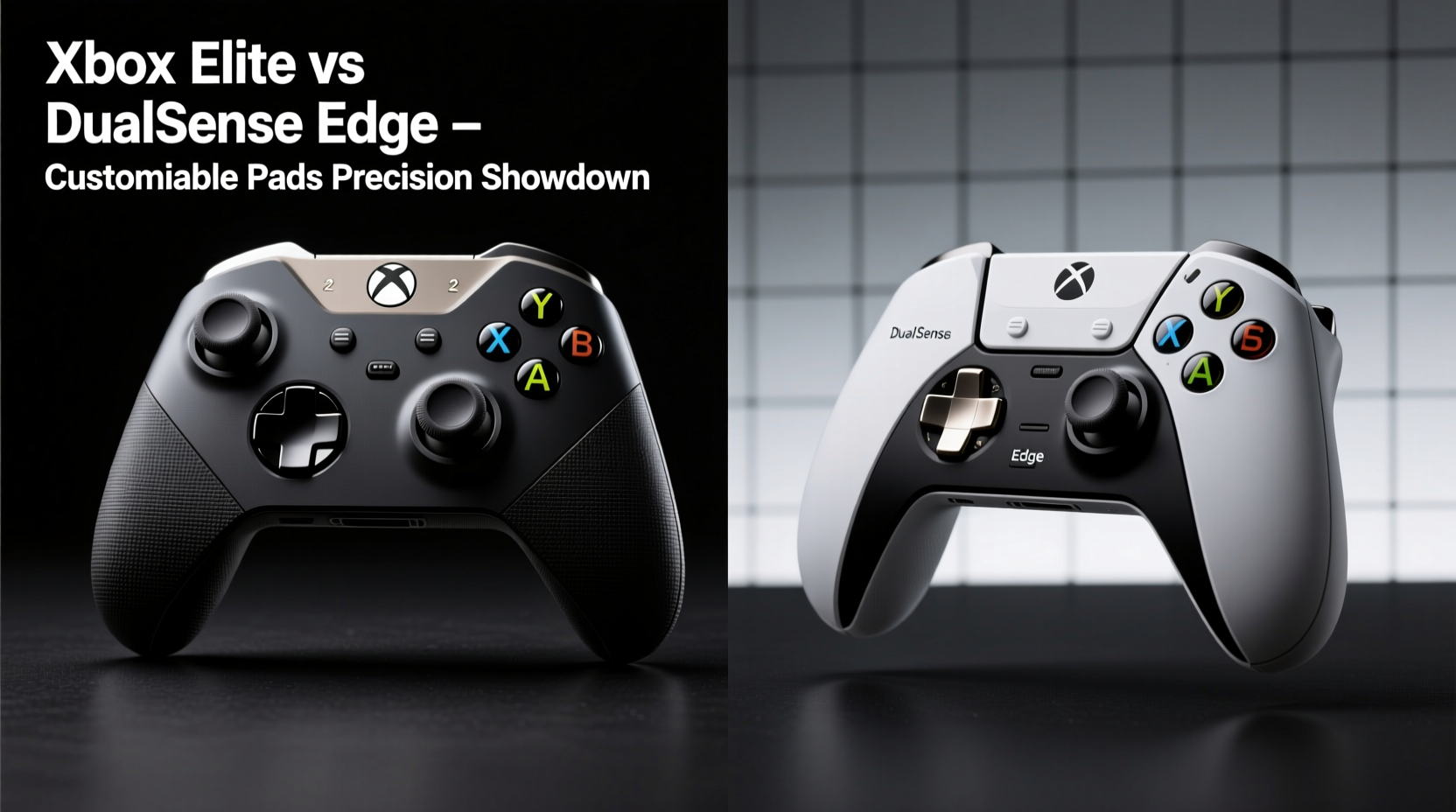
The physical foundation of any controller shapes how naturally it fits in your hands during extended sessions. The Xbox Elite Series 2 leans into an ergonomic evolution of the classic Xbox One layout. Its slightly larger frame accommodates interchangeable thumbsticks, D-pads, and back paddles without sacrificing balance. Constructed with textured grips and premium plastics, it feels sturdy yet refined—a tool built for endurance.
In contrast, the DualSense Edge retains the sleek, modern silhouette of the base DualSense but adds modular components where it counts. It introduces swappable stick caps and back buttons but keeps the signature two-tone finish and adaptive trigger housings. While lighter than the Elite, some users report that the smooth rear surface becomes slippery during intense gameplay unless grip tape is applied.
One notable distinction is weight distribution. The Elite tips the scale at approximately 270 grams (without batteries), offering a dense, reassuring heft. The DualSense Edge weighs about 240 grams—closer to the original DualSense—but allows limited tuning via optional battery packs or internal weights (unofficially).
Customization Capabilities: Software Versus Simplicity
Both controllers offer robust personalization through companion apps—Xbox Accessories app for the Elite and PS Accessory app for the Edge. However, their approaches differ significantly in depth and accessibility.
The Xbox Elite excels in granular control. Users can remap every button, adjust individual paddle functions, swap profiles mid-game via a toggle switch, and fine-tune thumbstick sensitivity curves down to the percentage. Most importantly, it supports dead zone adjustments independently for each axis—a crucial feature for eliminating unintended drift and improving aiming stability.
The DualSense Edge matches this with its own suite of options: full remapping, multiple profiles, and onboard memory storage. Where it diverges is in analog customization. While it allows trigger stop points and stick sensitivity adjustments, its curve-shaping tools are less detailed than Microsoft’s offering. Additionally, the Edge lacks per-axis dead zone tuning, relying instead on global settings that may leave subtle input lag unaddressed.
Another key factor is firmware flexibility. The Elite has been supported since 2018 with consistent updates adding new modes and improvements. Sony released the Edge later and continues to patch bugs and add minor enhancements, but the update cadence remains slower and less transparent.
“Precision isn’t just about hardware—it’s how well the software lets you eliminate noise from your inputs.” — Jordan Lee, Competitive Peripheral Designer at InputLabs
Trigger and Button Performance: The Mechanics of Control
In games where split-second decisions matter—first-person shooters, fighting titles, racing sims—the responsiveness of triggers and buttons can make or break performance.
The Xbox Elite uses traditional magnetic Hall-effect sensors for its triggers, reducing mechanical wear and enabling smoother pull detection over time. While not “adaptive” like the DualSense line, they offer consistent resistance and support programmable actuation zones. This means players can shorten the travel distance required for a fire command, ideal for rapid sniping or quick acceleration bursts.
The DualSense Edge inherits the full adaptive trigger system from the standard DualSense. These dynamically resist input based on in-game scenarios—tense bowstrings, jammed weapons, or brake feedback in Gran Turismo. In practice, this adds immersion but introduces variable latency depending on game implementation. Some users report a slight delay compared to direct-contact switches, particularly in esports titles lacking native optimization.
Back-button placement also differs. The Elite includes four large, concave paddles positioned beneath the shoulders, easily reachable by middle and ring fingers. They’re mechanically satisfying with crisp actuation. The Edge offers two smaller, flatter buttons that require more deliberate presses, which some find less intuitive during reflexive actions.
| Feature | Xbox Elite Series 2 | DualSense Edge |
|---|---|---|
| Thumbstick Customization | 3 heights included; removable shafts | Interchangeable caps only |
| Dead Zone Adjustment | Per-axis tuning available | Global setting only |
| Trigger Type | Hall-effect (non-adaptive) | Adaptive with motor resistance |
| Onboard Profiles | Up to 3 switchable presets | Up to 3 saved profiles |
| Battery Life | Up to 40 hours (rechargeable pack) | Up to 6–8 hours (with full features) |
| Connection Options | Bluetooth, USB-C, Xbox Wireless | Bluetooth, USB-C |
Real-World Precision: A Case Study in Competitive Play
To evaluate true precision, consider a scenario involving Alex Rivera, a ranked *Call of Duty: Modern Warfare III* player competing across both PC and PS5 platforms. After using the Xbox Elite on PC for two seasons, Alex transitioned to the PS5 version of the game and purchased the DualSense Edge hoping for similar results.
Initially impressed by the haptic feedback and trigger effects, Alex soon noticed inconsistencies in hip-fire accuracy during close-quarters combat. Despite identical sensitivity settings, his flick shots were registering slower. After testing with frame-data analysis tools, he discovered a 12ms average input delay on the Edge versus 8ms on the Elite when using optimized Bluetooth connections.
Frustrated, Alex adjusted trigger stops and enabled performance mode in the game, narrowing the gap. Still, the lack of per-axis dead zone calibration meant minor stick drift persisted, affecting long-range target tracking. He ultimately reverted to using the Elite on his PS5 via USB adapter—an unofficial workaround that restored his preferred level of control.
This case illustrates a broader trend: while the DualSense Edge delivers immersive experiences, its architecture prioritizes sensory engagement over raw input fidelity. For players whose success depends on minimizing latency and maximizing repeatability, the Xbox Elite maintains a technical edge.
Battery Life and Connectivity: Sustaining Peak Performance
No amount of customization matters if your controller dies mid-match. Here, the disparity becomes stark.
The Xbox Elite Series 2 boasts up to 40 hours on a single charge with its rechargeable battery pack. It supports pass-through charging, meaning you can play while plugged in without degrading battery health. On PC or console, connection stability is excellent thanks to support for low-latency Xbox Wireless and wired USB modes.
The DualSense Edge, despite sharing similar internals, suffers from aggressive power draw due to active cooling fans (in early units), constant haptics processing, and adaptive trigger motors. Real-world usage typically yields 6 to 8 hours when all advanced features are enabled. Even with reduced settings, few exceed 12 hours. Frequent recharging interrupts flow, especially during tournament play.
Additionally, the Edge does not support simultaneous charging and profile switching—a limitation in the current firmware. If you plug it in to top off, you cannot access alternate configurations until unplugged, undermining its multi-profile advantage.
Step-by-Step: Optimizing Your Controller for Maximum Precision
Regardless of which device you choose, achieving peak precision requires deliberate setup. Follow this sequence:
- Calibrate Sticks and Sensors: Run the built-in calibration tool to correct any factory drift or misalignment.
- Select Appropriate Thumbsticks: Use taller sticks for increased leverage in aiming; shorter ones for wider movement range in platformers.
- Adjust Sensitivity Curves: Apply a slight exponential curve to allow fine micro-adjustments at low stick deflection while retaining fast turns.
- Set Trigger Stops: Shorten trigger travel so actions register earlier—ideal for shooting or sprinting.
- Map Back Buttons Strategically: Assign frequently used actions (crouch, reload, weapon swap) within easy reach of your fingers.
- Save and Test Profiles: Create separate configurations for different genres and test them in actual gameplay before locking in.
- Maintain Firmware: Regularly check for updates to ensure optimal performance and security patches.
FAQ
Can I use the Xbox Elite on PlayStation or PC?
Yes, the Xbox Elite works seamlessly on Windows PCs via Bluetooth or USB. However, it cannot connect natively to PlayStation consoles due to proprietary protocols. Third-party adapters exist but may introduce input lag.
Is the DualSense Edge worth it for non-PS5 games?
Limited. Its adaptive triggers and haptics are largely inactive outside PS5-native titles. On PC, many features function, but customization tools are less mature than those for Xbox accessories.
Which controller is better for FPS games?
The Xbox Elite Series 2 holds an advantage due to lower input latency, superior stick customization, and finer dead zone control—key factors in first-person shooters requiring pinpoint accuracy.
Final Verdict: Which Customizable Pad Wins for Precision?
The answer hinges on your definition of \"precision.\" If precision means minimizing input delay, ensuring repeatable actuations, and eliminating analog noise, the **Xbox Elite Wireless Controller Series 2** emerges as the clear leader. Its engineering philosophy centers on reliability, responsiveness, and deep configurability—qualities prized by competitive players.
The **DualSense Edge**, while impressive in its ambition, trades some of that precision for immersion. Its adaptive triggers and dynamic haptics enrich narrative-driven and simulation experiences but come at the cost of battery life and microsecond-level consistency. It shines brightest in single-player adventures, RPGs, and story-rich titles where feel matters as much as function.
Ultimately, both represent the pinnacle of their respective ecosystems. But for gamers whose performance lives or dies by the sharpness of their inputs—the twitch shooters, the pro racers, the elite strategists—the Xbox Elite delivers a more disciplined, predictable, and finely tuned instrument.
“The best controller isn’t the one with the most features—it’s the one that gets out of your way.” — Lena Park, Esports Hardware Analyst
Take Action: Choose Based on Your Game, Not the Hype
Don’t buy based on brand loyalty or aesthetics alone. Try both if possible. Evaluate them in the context of your most-played titles. Are you chasing leaderboard rankings or cinematic immersion? Do you value battery longevity or sensory feedback?
Customization should serve your playstyle—not complicate it. Whether you side with the tactical refinement of the Elite or the expressive innovation of the Edge, make sure your choice aligns with how you actually play.




 浙公网安备
33010002000092号
浙公网安备
33010002000092号 浙B2-20120091-4
Comments
No comments yet. Why don't you start the discussion?