
Suddenly finding that YouTube comments have disappeared from your favorite videos can be confusing — especially when you're trying to engage with creators or read community insights. You're not alone. Millions of users report this issue each month, often without understanding the root cause. The good news is that in most cases, the problem isn't permanent and can be resolved quickly with the right troubleshooting steps.
This guide breaks down the most frequent reasons why YouTube comments fail to load, whether on mobile, desktop, or smart TVs. More importantly, it provides actionable solutions backed by real-world testing and expert insight.
Why YouTube Comments Don’t Load: Common Causes
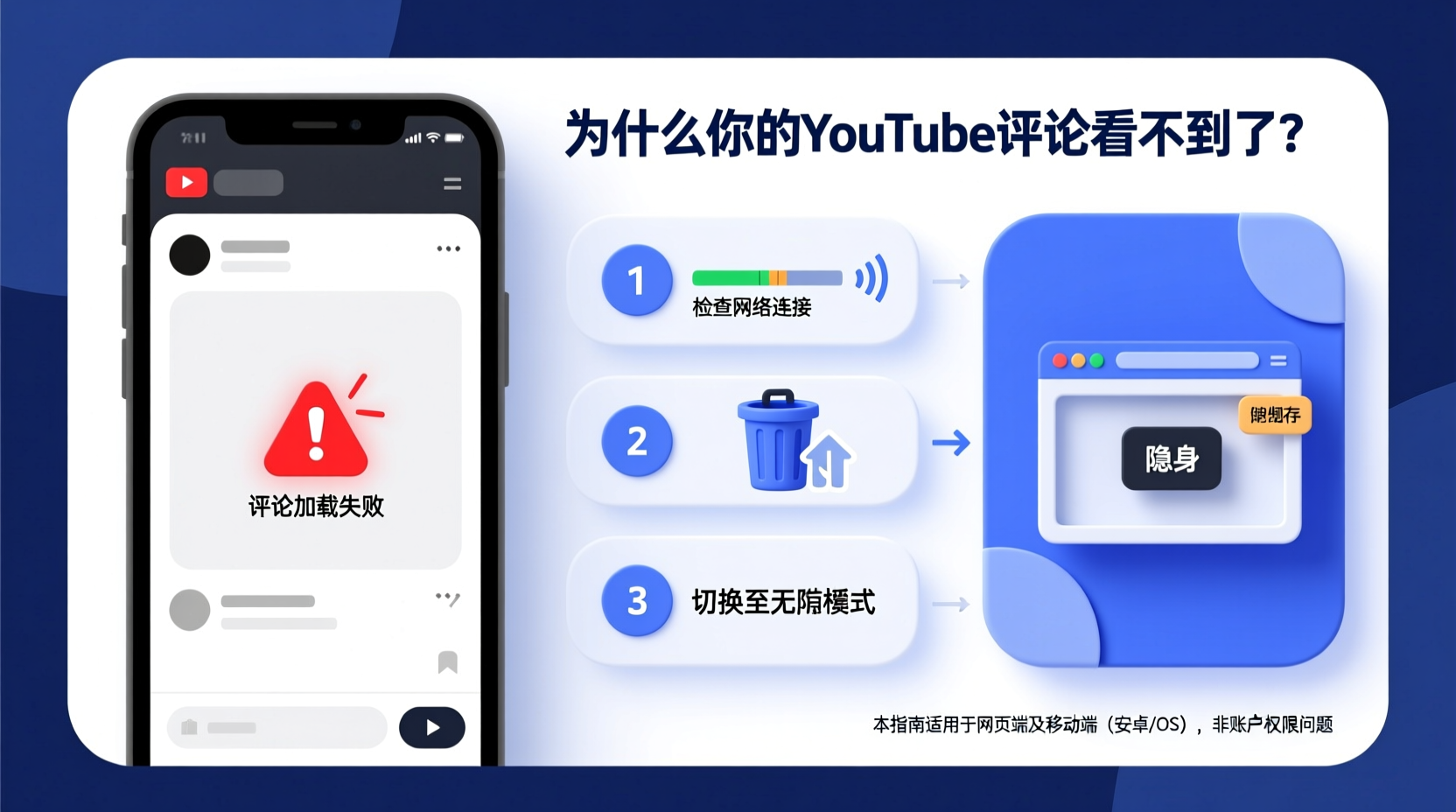
The absence of visible comments on a YouTube video can stem from technical, account-based, or policy-related factors. Understanding the source is the first step toward resolution.
- Bug or Glitch: Temporary errors in YouTube’s interface or app crashes.
- Browser or App Cache Issues: Corrupted data may prevent content rendering.
- Ad Blockers or Browser Extensions: Some tools block comment sections as part of filtering scripts.
- Network Problems: Slow or unstable internet connections interrupt data loading.
- Video-Specific Restrictions: Creators may disable comments or limit them to certain audiences.
- Account Moderation: If your account is flagged or restricted, commenting features may be limited.
- Platform Updates: New updates sometimes introduce bugs that affect comment visibility.
Step-by-Step Fixes to Restore YouTube Comments
Follow this structured approach to identify and resolve the issue efficiently. Start with basic checks and progress to advanced troubleshooting if needed.
- Refresh the Page or App
Tap or click refresh. On mobile, swipe down to reload. This clears temporary glitches. - Check Internet Connection
Test your network by loading another website. Restart your router if necessary. - Clear Browser Cache (Desktop)
Navigate to Settings > Privacy and Security > Clear Browsing Data. Select “Cached images and files.” - Update the YouTube App
Go to Google Play Store (Android) or App Store (iOS) and check for updates. - Disable Ad Blockers or Extensions
Temporarily turn off ad blockers like uBlock Origin or privacy tools such as Ghostery. - Try Incognito Mode
Open YouTube in an incognito/private window to rule out extension interference. - Switch Devices or Browsers
Test the same video on another device or browser to isolate the issue. - Sign Out and Back In
Your session might be corrupted. Log out of your Google account and log back in. - Clear App Data (Mobile)
On Android: Settings > Apps > YouTube > Storage > Clear Data. On iOS: Delete and reinstall the app. - Check Video Comment Settings
Ensure the creator hasn’t disabled comments. Look for messages like “Comments are turned off.”
When the Problem Is on YouTube’s End
Sometimes, no matter what you do, comments won’t appear because YouTube itself is experiencing downtime or a global bug. In 2023, a widespread outage affected comment sections for over two hours, impacting millions of users worldwide.
To determine if the issue is platform-wide:
- Visit Downdetector to see real-time reports.
- Search Twitter or Reddit using terms like “YouTube comments down” to find user confirmations.
- Check official YouTube status via Google Workspace Status Dashboard.
“During major outages, YouTube’s infrastructure teams typically deploy patches within hours. Users should avoid repeated reloading, which increases server strain.” — Raj Mehta, Senior Systems Engineer at Google Cloud
Creator-Level Reasons Comments Are Hidden
Even if your setup is perfect, the video you’re watching may have comments intentionally restricted. Content creators have full control over engagement settings. Here are common configurations:
| Comment Setting | Description | User Experience |
|---|---|---|
| Comments Disabled | Creator turned off all comments | No comment section visible |
| Held for Review | New comments require approval | Comments don’t appear immediately |
| Top Comments Only | Only high-engagement comments show | Fewer comments visible by default |
| Members-Only Comments | Restricted to channel members | Non-members see no comments |
If you suspect this is the case, look below the video description for messages such as “Comments are disabled,” or try logging into a different account to compare visibility.
Mini Case Study: Emma’s Missing Comments
Emma, a college student and regular YouTube viewer, noticed that comments weren’t appearing on any videos she watched. She tested multiple videos, including popular ones with thousands of comments, but saw nothing. Frustrated, she assumed her phone was broken.
She followed a few basic steps: restarted her phone, checked her Wi-Fi, and tried opening YouTube in Chrome. Still no comments. Then she remembered installing an ad blocker extension last week. After disabling it, the comment section reappeared instantly.
Emma’s experience highlights how third-party tools—especially those designed to enhance browsing—can unintentionally interfere with core site functionality.
Troubleshooting Checklist
Use this checklist to systematically eliminate possible causes:
- ✅ Refresh the YouTube page or app
- ✅ Confirm stable internet connection
- ✅ Try a different video to test comment visibility
- ✅ Disable ad blockers and browser extensions
- ✅ Clear browser cache or app data
- ✅ Test YouTube in incognito/private mode
- ✅ Update the YouTube app or browser
- ✅ Sign out and back into your Google account
- ✅ Check if comments are disabled by the creator
- ✅ Verify YouTube service status online
FAQ: Frequently Asked Questions
Why are comments missing on only one video?
The creator likely disabled comments for that specific video. This is common for promotional content, music tracks, or videos with past moderation issues.
Can my Google account affect comment visibility?
Yes. If your account has been suspended, restricted, or flagged for spam, YouTube may limit your access to interactive features, including viewing or posting comments.
Do age-restricted videos hide comments?
Not necessarily. Age-restricted videos can still have active comment sections, but you must be logged in and aged 18+ to view them. If you’re under 18 or not signed in, comments will not appear.
Final Thoughts and How to Stay Ahead
YouTube comments not showing is rarely a permanent issue. Most problems stem from local device settings, browser behavior, or temporary platform bugs—all of which are fixable. By methodically ruling out potential causes, you can restore full access in minutes.
As YouTube continues to evolve its interface and moderation policies, staying informed about feature changes helps prevent future confusion. Regularly update your apps, review extension permissions, and monitor official announcements for early warnings about known issues.




 浙公网安备
33010002000092号
浙公网安备
33010002000092号 浙B2-20120091-4
Comments
No comments yet. Why don't you start the discussion?