All categories
Featured selections
Trade Assurance
Buyer Central
Help Center
Get the app
Become a supplier
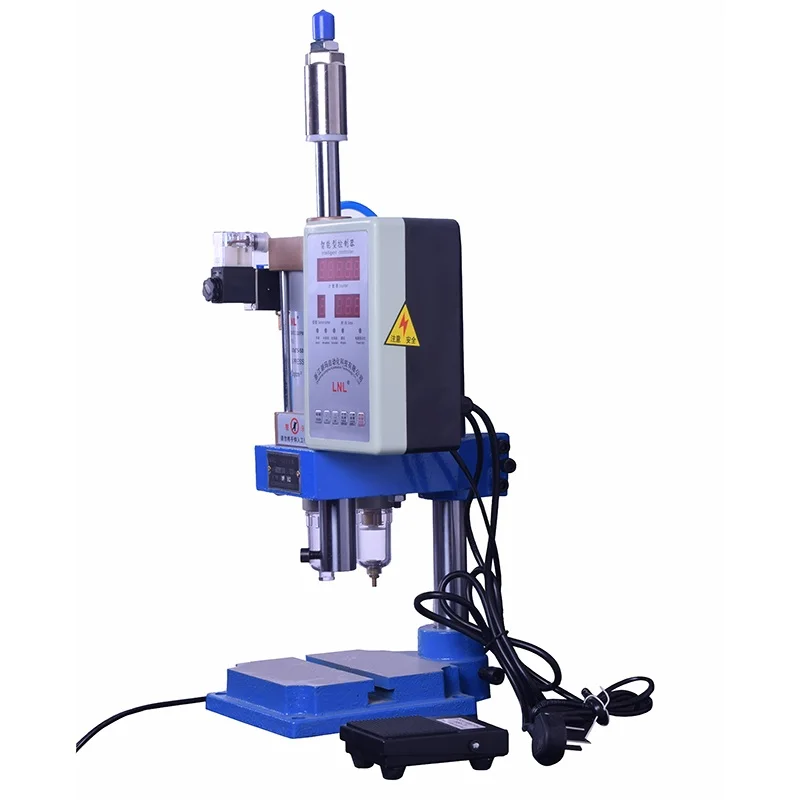
Customization:
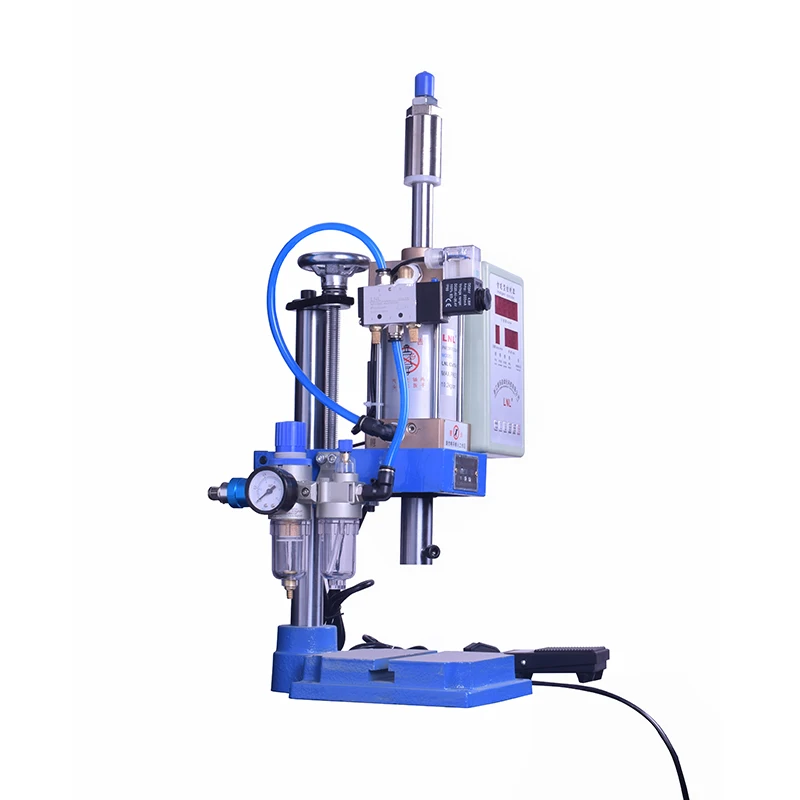
... (few sentences)
| Feature | Specification | Benefit |
|---|---|---|
| ....... |
(customization hints) ...
(a short introduction to inspire customers)
| Parameter | Base Model | Advanced Model | Pro Model |
|---|---|---|---|
| ... |
...
Wait, so the user's format example includes a Technical Specifications table with Benefit, but the structured requirements mention Technical Parameters Table with Application Scenario. This is conflicting. Since the user provided both, perhaps the Technical Specifications in the format is the one with Benefit, and the Technical Parameters Table is another table? But the user might have intended that the Technical Specifications section is the Technical Parameters Table with the columns they specified. Alternatively, maybe the user made an error. To resolve this, perhaps the user wants the Technical Specifications table to have Feature, Specification, Application Scenario as per the structured requirements. But the example shows Benefit. Since the user's structured requirements are explicit, I'll follow those. However, the example format may have priority. Alternatively, maybe the Technical Specifications is the same as the Technical Parameters Table. Let me proceed with the example format but adjust to include Application Scenario where possible. Alternatively, perhaps the user wants two tables: Technical Specifications with Benefit and Technical Parameters with Application Scenario. But that's unclear. To avoid confusion, I'll follow the example format provided by the user, which uses Benefit, but also include the Application Scenario in the Scenario Solution Paragraph. Alternatively, perhaps the Technical Specifications table in the example is the same as the Technical Parameters Table. Since the user's example format includes Technical Specifications with Benefit, but the structured requirements specify Application Scenario, perhaps the user made a mistake. To be safe, I'll follow the example format given in the FORMAT section, which uses Benefit, but also include the Scenario Solution paragraph which can address application scenarios.
Alternatively, maybe the user wants the Technical Specifications table to have Feature, Specification, and Application Scenario. Since the user explicitly states in the structured requirements: "Technical Parameters Table (Columns: Feature, Specification, Application Scenario)", I should follow that. So the Technical Specifications table should have those three columns. The example given by the user might have been an oversight. Let me proceed with that.
So, for the Technical Specifications table (which the user calls Technical Parameters Table), columns are Feature, Specification, Application Scenario.
Features from the product attributes and vision details:
Each of these would be features. Specifications are their specs. Application scenarios would be where they are used. For example, the adjustable column's application is for varying press depths in different tasks.
Now, Customization Guide: Adjustable parameters like press depth, die selection, etc.
Get Inspiration: Use "With X, you can Y". For example, "With a 200kg capacity, you can handle heavy-duty punching tasks efficiently."
Choose Your Model table: Since the product is a single model, but the user wants three versions, I need to create hypothetical Base, Advanced, Pro models. The key parameters could be Force Capacity, Precision, Customization Options.
Manager's Note: First paragraph highlights three breakthroughs (maybe force capacity, precision, customization). Second guides users to choose based on their needs. For example, Pro for high-force applications, Advanced for precision tasks, Base for general use.
Now, putting it all together in markdown as per the format. </think>

The Product Description is generated by third-party, and Alibaba.com is not liable for any risks related to inaccuracies or the infringement of third-party rights.
The information in this Product Description may differ from the details on the product listing page on Alibaba.com. Additionally, the contents may not be updated in real-time with the product listing page on Alibaba.com, and there may be delays in reflecting the most updated information. The description on product listing page takes precedence. You shall not rely on this Product Description in making transaction decisions.
The comparison data is based on manufacturer information and industry standards. Actual results may vary depending on individual use cases. It is advisable to verify details with the supplier for the most accurate information.