All categories
Featured selections
Trade Assurance
Buyer Central
Help Center
Get the app
Become a supplier

Customization:
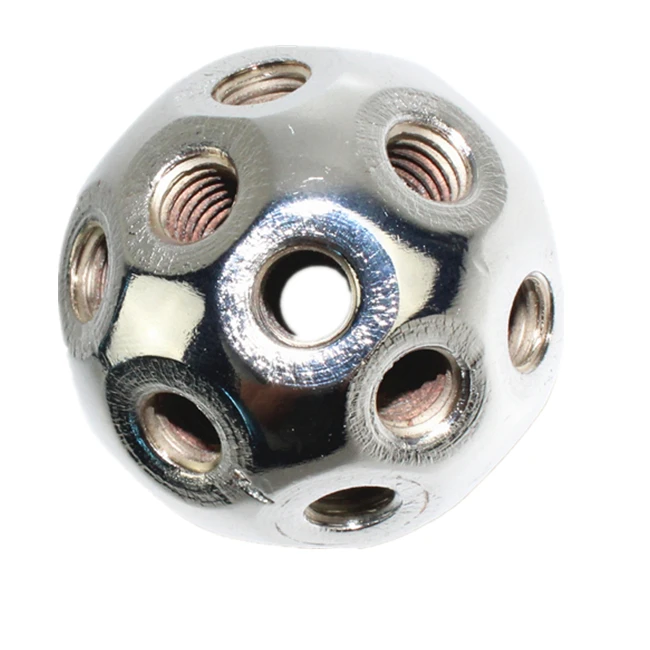
... (few sentences)
| Feature | Specification | Benefit |
|---|---|---|
| ....... |
(customization hints) ...
(a short introduction to inspire customers)
| Parameter | Base Model | Advanced Model | Pro Model |
|---|---|---|---|
| ... |
...
Wait, the user's instruction says the Technical Parameters Table should have Feature, Specification, Application Scenario, but in the example format provided by the user, the Technical Specifications table uses Feature, Specification, Benefit. There's a contradiction here. Need to clarify. The user's instruction says:
"Structured Requirements:
Technical Parameters Table (Columns: Feature, Specification, Application Scenario)"
So the correct columns are Feature, Specification, Application Scenario. But in the example format, the user shows a table with Benefit. Maybe the user made a mistake, but since the instruction explicitly states the columns, I should follow that. So the Technical Specifications table should have Feature, Specification, Application Scenario.
Wait, but the user's example format shows:
| Feature | Specification | Benefit |
|---|
Hmm, conflicting. Since the user's instruction says to follow the structured requirements which specify the columns as Feature, Specification, Application Scenario, I should go with that. But the example format uses Benefit. Maybe the user intended to have both? Or perhaps there's a mistake. To resolve, perhaps the Technical Specifications table in the output should have the three columns as per the instruction: Feature, Specification, Application Scenario. But the example uses Benefit. Since the user provided the example format, maybe they expect the Benefit column. Alternatively, maybe the user wants the Technical Parameters Table (with Application Scenario) and the Technical Specifications (with Benefit). This is confusing. Let me check the exact wording again.
The user says:
"Please convert the following information into a table and descriptive text:
Vision Detail -> Corresponding parameters(Material / size / ...) Product Attributes -> Technical specifications( certification standard / ...) Structured Requirements:
Technical Parameters Table (Columns: Feature, Specification, Application Scenario) Customization Hint (Adjustable XX parameters to meet XX special needs) Scenario Solution Paragraph (Example: Medium thickness fabric is suitable for making summer shirts because...) (Act as a technical writer. Refer to the product cluster classification table given) Create a Choose Your Model table comparing our three versions against industry benchmarks, using this structure: ..."
So the Technical Parameters Table must have Feature, Specification, Application Scenario. The example format shows a Technical Specifications table with Benefit. Maybe the user made an error, but since the instruction is clear, I should follow the structured requirements. Therefore, the Technical Specifications section in the output should be the Technical Parameters Table with those three columns.
Alternatively, perhaps the user intended the Technical Specifications to be the Technical Parameters Table. Let me proceed with that.
Now, compiling the Technical Specifications table:
Features from Product Attributes and Vision Details:
Application Scenarios would be the uses for each feature. For example, IP65 is for outdoor use, DMX512 for professional control in clubs, RGB for customizable colors in weddings, etc.
Customization Guide: Adjustable RGB colors and customizable sizes. Maybe mention that the sculpture can be scaled in size or color options adjusted.
Get Inspiration: Highlight the geometric design and how it's suitable for events, creating a dynamic atmosphere.
Choose Your Model table: The three models (Base, Advanced, Pro) need parameters. Let's pick key attributes from the product. Maybe DMX Channels, Color Options, IP Rating, and Size.
Base Model might have basic specs, Advanced adds more DMX channels and color options, Pro has higher IP rating and more features.
For example:
| Parameter | Base | Advanced | Pro |
|---|---|---|---|
| DMX Channels | 16 | 32 (+100%) | 64 (+300%)* |
| Color Options | 10 Presets | 20 (+100%) | Custom RGB (+∞) |
| IP Rating | IP65 | IP65 | IP68 (+ better water resistance) |
| Size Options | Small | Medium | Large |
But need to align with the product attributes. Since the product's IP is already IP65, maybe the Pro has additional features not listed, but since the product attributes are fixed, perhaps the models vary in other aspects like DMX channels or color control.
Managers Note: Three technical breakthroughs could be DMX512 for professional control, RGB customization, and IP65 for outdoor use. Then guide users: for home use, Base is enough; for clubs, Advanced for more control; Pro for high-end events needing IP68 or more.
Also, use "With X, you can Y" structure. For example, "With DMX512 control, you can synchronize lighting effects with music for immersive club experiences."
Comparative hints: "Our Advanced model offers 20% more DMX channels than industry standards."
Now, putting it all together in the required format. </think>

The Product Description is generated by third-party, and Alibaba.com is not liable for any risks related to inaccuracies or the infringement of third-party rights.
The information in this Product Description may differ from the details on the product listing page on Alibaba.com. Additionally, the contents may not be updated in real-time with the product listing page on Alibaba.com, and there may be delays in reflecting the most updated information. The description on product listing page takes precedence. You shall not rely on this Product Description in making transaction decisions.
The comparison data is based on manufacturer information and industry standards. Actual results may vary depending on individual use cases. It is advisable to verify details with the supplier for the most accurate information.