
In today’s digital economy, apps are more than tools—they’re investments. Whether you're purchasing a productivity tool, fitness tracker, or creative software, the wrong choice can lead to wasted money, compromised data, or even malware exposure. With thousands of apps flooding online marketplaces, knowing how to buy one safely and intelligently is essential. This guide walks you through a structured process to ensure every app purchase is secure, reliable, and worth your investment.
1. Define Your Needs Clearly
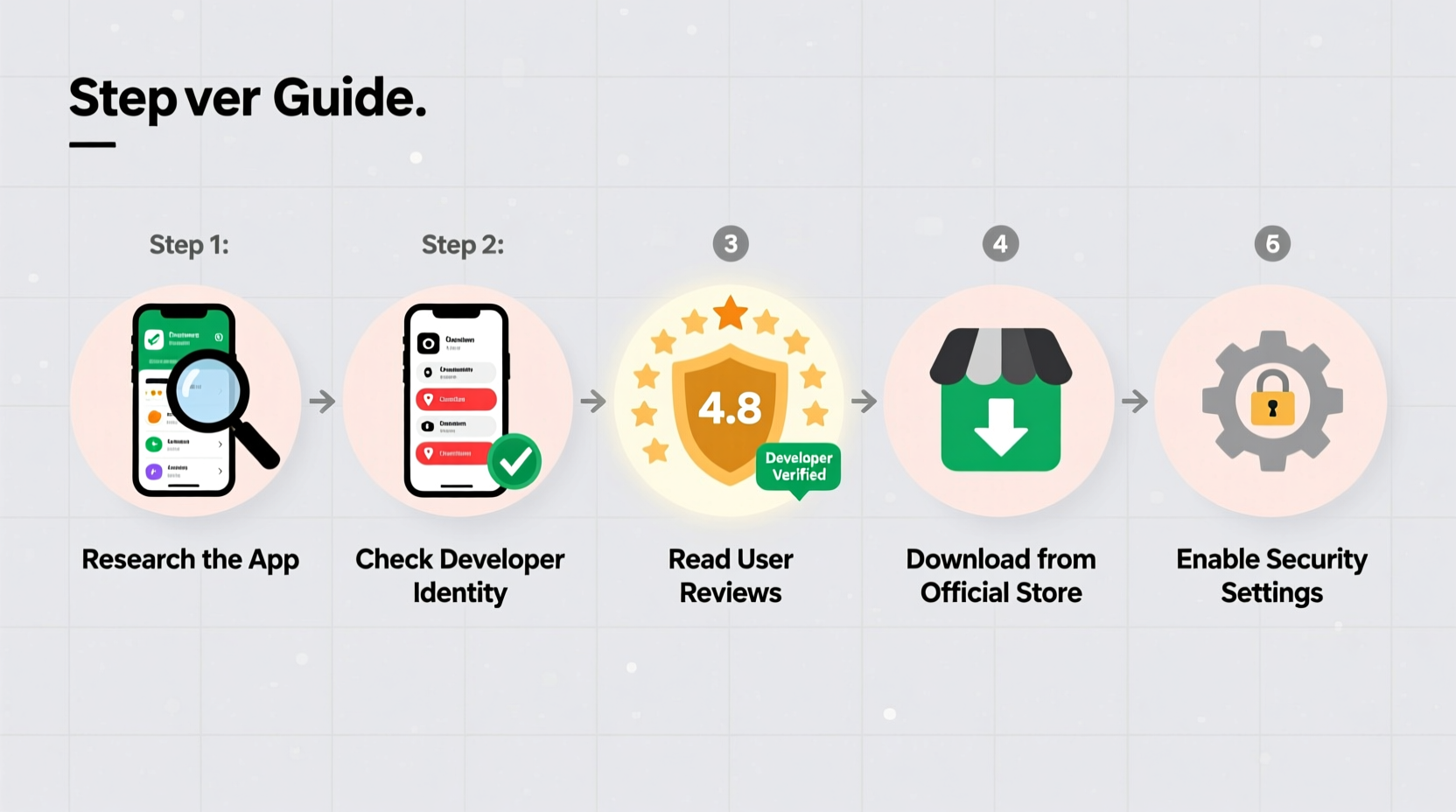
Before browsing any app store or marketplace, start with clarity. Ask yourself: What problem should this app solve? Is it for personal use, team collaboration, or business operations? A well-defined purpose prevents impulse buys and helps narrow down options efficiently.
For example, if you need a time-tracking app, consider whether you require integrations with project management tools, offline functionality, or detailed reporting features. The more specific your needs, the easier it becomes to filter out irrelevant or overpriced options.
2. Research Platforms and Marketplaces
Not all app stores are created equal. Trusted platforms like Apple App Store, Google Play Store, Microsoft Store, or specialized marketplaces such as Shopify App Store or Salesforce AppExchange offer built-in security layers, including developer verification and user reviews.
Stick to official channels whenever possible. Third-party websites offering “cracked” or discounted versions often distribute malicious software disguised as legitimate apps. Even if the price seems tempting, the risks far outweigh the savings.
| Platform | Security Features | Best For |
|---|---|---|
| Apple App Store | Rigorous review process, sandboxed apps, privacy labels | iOS users seeking trusted, high-quality apps |
| Google Play Store | Google Play Protect, developer verification, in-app ratings | Android users wanting broad selection with moderate oversight |
| Microsoft Store | Sandboxing, malware scanning, enterprise controls | Windows professionals and business environments |
| Shopify App Store | Verified developers, compliance checks, refund policies | eCommerce owners integrating with Shopify |
“Always download from official sources. Unofficial app markets lack accountability and are common vectors for spyware.” — David Lin, Cybersecurity Analyst at NetShield Labs
3. Evaluate Developer Credibility
The developer behind an app plays a crucial role in its safety and longevity. Reputable developers maintain transparency about their identity, provide contact information, and have a track record of updates and customer support.
To assess credibility:
- Check the developer’s name and verify it matches their official website.
- Look for a privacy policy and terms of service linked in the app description.
- Search for news articles or independent reviews about the company.
- Avoid apps labeled “Unknown Publisher” or those with vague developer details.
If the app is relatively new, investigate whether the developer has released other successful products. A single obscure app from a first-time publisher warrants extra caution.
4. Analyze User Feedback and Ratings
User reviews are one of the most valuable tools for gauging real-world performance. However, not all reviews are trustworthy. Scammers often post fake five-star ratings to boost visibility.
Look beyond the star rating. Read recent reviews, especially those with detailed experiences—both positive and negative. Pay attention to recurring complaints about crashes, hidden fees, or suspicious permissions.
Red Flags in Reviews
- Overuse of generic praise: “Amazing app! Best ever!” without specifics.
- Multiple accounts posting identical wording.
- Complaints about unauthorized charges or difficulty canceling subscriptions.
- Reports of excessive battery drain or background activity after uninstallation.
5. Review Permissions and Privacy Practices
An app asking for access to your contacts, location, camera, or microphone may be justified—or it may be overreaching. Always scrutinize requested permissions before installation.
Ask: Does a flashlight app really need access to my photos or social media accounts? If not, that’s a major red flag. Excessive permissions increase the risk of data harvesting or misuse.
Additionally, check the app’s privacy policy. It should clearly state what data is collected, how it’s stored, and whether it’s shared with third parties. Avoid apps that sell user data to advertisers without explicit consent.
Do’s and Don’ts: Permission Management
| Do | Don’t |
|---|---|
| Grant location only when necessary (e.g., maps, delivery apps) | Allow constant background location tracking for non-essential apps |
| Use temporary permission grants (available on iOS and Android) | Automatically approve all permissions during setup |
| Revoke unused permissions in device settings monthly | Assume “all access” means better functionality |
6. Verify Pricing and Subscription Terms
Many apps use freemium models—free to download but locked behind paywalls. Before buying, understand exactly what you’re paying for.
Check:
- Is the price a one-time fee or recurring subscription?
- Are there auto-renewals? Can they be canceled easily?
- Does the app offer a free trial? Is payment info required upfront?
- Are refunds available within a certain window?
Some apps lure users with low introductory rates that jump significantly after the trial ends. Always read the fine print. On iOS and Android, subscription details are listed under the app’s pricing section—take time to review them.
“Over 40% of app-related chargebacks stem from unclear subscription terms. Transparency builds trust.” — Lena Patel, Consumer Protection Advocate at Digital Rights Watch
7. Test Before You Commit: Use Trials and Demos
Whenever possible, test the app before purchasing. Most reputable apps offer free trials, limited-feature versions, or demo modes.
During the trial:
- Test core functionalities under real conditions.
- Check for bugs, slow loading times, or confusing navigation.
- See if customer support responds promptly to inquiries.
If the trial feels sluggish or lacks promised features, walk away. No amount of discount justifies a poor user experience.
Mini Case Study: Sarah’s Smart App Purchase
Sarah, a freelance graphic designer, needed a cloud-based file syncing tool. Instead of downloading the first popular option she saw, she followed a careful process.
She defined her needs: cross-device sync, version history, and no file size limits. She researched apps on the Apple App Store and shortlisted three based on ratings and developer reputation. She read mixed reviews about one app’s customer support and removed it from consideration. Another offered a seven-day free trial—she tested it thoroughly, checked permissions, and confirmed it didn’t collect unnecessary data. After verifying the $9.99/month subscription was cancelable anytime, she upgraded confidently.
Six months later, she’s still using the app without issues—and avoided two potentially risky downloads.
Step-by-Step Checklist: How to Buy an App Safely
- ✅ Identify your exact requirements
- ✅ Choose a trusted platform (App Store, Play Store, etc.)
- ✅ Investigate the developer’s reputation and contact info
- ✅ Read recent, detailed user reviews
- ✅ Review requested permissions and privacy policy
- ✅ Understand pricing model and cancellation terms
- ✅ Test with a free trial or demo version
- ✅ Make the purchase and monitor initial usage
Frequently Asked Questions
Can I get a refund after buying an app?
Yes, in many cases. Both Apple and Google allow refunds for apps and in-app purchases within a short window—usually 48 hours—if you report an issue. Some platforms like Shopify or enterprise marketplaces may offer longer refund periods. Always check the store’s refund policy before buying.
How do I know if an app is safe from viruses?
No app is 100% immune, but risks are minimized on official platforms. Look for verified developers, avoid sideloading, and ensure your device has up-to-date antivirus protection. Monitor app behavior post-installation—if it drains battery rapidly or sends unexpected data, uninstall it immediately.
Are cheaper third-party app sellers trustworthy?
Generally, no. Sellers offering deeply discounted gift cards or app licenses outside official channels often operate fraudulently. These keys may be stolen, expired, or tied to compromised accounts. Stick to authorized retailers to protect your financial and personal data.
Final Thoughts: Make Informed Choices
Buying an app shouldn’t feel like gambling. With rising cyber threats and aggressive monetization tactics, taking a methodical approach protects both your data and your budget. By defining your needs, researching thoroughly, and testing before committing, you turn each app purchase into a strategic decision rather than a blind leap.




 浙公网安备
33010002000092号
浙公网安备
33010002000092号 浙B2-20120091-4
Comments
No comments yet. Why don't you start the discussion?