
Whether it’s a major boxing match, a premium concert stream, or a live wrestling event, pay-per-view (PPV) offers instant access to exclusive content. While the process has become more user-friendly across platforms, confusion around compatibility, payment methods, and technical requirements still deters many viewers. This guide breaks down the entire PPV ordering process into clear, actionable steps—regardless of whether you’re using a cable box, streaming device, gaming console, or mobile app.
Understanding Pay Per View Platforms
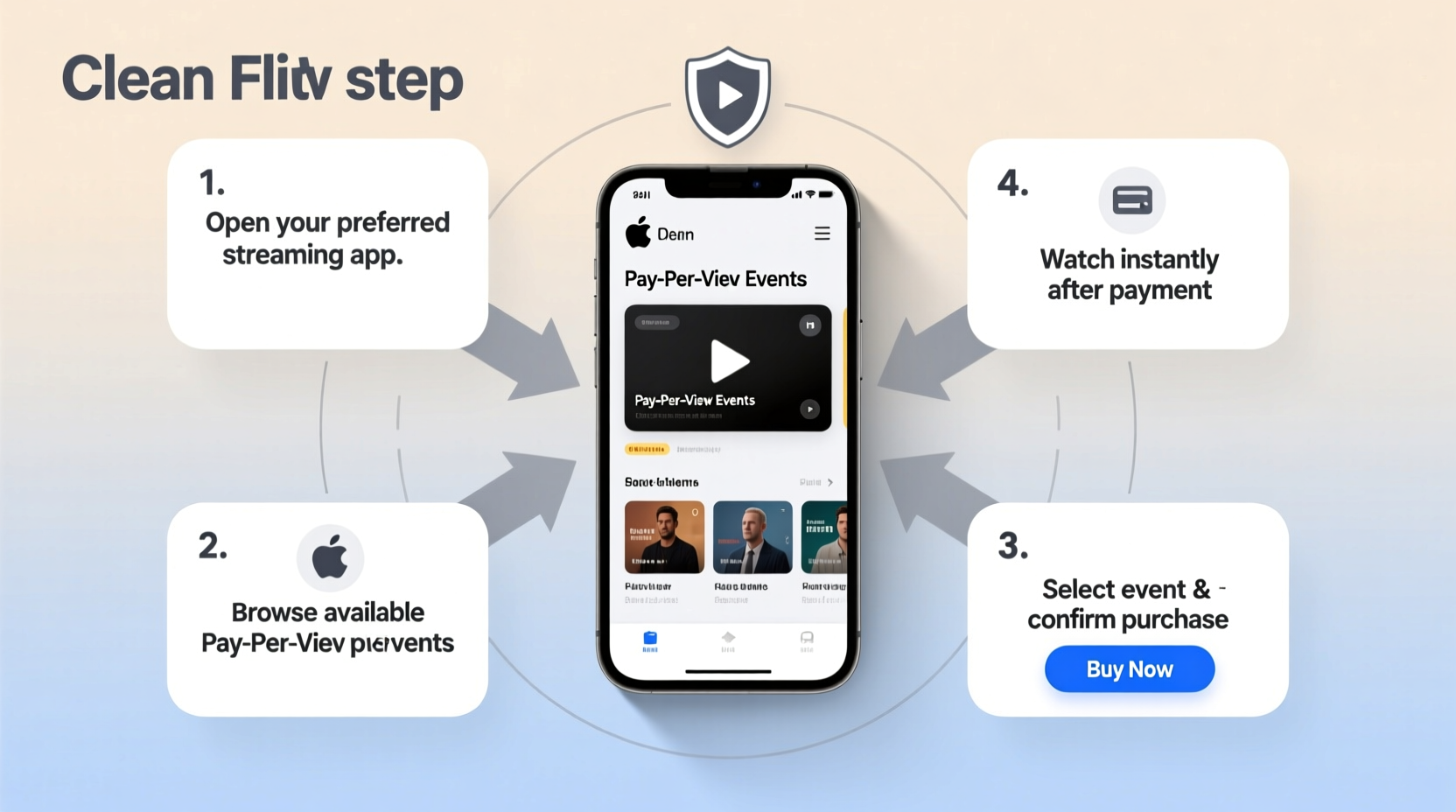
Before placing an order, it’s essential to know where you can purchase PPV content. Different platforms offer varying levels of accessibility, pricing, and video quality. The most common include:
- Cable/Satellite Providers: Companies like Comcast Xfinity, Spectrum, DirecTV, and Dish Network often feature built-in PPV menus through your set-top box.
- Streaming Devices: Roku, Amazon Fire TV, Apple TV, and Google Chromecast support dedicated apps such as FITE, ESPN+, or WWE Network.
- Gaming Consoles: PlayStation and Xbox allow direct purchases through their media stores or sports apps.
- Mobile & Web Apps: Many events can be ordered directly via smartphones, tablets, or browsers using provider websites.
Each platform operates slightly differently, but the core purchasing logic remains consistent: authenticate your identity, select the event, confirm payment, and stream.
Step-by-Step Guide to Ordering a Pay Per View Event
- Check Event Availability and Timing
Confirm the date, start time, and official platform offering the event. Use trusted sources like the broadcaster’s website or the athlete/artist’s official social channels. Time zone differences are often overlooked—double-check local air times. - Ensure Device Compatibility
Verify that your TV, streaming stick, or mobile device supports the app or service hosting the event. For example, some networks require specific versions of firmware or operating systems. - Log In or Create an Account
Most services require account creation. Use a strong password and enable two-factor authentication if available. If ordering through a cable provider, ensure your set-top box is activated and linked to your account. - Navigate to the Event Page
On your chosen platform, locate the event in the “Live” or “Events” section. Descriptions usually include fight cards, performer lineups, runtime, and language options. - Review Pricing and Additional Fees
Some events list taxes or processing fees only at checkout. Look for fine print indicating total cost before proceeding. Prices may vary between platforms even for the same event. - Select Payment Method
Add a valid credit card, PayPal, or use stored billing information. Avoid public Wi-Fi when entering financial details. Ensure auto-renewal is disabled unless you plan to subscribe. - Confirm Purchase and Receive Access
After payment, you’ll typically see a confirmation message. The stream should begin automatically near the scheduled start time. Some platforms email a link or provide a “Watch Now” button. - Test Audio and Video Before Start Time
Join 10–15 minutes early to troubleshoot buffering, sound sync issues, or login errors. Close background apps on mobile devices to preserve bandwidth.
Platform Comparison: What Works Where
| Platform | Best For | Payment Options | Offline Viewing? |
|---|---|---|---|
| Roku / Apple TV | Sports, concerts, indie fights | Credit card, PayPal | No (stream-only) |
| Xfinity / Spectrum | Mainstream boxing, UFC, WWE | Billing to cable account | Limited replay window |
| Amazon Prime Video Channels | Premier League Boxing, Showtime | Amazon wallet, card | Yes, up to 48 hours |
| FITE TV App | Global combat sports, niche events | Crypto, card, PayPal | 7-day replay access |
Mini Case Study: Ordering the Jake Paul vs. Mike Tyson Fight Stream
In November 2024, the highly anticipated Jake Paul vs. Mike Tyson exhibition match was offered exclusively via PPV through Netflix’s partnership with FITE. Over 1 million households purchased access. Sarah, a viewer from Denver, initially tried ordering through her Roku but found the Netflix app didn’t support external PPV purchases. She switched to her iPad, logged into her Netflix account, navigated to the event page, and completed the $59.99 transaction using her saved Visa. Because she started 20 minutes early, she caught the full undercard without interruption. Her experience underscores the importance of using the correct device and verifying access paths ahead of time.
Common Pitfalls and How to Avoid Them
- Assuming one-time purchase equals permanent access: Most PPV streams expire within 24–72 hours after broadcast.
- Using outdated apps: An old version of the ESPN or UFC app may not load current events.
- Sharing login credentials across regions: Geo-restrictions can block playback even with valid payment.
- Ignoring internet speed: Streaming HD requires at least 15 Mbps; 4K demands 25+ Mbps.
Expert Insight
“More than half of failed PPV transactions stem from account authentication issues, not payment problems. Always log in and test navigation a day before the event.” — Marcus Lin, Senior Streaming Engineer at FITE Global
Essential Checklist Before You Buy
Use this checklist to avoid last-minute surprises:
- ✅ Confirm event start time in your local time zone
- ✅ Check that your device supports the required app
- ✅ Update your operating system and app to the latest version
- ✅ Test your internet speed (minimum 15 Mbps for HD)
- ✅ Ensure your payment method is active and has sufficient funds
- ✅ Disable ad-blockers or pop-up blockers on web purchases
- ✅ Bookmark the event page or set a calendar reminder
Frequently Asked Questions
Can I watch a PPV event on multiple devices with one purchase?
Most platforms allow streaming on one primary device at a time. Some, like Amazon and FITE, permit secondary screens within the same household using shared accounts. Simultaneous viewing on unrelated devices usually requires separate purchases.
What happens if the stream cuts out during the event?
Reputable providers offer technical support and may issue refunds or replays if the outage is on their end. Contact customer service immediately with your order number and timestamp. Keep proof of purchase.
Are there ways to reduce the cost of PPV events?
Occasionally, promotions bundle events with subscriptions (e.g., buying three fights for the price of two). Some cable packages include discounted rates for loyal customers. Watch for pre-order discounts, which can save 10–20%.
Final Tips for a Seamless Experience
Ordering pay-per-view content doesn’t have to be stressful. The key is preparation: knowing your platform, testing your setup, and acting before the event starts. Avoid waiting until the last minute—technical hiccups are inevitable, but they don’t have to ruin your viewing experience. Whether you're hosting a watch party or enjoying solo access, taking these steps ensures smooth playback and maximum enjoyment.
As live digital entertainment continues to grow, understanding how to navigate PPV systems gives you control over what you watch and when. With the right tools and awareness, anyone can confidently order and enjoy premium events from the comfort of home.




 浙公网安备
33010002000092号
浙公网安备
33010002000092号 浙B2-20120091-4
Comments
No comments yet. Why don't you start the discussion?