
In an era where digital privacy is increasingly under threat, many users are reevaluating their relationship with social media platforms. Facebook, one of the largest data collectors in the world, has faced repeated scrutiny over how it handles user information. If you're ready to take control of your digital footprint, permanently deleting your Facebook account is a powerful first step. This guide walks you through the entire process—from preparation to final deletion—and provides essential strategies to protect your data even after you leave.
Why Delete Your Facebook Account for Good?
While Facebook connects billions, it also tracks extensive personal data: your location history, browsing habits, friend networks, interests, and even private messages. This information fuels targeted advertising and can be vulnerable to breaches or misuse. High-profile incidents like the Cambridge Analytica scandal revealed how third parties could exploit Facebook data for political manipulation.
Deleting your account isn't just about quitting social media—it's about reclaiming ownership of your identity online. Unlike deactivating your profile, which merely hides your presence temporarily, permanent deletion removes your core profile data from Facebook’s systems (with some exceptions due to legal or safety requirements).
“Your data is one of the most valuable assets you own. Taking steps to limit its exposure is not paranoia—it’s digital self-defense.” — Dr. Lena Torres, Cybersecurity Researcher at MIT
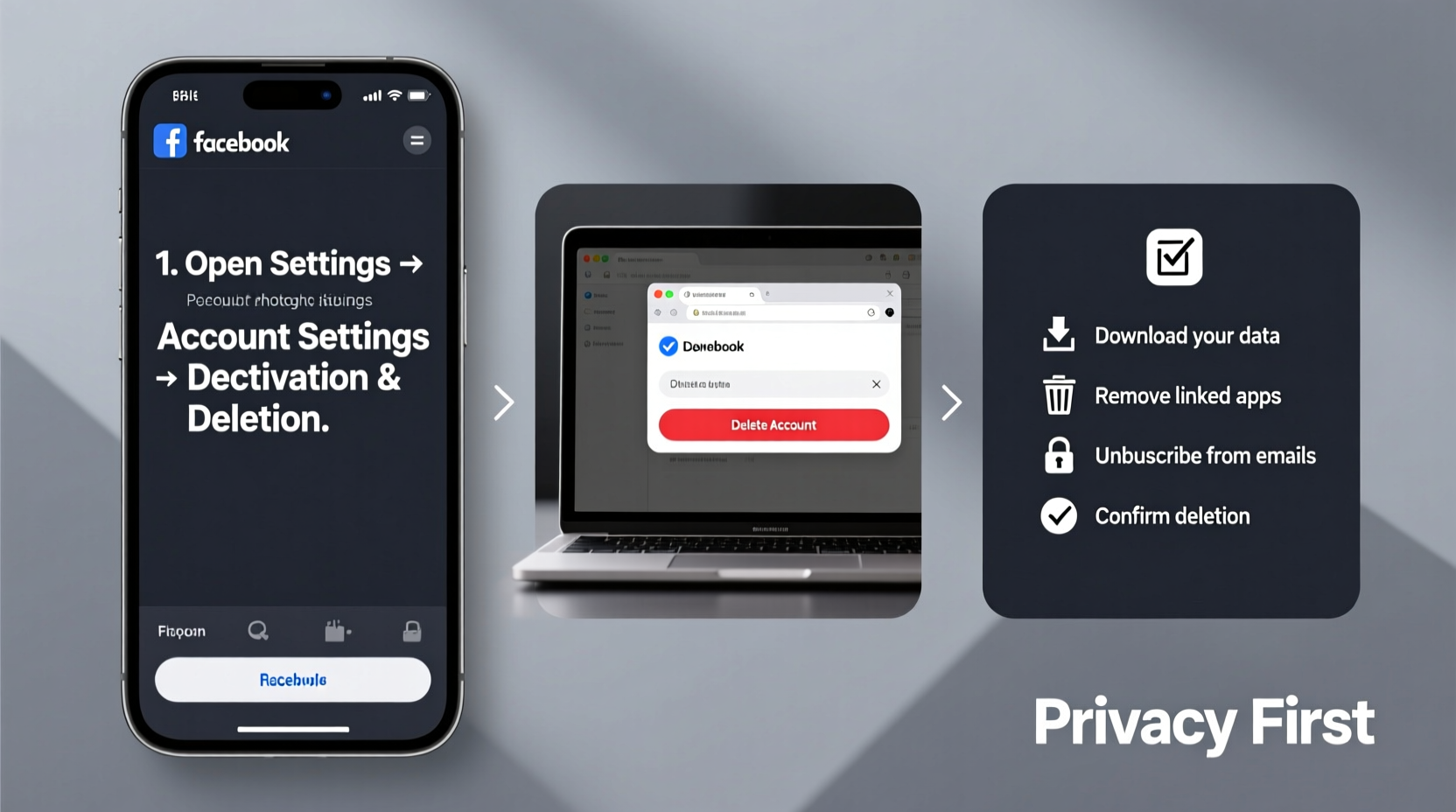
Step-by-Step: How to Permanently Delete Your Facebook Account
Facebook makes the deletion process straightforward but intentionally places it behind multiple confirmation layers. Follow these steps carefully to ensure your account is fully removed.
- Back up your data: Before initiating deletion, download your Facebook information including photos, posts, messages, and comments.
- Log in to your account: Use your primary device and current credentials.
- Navigate to Settings & Privacy: Click the downward arrow in the top-right corner, then select “Settings & Privacy,” followed by “Settings.”
- Go to Your Facebook Information: In the left sidebar, click “Your Facebook Information.”
- Select Deactivation and Deletion: Under “Account Ownership and Control,” choose this option.
- Choose ‘Permanently Delete Account’: Make sure you don’t select “Deactivate Account,” as that only pauses access.
- Follow the prompts: Facebook will ask why you’re leaving and may offer retention incentives. Ignore these if your decision is final.
- Enter your password and confirm: Finalize the request. You’ll receive a confirmation email.
Note: Deletion is irreversible and takes up to 90 days to complete. During this period, Facebook removes your data from backup systems and internal tools.
What Happens After You Delete Your Account?
Once confirmed, Facebook begins erasing your personal data. However, understanding what remains—and what doesn’t—is crucial for true data protection.
| Data Type | Status After Deletion |
|---|---|
| Profile Photos, Posts, Stories | Fully removed within 90 days |
| Private Messages | Deleted from your side; recipients may still have copies |
| Comments on Others’ Posts | Removed, replaced with “Formerly Facebook User” |
| Ads You’ve Been Targeted In | Aggregated anonymized data may persist |
| Device Logs & IP Addresses | Retained for up to 180 days for security audits |
While Facebook claims to delete your data permanently, metadata such as ad interactions or log records might remain in anonymized form. True anonymity requires additional precautions beyond account deletion.
Protect Your Data Beyond Deletion: A Post-Facebook Action Plan
Deleting your account stops future data collection, but your digital trail doesn’t vanish overnight. Third-party apps, advertisers, and data brokers may still hold fragments of your information. Take these actions to minimize lingering exposure.
- Revoke app permissions: Many websites use “Login with Facebook.” Visit Settings > Apps and Websites to remove access.
- Clear browser data: Delete cookies and cached files linked to Facebook domains.
- Opt out of data brokers: Sites like Acxiom, Epsilon, and Whitepages collect public profiles. Submit opt-out requests individually.
- Use privacy-focused tools: Switch to encrypted messaging apps (Signal), search engines (DuckDuckGo), and browsers (Brave or Firefox with tracker blocking).
- Freeze your credit: Prevent identity theft by locking access to your credit reports via Equifax, Experian, and TransUnion.
Mini Case Study: Recovering Digital Autonomy
Sarah, a 34-year-old graphic designer, used Facebook daily for over 12 years. She posted family photos, joined local groups, and messaged clients through Messenger. Concerned after seeing eerily accurate ads referencing private conversations, she decided to leave. She downloaded her archive, revoked third-party app access, and permanently deleted her account. Within weeks, she noticed fewer targeted ads and felt more in control of her online experience. She later discovered her data was listed on two data broker sites and submitted removal requests. Six months later, she reported feeling “lighter” online and more intentional about sharing.
Essential Checklist Before Saying Goodbye to Facebook
Ensure nothing is overlooked with this comprehensive pre-deletion checklist:
- Download Your Data Archive
- Go to Settings > Your Facebook Information > Download Your Information. Choose format (HTML or JSON) and delivery method.
- Save Important Contacts
- Export friends’ emails and phone numbers if needed. Facebook does not provide a built-in export tool—copy manually or use a contact sync service.
- Inform Key Connections
- Message close friends or family about your departure and share alternative contact methods.
- Unlink Instagram (if applicable)
- If your Instagram is tied to Facebook, go to Instagram Settings > Accounts Center > Linked Accounts and disconnect before deletion.
- Cancel Subscriptions or Donations
- Check for recurring payments made through Facebook, such as fundraiser donations or Marketplace seller fees.
- Delete Associated Pages or Groups
- If you admin a Page or Group, transfer ownership or delete it directly before removing your account.
Frequently Asked Questions
Can I recover my account after permanent deletion?
No. Once the 90-day deletion window closes, your account and all associated data are irretrievable. Reactivation is only possible during the deletion grace period by logging in.
Will my messages disappear from other people’s inboxes?
No. While your name will appear as “Formerly Facebook User,” messages you sent remain visible in recipients’ chats. There is no way to erase them remotely.
Does deleting Facebook also delete WhatsApp or Messenger?
No. WhatsApp (in most regions) operates independently. Messenger accounts tied only to Facebook will become inaccessible, but standalone Messenger accounts may persist.
Take Back Control of Your Digital Life
Deleting your Facebook account is more than a technical action—it’s a declaration of digital independence. The platform thrives on engagement and data extraction, often at the expense of user privacy. By following this guide, you not only remove your presence from Facebook’s ecosystem but also take meaningful steps toward broader data hygiene.
Your online identity should serve you—not corporations. Whether motivated by privacy concerns, mental well-being, or a desire for simplicity, ending your Facebook journey empowers you to redefine how and where you engage online. The internet exists beyond the walled gardens of big tech. Step into it with awareness, caution, and confidence.




 浙公网安备
33010002000092号
浙公网安备
33010002000092号 浙B2-20120091-4
Comments
No comments yet. Why don't you start the discussion?