
For modern vloggers, choosing the right tool for capturing life on the move isn’t just about resolution or frame rates—it’s about stability, convenience, and authenticity. As smartphones continue to evolve with advanced computational photography and impressive stabilization, many creators wonder: is investing in a dedicated action camera still worth it? The answer lies not in specs alone but in how each device performs under real-world conditions, especially when stabilization becomes the deciding factor.
Whether you're filming hiking trails, city walks, or daily routines, shaky footage can break immersion and turn viewers away. This article breaks down the core differences between using a smartphone and an action camera for vlogging, focusing on stabilization technology, usability, audio, durability, and overall value. By the end, you’ll have a clear understanding of whether upgrading to an action camera offers meaningful benefits—or if your phone already does enough.
Understanding Stabilization: How It Works Differently
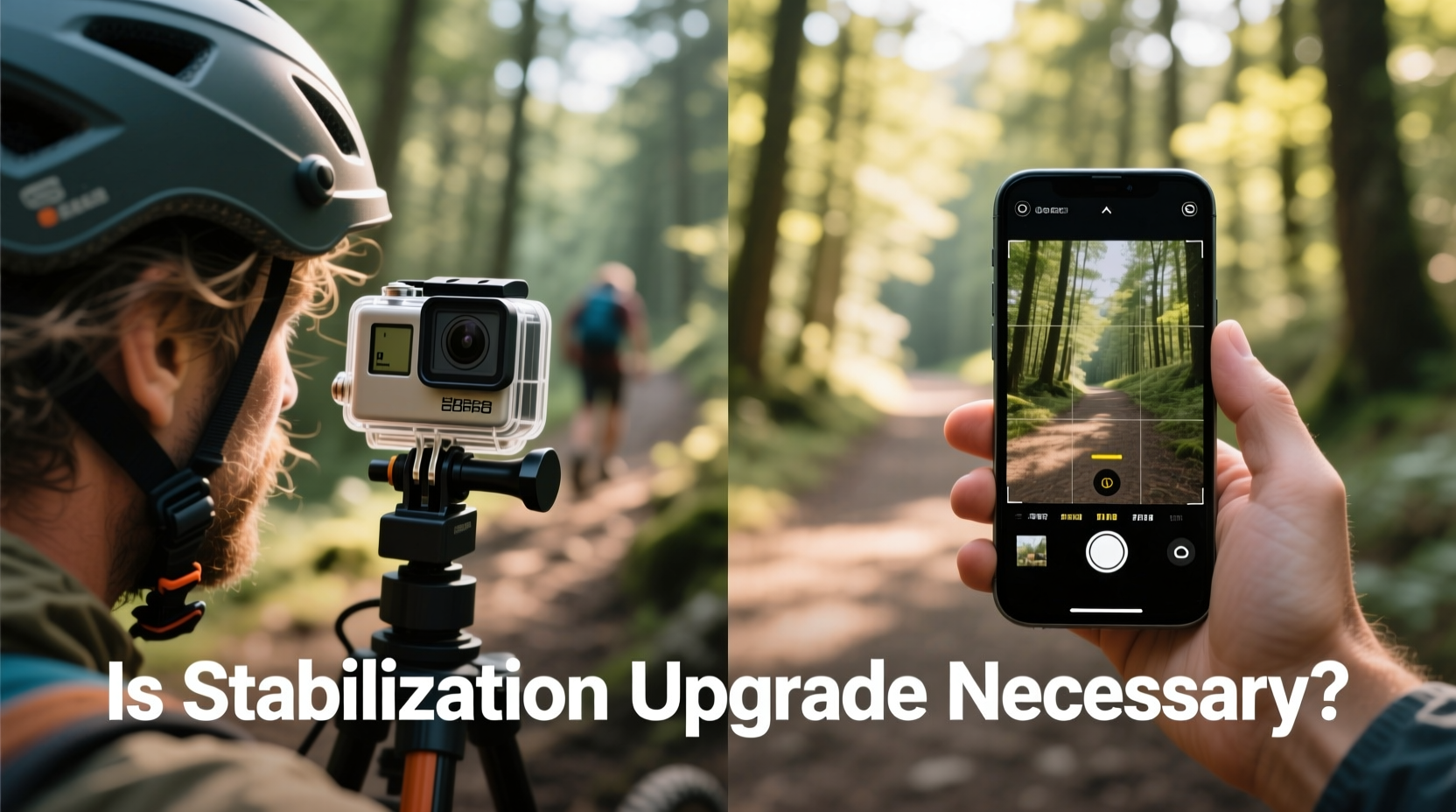
Stabilization is the process of minimizing unwanted camera movement during recording. There are three primary types: optical (OIS), electronic (EIS), and hybrid systems that combine both. Each plays a role in how smooth your final footage appears.
Smartphones rely heavily on software-based EIS, often enhanced by AI and machine learning algorithms. Modern flagships use gyroscopic data and pixel cropping to simulate smooth motion. While effective in controlled environments, aggressive digital stabilization can introduce artifacts like wobble, tunneling (a zoom-and-warp effect), or reduced field of view.
Action cameras, particularly models like GoPro HERO series or DJI Osmo Action, use advanced hybrid stabilization—combining physical lens movement with aggressive software correction. GoPro’s HyperSmooth and DJI’s RockSteady are industry benchmarks, capable of producing near-gimbal levels of smoothness even during intense motion. These systems were built specifically for dynamic shooting, where handheld shake is constant and unpredictable.
“Action cameras don’t just stabilize—they anticipate movement. Their firmware is tuned for erratic motion, which makes them inherently better for active vlogging.” — Mark Tran, Video Technology Analyst at FrameRate Insights
The key difference is intent: smartphones optimize for general use, while action cameras are engineered for motion resilience. If your vlogs involve walking, cycling, or outdoor activities, this distinction becomes critical.
Real-World Performance Comparison
To evaluate whether stabilization upgrades matter, consider how each device performs across common vlogging scenarios.
| Scenario | Smartphone (Flagship) | Action Camera (e.g., GoPro HERO12) |
|---|---|---|
| Walking Vlog (Handheld) | Moderate shake; slight wobble in fast pans | Near-gimbal smoothness; minimal visible jitter |
| Cycling or Running | Pronounced bounce; tunneling effect noticeable | Highly stabilized; maintains horizon level |
| Static Talking Head | Excellent; no stabilization needed | Overkill; same result as phone |
| Low Light Movement | Increased noise; stabilization degrades | Better low-light processing; retains stability |
| Audio Quality | Clear with wind reduction; directional mics | Improved with external mic support; built-in wind filters |
In static or studio-like settings, the smartphone holds its own—sometimes even outperforming action cameras due to larger sensors and superior dynamic range. But once motion enters the equation, the advantage shifts dramatically toward action cameras. Their wide-angle lenses, combined with stabilization that corrects for pitch, yaw, and roll, deliver consistently smoother results without requiring additional gear like gimbals.
Usability and Workflow: Convenience vs. Specialization
A smartphone wins hands-down in terms of accessibility. It’s always with you, integrates seamlessly with editing apps, and allows instant sharing. Tapping to focus, swipe controls, and live preview make it intuitive for beginners. However, its size and shape aren’t ideal for prolonged handheld shooting, and battery drain during 4K recording can be significant.
Action cameras trade some convenience for specialization. They’re small, rugged, and designed to be mounted almost anywhere—on helmets, chest straps, handlebars, or selfie sticks. Most offer voice control, long battery life with extended packs, and quick-access buttons. However, they require separate charging, storage management, and often demand post-processing to unlock full dynamic range (especially in LOG profiles).
One major consideration is framing. Smartphones allow real-time preview via front screen or connected app. Action cameras typically lack rear displays (except higher-end models), forcing reliance on memory or companion apps to check composition. This can lead to poorly framed shots if not practiced.
Mini Case Study: Emma’s Travel Vlog Evolution
Emma, a solo travel vlogger with 85K YouTube subscribers, started filming exclusively on her iPhone 14 Pro. Her early videos—mostly static sit-down reviews and scenic timelapses—looked crisp and professional. But as she began documenting hikes in Patagonia and motorbike rides through Vietnam, viewer feedback highlighted one recurring issue: shaky footage.
She tested software stabilization in editing, added a mini gimbal, and adjusted her grip technique. Results improved slightly, but the workflow became cumbersome. After six months, she invested in a GoPro HERO11 Black. Within two weeks, her watch time increased by 23%. Comments shifted from “hard to watch” to “felt like I was there.”
“The stabilization wasn’t just cosmetic,” Emma said. “It changed how I filmed. I stopped worrying about my hands shaking and started focusing on storytelling.”
Her experience underscores a broader truth: stabilization isn’t just about technical polish—it affects creative freedom.
When the Upgrade Makes Sense (And When It Doesn’t)
Not every vlogger needs an action camera. The decision should align with your content style, budget, and production goals.
Consider an Action Camera If You:
- Film frequently while walking, biking, or engaging in physical activity
- Vlog outdoors in variable weather (rain, dust, cold)
- Want reliable, consistent stabilization without carrying extra gear
- Need waterproof capability for beach, diving, or adventure content
- Plan to mount your camera on helmets, vehicles, or drones
Stick With Your Smartphone If You:
- Mainly record talking-head intros, room tours, or indoor setups
- Prefer all-in-one devices with instant upload capabilities
- Are on a tight budget or already own a high-end phone
- Value touchscreen control and immediate preview
- Edit primarily on mobile and avoid complex workflows
Step-by-Step Guide: Evaluating Your Vlogging Needs
Before making any purchase, follow this practical evaluation process:
- Assess Your Content Type: List your last 10 vlogs. Were they mostly stationary or mobile? What percentage involved movement?
- Review Viewer Feedback: Scan comments for mentions of “shaky,” “hard to watch,” or “motion sickness.” These signal stabilization issues.
- Conduct a Side-by-Side Test: Record the same walking sequence with your smartphone and, if possible, borrow an action camera. Compare stabilization, color, and audio.
- Analyze Editing Time: How much time do you spend correcting shake in post? If over 15 minutes per video, automation from better hardware may save hours.
- Calculate Total Cost: Include mounts, external mics, batteries, and memory cards. Sometimes improving your phone setup (e.g., adding a clip-on lens or mic) is more cost-effective than switching devices.
- Decide Based on Frequency: If you vlog less than once a week, optimization may not justify investment. For daily or professional creators, every efficiency counts.
FAQ: Common Questions About Action Cameras vs Smartphones
Do action cameras have better audio than smartphones?
Not inherently. Built-in mics on action cameras are small and prone to wind noise. However, many support external microphones via adapters, and their wind-blocking housings help in outdoor conditions. High-end smartphones generally capture clearer voice and ambient sound natively, but both benefit significantly from lavalier mics.
Can I get gimbal-like results without buying extra gear?
Yes—with an action camera. Models like GoPro HERO12 or DJI Osmo Action 4 deliver stabilization comparable to entry-level gimbals when used in standard mode. This eliminates the need to carry and balance additional equipment, streamlining your vlogging kit.
Is the image quality worse on action cameras because of the small sensor?
In low light, yes—smaller sensors collect less light, leading to noisier footage. However, in daylight or well-lit environments, advanced processing compensates effectively. For vlogging, where motion smoothness often matters more than pixel perfection, the trade-off is usually acceptable.
Conclusion: Is the Stabilization Upgrade Necessary?
The necessity of upgrading from a smartphone to an action camera hinges on your vlogging context. If your content thrives on movement, exploration, and immersion, then yes—the stabilization leap is not only noticeable but transformative. It reduces post-production workload, enhances viewer comfort, and expands your shooting possibilities.
However, if your vlogs center on conversations, tutorials, or indoor scenes, your smartphone likely delivers excellent results without added complexity. Modern phones are powerful tools, and pairing them with a lightweight stabilizer or tripod can bridge most gaps.
Ultimately, the best camera is the one that encourages you to create consistently. Whether you choose to upgrade or optimize your current setup, prioritize reliability, ease of use, and the kind of footage that reflects your authentic voice.




 浙公网安备
33010002000092号
浙公网安备
33010002000092号 浙B2-20120091-4
Comments
No comments yet. Why don't you start the discussion?