
In the age of seamless driving experiences and hands-free navigation, magnetic phone mounts have become a staple accessory for iPhone users. These sleek, easy-to-use devices promise quick attachment and reliable positioning—perfect for GPS directions, calls, or music control. But as their popularity grows, so do concerns: Are these magnets truly safe for your iPhone? Could they interfere with cellular signals, Wi-Fi, GPS, or even damage internal components over time?
The short answer is: generally yes, modern magnetic mounts are safe for iPhones—but with important caveats. Understanding how magnets interact with today’s smartphones requires more than surface-level assumptions. It demands a clear look at Apple’s design choices, magnet strength, placement, and real-world performance.
How Magnets Work in Modern iPhones
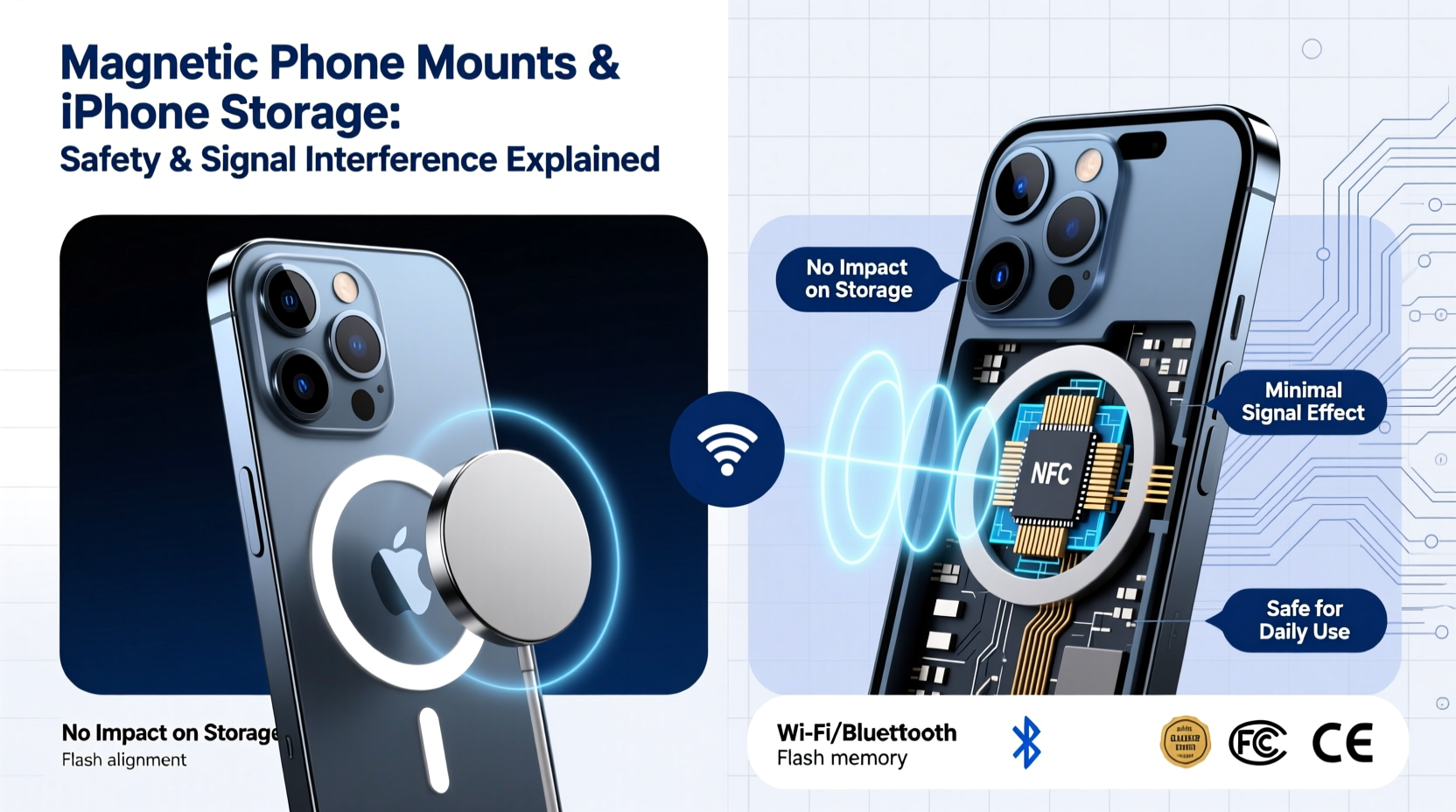
Apple didn’t just defend against magnets—they embraced them. Starting with the iPhone 12, Apple introduced MagSafe, a system built around an array of precisely arranged magnets embedded in the back of the device. This innovation enables effortless alignment and secure attachment for chargers, wallets, cases, and yes—magnetic car mounts.
These internal magnets serve both functional and structural purposes. They ensure optimal inductive charging efficiency by aligning coils perfectly and provide physical stability when accessories snap into place. Because Apple engineers anticipated magnetic exposure, iPhones are designed with shielding and component placement that minimize interference risks from external magnets—especially those used in approved accessories.
“Modern iPhones are engineered with magnetic resilience in mind. The integration of MagSafe means controlled magnetic fields are not only tolerated but utilized.” — Dr. Lena Torres, Electromagnetic Compatibility Engineer, Consumer Tech Lab
Do Magnetic Mounts Interfere With iPhone Signals?
One of the most common fears is signal disruption. Users worry that placing a strong magnet near their iPhone could weaken cellular reception, Bluetooth connectivity, or GPS accuracy. While this concern stems from older tech (remember speakers distorting CRT monitors?), modern smartphones use solid-state components less susceptible to magnetic influence.
That said, poorly designed or overly powerful magnets placed directly over antenna lines can cause temporary signal attenuation. iPhones route antennas along the edges of the chassis, particularly around the top and sides. A bulky magnetic mount that extends beyond the central back panel may partially obstruct these zones, especially if metal plates are improperly positioned.
However, tests conducted by independent labs and tech reviewers show minimal to no measurable drop in LTE, 5G, or Wi-Fi speeds when using standard magnetic mounts—even after prolonged use. GPS performance remains largely unaffected unless the magnet interferes with the internal compass, which we’ll explore next.
Impact on Internal Sensors: Compass & NFC
While cellular signals remain robust, two functions are more sensitive to magnetic fields: the digital compass and Near Field Communication (NFC), used for Apple Pay and contactless scanning.
The compass relies on a magnetometer—a sensor that detects Earth’s magnetic field to determine orientation. When exposed to nearby magnets, it can become temporarily skewed. You might notice this during navigation apps like Apple Maps, where the blue direction arrow spins erratically until recalibrated.
Likewise, NFC operates at close range using electromagnetic induction. A thick metal plate glued behind the phone can slightly reduce read sensitivity, though it rarely prevents successful transactions.
Both effects are typically reversible. Once the magnet is removed, the compass resets after a few figure-eight motions (a calibration method suggested by Apple). NFC functionality returns immediately.
Real-World Example: Commuter Use Case
Consider Sarah, a daily commuter who installed a third-party magnetic mount with a large, unshielded metal disc. After mounting her iPhone 13 every morning, she noticed that turn-by-turn directions in Google Maps often pointed the wrong way initially. She also had to tap her phone twice on fare readers when entering public transit.
Upon switching to a slimmer, centrally aligned metal ring compatible with MagSafe standards, her issues resolved. The new setup avoided sensor zones and used weaker, focused magnetism. Her experience highlights how accessory quality—not magnetism itself—is often the root of problems.
Heat, Battery, and Long-Term Storage Risks
Another concern revolves around heat buildup and long-term storage. Some believe that constant magnetic exposure degrades battery health or damages circuitry. However, there is no scientific evidence supporting this claim for static magnetic fields at the strengths used in consumer mounts.
Batteries degrade primarily due to three factors: charge cycles, temperature extremes, and prolonged full-charge states. Magnets do not accelerate chemical aging in lithium-ion cells. That said, poor airflow caused by tightly mounted phones in hot vehicles can raise internal temperatures—which does harm battery longevity.
If you frequently leave your iPhone mounted on a dashboard-facing mount in direct sunlight, the combination of solar heat and enclosed space poses a far greater risk than magnetism ever could.
| Risk Factor | Magnetic Mount Contribution | Recommended Mitigation |
|---|---|---|
| Signal Interference | Low (only if poorly placed) | Use centered metal plate; avoid edge coverage |
| Compass Accuracy | Moderate (temporary disruption) | Calibrate via Settings or motion gesture |
| NFC Performance | Slight reduction possible | Use thin adhesive rings; avoid oversized plates |
| Battery Degradation | None proven | Prevent overheating; remove in extreme heat |
| Screen or Camera Damage | No risk | Ensure clean mounting surface |
Choosing a Safe Magnetic Mount: What to Look For
Not all magnetic mounts are created equal. Safety hinges on design, materials, and compatibility. Here’s a checklist to guide your selection:
- MagSafe Certification: Opt for mounts labeled “MagSafe-compatible” or MFi-certified (Made for iPhone). These meet Apple’s specifications for alignment, strength, and safety.
- Thin Metal Ring vs. Full Plate: Choose a small circular metal ring rather than a wide rectangular plate. It reduces the chance of interfering with sensors and maintains NFC usability.
- Shielding: High-quality mounts include ferromagnetic shielding to contain the magnetic field and prevent leakage toward sensitive areas.
- Mounting Mechanism: Ensure the mount uses a stable grip (vent clip, dash adhesive, or CD slot) without requiring excessive force that could dislodge the phone.
- Airflow Design: Look for open-frame designs that allow heat dissipation, especially if you drive long distances or live in warm climates.
Step-by-Step Guide: Installing a Magnetic Mount Safely
- Clean the Phone Back: Wipe the rear glass with alcohol wipe to remove oils and dust.
- Align the Metal Ring: Center the adhesive ring between the camera bump and bottom edge—avoiding the top third.
- Press Firmly: Hold in place for 30 seconds to ensure strong adhesion.
- Attach to Mount: Snap the phone onto the mount; verify smooth attachment and removal.
- Test Functions: Open Maps for compass check, try Apple Pay, and make a call to confirm signal strength.
- Monitor Over Time: Reassess weekly for any changes in performance or adhesion.
Common Myths About Magnets and iPhones
Despite advances in technology, outdated myths persist. Let’s clarify a few:
- Myth: Magnets erase phone data. False. iPhones use flash memory, which is immune to magnetic fields. Unlike old hard drives, SSDs store data electronically, not magnetically.
- Myth: All magnets damage batteries. Incorrect. Static magnets don’t generate currents strong enough to affect battery chemistry.
- Myth: Metal plates void warranty. No. Apple does not void warranties for user-applied accessories unless damage occurs during installation.
- Myth: Only Apple-branded mounts are safe. Not true. Many third-party brands offer excellent, safe alternatives—as long as they follow MagSafe principles.
Frequently Asked Questions
Can I leave my iPhone on a magnetic mount overnight?
Yes, provided the environment isn’t excessively hot or humid. There’s no inherent danger in prolonged magnetic contact. However, if the phone is charging while mounted, ensure proper ventilation to avoid thermal stress.
Will a magnetic mount affect my iPhone’s GPS?
Not directly. GPS relies on satellite signals, which aren’t disrupted by magnets. However, if the compass is magnetically influenced, map orientation may be inaccurate until recalibrated. Actual location tracking remains precise.
Is it safe to use a magnetic mount with an older iPhone model?
Yes, but with caution. Pre-iPhone 12 models lack MagSafe shielding and optimized magnet layouts. Use smaller magnets and avoid placing metal plates near the top edge. Also, monitor for unexpected sensor behavior.
Final Recommendations for Safe Usage
To get the best experience from your magnetic phone mount while protecting your iPhone, follow these best practices:
- Always use a slim, center-aligned metal ring instead of bulky plates.
- Prefer mounts with rubberized or cushioned contact points to prevent micro-scratches.
- Remove the phone from the mount during wireless charging if the metal ring causes misalignment.
- Recalibrate the compass monthly or whenever directional errors appear.
- Replace adhesive components every 6–12 months to maintain secure hold.
Conclusion
Magnetic phone mounts are not only safe for iPhone storage—they’re part of Apple’s own ecosystem vision. With thoughtful design and responsible usage, these accessories enhance convenience without compromising performance. The key lies in choosing high-quality, well-engineered products that respect the phone’s architecture and avoiding shortcuts that prioritize strength over precision.
Your iPhone was built to handle controlled magnetic environments. By selecting compatible mounts, installing them correctly, and staying aware of sensor feedback, you can enjoy hassle-free navigation, safer driving, and lasting device health.




 浙公网安备
33010002000092号
浙公网安备
33010002000092号 浙B2-20120091-4
Comments
No comments yet. Why don't you start the discussion?