
Smart locks promise convenience, remote access, and modern security. With a tap on your phone, you can unlock your front door, grant temporary access to guests, or check whether you locked up before leaving work. But as their popularity grows, so do concerns: Are these devices truly secure? Can they be hacked? And are they reliable enough to protect one of the most vulnerable entry points in your home?
The answer isn’t simple. While smart locks can offer strong protection when properly implemented, they also introduce new attack surfaces that traditional deadbolts don’t face. Understanding the balance between innovation and risk is essential for anyone considering upgrading their front door.
How Smart Locks Work: A Security Overview
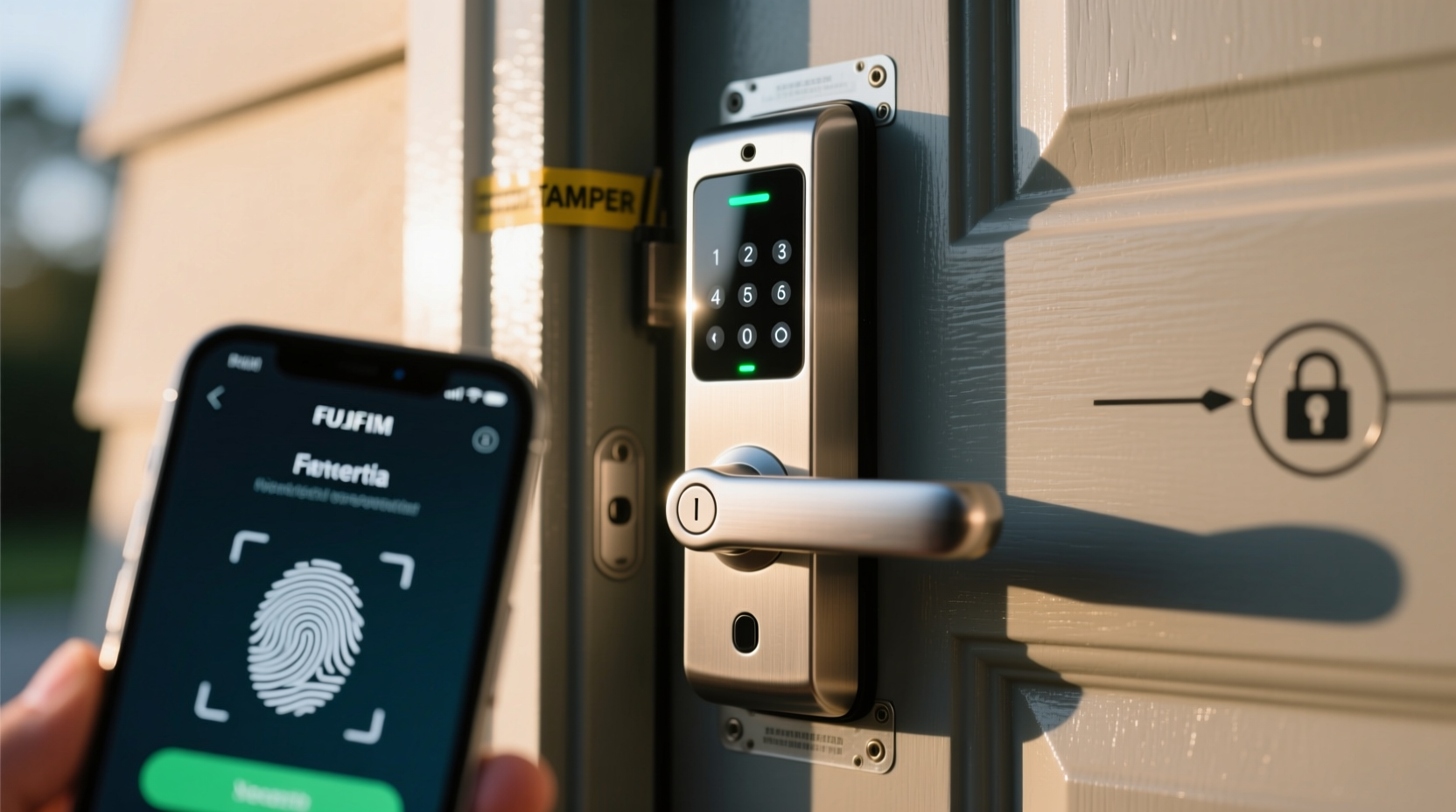
Smart locks integrate electronic components with traditional locking mechanisms. They connect via Bluetooth, Wi-Fi, Z-Wave, or Zigbee and allow users to lock and unlock doors using smartphones, key fobs, PIN codes, voice commands, or biometrics like fingerprints. Some models even sync with home automation systems such as Google Home, Amazon Alexa, or Apple HomeKit.
At their core, many smart locks still rely on mechanical bolts—often Grade 1 or 2 hardware—which meet ANSI/BHMA standards for strength and durability. The difference lies in how access is granted. Instead of a physical key, authentication happens through digital credentials. This shift introduces both benefits and vulnerabilities.
For example, a smart lock might use encryption to secure communication between your phone and the device. However, if that encryption is weak or improperly implemented, it could be intercepted by nearby attackers using tools like Bluetooth sniffers or relay attacks. Similarly, cloud-connected models depend on servers and apps that may become targets for data breaches.
“Any connected device expands the attack surface. The convenience of remote access must be weighed against potential cybersecurity risks.” — Dr. Lena Patel, Cybersecurity Researcher at MITRE Corporation
Vulnerabilities: How Hackers Target Smart Locks
No system is entirely immune to attack, and smart locks are no exception. Over the years, researchers and ethical hackers have demonstrated several ways these devices can be compromised:
- Bluetooth Relay Attacks: Also known as \"keyless car theft\" techniques adapted to homes, attackers use two devices to extend the range of your smartphone’s Bluetooth signal. One device captures the signal near your phone (e.g., outside your office), while another replays it near your door, tricking the lock into thinking you're present.
- Wi-Fi & Cloud Exploits: If a smart lock relies on cloud services, a breach in the manufacturer's server—or weak login credentials—can allow unauthorized access. In 2020, a vulnerability in certain August Lock models allowed attackers to gain control via a shared user account exploit.
- Firmware Flaws: Outdated firmware may contain unpatched security holes. Researchers have found buffer overflow bugs and hardcoded passwords in some budget smart locks, enabling full takeover.
- Physical Tampering: Unlike high-security mechanical locks, some smart locks lack anti-tamper alarms or shielding. Attackers can sometimes remove the interior unit and manipulate wiring to trigger unlocking.
- Brute Force PIN Entry: Models that allow numeric keypads without rate-limiting attempts make it easier for intruders to guess codes, especially common ones like 1234 or 0000.
Comparing Smart Lock Security: What Works and What Doesn't
Not all smart locks are created equal. Security varies widely depending on brand, technology, and implementation. The table below compares common types based on key security factors:
| Type | Encryption | Hack Risk Level | Best For | Limits |
|---|---|---|---|---|
| Bluetooth-only (e.g., August Wi-Fi 4th Gen) | AES-128 encrypted pairing | Moderate (relay attacks possible) | Urban apartments, renters | No remote access without bridge |
| Wi-Fi + App Control (e.g., Yale Assure Lock 2) | TLS/SSL for cloud, AES for local | High (if poor password hygiene) | Homeowners with stable internet | Dependent on network uptime |
| Z-Wave/Zigbee (e.g., Schlage Encode Plus) | Secure mesh protocols, encrypted hubs | Low-Moderate (requires hub compromise) | Smart home integrations | Needs separate hub |
| Fingerprint/Biometric (e.g., Ultraloq UL3) | Local storage, no cloud syncing | Moderate (spoofing with lifted prints) | Families wanting fast access | Fingerprints can degrade over time |
| Keypad-Only (e.g., Wyze Lock) | Limited; often no encryption | High (brute force, shoulder surfing) | Budget-conscious users | Weak PIN policies increase risk |
From this comparison, it’s clear that integration method and encryption standards significantly impact overall security. Devices using decentralized communication (like Z-Wave with a local hub) tend to be more resilient than those relying solely on cloud connectivity.
Real-World Example: When Convenience Led to a Break-In
In 2022, a homeowner in Austin, Texas, installed a popular Wi-Fi-enabled smart lock to manage access for cleaners and dog walkers. He used the same email and password across multiple accounts—including his lock app—and never enabled two-factor authentication. After noticing unusual activity logs showing unlocks at odd hours, he discovered footage from a neighbor’s camera showing someone entering his home during the day.
An investigation revealed that the intruder had obtained the homeowner’s credentials from a third-party data breach (a practice known as credential stuffing). Because the smart lock app didn’t require multi-factor authentication, the attacker gained immediate access. No forced entry was needed—the front door simply unlocked remotely.
This case underscores a critical point: the weakest link in smart lock security is often not the hardware itself, but how users configure and protect their accounts.
Step-by-Step Guide to Securing Your Smart Lock
To maximize protection, follow this practical sequence of actions when installing and managing your smart lock:
- Choose a Reputable Brand: Opt for models certified by ANSI/BHMA Grade 1 or 2 and compliant with Zigbee Alliance or Apple HomeKit Secure Remote Access standards.
- Use Strong, Unique Passwords: Create a unique password for your smart lock account. Never reuse passwords from other services.
- Enable Two-Factor Authentication (2FA): Where available, activate 2FA via SMS, authenticator apps, or hardware keys.
- Update Firmware Regularly: Check for updates monthly or enable automatic updates if supported.
- Limit Shared Access: Only share access with trusted individuals and revoke permissions promptly after use.
- Disable Unused Features: Turn off remote access if you don’t need it, reducing exposure to internet-based threats.
- Install a Secondary Lock: Use a traditional deadbolt alongside your smart lock for layered defense.
- Monitor Activity Logs: Review unlock history regularly for suspicious entries.
- Secure Your Wi-Fi Network: Use WPA3 encryption, change default router credentials, and isolate IoT devices on a guest network.
- Test Physical Resistance: Ensure the lock withstands picking, drilling, and forced extraction attempts.
Expert Recommendations for Maximum Protection
Security experts agree that smart locks can be part of a robust home defense strategy—but only when used responsibly. According to Marc Rogers, former executive director of cybersecurity at Cloudflare:
“The biggest mistake people make is treating a smart lock like magic. It’s just one component of a broader security posture. Combine it with good habits, network hygiene, and physical safeguards.” — Marc Rogers, Executive Director of Cybersecurity, Cloudflare (ret.)
Rogers recommends selecting locks with end-to-end encryption and offline functionality, so they remain operational during internet outages. He also warns against over-reliance on voice assistants: “Telling Alexa to ‘unlock the front door’ sounds cool until someone tricks her with a spoofed voice command.”
Frequently Asked Questions
Can someone hack my smart lock from far away?
Direct hacking from miles away is unlikely unless your lock uses cloud-based controls with weak authentication. Most attacks happen locally (within 30 feet) using Bluetooth or Wi-Fi exploits. Ensuring strong passwords and disabling unnecessary remote access reduces long-range risks.
Do smart locks fail during power outages?
Most run on batteries (typically 6–12 months lifespan) and continue working during blackouts. However, Wi-Fi-dependent models may lose remote features until power returns. Always keep a physical key or backup code accessible.
Are fingerprint smart locks safer than PIN codes?
Fingerprint sensors add convenience but aren’t foolproof. High-resolution photos or lifted prints can sometimes spoof them. For maximum security, combine biometrics with another factor like a PIN or phone verification.
Final Thoughts: Balancing Innovation and Safety
Smart locks are not inherently insecure—but they demand more responsibility than traditional locks. Their digital nature introduces cyber risks that mechanical keys simply don’t face. Yet, when paired with strong user practices, reputable brands, and layered defenses, they can provide both convenience and credible protection.
The truth is, no lock is unhackable. Even the highest-grade deadbolts can be picked, drilled, or bypassed. What matters is raising the effort required to breach your home high enough that criminals move on to easier targets. A well-configured smart lock, combined with vigilant digital hygiene, does exactly that.




 浙公网安备
33010002000092号
浙公网安备
33010002000092号 浙B2-20120091-4
Comments
No comments yet. Why don't you start the discussion?