
Smart plugs have become a staple in modern homes, offering convenience through remote control of lights, appliances, and electronics via smartphones or voice assistants. While they simplify daily routines, their connectivity introduces risks. Like any internet-connected device, smart plugs can be targeted by cybercriminals seeking unauthorized access to your network or personal data. Understanding these vulnerabilities and implementing proactive security measures is essential for protecting your digital and physical environment.
Why Smart Plugs Are at Risk
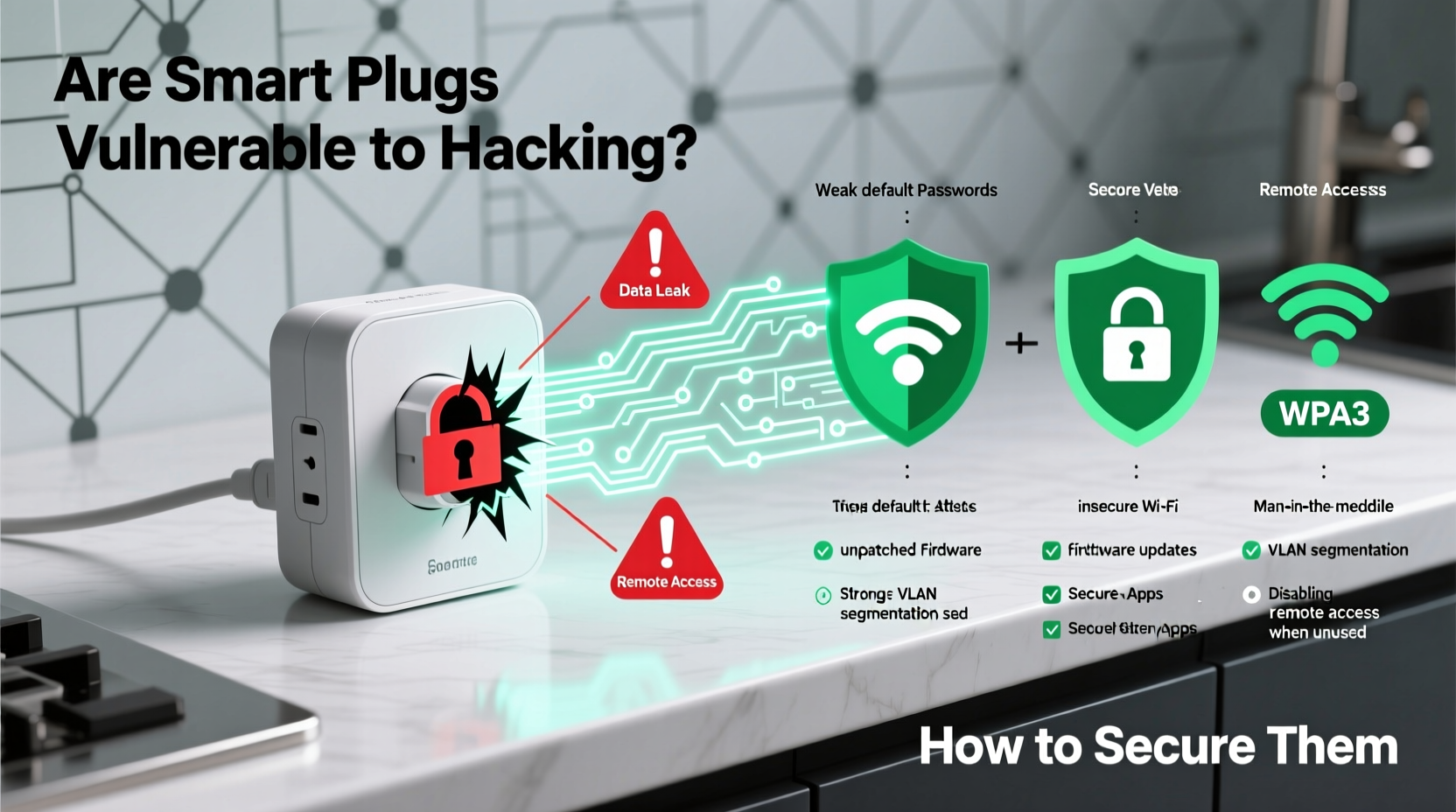
Smart plugs connect to your Wi-Fi network, enabling communication with mobile apps and cloud services. This connectivity is also what makes them susceptible to exploitation. Cyber attackers use various techniques to compromise weak points in the device’s firmware, network configuration, or user behavior.
Many smart plugs rely on outdated encryption protocols or lack end-to-end encryption entirely. Some manufacturers prioritize cost and speed over robust cybersecurity, resulting in devices that ship with default passwords, unpatched software, or open ports that allow external access.
Once compromised, a smart plug can serve as an entry point into your broader home network. From there, hackers may intercept sensitive data, launch attacks on other connected devices (like computers or cameras), or even manipulate physical systems—such as turning off refrigerators during peak heat or activating high-power appliances to cause electrical strain.
Common Hacking Methods Targeting Smart Plugs
Cybercriminals employ several strategies to gain control of smart plugs. Awareness of these tactics helps users identify weak spots in their setup.
1. Weak or Default Credentials
Some smart plugs come with preset login details like \"admin/admin\" or \"user/1234.\" If users fail to change these defaults, attackers can easily guess them using automated tools.
2. Unsecured Wi-Fi Networks
A router without strong encryption (e.g., WPA3) or one broadcasting its SSID openly allows attackers within range to intercept traffic or inject malicious code into connected devices.
3. Firmware Exploits
Outdated firmware often contains known security flaws. Hackers scan networks for devices running older versions and deploy exploits to take control.
4. Man-in-the-Middle (MitM) Attacks
In this scenario, an attacker intercepts communication between the smart plug and the app or server. Without proper encryption, they can read commands or send fake ones, such as switching the plug on or off remotely.
5. Cloud Service Breaches
Many smart plugs depend on third-party cloud platforms for remote access. If those services suffer a data breach, attackers could gain access to user accounts, device lists, and usage patterns.
“Even seemingly harmless devices like smart plugs can become gateways to your entire home network. A single unpatched IoT gadget can compromise everything from your laptop to your baby monitor.” — Dr. Lena Torres, Cybersecurity Researcher at NetDefend Labs
How to Secure Your Smart Plugs: A Step-by-Step Guide
Protecting your smart plugs isn’t complicated, but it requires consistent attention to detail. Follow this timeline-based approach to harden your defenses.
- Week 1: Audit Your Devices
List all smart plugs in use. Note their brand, model, and current firmware version. Check the manufacturer’s website for known vulnerabilities or recalls. - Day 2–3: Update Firmware
Access the companion app and ensure each plug is running the latest firmware. Enable automatic updates if available. - Day 4: Change Default Settings
Replace default usernames and passwords with strong, unique credentials. Avoid reusing passwords across devices. - Day 5: Isolate Devices on a Guest Network
Configure your router to create a separate network for IoT devices. This limits lateral movement if one device is compromised. - Day 6: Disable Remote Access (If Not Needed)
Turn off cloud connectivity unless you frequently control the plug outside your home. Local-only mode reduces attack surface. - Ongoing: Monitor Activity Logs
Review logs in your router or smart home hub for unusual connections or unexpected power cycles.
Best Practices Checklist
- ✅ Purchase smart plugs from reputable brands with regular firmware updates
- ✅ Use WPA3 encryption on your Wi-Fi network (WPA2 minimum)
- ✅ Assign smart plugs to a dedicated IoT VLAN or guest network
- ✅ Change default login credentials immediately after setup
- ✅ Enable two-factor authentication (2FA) on associated accounts
- ✅ Regularly check for and install firmware updates
- ✅ Disable UPnP (Universal Plug and Play) on your router
- ✅ Reboot smart plugs periodically to clear temporary memory
- ✅ Physically disconnect unused smart plugs when away for extended periods
Security Comparison: Top Smart Plug Brands
| Brand | Firmware Updates | Encryption Type | Local Control | Two-Factor Auth | Recommended? |
|---|---|---|---|---|---|
| TP-Link Kasa | Monthly | WPA2/WPA3 + TLS | Yes (via local API) | Yes | ✅ Yes |
| Wyze Plug | Quarterly | WPA2 + AES | No (cloud-dependent) | Yes | ⚠️ With caution |
| Amazon Smart Plug | Frequent (auto) | WPA2 + AWS encryption | Limited | Yes (via Amazon account) | ✅ Yes |
| Belkin Wemo Mini | Inconsistent | WPA2 only | No | No | ❌ No |
| Sonoff (with Tasmota mod) | User-controlled | Configurable (can enable TLS) | Yes (flashable for local use) | N/A (local setup) | ✅ Yes (if modified) |
This table highlights why brand choice matters. Devices relying solely on cloud infrastructure and lacking local control options are inherently riskier than those supporting offline operation and transparent update policies.
Real-World Example: The Compromised Home Office
In 2022, a remote worker in Austin noticed his desk lamp—controlled via a budget smart plug—would occasionally turn on at night despite being scheduled off. Initially dismissed as a glitch, he later discovered unusual outbound traffic from his network using a home firewall dashboard.
After investigation, it was found that the smart plug had been communicating with a command-and-control server in Eastern Europe. The device was running firmware from 2020, which contained a known vulnerability allowing remote shell access. Attackers used it to pivot toward the user’s work laptop, attempting to exfiltrate files.
The breach was contained only after the plug was disconnected and factory reset. The incident underscores how minor oversights—like skipping firmware updates—can lead to serious consequences, especially for individuals handling sensitive information at home.
Frequently Asked Questions
Can someone hack my smart plug from another country?
Yes, if your smart plug connects to a cloud service and uses weak authentication, attackers anywhere in the world can potentially access it. This is especially true for devices without IP geofencing or login alerts.
Do smart plugs record my data?
Most do collect usage data—such as when you turn devices on/off—for functionality and analytics. However, reputable brands anonymize and encrypt this data. Always review the privacy policy before purchase.
Is it safer to use smart plugs without the internet?
Yes. Operating smart plugs in local-only mode (where commands stay within your network) significantly reduces exposure. Some models support this natively; others require custom firmware like Tasmota or ESPHome.
Final Recommendations for Long-Term Security
Smart plugs offer undeniable convenience, but their integration into your home demands responsibility. Think of them not just as switches, but as network endpoints with real security implications.
Start by investing in quality hardware from vendors committed to long-term support. Prioritize devices that offer transparency about encryption standards, provide timely patches, and allow granular control over connectivity settings.
Equally important is maintaining good network hygiene. Use strong, unique passwords, segment IoT devices, and treat every connected object as a potential liability until proven otherwise. Regular audits—checking for unknown devices, reviewing logs, and updating firmware—should be part of your routine.
Finally, consider whether you truly need remote access. For many applications, scheduling and voice control via a local assistant (like Home Assistant or Apple Home on a HomePod) eliminate the need for cloud dependency altogether.
“The safest smart home isn’t the most automated one—it’s the one where every device earns its place on the network.” — Marcus Reed, IoT Security Consultant
Take Action Today
Your smart plugs may seem insignificant compared to your phone or computer, but in the eyes of a hacker, they’re low-hanging fruit. By securing them now, you’re not just protecting a lightbulb—you’re defending your entire digital ecosystem.




 浙公网安备
33010002000092号
浙公网安备
33010002000092号 浙B2-20120091-4
Comments
No comments yet. Why don't you start the discussion?