
In an era where homes are increasingly connected, smart locks have surged in popularity. They offer remote access, temporary digital keys, and seamless integration with home automation systems. Yet, many homeowners remain cautious—especially when comparing traditional keypad locks to their Wi-Fi-enabled counterparts. The central concern: does adding internet connectivity to your front door create an unacceptable security risk?
The answer isn’t binary. While smart locks do introduce new attack vectors, they also come with advanced encryption and monitoring tools that can enhance security when used correctly. Meanwhile, keypad locks without Wi-Fi offer simplicity and reliability but lack modern conveniences and real-time alerts.
This article breaks down the differences between smart locks and keypad locks, examines the real risks associated with Wi-Fi functionality, and provides actionable guidance for making a secure choice.
Understanding the Core Differences
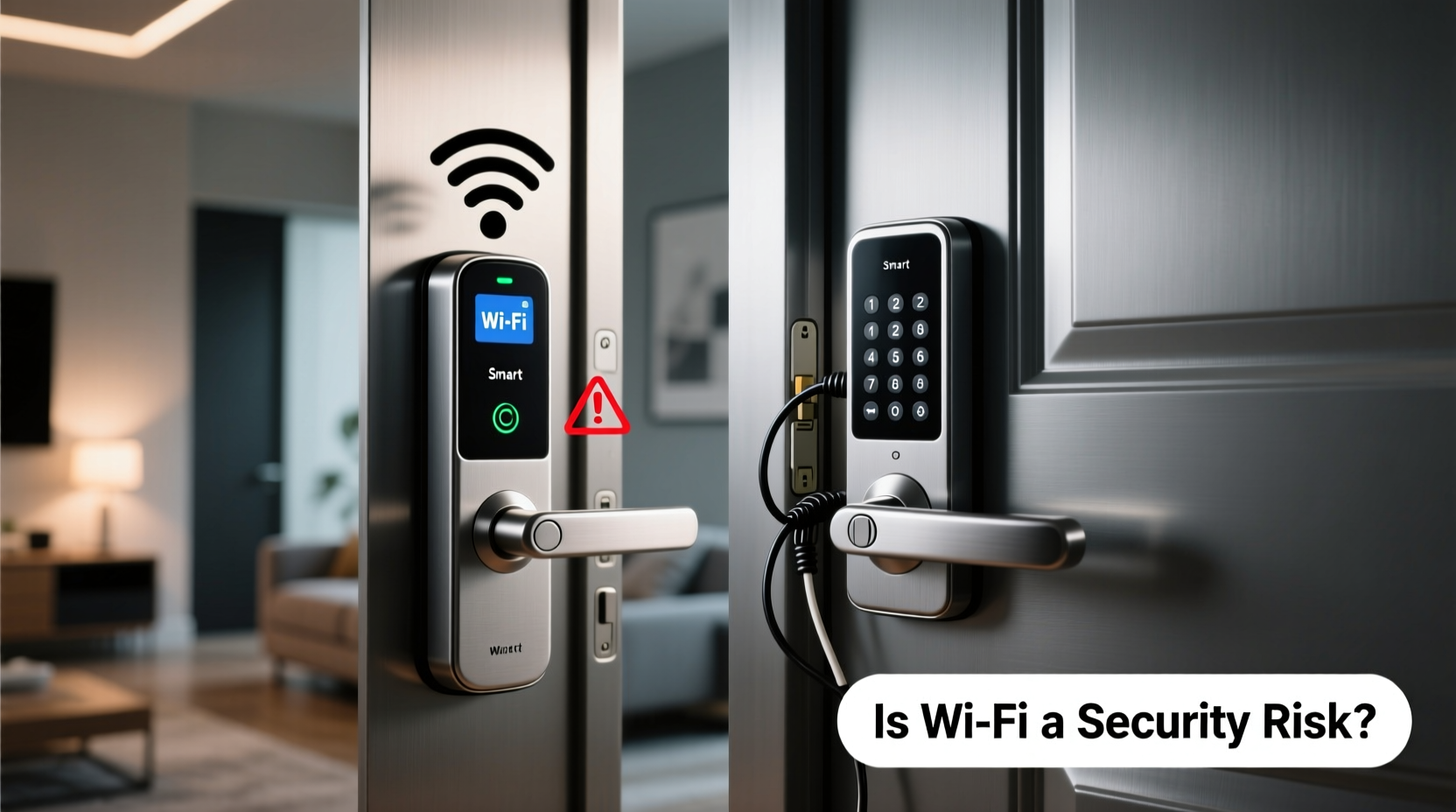
At first glance, both smart locks and keypad locks allow keyless entry using numeric codes. However, their underlying technology, capabilities, and threat models differ significantly.
- Keypad Locks (Non-WiFi): These operate standalone. You enter a code directly on the device, which verifies it locally. No internet connection is required. Examples include mechanical-digital hybrids or battery-powered units like the Kwikset 910.
- Smart Locks (Wi-Fi or Bluetooth-enabled): These connect to your home network via Wi-Fi, Bluetooth, or a hub (like Z-Wave/Zigbee). They allow remote locking/unlocking, activity logs, guest access scheduling, and integration with voice assistants like Alexa or Google Assistant.
The primary distinction lies in data flow. A basic keypad lock processes everything internally. A smart lock sends data over networks—creating opportunities for interception, spoofing, or unauthorized access if not properly secured.
Security Implications of Wi-Fi Connectivity
Wi-Fi enables powerful features—but every networked device expands your home’s digital footprint. Cybersecurity experts agree: any internet-connected device can be a potential entry point.
Common concerns with Wi-Fi smart locks include:
- Data Interception: Unencrypted communication between the lock and app could expose passcodes or user behavior.
- Firmware Vulnerabilities: Outdated firmware may contain known exploits that hackers can leverage.
- Remote Hacking: If credentials are weak or reused, attackers might gain control through phishing or brute-force attacks.
- Denial-of-Service (DoS): Flooding the lock’s server with traffic could temporarily disable remote functions.
“Adding Wi-Fi to physical security devices introduces complexity. The convenience is real, but so are the risks—especially when users neglect updates or use poor passwords.” — Dr. Lena Patel, Cybersecurity Researcher at MITRE Corporation
However, it's important to contextualize these threats. Most reported breaches involving smart locks stem from user error—not inherent flaws in the hardware. For example, using default PINs, failing to update software, or connecting to unsecured Wi-Fi networks dramatically increases exposure.
Comparative Analysis: Smart Lock vs Keypad Lock
| Feature | Smart Lock (Wi-Fi) | Keypad Lock (No Wi-Fi) |
|---|---|---|
| Remote Access | Yes – unlock/lock from anywhere via app | No – must be physically present |
| Temporary Access Codes | Yes – schedule guest access (e.g., cleaners, guests) | Limited – manual setup; no expiration tracking |
| Real-Time Alerts | Yes – get notified when door is locked/unlocked | No – silent operation |
| Network Dependency | Requires stable Wi-Fi or hub connection | None – fully autonomous |
| Power Source | Batteries (typically 6–12 months lifespan) | Batteries (similar lifespan) |
| Cybersecurity Risk Level | Moderate to High (if misconfigured) | Low – only physical tampering possible |
| Integration with Smart Home | Full support (Alexa, Apple Home, Google, IFTTT) | None |
| Cost Range | $150–$300+ | $80–$180 |
The table reveals a clear trade-off: smart locks deliver superior functionality at the cost of increased technical complexity and potential cyber exposure. Keypad-only models prioritize durability and simplicity, appealing to those who value minimalism and reduced attack surface.
Real-World Scenario: When Connectivity Backfires
In 2022, a homeowner in Austin, Texas, experienced a startling incident after installing a popular Wi-Fi smart lock. One evening, she received a notification that her front door had been unlocked remotely—while she was inside and no one else had access.
After contacting customer support, investigators discovered that her cloud account had been compromised due to a password reused from a previous data breach. Although the lock itself used AES-128 encryption, the weak login credential allowed an attacker to log into her mobile app and send an unlock command.
The manufacturer issued a patch and recommended mandatory 2FA moving forward. The homeowner reverted to a local keypad lock until she felt confident managing digital access securely.
This case illustrates a critical point: the weakest link in smart lock security is often not the lock—but the user’s digital habits.
Best Practices for Securing Wi-Fi Smart Locks
You don’t need to abandon smart technology to stay safe. With proper configuration, Wi-Fi smart locks can be both convenient and secure. Follow this checklist to minimize risks:
✅ Security Checklist: Protect Your Smart Lock
- Use a Unique, Strong Password: Never reuse passwords across accounts. Use a password manager to generate and store complex credentials.
- Enable Two-Factor Authentication (2FA): This adds a second verification step (e.g., SMS code, authenticator app) during login.
- Keep Firmware Updated: Manufacturers regularly release patches for known vulnerabilities. Enable automatic updates if available.
- Secure Your Wi-Fi Network: Use WPA3 encryption, change the default router password, and hide your SSID if possible.
- Limit Remote Access: Consider disabling remote unlocking and rely on Bluetooth when at home—this reduces exposure to external attacks.
- Audit User Access Monthly: Review active PINs and scheduled access. Remove unused or expired entries promptly.
- Monitor Activity Logs: Check the app regularly for unexpected unlock events or failed attempts.
Additionally, consider pairing your smart lock with a video doorbell. Seeing who is at the door when a remote unlock occurs adds a layer of situational awareness.
When a Keypad Lock Might Be the Safer Choice
Not every household needs—or benefits from—remote access. For certain users, a non-WiFi keypad lock offers peace of mind without digital overhead.
Situations where a standalone keypad lock is preferable:
- Rural or Low-Bandwidth Areas: Unreliable internet makes remote features impractical.
- Elderly or Tech-Averse Users: Simpler interfaces reduce confusion and prevent accidental lockouts.
- High-Security Environments: Homes storing valuables or sensitive materials may avoid networked devices entirely.
- Short-Term Rentals with Static Staff: If cleaning crews use the same codes monthly, dynamic access isn’t needed.
Moreover, some high-end keypad locks include anti-peep keypads (scrambled number layouts) and tamper alarms—features that rival smart models in physical security.
FAQ: Addressing Common Concerns
Can someone hack my smart lock from far away?
Yes, but only under specific conditions: weak passwords, outdated firmware, or unpatched vulnerabilities. Most reputable brands use end-to-end encryption and require authenticated access. The likelihood drops significantly with proper setup and maintenance.
Do smart locks stop working during a power outage?
No. Smart locks run on batteries, so they continue operating during electrical outages. However, if your Wi-Fi router goes down, remote features will be unavailable until connectivity resumes. Local access (via keypad or Bluetooth) usually remains functional.
Is Bluetooth safer than Wi-Fi for smart locks?
Generally, yes. Bluetooth has a shorter range (typically under 30 feet), which limits remote attack possibilities. Many experts recommend using Bluetooth-only mode when at home and reserving Wi-Fi for true remote needs.
Final Verdict: Balancing Risk and Convenience
The question isn't whether Wi-Fi smart locks are inherently risky—it's whether the benefits outweigh the responsibilities. For tech-savvy users who manage their digital hygiene well, smart locks provide unmatched convenience and enhanced monitoring.
But for those prioritizing simplicity, minimizing digital dependencies, or living in areas with unstable connectivity, a quality keypad lock without Wi-Fi remains a secure and reliable option.
Ultimately, security is not just about the device—it’s about how it’s used. A poorly configured smart lock is less secure than a well-maintained keypad model. Conversely, a properly managed smart system can offer greater visibility and control than any analog alternative.




 浙公网安备
33010002000092号
浙公网安备
33010002000092号 浙B2-20120091-4
Comments
No comments yet. Why don't you start the discussion?