
As the holiday season approaches, homes across neighborhoods begin to sparkle with festive cheer. Christmas lights are a beloved tradition, transforming houses into glowing winter wonderlands. But keeping up with turning them on and off every night can be tedious — or worse, forgotten entirely. Enter the smart plug: a small device promising convenience, energy efficiency, and precise control over your decorations. But are they actually worth it for automating Christmas lights?
The short answer is yes — especially if you value consistency, safety, and ease of use. However, the full picture involves understanding how smart plugs work, what they cost, and how they compare to traditional timers or manual routines. This guide explores everything from setup and energy use to real-life scenarios where automation makes a meaningful difference.
How Smart Plugs Work With Christmas Lights
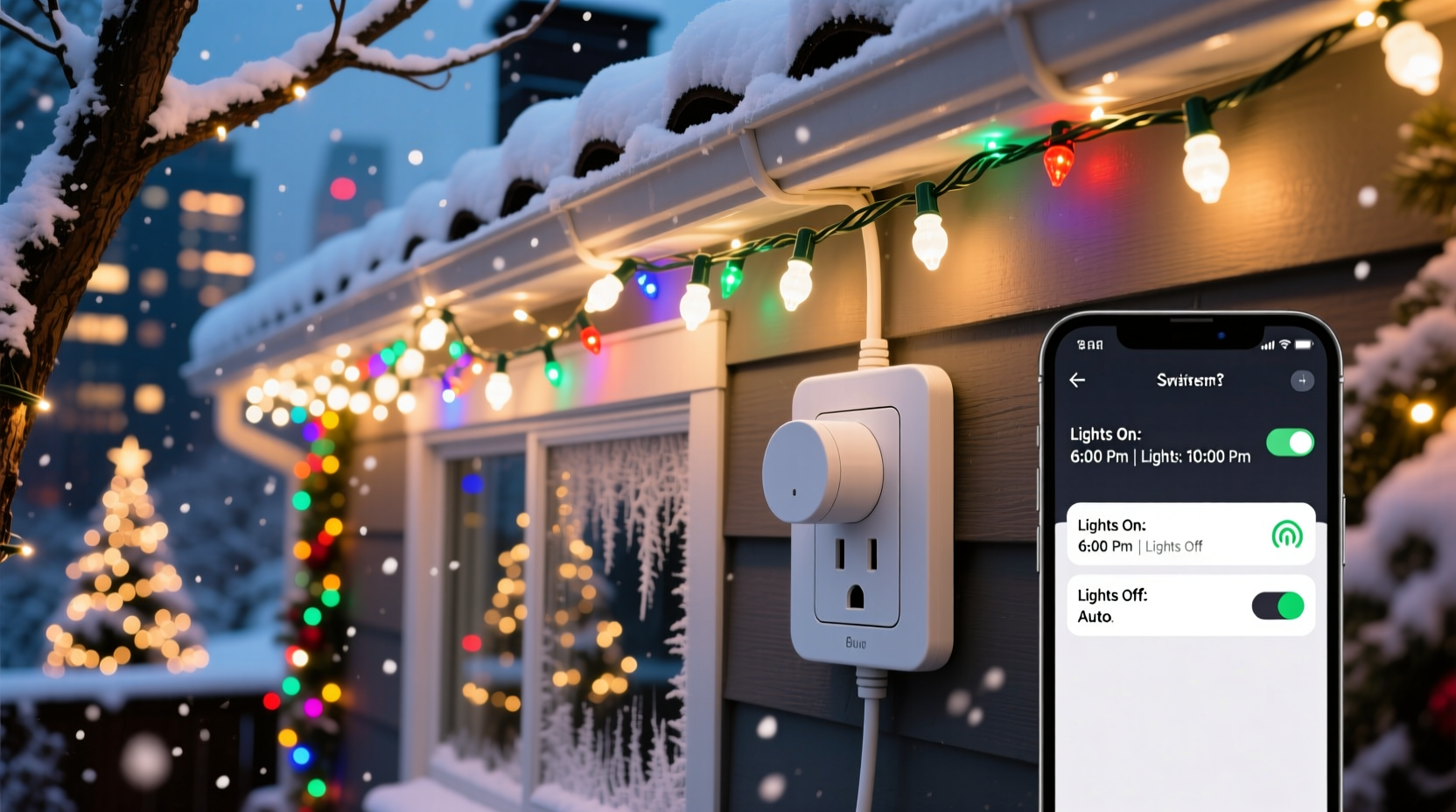
A smart plug is a Wi-Fi-enabled adapter that fits between an electrical outlet and any standard plug-in device — in this case, your string of Christmas lights. Once connected, it allows remote control via a smartphone app, voice assistants like Alexa or Google Assistant, or automated schedules.
When used with Christmas lights, a smart plug enables you to:
- Turn lights on and off at specific times without lifting a finger
- Control lights remotely while traveling
- Create dynamic lighting effects (e.g., “sunset” mode)
- Monitor energy usage (on select models)
- Integrate with home automation systems for synchronized holiday scenes
Unlike mechanical timers, which rely on dials and can drift over time, smart plugs use internet-based clocks for accurate timing. They also allow adjustments on the fly — no need to step outside in the cold to reset a schedule.
Benefits of Automating Holiday Lights
Automating Christmas lights isn’t just about convenience; it delivers tangible benefits that many homeowners overlook until after installation.
Consistent Lighting Schedule
There’s nothing less festive than seeing half-lit houses because someone forgot to turn on the display. A smart plug ensures your lights come on every evening at sunset — or a custom time — and shut off when needed, maintaining a polished appearance.
Energy Efficiency
Overnight lighting may look magical, but it wastes electricity and contributes to light pollution. By setting a strict end time — say, 11 PM — you reduce power consumption significantly. One study by the U.S. Department of Energy found that decorative lighting accounts for up to 6% of residential electricity use during December. Automation helps keep that number in check.
Safety and Peace of Mind
Leaving lights on all night increases fire risk, especially with older incandescent bulbs or frayed wires. While modern LED strings are safer, unplanned outages or overheating can still occur. A scheduled shutdown reduces exposure time and minimizes hazards.
“Smart plugs add a layer of safety by eliminating human error. You don’t have to worry about forgetting to turn off the lights before bed or during travel.” — Daniel Reeves, Electrical Safety Consultant
Remote Access and Vacation Mode
If you’re away for the holidays, you can still maintain the illusion of occupancy by running lights on a normal schedule. Some apps even let you randomize on/off times to mimic activity inside the home, enhancing security.
Step-by-Step Guide to Setting Up Your Smart Plug for Christmas Lights
Setting up a smart plug takes under 20 minutes and requires minimal technical knowledge. Follow this sequence for seamless integration:
- Choose a compatible smart plug: Ensure it supports outdoor use if applicable, has a mobile app, and works with your Wi-Fi network (2.4 GHz required for most).
- Install the manufacturer’s app: Download the app (e.g., Kasa, TP-Link, Wemo) and create an account.
- Plug in the device: Insert the smart plug into the outlet and connect your Christmas lights to it.
- Connect to Wi-Fi: Open the app, follow setup prompts, and connect the plug to your home network.
- Test manually: Use the app to turn the plug on and off once to confirm functionality.
- Set a schedule: Go to the scheduling feature and define daily on/off times. For example: On at 5:00 PM, Off at 11:00 PM.
- Enable geofencing or sunrise/sunset mode (optional): Advanced settings can sync lighting with local dusk and dawn times, adjusting automatically throughout the season.
- Group devices (if multiple strands): If using several plugs, group them under one scene (e.g., “Holiday Lights”) for unified control.
Cost vs. Value: Are Smart Plugs Worth the Investment?
Most smart plugs range from $15 to $30 per unit. At first glance, that might seem steep for something that simply turns lights on and off. But when evaluated over time and across use cases, the return becomes clear.
| Factor | Manual Operation | Mechanical Timer | Smart Plug |
|---|---|---|---|
| Initial Cost | $0 | $8–$15 | $15–$30 |
| Precision & Flexibility | Poor (relies on memory) | Fair (fixed dial, no remote) | Excellent (remote, app-based) |
| Energy Control | Low | Medium | High (with monitoring features) |
| Reusability Beyond Holidays | N/A | Limited | High (use year-round for lamps, fans, etc.) |
| Integration with Smart Home | No | No | Yes (voice control, automation) |
While a basic timer costs less upfront, its limitations become apparent quickly. Dials must be reset after power outages, lack precision, and offer no remote access. In contrast, smart plugs retain settings, update automatically, and grow more valuable as part of a broader smart home ecosystem.
Moreover, many users repurpose their smart plugs after the holidays — controlling coffee makers, space heaters, or porch lamps. That reusability spreads the cost across multiple seasons and applications, improving long-term value.
Real Example: The Johnson Family’s Holiday Upgrade
The Johnsons live in suburban Chicago and have decorated their home for Christmas for over a decade. Their display includes roofline lights, tree illumination, and driveway figures — totaling nearly 1,200 bulbs. For years, they relied on two mechanical timers and manual switches.
Last November, they experienced a minor scare when a neighbor noticed their lights were still on at 3 AM during a snowstorm. Concerned about safety and energy waste, they invested in three outdoor-rated smart plugs.
After setup, they created a schedule tied to sunset and sunrise times, adjusted automatically via GPS. They also enabled voice control so their kids could say, “Alexa, turn on the Christmas lights,” adding fun to the routine.
Within two weeks, they estimated a 30% reduction in nightly runtime compared to previous years. Over the course of December, that translated to roughly 45 kWh saved — about $6 in electricity, plus peace of mind knowing the system turned off reliably.
“It paid for itself in convenience alone,” said Mark Johnson. “We used to argue about who forgot to turn them off. Now it just happens.”
Common Mistakes to Avoid
Even simple technology can go wrong if misused. Here are frequent pitfalls when using smart plugs for holiday lighting:
- Using indoor-only plugs outdoors: Exposure to moisture can damage non-rated units. Always verify IP rating or weather resistance.
- Overloading the circuit: Check the plug’s maximum load (usually 15A or 1800W). Connecting too many strands can trip breakers or cause overheating.
- Ignoring Wi-Fi strength: Weak signal leads to unresponsive controls. Test connectivity near the outlet before finalizing placement.
- Forgetting firmware updates: Manufacturers release patches for security and performance. Enable auto-updates in the app.
- Not labeling devices: If managing multiple plugs, unlabeled ones lead to confusion (“Did I turn off the front yard?”).
Checklist: Preparing Your Smart Plug for Christmas Lights
Before hanging your lights, run through this checklist to ensure smooth operation:
- ✅ Confirm your smart plug is rated for outdoor use (if needed)
- ✅ Test the plug indoors first to verify app connection
- ✅ Measure total wattage of connected lights to stay under plug limits
- ✅ Set up the schedule at least one week before decorating
- ✅ Group multiple plugs under a single scene (e.g., “Holiday Display”)
- ✅ Enable notifications for power loss or disconnection
- ✅ Share access with family members who help manage the display
- ✅ Plan storage: Keep plugs labeled and stored safely for reuse next year
FAQ
Can I use a smart plug with LED Christmas lights?
Yes, absolutely. Most LED Christmas lights are low-wattage and fully compatible with smart plugs. In fact, LEDs are ideal due to their energy efficiency and cooler operation.
Do smart plugs work during a power outage?
After a power outage, most smart plugs will restore their last state once power returns — either on or off, depending on settings. Some models allow you to specify default behavior (e.g., always turn off). However, they won’t function *during* an outage unless backed by a UPS.
Can I schedule different times for weekends and weekdays?
Yes. Many smart plug apps support multiple schedules. You can set lights to turn on earlier on weekends (e.g., 4:30 PM Friday–Sunday) and later on weekdays (6:00 PM), matching typical viewing patterns.
Conclusion: A Small Investment for Lasting Convenience
Automating Christmas lights with a smart plug is more than a tech gimmick — it’s a practical upgrade that enhances safety, saves energy, and simplifies seasonal traditions. The initial cost fades when weighed against long-term usability, especially since these devices serve well beyond December.
Whether you're managing a modest window display or a full-yard spectacle, a smart plug brings reliability and control that manual methods simply can’t match. Setup is quick, learning curves are gentle, and the satisfaction of a perfectly timed, hassle-free display is undeniable.




 浙公网安备
33010002000092号
浙公网安备
33010002000092号 浙B2-20120091-4
Comments
No comments yet. Why don't you start the discussion?