
A sleek, modern entertainment center can instantly elevate the style of any living room. But no matter how stylish your TV stand or how perfectly calibrated your display, a tangle of visible cords can ruin the entire aesthetic. Exposed power cables, HDMI lines, audio connectors, and streaming device wires not only look messy—they can also pose tripping hazards and collect dust. The good news is that with thoughtful planning and the right tools, you can achieve a clean, minimalist setup that hides every cord effectively. Whether you're setting up a new entertainment system or reorganizing an existing one, these proven methods will help you eliminate visual clutter and maintain a polished, professional appearance.
Why Hiding TV Cords Matters Beyond Aesthetics
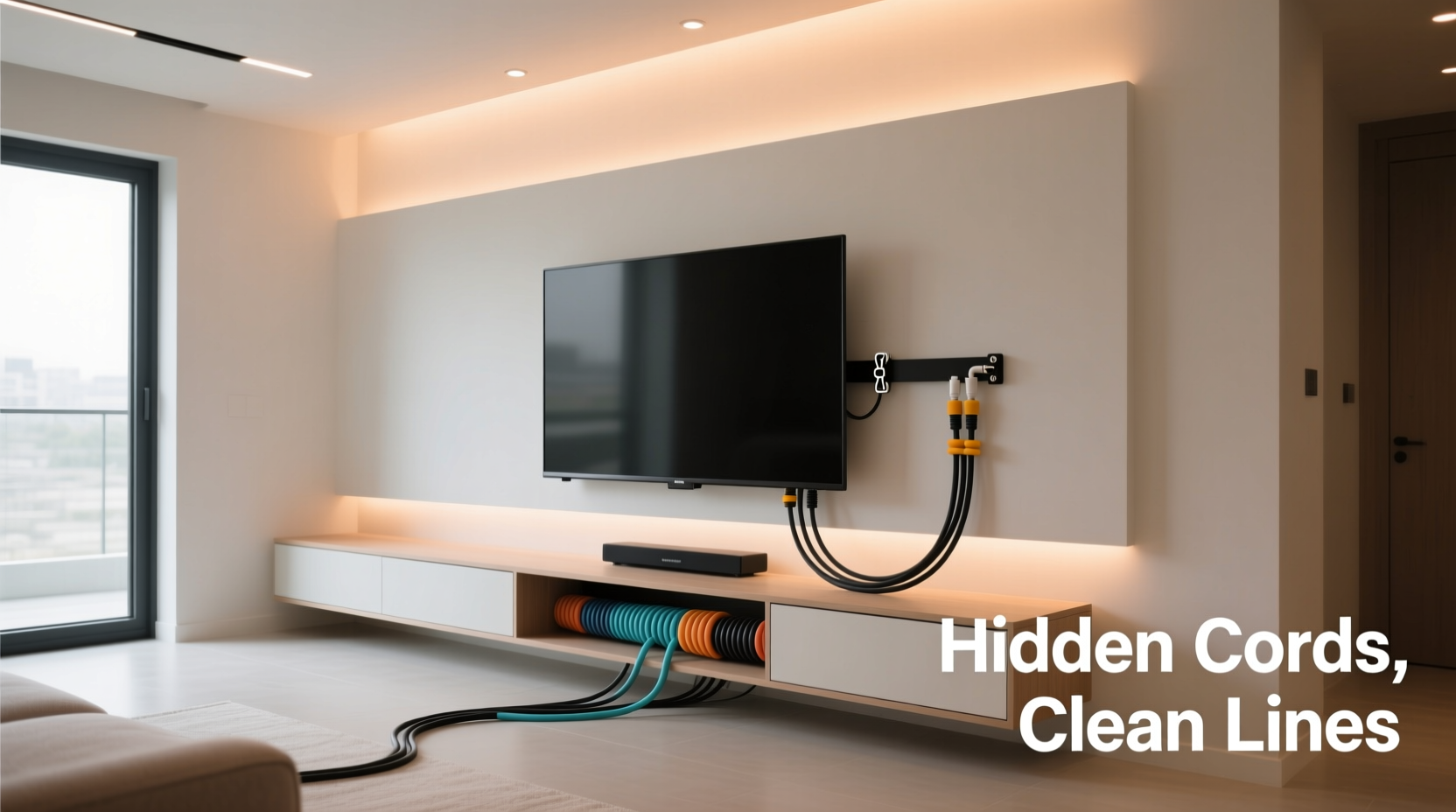
While the primary motivation for hiding cords is often visual appeal, the benefits go deeper than just looks. Tangled cables behind your TV can make troubleshooting difficult when a device isn’t working. If every wire runs loosely across the floor or dangles behind furniture, identifying which cable connects to which device becomes a frustrating game of trial and error. Hidden and organized cords simplify maintenance and upgrades. Additionally, concealed wiring reduces the risk of accidental damage—pets chewing on cords, children pulling them loose, or vacuum cleaners snagging them during cleaning. From safety to functionality, managing your cables properly enhances both the usability and longevity of your home entertainment system.
“Clean cable management isn't just about design—it's a critical part of a functional, future-ready home entertainment setup.” — Jordan Lin, Home Theater Systems Designer
Step-by-Step Guide to Organizing and Hiding Your TV Cords
Successfully hiding cords requires more than just stuffing them behind furniture. A systematic approach ensures durability, accessibility, and a truly seamless result. Follow this six-step process to transform a chaotic back panel into a tidy, professional installation.
- Unplug and identify all devices: Turn off and unplug your TV, soundbar, gaming console, streaming box, and any other connected equipment. Label each cable using masking tape or reusable tags so you know what goes where later.
- Measure available space: Check the gap between your wall and TV stand, the depth of your media console, and whether there’s access to the wall cavity behind it. This determines which hiding method will work best.
- Group cables by function: Bundle power cords together, HDMI cables together, and audio/USB lines separately. This makes routing easier and prevents signal interference.
- Choose your concealment method: Based on your space and budget, select one or more techniques from the list below.
- Install cable management tools: Attach raceways, wrap cords in sleeves, or drill through furniture as needed. Always leave some slack for future adjustments.
- Reconnect and test: Plug everything back in, verify all devices work correctly, then close up any covers or panels.
Top 5 Methods to Hide Cords Behind Your TV Stand
Different setups call for different solutions. Below are five reliable, widely used methods ranked by effectiveness, ease of installation, and cost.
1. Cable Raceways (Surface-Mounted Channels)
Cable raceways are hollow plastic or metal channels that mount directly to the wall or the back of your TV stand. You feed all your cords inside and snap on a cover for a flush, invisible finish. They come in various lengths and colors, including white, black, and wood finishes that blend with most decor. Ideal for renters or those who don’t want to modify walls, raceways offer a semi-permanent solution that’s easy to open for adjustments.
2. Braided Cable Sleeves
These flexible, fabric-covered tubes bundle multiple cords into a single, neat strand. Simply thread your power, HDMI, and auxiliary cables through the sleeve and secure them at both ends with Velcro straps. While they don’t fully hide cables from view, they dramatically reduce clutter and create a streamlined appearance. Best used in conjunction with other methods like adhesive clips to route the bundled sleeve along the back of the stand.
3. In-Furniture Cable Management Kits
Many modern TV stands come with built-in cable management features such as grommet holes, internal channels, or rear compartments. If yours doesn’t, consider installing an aftermarket kit. These typically include metal or plastic conduits, mounting brackets, and adhesive-backed channels that fit discreetly inside or behind cabinets. Some kits even integrate wireless charging trays or USB hubs, reducing the number of cords altogether.
4. Wall Cord Covers with Adhesive Clips
For cords that must travel from the TV stand to outlets or wall-mounted components, adhesive-backed clips and low-profile cord covers are ideal. Attach clips every 12–18 inches along the baseboard or back of the stand to guide cords vertically or horizontally. Then, use paintable PVC cord covers to encase exposed runs. These are especially useful when your outlet is located several feet away from the entertainment center.
5. In-Wall Cable Routing (Permanent Solution)
For the cleanest possible look, run cables directly through the wall behind your TV stand. This involves cutting small access holes, feeding cables down to a lower outlet or surge protector, and covering the opening with a recessed outlet box or trim plate. This method requires basic drywall skills and knowledge of electrical safety, but the result is nearly invisible wiring. Note: Never run standard power cables inside walls unless they are rated for in-wall use (e.g., CL2 or CL3). For data cables like HDMI, consider using in-wall-rated versions or fiber-optic alternatives.
Comparison Table: Cord Hiding Methods at a Glance
| Method | Visibility | Installation Difficulty | Cost | Best For |
|---|---|---|---|---|
| Cable Raceways | Low (covered) | Easy | $–$$ | Renters, quick fixes |
| Braided Cable Sleeves | Medium (visible bundle) | Very Easy | $ | Minimalists, light cord loads |
| In-Furniture Kits | Low to None | Moderate | $$ | Custom setups, high-end furniture |
| Adhesive Clips + Covers | Medium (low profile) | Easy | $–$$ | Floor-to-wall routing |
| In-Wall Routing | None (fully hidden) | Difficult | $$$ | Permanent installations, whole-home AV |
Real-World Example: Transforming a Cluttered Living Room Setup
Consider Sarah, a homeowner in Portland who recently upgraded her 75-inch smart TV but was frustrated by the spiderweb of cords behind her wooden TV stand. Her setup included a soundbar, Apple TV, gaming console, and subwoofer—all requiring separate power and HDMI connections. Initially, she tried tucking cords behind the cabinet doors, but they kept spilling out whenever she opened them. After researching solutions, she implemented a hybrid approach: she installed a white cable raceway along the back of the stand, routed all HDMI and power cables through it, and used braided sleeves to group similar wires. She then mounted adhesive clips along the baseboard to guide the main power strip cord to an outlet behind the sofa. The total cost was under $50, and the project took less than two hours. The result? A magazine-worthy entertainment center that guests consistently compliment.
Checklist: Preparing for a Cord-Free TV Area
- ✅ Unplug all devices and label each cable
- ✅ Measure distance from TV stand to nearest outlets
- ✅ Determine whether wall modifications are allowed (especially in rentals)
- ✅ Purchase necessary tools: cable ties, raceway, sleeves, clips, drill (if needed)
- ✅ Choose a central power solution (e.g., slim surge protector or power strip with right-angle plugs)
- ✅ Plan cable routes before securing anything permanently
- ✅ Test all connections after installation
Common Mistakes to Avoid When Hiding TV Cords
Even well-intentioned efforts can backfire if proper care isn’t taken. Here are frequent errors and how to prevent them:
- Pulling cables too tight: Over-tensioning can damage internal wiring and make future upgrades difficult. Always leave 6–12 inches of slack near connection points.
- Blocking ventilation: Bundling too many power adapters in enclosed spaces can cause overheating. Ensure devices have airflow, especially AV receivers or gaming consoles.
- Ignoring cable length: Using cables that are too short forces awkward routing. Invest in longer HDMI or power cables if needed.
- Using non-in-wall-rated cables inside walls: Standard HDMI or power cords aren’t fire-safe for in-wall use. Always check for CL2/CL3 ratings.
- Forgetting future access: Sealing everything permanently may look clean now but complicates repairs. Use removable covers or accessible junction boxes.
FAQ: Frequently Asked Questions About Hiding TV Cords
Can I hide cords without drilling holes or damaging walls?
Yes. Adhesive cable clips, raceways, and braided sleeves require no drilling and are perfect for rentals or temporary setups. Many are paintable or come in neutral colors to blend with your decor.
What’s the safest way to run HDMI cables through a wall?
Use in-wall-rated (CL2 or CL3) HDMI cables designed for fire safety and signal integrity. Drill through the baseplate behind the TV stand and feed the cable down to a lower outlet or media compartment. Seal gaps with non-conductive foam if desired.
How do I manage cords if my TV stand has no back panel?
Open-back stands present a challenge, but solutions exist. Use a decorative fabric panel attached to the back, install a surface-mounted raceway, or place a narrow shelf behind the stand to conceal cords while allowing airflow.
Conclusion: Achieve a Sleek, Professional Look with Smart Cable Management
A clean, cord-free TV area isn’t reserved for luxury homes or professional installers. With affordable tools, a bit of planning, and attention to detail, anyone can achieve a polished, clutter-free entertainment setup. The key is choosing the right method for your space and sticking to a logical process—from labeling cables to testing connections. Whether you opt for simple sleeves or go all-in with in-wall routing, the effort pays off in both aesthetics and daily convenience. Take the time this weekend to tackle that tangled mess behind your TV stand. Your living room—and your peace of mind—will thank you.




 浙公网安备
33010002000092号
浙公网安备
33010002000092号 浙B2-20120091-4
Comments
No comments yet. Why don't you start the discussion?