
A sleek, modern entertainment center should enhance your living space—not become a tangled eyesore. Yet, behind most flat-screen TVs lies a chaotic web of power cables, HDMI wires, streaming device cords, and audio connectors. Exposed cords not only disrupt visual harmony but can also pose tripping hazards and collect dust. The good news is that with thoughtful planning and the right tools, you can conceal these cords effectively and maintain a minimalist aesthetic. This guide explores proven, practical methods to organize and hide cords behind your TV setup, turning cable chaos into seamless sophistication.
Assess Your Cord Situation First
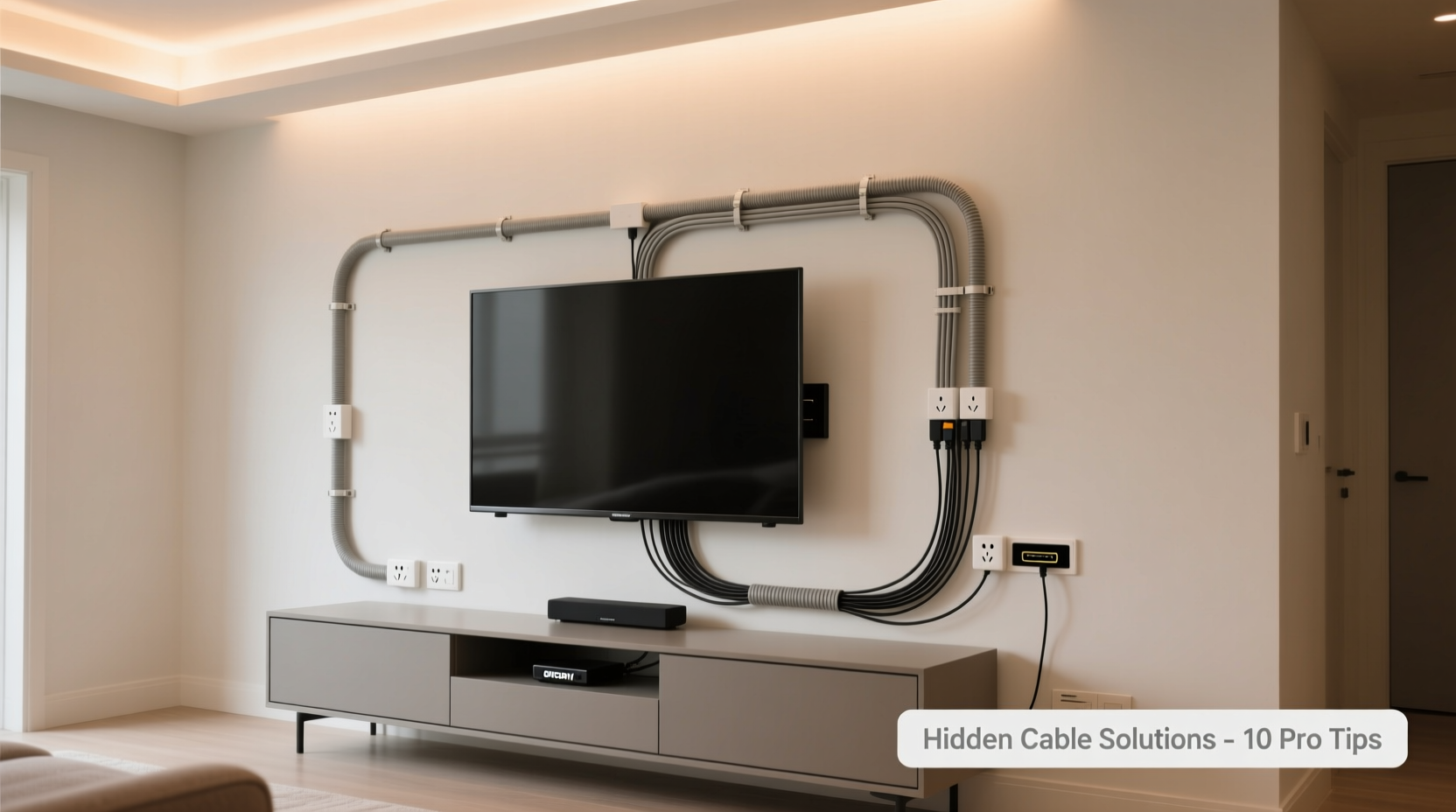
Before diving into solutions, take inventory of what you're working with. Most TV setups include:
- Power cord (for TV)
- HDMI cables (from soundbar, game console, streaming box)
- Ethernet or coaxial cable (for internet or cable service)
- Audio cables (optical, RCA, or AUX)
- USB or charging cables (for streaming sticks or accessories)
Measure the length of each cord and note where devices are placed—on a shelf below, mounted beside the TV, or inside a cabinet. This helps determine whether cords can be shortened, rerouted, or bundled efficiently. Also, consider future upgrades. Will you add a new sound system or gaming console? Planning ahead prevents having to redo your entire cable management later.
Cable Raceways: The Classic Solution
Cable raceways are hollow channels designed to enclose multiple cords along walls or furniture edges. They come in various lengths, colors (white, black, wood-grain), and materials (plastic or aluminum). These are ideal for wall-mounted TVs where cords run vertically from the TV to an outlet or media console below.
To install:
- Mark the path from your TV down to the power source or entertainment unit.
- Use double-sided tape or screws to attach the raceway base to the wall.
- Lay all cords inside the channel.
- Snap the cover shut for a seamless finish.
Raceways are low-cost, easy to install, and paintable in some models. However, they’re visible, so choose a color that blends with your wall. For a more refined look, opt for metallic or fabric-wrapped raceways that resemble decorative molding.
When Raceways Work Best
| Situation | Recommended Raceway Type | Why It Works |
|---|---|---|
| Wall-mounted TV over drywall | Plastic snap-on raceway | Easy installation, affordable, paintable |
| TV above fireplace or tile | Flexible silicone raceway | Bends around corners, adheres to uneven surfaces |
| High-end home theater | Metal raceway with brushed finish | Durable, modern look, matches AV equipment |
In-Wall Cable Management Systems
For a truly invisible solution, in-wall cable routing offers the cleanest result. This involves running cords through the wall cavity from the TV location down to an outlet or media compartment. It requires more effort—and possibly an electrician—but delivers a flawless, built-in appearance.
Key considerations:
- Fire safety: Never run standard power cords inside walls. Use UL-rated in-wall rated power extension kits designed for this purpose.
- Access points: Install a recessed outlet box behind the TV or use a low-voltage bracket to feed HDMI and data cables through the wall safely.
- Future access: Leave slack in cables and label them at both ends. Seal wall openings with fire-rated caulk to meet building codes.
Professional installer Mark Reynolds explains:
“Running cables inside the wall isn’t just about looks—it’s about creating a permanent, scalable system. I always recommend using conduit for HDMI lines so clients can upgrade without tearing open the wall again.” — Mark Reynolds, AV Installation Specialist
If you're not ready for permanent modifications, consider surface-mount raceways that mimic in-wall results. These low-profile tracks follow baseboards or crown molding and remain removable.
Bundling and Securing Cords
Even if cords stay exposed, neat bundling makes a dramatic difference. Avoid twisting wires together haphazardly. Instead, group cords by function: power, video, audio, and network. Then secure them with appropriate fasteners.
Best Tools for Bundling
- Velcro straps: Reusable, adjustable, and gentle on insulation. Ideal for frequently changed setups.
- Cable sleeves (braided or spiral wrap): Cover multiple cords in a single flexible tube. Available in black, white, or gray.
- Zip ties: Permanent and tight, but use carefully—over-tightening can damage cables.
- Clip-style organizers: Mount under shelves or desks to route cords downward cleanly.
Start at the TV end and work toward outlets. Keep bundles snug but not compressed. Trim excess zip tie ends flush to avoid sharp edges. For a polished touch, align all cable ties in the same direction.
Smart Furniture and Hidden Compartments
The right furniture can do half the work for you. Media consoles with built-in cable management features—such as grommet holes, rear cutouts, and internal compartments—help keep cords out of sight. Look for units with:
- Back-panel wire passthroughs
- Internal dividers for device separation
- Closed cabinets with ventilation
Place streaming boxes, routers, and power strips inside closed storage. Use wireless HDMI transmitters to eliminate physical cables between devices and TV when possible. If your TV is mounted, consider installing a floating media shelf with concealed wiring channels or a recessed niche in the wall.
For renters or those avoiding renovations, modular cord covers that attach to furniture edges offer a non-permanent fix. These snap-on panels hide cords running from TV stands to walls and blend with existing decor.
Mini Case Study: The Minimalist Living Room Makeover
Jamie, a graphic designer in Portland, struggled with a messy entertainment center in her open-concept apartment. Her 65-inch TV sat on a stand cluttered with a soundbar, Apple TV, Roku, router, and three power strips. Wires spilled over the back and across the floor.
She applied the following steps:
- Removed redundant devices (consolidated two streaming sticks into one).
- Mounted the TV on the wall using a full-motion bracket.
- Installed a slim media console below with rear cable grommets.
- Used a 4-port HDMI switch inside the cabinet to reduce cable count.
- Grouped all cords with black braided sleeves and secured them with Velcro.
- Added a paint-matched plastic raceway from the TV to the ceiling corner, routing it to a nearby outlet.
The result? A gallery-like display where the TV appears to float, with zero visible cords. Jamie reported feeling more relaxed in her space and receiving frequent compliments from guests.
Step-by-Step Guide to a Tidy TV Setup
Follow this sequence for best results:
- Unplug everything. Safety first. Power down and disconnect all devices.
- Declutter. Remove unused devices and outdated cables. Test each cord—replace frayed or damaged ones.
- Plan the layout. Decide where each device will live: behind the TV, on a shelf, or in a cabinet.
- Route cords strategically. Choose the shortest, most concealed path from TV to outlets and devices.
- Bunch and bind. Group similar cables and secure them every 6–8 inches.
- Install concealment tools. Add raceways, sleeves, or in-wall systems as needed.
- Label and test. Turn everything back on and verify all connections work.
- Final check. Step back and view from seating position. Adjust any visible snags.
Do’s and Don’ts of Cord Hiding
| Do | Don't |
|---|---|
| Leave slack in cords for flexibility | Stretch cords tightly—this damages internal wires |
| Use in-wall rated kits for concealed power | Run regular extension cords inside walls |
| Label every cable | Assume you’ll remember which cord goes where |
| Ensure proper ventilation for enclosed devices | Stack heat-generating devices in closed cabinets without airflow |
| Choose neutral-colored organizers | Use bright-colored zip ties that draw attention |
Frequently Asked Questions
Can I hide cords without mounting the TV?
Absolutely. Use a media console with built-in cable management, such as rear cutouts and internal storage. Run cords through the back, bundle them with sleeves, and use a floor-to-wall raceway or cord cover along the baseboard to direct them to outlets.
How do I manage cords if my outlet is far from the TV?
Use a slim, low-profile power strip placed near the TV (mounted behind it or under a shelf) and connect it via a single, well-hidden extension cord to the distant outlet. Conceal the extension cord using a raceway or baseboard cover. Ensure the extension cord is heavy-duty and rated for continuous use.
Are wireless solutions reliable for hiding cords?
Yes, for certain applications. Wireless HDMI kits can transmit video and audio signals without cables, ideal for connecting a Blu-ray player or game console located elsewhere. However, they may introduce slight latency and require power at both ends. They’re best used as supplements, not replacements, for a fully wired setup.
Checklist: Achieve a Cord-Free-Look TV Setup
- ✅ Unplug and assess all cords and devices
- ✅ Remove obsolete electronics and damaged cables
- ✅ Choose a cable management method (raceway, in-wall, sleeves)
- ✅ Group cords by type and secure with Velcro or sleeves
- ✅ Install raceway or in-wall system if desired
- ✅ Route power and data cables through furniture or walls
- ✅ Place power strip or surge protector in a hidden but accessible spot
- ✅ Label all cables for easy identification
- ✅ Plug in and test all devices
- ✅ Step back and evaluate visibility from main viewing angles
Final Thoughts: A Clean Setup Elevates Your Space
A well-organized TV area does more than look good—it reflects intentionality and attention to detail. By investing a few hours in smart cord management, you transform a functional necessity into a design asset. Whether you choose simple bundling, elegant raceways, or professional in-wall installations, the goal remains the same: to let your entertainment shine without distraction.




 浙公网安备
33010002000092号
浙公网安备
33010002000092号 浙B2-20120091-4
Comments
No comments yet. Why don't you start the discussion?