
In a world where touchscreens dominate, two phones from 2017 stood at opposite ends of the spectrum: the BlackBerry KEYone with its tactile QWERTY keyboard and the Samsung Galaxy Note 8, a flagship powerhouse built around the S Pen. One champions productivity through physical input; the other delivers versatility via stylus-driven multitasking. But for users torn between nostalgia and innovation, the real question remains—was the KEYone’s keyboard compelling enough to justify walking away from the Note 8’s advanced features?
The Philosophy Behind the Design
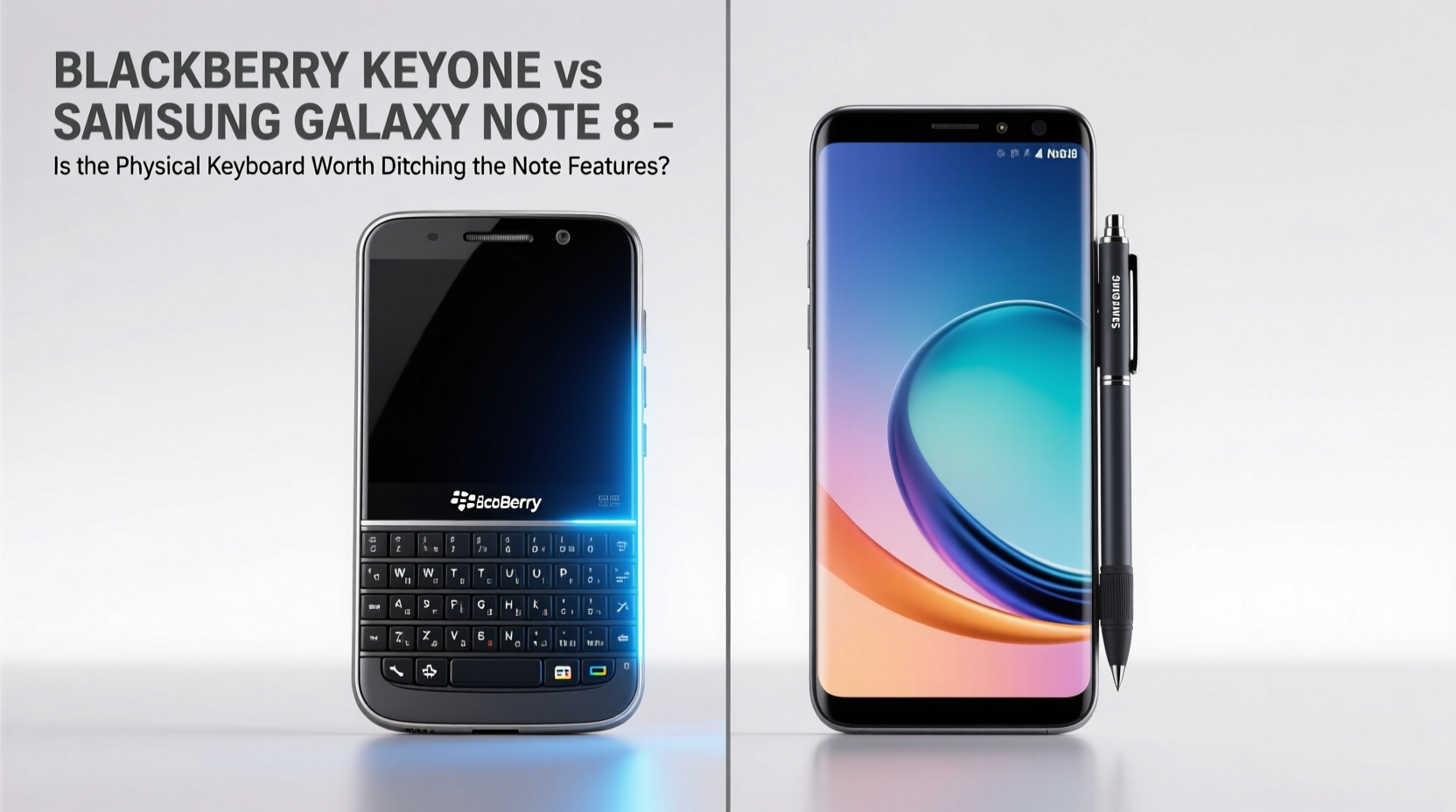
The BlackBerry KEYone wasn’t just another Android phone—it was a statement. Manufactured under TCL with software oversight from BlackBerry Limited, it catered to professionals who valued typing accuracy, security, and a sense of control. Its full physical keyboard doubled as a touchpad, allowing swipe navigation across the screen. Each key had a micro-textured surface designed to reduce slippage, and the spacebar housed a fingerprint sensor. The entire build exuded durability, with an aluminum frame and Corning Gorilla Glass.
In contrast, the Galaxy Note 8 represented Samsung’s peak in phablet engineering. With a 6.3-inch Quad HD+ Super AMOLED display, dual rear cameras, and the refined S Pen, it targeted creatives, executives, and power users who needed precision input and multimedia excellence. The Note series had long been synonymous with productivity—but on a digital canvas.
“Physical keyboards offer muscle memory advantages that can’t be replicated by predictive text alone.” — David Liu, Tech Analyst at MobileInsight Group
Typing Experience: Tactile Feedback vs Touchscreen Speed
For heavy email users, journalists, or anyone who writes extensively on their phone, the KEYone’s keyboard is transformative. The keys provide audible click feedback and require minimal finger travel, reducing typos during fast typing. Unlike virtual keyboards, there's no need to look down—the layout is familiar, and haptics confirm each press. Over time, users report increased typing speed and reduced fatigue.
The Galaxy Note 8 relies entirely on Samsung’s excellent keyboard app, which includes gesture typing, split layouts, and AI-powered predictions. While highly accurate, it still demands visual attention and lacks the sensory confirmation of mechanical input. However, it adapts better to landscape mode, one-handed use, and accessibility settings.
Feature Comparison: Hardware and Software Showdown
| Feature | BlackBerry KEYone | Galaxy Note 8 |
|---|---|---|
| Display | 4.5\" IPS LCD, 1620×1080 | 6.3\" Quad HD+ AMOLED |
| Keyboard | Physical QWERTY with touchpad function | On-screen only |
| S Pen Support | No | Yes – pressure sensitive, hover actions |
| Camera (Rear) | 12MP f/2.0 (single) | Dual 12MP (f/1.7 + f/2.4), OIS |
| Battery | 3505 mAh | 3300 mAh |
| Security | Monthly patches, DTEK app, locked bootloader | Knox platform, biometrics, regular updates |
| Water Resistance | No official rating | IP68 certified |
The Note 8 clearly wins on paper—larger screen, superior camera system, water resistance, and expandable storage. But the KEYone counters with longer update support at launch (two years of OS upgrades promised), stronger privacy controls, and a battery that lasted up to two days under moderate use thanks to lower screen demands.
A Day in the Life: Real-World Use Case
Consider Sarah, a corporate communications manager. Her mornings begin with drafting press releases, responding to client emails, and preparing briefing documents—all done primarily via text. She uses her phone heavily between meetings. After testing both devices, she found the KEYone allowed her to reply to complex emails without switching to a laptop. The ability to rest her thumbs on home-row keys made touch-typing seamless, even while walking.
However, when she needed to annotate PDFs, sketch ideas during brainstorming, or jot down handwritten meeting notes, the Note 8’s S Pen gave her unmatched flexibility. Features like Screen Off Memo and Live Message let her capture thoughts instantly, while the split-screen mode worked flawlessly with Microsoft Office apps.
Sarah ultimately chose the Note 8—not because it typed better, but because its versatility supported a broader range of tasks. For her, losing the physical keyboard was a trade-off she could accept given the gains in creative utility and ecosystem integration.
Security and Privacy: Where BlackBerry Still Leads
One area where the KEYone maintained a clear edge was security. Running near-stock Android with additional layers from BlackBerry, it included the DTEK app that monitored app behavior in real time, alerting users to potential privacy risks. Firmware-level encryption, secure boot, and monthly security patches were standard—features enterprise users valued deeply.
Samsung Knox offered robust protection too, especially in managed environments, but required deeper configuration. For average users, the KEYone provided peace of mind out of the box. It also avoided bloatware almost entirely, contributing to a cleaner, faster experience over time.
Checklist: Choosing Between Keyboard and Stylus
- Evaluate your primary input method: Do you write more than draw or navigate?
- Assess daily typing volume: Over 1,000 words/day favors physical keys.
- Test S Pen functionality: Try handwriting conversion and Air Command.
- Check enterprise needs: Does your company require Knox or DTEK-level auditing?
- Consider media consumption: Larger screen benefits videos, reading, and multitasking.
- Weigh long-term usability: Will you miss haptic feedback after six months?
FAQ
Can the BlackBerry KEYone keep up with modern apps?
Yes, with caveats. Powered by a Snapdragon 625 and 4GB RAM, it handled most productivity and social apps well in its time. However, newer versions of resource-heavy apps (like Instagram or YouTube) became sluggish over time due to limited GPU performance and smaller screen optimization.
Is the S Pen essential, or just a gimmick?
Far from a gimmick, the S Pen introduced features now considered industry standards—such as screenshot annotations, quick notes, and precise selection tools. For artists, students, and multitaskers, it adds tangible value beyond typing.
Does the physical keyboard limit screen size?
Yes. The KEYone’s 4.5-inch display was small by 2017 standards, making video playback and web browsing less immersive. The keyboard occupied nearly a third of the front, limiting vertical space compared to bezel-less designs.
Final Verdict: Is the Keyboard Worth It?
The answer depends on how you define productivity. If your workflow revolves around rapid, accurate text entry—especially in professional or journalistic contexts—the BlackBerry KEYone’s keyboard offers a rare advantage. There’s a reason some government agencies and legal professionals still seek out physical-keyboard devices: they reduce errors and enhance focus.
But the Galaxy Note 8 represents a more complete package. Its combination of high-end hardware, versatile S Pen, and expansive app ecosystem makes it suitable for creators, travelers, and multitaskers alike. You gain photo quality, screen real estate, and innovative tools that the KEYone simply couldn’t match.
In the end, choosing the KEYone meant prioritizing a single, exceptional feature—typing—at the expense of nearly every other modern smartphone benefit. That’s a bold choice, admirable in principle, but difficult to sustain in practice.
Conclusion
The battle between the BlackBerry KEYone and Galaxy Note 8 wasn’t just about specs—it was about philosophy. One believed productivity began with precision input; the other argued it emerged from flexible interaction. While the KEYone carved a niche among loyalists, the Note 8 defined the future of mobile work.
If you're drawn to physical keyboards, know this: they’re vanishingly rare today. Devices like the KEYone are relics of a different era—one where typing mattered as much as tapping. But unless your livelihood depends on fast, error-free writing, the broader capabilities of stylus-enabled flagships likely offer greater long-term value.




 浙公网安备
33010002000092号
浙公网安备
33010002000092号 浙B2-20120091-4
Comments
No comments yet. Why don't you start the discussion?