
Using your smartphone for GPS navigation—especially during long drives or outdoor adventures—drains the battery quickly. The screen stays on, location services run constantly, and data streams in real time. This raises a common question: Can you effectively charge your phone with a power bank while actively using it for navigation? The short answer is yes—but with important caveats. Whether your phone gains, maintains, or loses charge during this process depends on several factors including power bank output, phone consumption, network conditions, and environmental variables.
Understanding these dynamics helps travelers, commuters, and outdoor enthusiasts make informed decisions about their mobile charging strategy. With the right setup, you can keep your phone powered throughout even the longest journeys. But without proper planning, you risk ending up with a dead device mid-route.
How Power Banks Work During Active Phone Use
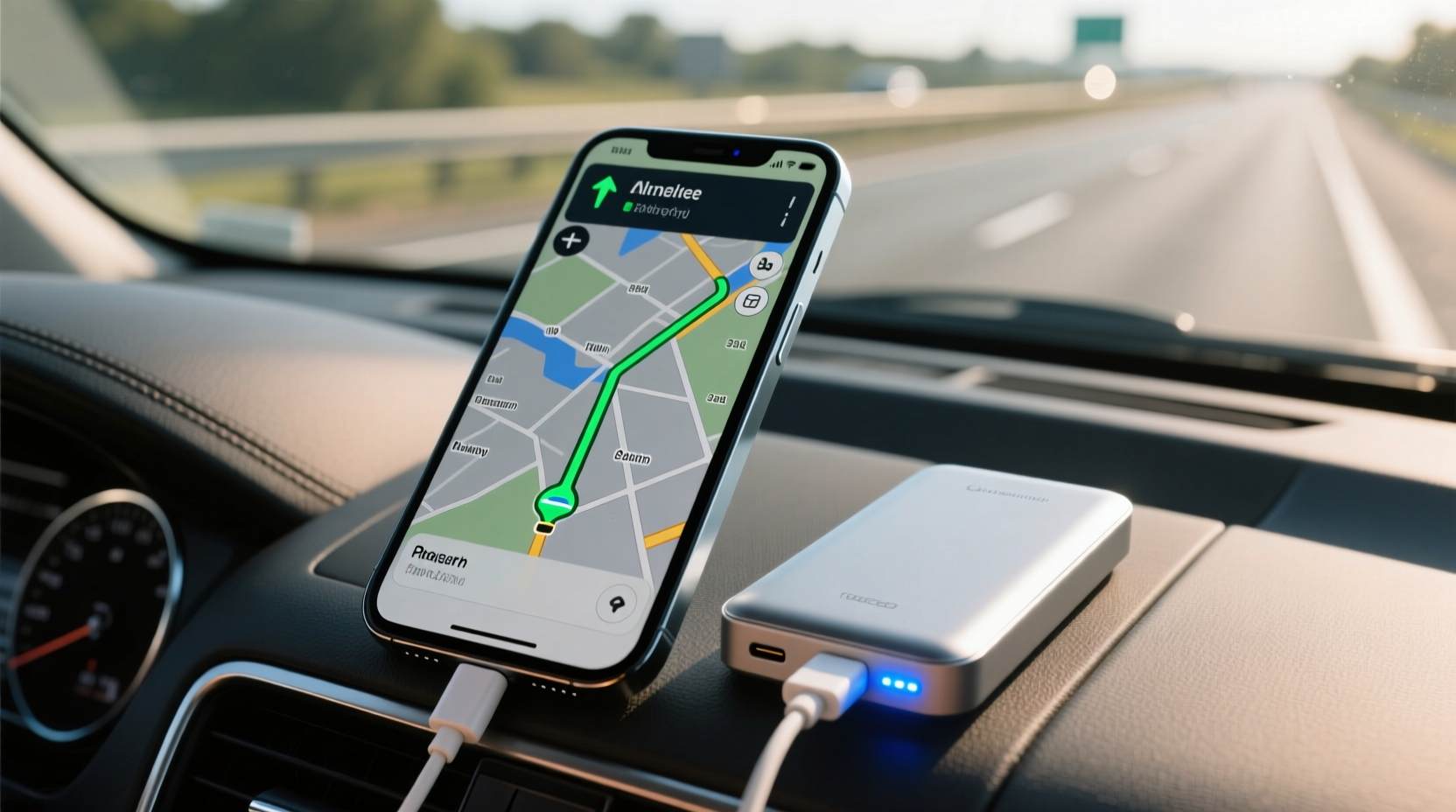
A power bank functions as an external battery that stores electrical energy and delivers it to your phone via USB output. When you plug in your phone while using navigation apps like Google Maps, Apple Maps, or Waze, two processes happen simultaneously:
- Energy Output: The power bank sends power to your phone through the charging cable.
- Energy Consumption: Your phone consumes power to run the screen, GPS module, cellular data, Wi-Fi (if active), and processor.
The net effect—whether your battery level increases, decreases, or stays stable—depends on whether the incoming charge exceeds the outgoing drain. For example:
- If your phone uses 10 watts and your power bank supplies only 7 watts, the battery will slowly deplete.
- If the power bank delivers 12 watts while the phone uses 10, the battery gains 2 watts per hour.
- If both input and output are roughly equal, the battery level remains steady.
This balance is rarely perfect, especially under variable conditions such as poor signal strength or extreme temperatures.
Factors That Affect Charging Efficiency
Several key variables determine whether your phone charges successfully while running navigation:
1. Power Bank Output Rating
Not all power banks are created equal. Many budget models offer only 5V/1A (5 watts) output, which may not be enough to offset modern smartphone power draw. High-performance phones, especially flagship models with bright OLED screens, consume more energy during navigation. Look for power banks labeled with at least 12W (e.g., 5V/2.4A or 9V/2A via Quick Charge or USB-PD).
2. Phone Model and Screen Brightness
Newer smartphones often have larger, brighter displays that significantly increase power consumption. Running GPS navigation at full brightness can double the battery drain compared to dimmed settings. Reducing screen brightness manually or enabling auto-brightness conserves energy and improves net charging gain.
3. Network Signal Strength
In areas with weak cellular reception, your phone boosts its radio power to maintain connectivity, increasing battery usage. Streaming map updates, traffic alerts, and voice guidance over 4G/5G further intensifies drain. In rural or mountainous regions, this can push consumption beyond what most standard power banks can replenish.
4. Background App Activity
Even when focused on navigation, background apps like email sync, social media notifications, music streaming, or Bluetooth connections add to overall power use. Closing unnecessary apps or enabling airplane mode (with Wi-Fi off but Bluetooth on for car audio) reduces load and improves charging efficiency.
5. Cable and Connector Quality
A damaged or low-quality USB cable can limit current flow due to resistance or poor conductivity. Always use certified cables—preferably the original one that came with your phone or a reputable third-party option supporting fast charging standards like USB-PD or Qualcomm Quick Charge.
“Many users assume any power bank will keep their phone alive during GPS use, but mismatched wattage leads to frustration. Matching device demand with adequate supply is critical.” — David Lin, Mobile Power Systems Engineer
Power Bank vs. Car Charger: Which Is Better for Navigation?
While both options provide portable charging, they differ in reliability, convenience, and performance.
| Feature | Power Bank | Car Charger |
|---|---|---|
| Portability | High – works anywhere, no vehicle needed | Moderate – requires ignition and socket access |
| Charging Speed | Varies by model; top-tier units match car chargers | Typically faster, especially dual-port models |
| Battery Drain Risk | Possible if output is too low | Unlikely with modern 12W+ chargers |
| Use Outside Vehicle | Yes – ideal for hiking, cycling, public transit | No – limited to vehicles with 12V sockets |
| Reliability Over Time | Degrades with charge cycles; needs replacement every few years | Generally durable unless socket fails |
For drivers, a high-wattage car charger plugged into the 12V socket often provides more consistent power than even premium power banks. However, for cyclists, motorcyclists, or pedestrians relying on handheld navigation, a compact, high-efficiency power bank remains the only viable option.
Step-by-Step Guide to Optimize Charging During Navigation
To ensure your phone stays charged—or even gains battery—while navigating, follow this practical sequence:
- Choose the Right Power Bank: Select one with at least 10,000mAh capacity and minimum 12W output (e.g., supports USB-PD or Quick Charge 3.0).
- Pre-Charge Before Leaving: Start your trip with both your phone and power bank fully charged.
- Lower Screen Brightness: Manually reduce brightness to 50% or enable adaptive brightness.
- Download Offline Maps: Use Google Maps’ offline feature to minimize data usage and reduce CPU strain.
- Disable Unnecessary Features: Turn off Bluetooth, Wi-Fi, and haptic feedback if not needed.
- Use Airplane Mode Strategically: Enable airplane mode and turn cellular data back on manually—this stabilizes signal and prevents excessive searching.
- Connect with a Premium Cable: Ensure your USB cable supports fast charging and has no fraying or damage.
- Monitor Battery Level: Check every 30 minutes initially to gauge net charge trend.
- Switch to Power-Saving Mode: Activate battery saver mode to throttle background processes.
- Keep Devices Cool: Avoid direct sunlight; place phone and power bank in shaded areas to prevent thermal throttling.
Real-World Example: Road Trip Across Mountainous Terrain
Samantha drove from Denver to Moab—a six-hour journey through remote canyons and spotty coverage zones. She relied on her iPhone 14 Pro for turn-by-turn directions using Apple Maps. Her initial plan was to use a small 5,000mAh power bank with 5W output.
Within 90 minutes, she noticed her phone battery had dropped from 80% to 54%, despite being connected to the power bank. Realizing the imbalance, she switched to a 20,000mAh Anker power bank with 18W USB-PD output, lowered screen brightness, downloaded offline maps, and disabled background app refresh.
The result? Her phone stabilized at around 60% for the next three hours, then slowly climbed to 72% after entering areas with better signal. By adjusting her setup mid-trip, she avoided a potential outage in a region with no cell service.
This case illustrates how dynamic conditions require proactive management—not just plugging in and assuming everything will work.
Checklist: Ensuring Reliable Charging During Navigation
- ✅ Verify power bank output matches or exceeds phone consumption
- ✅ Use a high-quality, fast-charging compatible cable
- ✅ Pre-download offline maps for your route
- ✅ Reduce screen brightness and disable auto-lock temporarily
- ✅ Close unused apps and disable non-essential notifications
- ✅ Keep both devices ventilated and away from heat sources
- ✅ Carry a secondary power source for long trips
- ✅ Test the setup on a short drive before relying on it for extended travel
Frequently Asked Questions
Will my phone charge if I’m using GPS and the screen is on?
It depends on the balance between power input and consumption. If your power bank outputs less power than your phone uses, the battery will still drain—even when plugged in. To increase chances of charging, use a high-wattage power bank and optimize phone settings.
Can using a cheap power bank damage my phone during navigation?
Poorly made power banks may deliver unstable voltage or insufficient current, leading to overheating, slow charging, or component stress over time. While rare, substandard units lacking safety certifications (like CE, FCC, or RoHS) pose risks. Stick to reputable brands with built-in protections against overcurrent and overheating.
Is wireless charging effective while navigating?
Wireless charging is generally slower than wired and generates more heat, reducing efficiency—especially when the phone is under heavy load. During navigation, wireless charging may barely keep pace with battery drain, making it less reliable than a direct USB connection.
Conclusion: Stay Powered, Stay Found
Yes, you can charge a phone with a power bank while using it for navigation—but success isn’t guaranteed by simply connecting the two. It requires thoughtful selection of equipment, smart configuration of your device, and awareness of environmental demands. Modern technology makes continuous navigation possible, but only when users understand the energy equation at play.
By choosing a powerful, well-rated power bank, optimizing your phone’s settings, and preparing for signal fluctuations, you can confidently rely on your smartphone as a dependable guide—no matter how far off the grid you go.




 浙公网安备
33010002000092号
浙公网安备
33010002000092号 浙B2-20120091-4
Comments
No comments yet. Why don't you start the discussion?