
Projector mapping, also known as video mapping or spatial augmented reality, has transformed the way we experience visual storytelling. Once reserved for large-scale architectural projections and concert backdrops, this technology is now accessible enough to bring magic into homes, galleries, and public spaces during the holiday season. One of the most captivating applications? Mapping dynamic visuals onto a Christmas tree. The answer to the question is a resounding yes — and when executed well, it can elevate holiday decor from traditional to breathtaking.
Unlike static lights or garlands, projector mapping allows for animated sequences that respond to music, shift in color and pattern, and even simulate falling snow or swirling stars across the branches. It’s not just about lighting up a tree — it’s about transforming it into a living canvas. This article explores the technical feasibility, creative potential, and practical steps to achieve stunning projector-mapped Christmas trees, whether for personal enjoyment or public installations.
How Projector Mapping Works on Three-Dimensional Objects
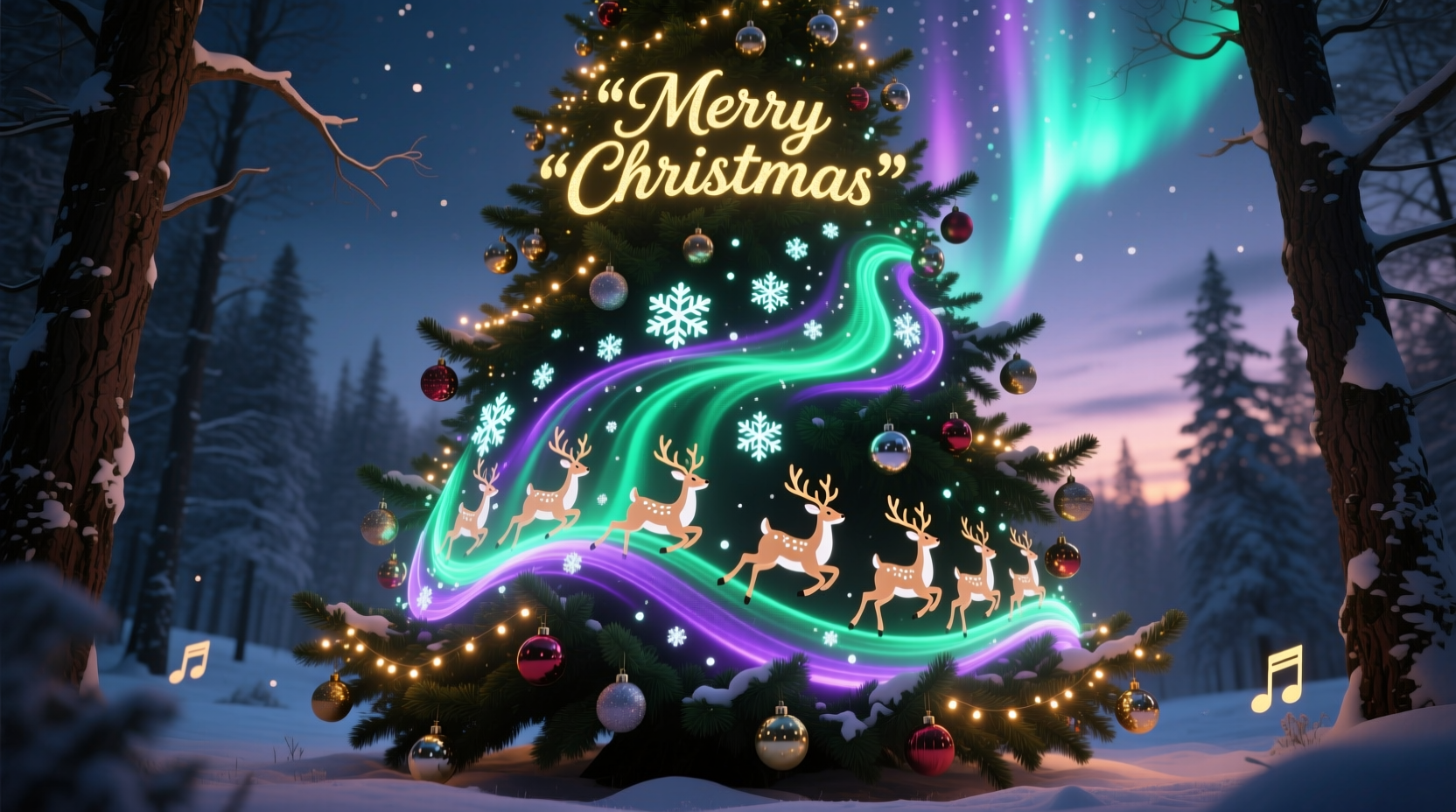
Projector mapping involves projecting video content onto irregularly shaped surfaces by warping and aligning the image to fit the object’s geometry. For a Christmas tree, which has depth, texture, and an uneven surface, this requires careful calibration. Standard flat-screen projection won’t work effectively because the light would scatter unpredictably across the needles and gaps between branches.
The key lies in 3D surface modeling. Specialized software like MadMapper, Resolume Arena, or TouchDesigner allows users to create a digital mesh that mirrors the physical shape of the tree. Once the virtual model is aligned with the real-world object through camera feedback or manual adjustment, the projected content adheres precisely to the contours of the tree.
This process compensates for depth variation, ensuring animations appear cohesive rather than distorted. For example, a spiral animation can travel smoothly from the base to the tip, even though the tree tapers upward. Similarly, abstract patterns or seasonal motifs — such as reindeer silhouettes or twinkling constellations — can be layered across different sections without spilling onto surrounding walls unless desired.
Essential Equipment and Setup Requirements
Successful projector mapping on a Christmas tree depends on selecting the right tools and configuring them properly. While DIY enthusiasts can experiment with consumer-grade gear, professional results require attention to detail in hardware selection.
| Component | Recommended Specification | Notes |
|---|---|---|
| Projector | 3,000+ lumens, HD (720p or higher) | Brightness is critical; ambient light reduces contrast |
| Lens Type | Short-throw or ultra-short-throw | Allows close placement without shadow interference |
| Mapping Software | MadMapper, Resolume, TouchDesigner | Look for real-time warping and masking features |
| Media Source | Dedicated laptop or media server | Avoid low-power devices that may lag during playback |
| Tree Characteristics | Symmetric shape, dark green or black backdrop | Dark backgrounds improve contrast and color saturation |
Positioning the projector is equally important. Ideally, place it directly in front of or slightly below the tree to minimize keystone distortion. If using multiple projectors (for larger trees or full 360-degree coverage), edge blending techniques must be applied to ensure seamless transitions between overlapping beams.
Step-by-Step Guide to Creating a Mapped Christmas Tree Display
Creating a dynamic visual experience on a Christmas tree follows a structured workflow. Whether you're setting up a display for a family gathering or a community event, these steps will help ensure professional-quality results.
- Choose the Right Tree and Location: Opt for a real or high-quality artificial tree with dense foliage. Place it against a dark wall or within a curtained enclosure to reduce ambient reflection.
- Select and Position the Projector: Set up your projector on a stable surface, ideally elevated or mounted to avoid obstruction. Ensure it’s centered relative to the tree’s trunk.
- Create a 3D Model in Mapping Software: Use the software’s masking tools to outline the tree’s silhouette. Add depth layers if possible — some programs allow z-axis adjustments to simulate branch tiers.
- Calibrate Alignment: Project a grid pattern first to fine-tune focus and alignment. Adjust the warp points until the grid conforms perfectly to the tree’s shape.
- Design or Import Visual Content: Create animations tailored to the tree’s structure. Consider looping sequences synchronized to holiday music. Formats like MP4 or MOV work best for smooth playback.
- Test and Refine: Run a full preview in dim lighting. Check for hotspots, shadows, or misaligned effects. Adjust brightness and contrast settings accordingly.
- Finalize and Automate: Once satisfied, set the sequence to run automatically at scheduled times, especially useful for recurring displays.
Creative Applications and Real-World Inspiration
Projector-mapped Christmas trees are no longer limited to niche art exhibits. Cities around the world have embraced this technology to create unforgettable holiday spectacles.
In 2022, the city of Lyon, France, featured a 50-foot fir tree adorned entirely with projection-mapped visuals during its Festival of Lights. Instead of physical decorations, the tree displayed cascading auroras, morphing geometric shapes, and scenes from classic winter tales — all timed to a live orchestral score. Viewers reported feeling “transported,” with many describing the experience as more emotional than traditional light shows.
At home, creative families have used smaller setups to personalize their celebrations. One Brooklyn-based designer mapped her living room tree to tell the story of her family’s annual trip to Vermont, using custom animations of snowy landscapes, sledding figures, and even a pixelated version of their dog. The effect was intimate and nostalgic — far beyond what string lights could convey.
“Projection mapping turns passive decoration into active storytelling. A Christmas tree becomes not just a symbol, but a narrative device.” — Dr. Lena Moretti, Interactive Media Professor at NYU Tisch School of the Arts
Other ideas include:
- Animating a countdown to Christmas with daily reveals
- Syncing visuals with children’s carols for interactive sing-alongs
- Displaying rotating tributes to loved ones who’ve passed, with names appearing among the stars
Common Challenges and How to Overcome Them
Despite its visual impact, projector mapping on a Christmas tree presents several technical hurdles. Understanding these challenges upfront improves success rates.
Light Bleed: Projections often spill onto adjacent walls or floors, breaking the illusion. To mitigate this, use masking features in your software to confine the output strictly to the tree’s outline. Alternatively, install black velvet drapes behind and around the base.
Motion Blur on Fast Animations: Low frame rate content or slow-refresh projectors can result in smearing effects. Always test animations at full speed and choose projectors with at least 60Hz refresh rates.
Heat and Safety: High-lumen projectors generate heat. Keep them away from dry trees and flammable materials. Never leave unattended for long durations.
Outdoor Limitations: Ambient daylight severely diminishes visibility. Outdoor installations should run only at dusk or night and use weatherproof enclosures for equipment.
Checklist: Preparing Your Projector-Mapped Tree
- ☐ Select a dark, symmetric tree with minimal ornamentation
- ☐ Acquire a bright, short-throw projector (minimum 3,000 lumens)
- ☐ Install mapping software and connect to a reliable media source
- ☐ Map the tree’s 3D shape using calibration tools
- ☐ Design or source animations optimized for vertical flow
- ☐ Test in low-light conditions and adjust brightness/contrast
- ☐ Secure cables and protect equipment from temperature changes
- ☐ Schedule playback times if running automated shows
Frequently Asked Questions
Can I use a regular home projector for Christmas tree mapping?
Yes, but with limitations. Most standard home theater projectors lack sufficient brightness for vivid outdoor or large indoor displays. For small trees in dark rooms, a 2,000-lumen projector may suffice. However, for bold, saturated visuals — especially on tall trees — invest in at least 3,000 lumens and HD resolution.
Do I need special content to map onto a tree?
Absolutely. Off-the-shelf holiday videos designed for flat screens won’t align properly. You’ll need content created or adapted specifically for vertical, tapered surfaces. Many creators use After Effects templates built for conical projections, or generate generative art via TouchDesigner that adapts dynamically to the mapped shape.
Is projector mapping safe for real Christmas trees?
With precautions, yes. The main risk is heat buildup from prolonged projector use near dry foliage. Always monitor temperature, avoid direct contact between the projector beam and needles for extended periods, and turn off the system when unattended. Using LED-based projectors reduces heat output significantly.
Bringing Holiday Magic to Life Through Technology
Projector mapping on a Christmas tree isn't just a technical novelty — it's a new frontier in festive expression. By merging artistry with digital precision, it allows individuals and communities to reimagine one of the oldest holiday traditions in a deeply personal and visually arresting way. From subtle glimmers mimicking fireflies to epic cosmic journeys unfolding across pine boughs, the possibilities are limited only by imagination and preparation.
What makes this approach particularly powerful is its flexibility. Unlike permanent installations, projector mappings can change nightly — one evening evoking a quiet forest under moonlight, the next bursting with fireworks and dancing elves. It invites repeat viewing and fosters shared wonder.
For those hesitant to dive in, start small. Experiment with a tabletop tree and a borrowed projector. Use free trials of mapping software to learn the basics. As confidence grows, so too can the scale and ambition of your displays.




 浙公网安备
33010002000092号
浙公网安备
33010002000092号 浙B2-20120091-4
Comments
No comments yet. Why don't you start the discussion?