
As holiday seasons grow smarter, so do our traditions. One of the most exciting advancements in festive decor is the ability to control your Christmas lights without lifting a finger—literally. With voice assistants like Amazon Alexa, Google Assistant, and Apple’s Siri now seamlessly integrated into smart home ecosystems, you can dim, brighten, change colors, or even schedule lighting effects using only your voice. But how exactly does this work? And more importantly, can you really dim your smart Christmas lights hands-free?
The short answer is yes—provided your lights are compatible, properly connected, and supported by a voice-enabled smart hub. The real magic lies not just in turning lights on and off, but in fine-tuning their brightness for ambiance, energy efficiency, and mood-based scenes. Whether you're winding down after dinner or hosting a cozy holiday gathering, dimming your lights via voice command adds both convenience and charm.
How Voice-Controlled Dimming Works
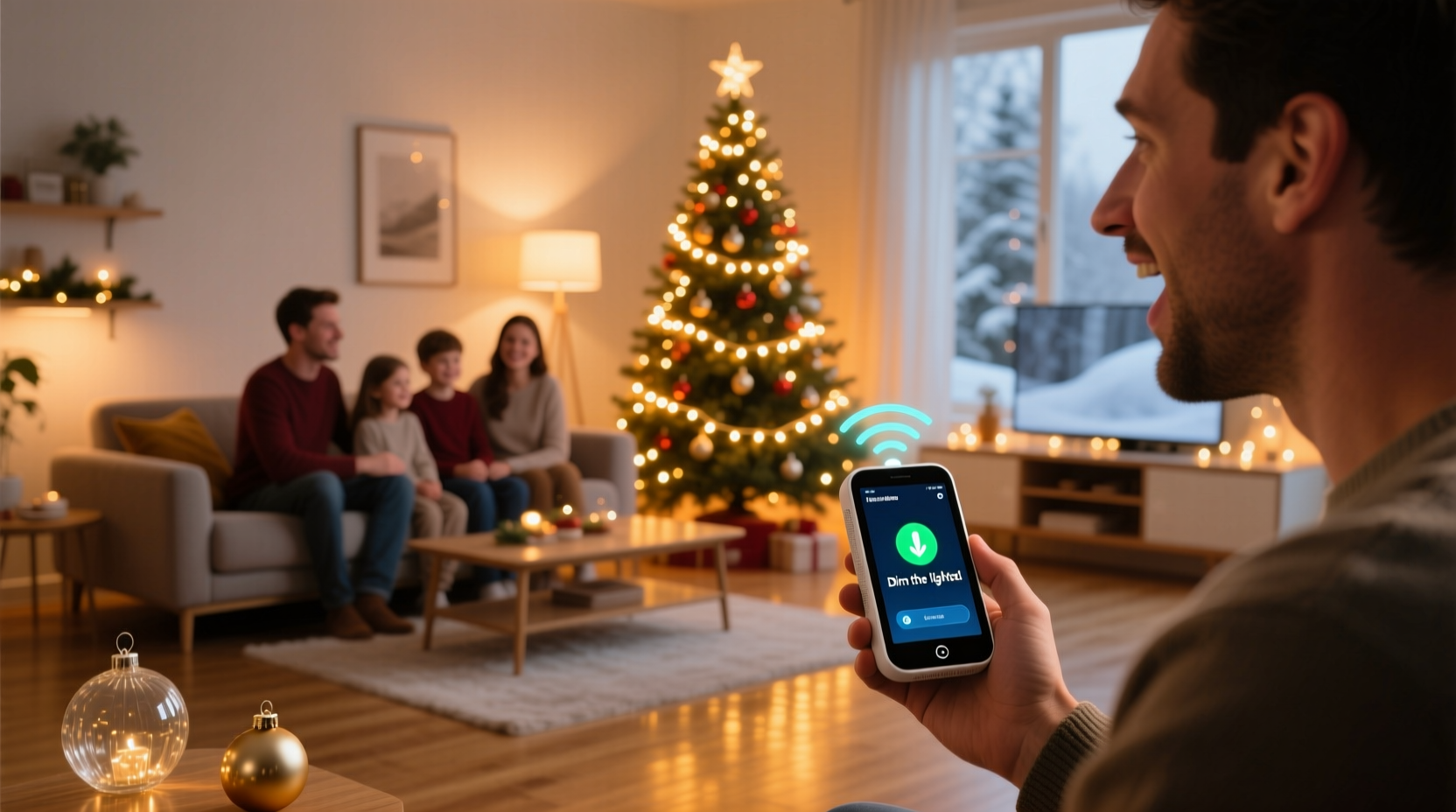
Smart Christmas lights that support dimming operate through embedded microcontrollers capable of adjusting LED brightness levels. These lights connect to your home Wi-Fi network or a bridge (like Philips Hue Bridge or LIFX) and communicate with cloud-based platforms. Once linked to a voice assistant, they become responsive to spoken commands routed through smart speakers or displays.
When you say, “Hey Google, dim the tree lights to 30%,” here’s what happens behind the scenes:
- Your voice is captured by the smart speaker and converted into digital audio.
- The audio is sent securely to Google’s servers for natural language processing.
- The system identifies the intent: reducing brightness of a specific light group.
- A command signal is relayed back to your home network and delivered to the smart bulb or strip.
- The internal circuitry adjusts the pulse-width modulation (PWM) to lower light output.
This entire process takes less than two seconds. The responsiveness depends on your internet speed, device compatibility, and whether local control (versus cloud-based) is enabled.
Compatible Devices and Ecosystems
Not all smart lights offer full dimming functionality through voice commands. Compatibility hinges on three key components: the lights themselves, the smart hub or app, and the voice assistant platform. Below is a breakdown of leading systems and their capabilities.
| Smart Light Brand | Dimmable via Voice? | Works With Alexa | Works With Google Assistant | Works With Siri/HomeKit |
|---|---|---|---|---|
| Philips Hue | Yes | Yes | Yes | Yes (via HomeBridge or native) |
| LIFX | Yes | Yes | Yes | Yes (native HomeKit support) |
| TP-Link Kasa | Yes | Yes | Yes | No |
| Govee LED Strips | Yes | Yes | Yes | Limited (requires third-party integration) |
| Feit Electric Smart Bulbs | Yes | Yes | Yes | Some models only |
| Generic Wi-Fi Lights (No-name brands) | Sometimes | Inconsistent | Inconsistent | Rarely |
As shown, premium brands consistently deliver robust voice integration and smooth dimming performance. Cheaper alternatives may allow basic on/off control but often lack granular brightness adjustment—or fail under voice command stress.
“Voice-controlled dimming isn’t just about convenience—it enhances safety and accessibility, especially during holidays when homes are decorated densely.” — Dr. Alan Reyes, Smart Home Accessibility Researcher, MIT Media Lab
Step-by-Step Setup Guide
Getting your smart Christmas lights ready for voice dimming involves several precise steps. Follow this timeline to ensure success before guests arrive.
- Choose dimmable smart lights: Confirm product specifications include “dimmable” and list compatibility with your preferred voice assistant.
- Install and power on the lights: Plug in string lights or install bulbs into sockets. Ensure stable power supply.
- Connect to your Wi-Fi network: Use the manufacturer’s app (e.g., Hue, Kasa, Govee) to pair the lights. Assign them to a room like “Living Room” or “Christmas Tree.”
- Link the app to your voice assistant: In the Alexa app or Google Home, go to “Devices” > “Add Device” > “Light” and select the brand. Log in if prompted.
- Test basic commands: Say, “Alexa, turn on the Christmas tree lights” to verify connection.
- Use dimming commands: Try, “Hey Google, set the tree lights to 40% brightness” or “Siri, dim the living room lights halfway.”
- Create routines (optional): Schedule dimming events—e.g., “Every night at 9 PM, dim lights to 20%.”
If a command fails, double-check that the device name matches exactly what was assigned in the app. Avoid generic names like “lights”—use descriptive ones like “tree lights” or “front porch LEDs.”
Mini Case Study: The Johnson Family Holiday Upgrade
The Johnsons in Portland, Oregon, had been using traditional incandescent Christmas lights for over a decade. Last year, they upgraded to Govee Wi-Fi LED strips for their tree and stair railings. Initially skeptical about voice control, they followed the setup guide and connected everything to Google Assistant.
One evening, while hosting dinner, Mrs. Johnson realized the lights were too bright for the mood. Instead of getting up, she quietly said, “Hey Google, dim the tree lights to 35%.” Instantly, the room softened into a warm glow. Her guests were impressed—and one asked where to buy the same system.
Since then, the family uses scheduled dimming every night. At 8:30 PM, the lights gradually fade from 100% to 50%, signaling bedtime for the kids. They also created a “Movie Night” scene that dims all holiday lights and turns on ambient floor lamps.
Troubleshooting Common Issues
Even with compatible gear, voice dimming doesn’t always work flawlessly. Here are frequent problems and solutions:
- Command not recognized: Make sure the device name is simple and distinct. Avoid special characters or long phrases.
- Lights don’t dim fully: Some cheaper LEDs only support limited dimming ranges (e.g., 20–100%). Check specs before purchase.
- Delayed response: Caused by slow internet or cloud latency. Opt for lights with local control for instant feedback.
- Voice assistant says “device not responding”: Reboot the smart speaker, router, and lights. Then re-pair the device.
- Inconsistent brightness levels: Firmware bugs can cause drift. Update your light firmware via the brand’s app.
If dimming commands return an error like “I can’t adjust brightness for that device,” confirm that the skill or integration supports level control. Some older integrations only allow binary on/off actions.
Checklist: Preparing Your Smart Lights for Voice Dimming
- ☐ Purchase dimmable smart Christmas lights from a reputable brand
- ☐ Install lights and plug them in securely
- ☐ Download and configure the manufacturer’s mobile app
- ☐ Connect lights to your 2.4 GHz Wi-Fi network (most don’t support 5 GHz)
- ☐ Name the lights clearly (e.g., “Tree Lights”, “Porch LEDs”)
- ☐ Link the app to Alexa, Google Assistant, or Apple HomeKit
- ☐ Test basic on/off voice commands
- ☐ Test dimming: “Set [name] to 50% brightness”
- ☐ Create custom scenes or schedules for recurring use
- ☐ Perform a final test with background noise to simulate real conditions
Frequently Asked Questions
Can I dim non-smart Christmas lights with voice commands?
No—not directly. However, you can plug traditional lights into a smart plug (like the Wemo Mini or Kasa Smart Plug). While this allows on/off control via voice, true dimming isn’t possible because standard plugs don’t regulate voltage output. Only devices designed for variable brightness (like dimmable smart bulbs) support gradual intensity changes.
Why won’t Alexa let me set a specific brightness level?
This usually occurs when the device hasn’t been correctly discovered or lacks dimming capability. First, check the light’s details in the Alexa app—look for a brightness slider. If missing, the integration may be incomplete. Re-discover devices under “Add Device,” or update the skill permissions. Also, ensure you’re using the correct phrasing: “Alexa, set the tree lights to 60%” works better than “make it dimmer.”
Can Siri dim my Christmas lights automatically at sunset?
Yes. Using Apple’s Home app, create an automation: “When sunset occurs, set Christmas lights brightness to 70%.” You can also trigger dimming based on location (“When I arrive home”) or time (“Every day at 6 PM”). Automations sync across devices and execute locally, making them fast and reliable even without internet.
Maximizing Ambiance and Efficiency
Dimming isn’t just about mood—it also conserves energy and extends the lifespan of your LEDs. Running lights at 50% brightness can reduce power consumption by up to 40%, according to the U.S. Department of Energy. Lower heat output also minimizes wear on sensitive components, particularly important for enclosed fixtures or dense garlands.
Consider programming different brightness levels for various occasions:
- Full brightness (90–100%): Daytime viewing, photo ops, or vibrant holiday parties.
- Medium glow (40–60%): Evening relaxation, dinner gatherings, or background decoration.
- Low ambient (10–30%): Bedtime, movie nights, or overnight safety lighting.
You can even layer voice commands with color changes. For example: “Hey Google, set the tree lights to soft white at 25%” creates a subtle, elegant look perfect for late-night reflection.
“The ability to fine-tune lighting with voice empowers users to personalize their environment effortlessly—especially meaningful during emotionally rich times like the holidays.” — Lena Patel, Human-Computer Interaction Specialist, Stanford University
Conclusion: Bring the Magic Home—Literally
Using voice commands to dim your smart Christmas lights is not only possible—it’s one of the simplest yet most impactful upgrades you can make to your holiday experience. From effortless ambiance tuning to automated routines that enhance daily life, the fusion of voice AI and smart lighting brings genuine convenience and joy.
The technology is mature, widely supported, and increasingly affordable. Whether you're curling up with hot cocoa or welcoming guests, being able to whisper a command and watch your home respond instantly adds a touch of modern enchantment to age-old traditions.




 浙公网安备
33010002000092号
浙公网安备
33010002000092号 浙B2-20120091-4
Comments
No comments yet. Why don't you start the discussion?