
As the holiday season approaches, many homeowners are looking for smarter, more convenient ways to manage their festive decorations. One of the most common questions is whether it's possible to control Christmas lights using only your voice. The short answer is yes — and not just in theory. With the right setup, you can turn your holiday lighting display into a responsive, voice-controlled spectacle that enhances convenience, energy efficiency, and seasonal charm.
Voice-activated control of Christmas lights has become increasingly accessible thanks to the rise of smart home technology. Devices like Amazon Echo, Google Nest, and Apple HomePod allow users to issue spoken commands that trigger actions across connected devices, including smart plugs, Wi-Fi-enabled light strips, and integrated holiday lighting systems. This capability transforms traditional decoration routines into seamless experiences — no more fumbling for switches or timers in the cold winter dark.
But simply owning a smart speaker isn’t enough. To truly harness voice control for Christmas lights, you need compatible hardware, proper configuration, and an understanding of how these systems communicate. This guide walks through everything from basic setups to advanced automation, helping you create a responsive, intelligent lighting environment that responds to your voice with precision and flair.
How Voice Control Works with Smart Lighting
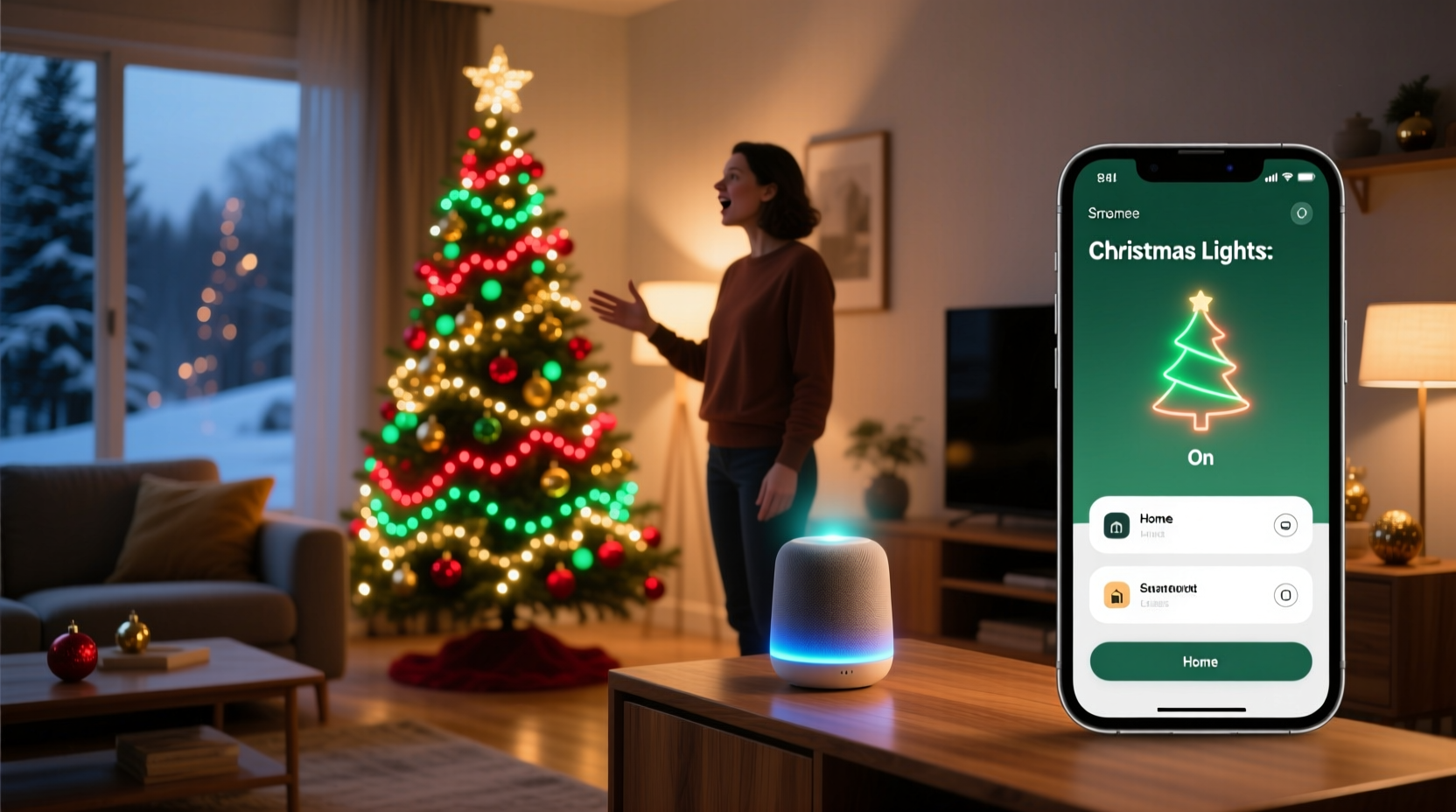
Voice command functionality relies on a layered ecosystem: a voice assistant (like Alexa, Google Assistant, or Siri), a smart hub or speaker, and compatible smart lighting hardware. When you speak a command such as “Turn on the Christmas lights,” here’s what happens behind the scenes:
- Voice Capture: Your smart speaker’s microphone picks up your speech.
- Speech Processing: The audio is sent to the cloud, where natural language processing interprets the intent.
- Device Matching: The system identifies which device (e.g., “Christmas lights”) you’re referring to based on naming conventions.
- Command Execution: A signal is sent to the smart plug or bulb via Wi-Fi or another protocol (like Zigbee or Z-Wave).
- Action Taken: The connected device powers on or off accordingly.
This process typically takes less than two seconds under normal conditions. However, reliability depends heavily on network stability, device compatibility, and correct naming during setup.
Required Components for Voice-Controlled Christmas Lights
To enable voice control, you must have three core components working together:
- A voice assistant platform (Alexa, Google Assistant, or Siri/HomeKit)
- A physical smart speaker, display, or hub (e.g., Amazon Echo, Google Nest Hub, iPhone/HomePod)
- Smart lighting hardware capable of remote control (smart plugs, LED strips, or smart bulbs)
The most common and cost-effective method is using a smart plug. Plug your standard incandescent or LED Christmas lights into a smart outlet, then connect that outlet to your home Wi-Fi network through a companion app. Once linked, the smart plug appears as a controllable device within your voice assistant’s ecosystem.
For more advanced setups, consider investing in smart LED light strips designed specifically for decorative use. Brands like Philips Hue, Govee, and LIFX offer color-tunable, app-controlled strips that sync with voice assistants and support dynamic effects — think gently pulsing red and green hues or twinkling snowfall patterns activated by voice.
“Voice control brings accessibility and elegance to holiday decor. It’s especially valuable for elderly users or those with mobility challenges who want festive ambiance without physical effort.” — Dr. Alan Reyes, Smart Home Accessibility Researcher, MIT Media Lab
Step-by-Step Setup Guide
Follow this sequence to get your Christmas lights responding to voice commands:
- Choose Your Ecosystem: Decide whether you’ll use Amazon Alexa, Google Assistant, or Apple HomeKit. Each has slightly different requirements and supported devices.
- Purchase Compatible Hardware: Buy a smart plug or smart light strip certified for your chosen platform. Check packaging for logos like “Works with Alexa” or “HomeKit Certified.”
- Install the App: Download the manufacturer’s app (e.g., Kasa for TP-Link, Govee Home, or Apple Home) and create an account.
- Connect to Wi-Fi: Plug in the smart device and follow the app’s instructions to pair it with your home network. Ensure your router supports 2.4 GHz, as most smart plugs don’t work on 5 GHz alone.
- Assign a Name: In the app, rename the device something clear and specific, such as “Front Yard Christmas Lights.” Avoid generic names like “Outlet 1.”
- Link to Voice Assistant: Open the Alexa, Google Home, or Apple Home app and initiate a device scan. The new light should appear and can be added to your list of smart devices.
- Test the Command: Say aloud, “Hey Google, turn on the front yard Christmas lights” or “Alexa, turn off the tree lights.” If the device responds, your setup is complete.
Once configured, you can expand functionality by creating routines or scenes. For example, a single phrase like “It’s Christmas Eve” could dim household lights, play carols, and activate your outdoor display simultaneously.
Comparison of Popular Smart Lighting Options
| Product Type | Best For | Max Length/Quantity | Voice Assistant Support | Price Range |
|---|---|---|---|---|
| Smart Plug (e.g., TP-Link Kasa) | Standard string lights | One set per plug | Alexa, Google Assistant, HomeKit | $15–$25 |
| RGB LED Strip (e.g., Govee LightSync) | Indoor accents, windows, mantels | Up to 32 ft (expandable) | Alexa, Google Assistant | $30–$70 |
| Smart Bulbs (e.g., Philips Hue) | Pre-lit trees, custom fixtures | Multiple bulbs per system | Alexa, Google Assistant, HomeKit | $15–$25 per bulb |
| Dedicated Holiday System (e.g., Twinkly) | Large outdoor displays | Thousands of LEDs | Alexa, Google Assistant | $50–$200+ |
Each option offers distinct advantages. Smart plugs are ideal for beginners and require zero technical expertise. RGB strips provide immersive color effects and music synchronization. Dedicated systems like Twinkly are built for scalability and professional-grade animations, making them perfect for elaborate driveways or rooftop installations.
Advanced Features Beyond On/Off Control
Voice control isn’t limited to simple power toggles. Modern smart lighting platforms support nuanced interactions that elevate the holiday experience:
- Brightness Adjustment: “Hey Siri, dim the tree lights to 50%.”
- Color Changes: “OK Google, make the living room lights gold.”
- Scheduling: Set lights to turn on at sunset and off at midnight automatically.
- Routines: Trigger multiple actions with one phrase — “Merry Christmas” could activate lights, start a playlist, and adjust thermostat settings.
- Geofencing: Lights turn on when your phone detects you’re approaching home.
Some apps even allow you to design custom light patterns — waves, chases, fades — and assign them to voice-activated scenes. For instance, saying “Let it snow” might trigger a slow blue-white shimmer across all connected strips.
Mini Case Study: The Johnson Family’s Smart Holiday Display
The Johnsons live in a suburban neighborhood known for its competitive holiday lighting. In past years, they spent hours adjusting timers and manually switching circuits. Last season, they upgraded to a hybrid smart system.
They began by replacing five standard outlets around their porch and roofline with TP-Link Kasa smart plugs. Each was loaded with traditional mini-bulb strings. They also installed Govee LED strips along the staircase railing and window frames indoors.
All devices were grouped under the name “Johnson Holiday Lights” in the Google Home app. They created a daily routine: at 5:00 PM, all lights turn on; at 11:00 PM, they shut off. During weekends, a special “Festive Mode” activates animated effects on the LED strips.
The real test came when Grandma visited. Unable to climb ladders or reach wall switches, she used her voice to control the display effortlessly. “OK Google, turn on the Christmas lights,” became a favorite phrase among the kids. By integrating voice control, the Johnsons reduced manual effort by over 90% while increasing enjoyment across generations.
Common Challenges and How to Solve Them
Despite the ease of modern systems, users sometimes encounter issues. Here are frequent problems and proven fixes:
- Device Not Responding: Check Wi-Fi connectivity. Restart both the smart plug and your router if needed.
- Voice Assistant Doesn’t Recognize Command: Recheck device naming. Avoid ambiguous terms like “lights” — use “front porch Christmas lights” instead.
- Lights Turn On Randomly: Disable “routines” or “automations” temporarily to identify the source. Some weather-based triggers may activate unexpectedly.
- Delays in Response: High network traffic can cause lag. Consider upgrading to a dual-band router or placing devices closer to the access point.
- Incompatible Ecosystem: Ensure your smart plug supports your voice assistant. A Kasa plug won’t work natively with HomeKit unless updated firmware allows it.
“User error accounts for nearly 70% of reported smart home failures. Most issues resolve with a factory reset and clean re-pairing.” — Tech Support Report, Consumer Smart Device Alliance (2023)
Checklist: Preparing Your Christmas Lights for Voice Control
Use this checklist to ensure a smooth setup before the holidays begin:
- ☐ Identify which lights will be voice-controlled (indoor/outdoor)
- ☐ Purchase compatible smart plugs or LED strips
- ☐ Confirm your Wi-Fi network operates on 2.4 GHz
- ☐ Install and update the required mobile app
- ☐ Connect each device to your home network
- ☐ Assign clear, unique names to each device
- ☐ Link devices to your voice assistant platform
- ☐ Test all voice commands in various rooms
- ☐ Create at least one automation or routine
- ☐ Share control access with family members if desired
Frequently Asked Questions
Can I use voice commands to control Christmas lights outdoors?
Yes, provided the lights are plugged into a weatherproof smart outlet rated for outdoor use. Ensure the smart plug is protected from direct exposure to rain or snow, ideally under an eave or inside a covered junction box.
Do I need a smart speaker to use voice commands?
Not necessarily. While devices like Amazon Echo or Google Nest streamline the experience, you can also use smartphones or tablets with built-in microphones. For example, saying “Hey Siri” on an iPhone will work if it’s connected to your HomeKit lighting system.
Are voice-controlled Christmas lights safe?
Yes. Smart plugs include surge protection and automatic shutoff features. As long as you follow electrical safety guidelines — such as not overloading circuits and using UL-certified products — voice-controlled lights are as safe as traditional ones.
Conclusion: Bring Magic to Your Holidays with Voice Control
Voice-activated Christmas lights are no longer a futuristic fantasy — they’re a practical, accessible upgrade available to any homeowner. From simplifying daily routines to enabling inclusive participation for all family members, the benefits go far beyond convenience. You gain precise control, scheduling flexibility, and the ability to craft memorable moments with nothing more than a spoken word.
The technology is mature, affordable, and easier to set up than ever. Whether you're illuminating a single indoor tree or orchestrating a multi-zone display, integrating voice commands adds a layer of sophistication and joy to your holiday tradition.




 浙公网安备
33010002000092号
浙公网安备
33010002000092号 浙B2-20120091-4
Comments
No comments yet. Why don't you start the discussion?