
Smartphones have become essential tools for communication, productivity, and entertainment. But when your device suddenly becomes too hot to hold, it’s more than just uncomfortable—it can signal underlying problems that threaten performance and longevity. Overheating may lead to battery degradation, app crashes, or even permanent hardware damage. Understanding why phones overheat and knowing how to respond quickly is crucial for preserving both functionality and safety.
Why Phones Overheat: The Core Causes
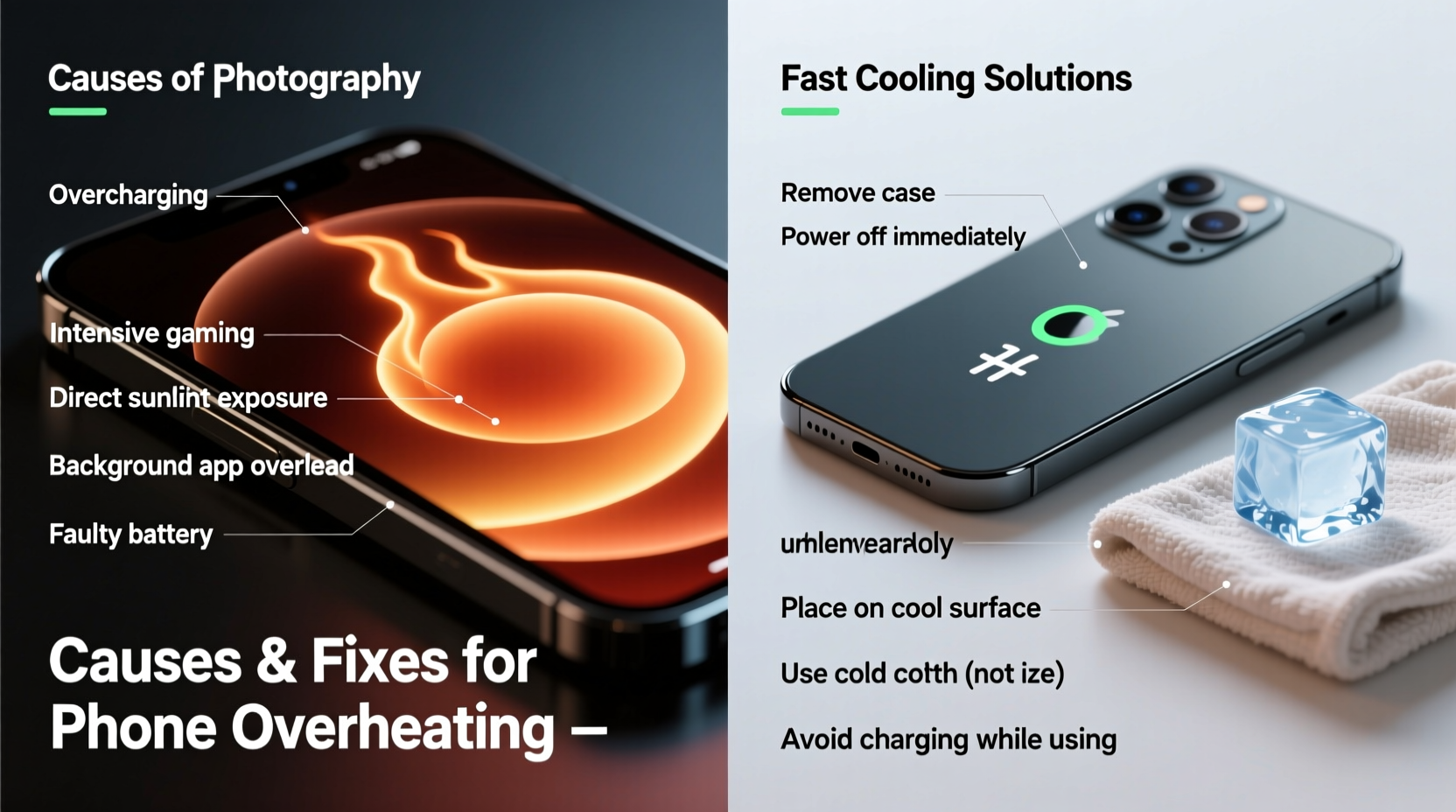
Modern smartphones pack powerful processors, high-resolution displays, and advanced sensors into compact designs. While impressive, this density generates heat—especially under stress. Sudden temperature spikes are rarely due to a single factor; they usually stem from a combination of software demands, environmental exposure, and hardware limitations.
- Intensive App Usage: Gaming, video editing, augmented reality apps, and multitasking with multiple background processes push the CPU and GPU to their limits, generating significant heat.
- Poor Signal Strength: When your phone struggles to maintain a cellular or Wi-Fi connection, it boosts its radio output, increasing power consumption and heat production.
- Direct Sunlight Exposure: Leaving your phone on a car dashboard or in direct sunlight—even for 15 minutes—can raise internal temperatures beyond safe thresholds.
- Charging Under Load: Charging while using processor-heavy apps (like navigation or streaming) compounds heat generation from both the battery and processor.
- Faulty Battery or Hardware: A swollen or aging battery, damaged charging port, or failing component can cause abnormal thermal behavior.
- Bloatware and Background Processes: Apps running silently in the background, especially those poorly optimized or ad-heavy, contribute to sustained CPU usage.
- Thermal Insulation: Thick cases, pockets, or placing the phone on soft surfaces like beds or couches trap heat and inhibit natural dissipation.
How to Cool Down an Overheated Phone — Step by Step
When your phone starts radiating heat, immediate action can prevent long-term harm. Follow this timeline to reduce temperature safely and efficiently.
- Stop Using It Immediately: Close all active apps and put the phone in airplane mode to halt data transmission and reduce processing load.
- Remove the Case: Take off any protective cover, especially if made of silicone or thick plastic, which traps heat.
- Power It Off: Shutting down stops all operations and allows components to cool without interference.
- Move to a Cool Environment: Place the phone in a shaded, well-ventilated area—never in a refrigerator or freezer, as condensation can damage circuits.
- Aim for Airflow: Position near a fan or open window to encourage passive cooling. Avoid direct blasts of cold air, which can create moisture risks.
- Wait 15–30 Minutes: Allow time for internal temperatures to normalize before restarting.
- Reassess Upon Restart: Once powered back on, monitor temperature and disable any apps or features that may have contributed to overheating.
“Rapid cooling methods like ice or freezers are dangerous myths. Thermal shock and moisture ingress can destroy electronics faster than heat alone.” — Dr. Alan Reyes, Mobile Hardware Engineer at TechSafe Labs
Prevention Strategies: Keep Your Phone Running Cool
Preventing overheating is far more effective than reacting to it. Incorporate these habits into daily use to maintain optimal operating temperatures.
| Do’s | Don’ts |
|---|---|
| Use lightweight cases designed for heat dissipation | Leave your phone in a parked car on sunny days |
| Update apps and OS regularly for efficiency improvements | Run GPS navigation while fast-charging in direct sunlight |
| Enable Dark Mode to reduce screen energy use (especially on OLED devices) | Ignore persistent overheating warnings |
| Limit background app refresh and location services | Place phone on pillows, blankets, or laps while gaming |
| Take breaks during extended gaming or video sessions | Use third-party chargers without proper certification |
Real Example: The Summer Road Trip Incident
Mark, a freelance photographer, once left his smartphone on the passenger seat during a summer road trip. After two hours in direct sun, the phone shut down automatically with a “Temperature Too High” warning. He attempted to restart it immediately, but it overheated again within seconds. Following advice from a tech forum, he turned off the device, removed the case, and placed it near a vent with cool (not cold) air blowing gently. After 25 minutes, he powered it on successfully. However, the battery never fully recovered its previous health, losing 18% capacity within three months. This real-world scenario underscores how quickly heat exposure can cause lasting damage—even without visible signs.
When to Worry: Signs of Serious Overheating Damage
Occasional warmth during heavy use is normal. But certain symptoms indicate deeper issues requiring professional attention:
- Frequent automatic shutdowns despite moderate use
- Visible swelling of the battery or screen lifting from the frame
- Drastic reduction in battery life after an overheating event
- Lagging, stuttering, or app crashes linked to thermal throttling
- Unusual smells (burnt plastic or chemical odors) near charging ports
If you notice any of these signs, discontinue use and consult an authorized service center. Continuing to operate an overheated or damaged device increases fire risk and may void warranties.
Checklist: Emergency Response to Phone Overheating
Keep this checklist handy for quick reference when your phone gets too hot:
- ✅ Stop all usage immediately
- ✅ Enable Airplane Mode or turn off connectivity
- ✅ Remove case and accessories
- ✅ Power down the device completely
- ✅ Move to a cool, dry, shaded area
- ✅ Allow 15–30 minutes for passive cooling
- ✅ Restart and review recent activity for potential triggers
- ✅ Disable resource-heavy apps or settings post-cooling
- ✅ Monitor battery health over the next few days
- ✅ Schedule service if overheating recurs without clear cause
FAQ: Common Questions About Phone Overheating
Can a virus cause my phone to overheat?
While true malware is rare on mobile platforms, malicious apps or adware can run hidden processes that consume CPU resources continuously, leading to increased heat. Installing apps only from official stores and reviewing permissions helps mitigate this risk.
Is it safe to use my phone while charging?
Yes, under normal conditions. However, doing so while playing graphics-intensive games or using GPS navigation significantly raises the risk of overheating. For best results, avoid heavy usage during charging, especially with fast chargers.
Why does my phone get hot even when idle?
If your phone heats up while not actively used, check for background apps syncing data, location tracking, or system updates running silently. Poor network signal can also force radios to work harder, generating heat without user input.
Conclusion: Protect Your Device Before Heat Damages It
Sudden phone overheating isn't just inconvenient—it's a warning sign your device is under stress. By understanding the root causes and responding promptly, you can prevent temporary slowdowns from turning into permanent hardware failure. Simple changes in usage habits, environment awareness, and regular maintenance go a long way toward keeping your phone cool and performing at its best.
Heat management is part of responsible digital hygiene. Whether you're a casual user or rely on your phone for work, taking proactive steps today ensures reliability tomorrow. Don’t wait until your screen shuts off mid-call or your battery swells irreversibly. Start applying these strategies now to extend your phone’s lifespan, maintain peak performance, and stay safe.




 浙公网安备
33010002000092号
浙公网安备
33010002000092号 浙B2-20120091-4
Comments
No comments yet. Why don't you start the discussion?