
As holiday displays grow more sophisticated, so do the challenges of maintaining them. One of the most frustrating issues homeowners face is erratic behavior in Christmas light controllers—lights flickering unpredictably, sequences running out of sync, or entire channels failing mid-display. When this happens, two common solutions arise: performing a firmware update or executing a factory reset. But which one actually resolves the issue—and when should each be used?
Understanding the difference between these two troubleshooting methods isn’t just about technical know-how—it’s about preserving months of careful programming and avoiding last-minute holiday disasters. This guide breaks down the mechanics behind firmware updates and factory resets, explains their impact on performance, and provides clear guidance for diagnosing and fixing malfunctioning controllers.
What Causes Erratic Behavior in Christmas Light Controllers?
Before jumping into solutions, it's essential to understand what might be causing the problem in the first place. Modern Christmas light controllers—especially those using protocols like DMX, E1.31, or proprietary systems from brands such as Light-O-Rama, Falcon F16, or DIY ESP-based setups—are essentially small computers managing complex timing and data signals.
Erratic behavior can stem from several sources:
- Firmware bugs: Outdated or corrupted software within the controller may misinterpret commands or fail under load.
- Configuration errors: Incorrect channel mapping, timing offsets, or network settings can cause lights to behave unexpectedly.
- Electrical interference: Poor grounding, voltage drops, or nearby RF sources can disrupt signal integrity.
- Memory corruption: Over time, especially after power surges or abrupt shutdowns, stored settings may become unstable.
- Hardware degradation: Moisture ingress, overheating, or component wear can lead to intermittent failures.
Because symptoms often overlap, many users assume a full reset will fix everything. However, not all problems are resolved by wiping settings—some require targeted software improvements that only a firmware update can provide.
Firmware Update: Upgrading the Controller’s Brain
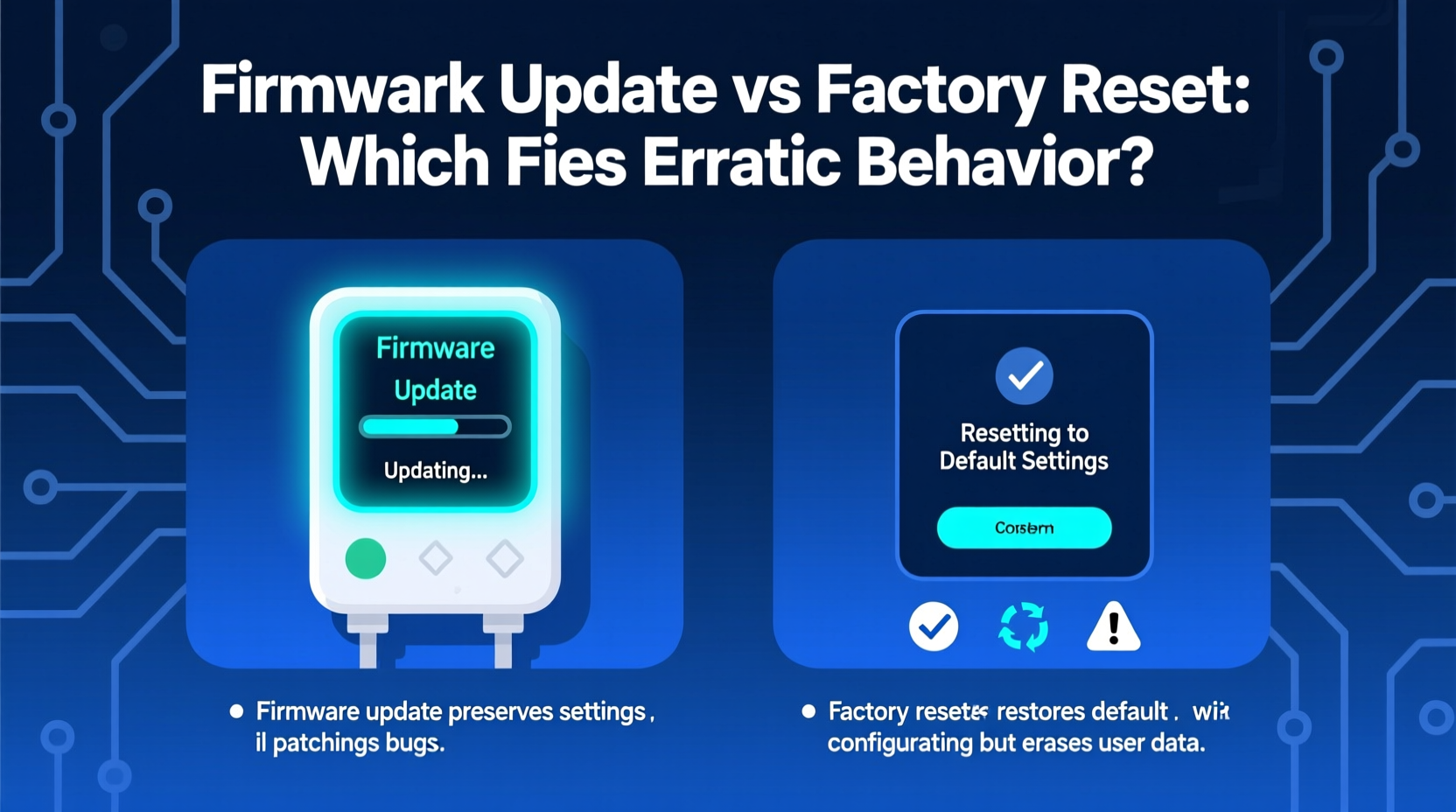
A firmware update involves replacing the internal software of the controller with a newer version released by the manufacturer or open-source development team. Think of it like updating the operating system on your phone—bugs get patched, performance improves, and new features may be added.
In the context of Christmas lighting, firmware updates often address:
- Bug fixes for specific sequence playback issues
- Improved compatibility with certain pixel types (e.g., WS2811 vs SK9822)
- Enhanced network stability over WiFi or Ethernet
- Support for larger universe sizes or faster refresh rates
- Security patches for internet-connected devices
For example, a known bug in early versions of WLED firmware caused flickering when brightness exceeded 85%. A simple firmware upgrade eliminated the issue entirely—no reset required.
“Firmware is the foundation of reliable operation. If you're experiencing unexplained glitches, always check if an update exists before altering configurations.” — Marcus Tran, Embedded Systems Engineer and Holiday Lighting Designer
Updating firmware typically follows a structured process:
- Download the latest firmware file from the official source.
- Connect to the device via USB, serial, or web interface.
- Use a flashing tool (like Arduino IDE, esptool.py, or built-in OTA updater) to install the new code.
- Reboot the device and verify functionality.
Crucially, a firmware update does not erase your existing settings unless explicitly instructed. Most modern systems preserve configuration files during upgrades, allowing seamless transitions to improved performance without reprogramming your entire display.
Factory Reset: Wiping the Slate Clean
A factory reset, on the other hand, erases all user-defined settings and returns the controller to its original out-of-the-box state. It’s akin to reinstalling an app and starting fresh—your data is gone, but the underlying program remains unchanged.
This method is best suited for situations where:
- The controller responds but behaves erratically despite correct wiring.
- You suspect configuration conflicts (e.g., duplicate IP addresses).
- Custom scripts or advanced settings have introduced instability.
- After a failed firmware update left the system in an inconsistent state.
Performing a factory reset varies by device. On many ESP-based controllers, holding a GPIO button during boot triggers a wipe of saved credentials and channel mappings. In commercial units like Light-O-Rama’s S2/S3 boards, a dedicated utility or physical jumper clears memory.
However, there’s a critical trade-off: convenience versus control. While a reset can eliminate mysterious bugs caused by layered configurations, it also means rebuilding schedules, reassigning channels, and potentially re-syncing music cues—all time-consuming tasks during a tight holiday prep window.
Firmware Update vs Factory Reset: When to Use Which?
Choosing between these two options depends on the nature of the problem. The following table summarizes key differences and ideal use cases:
| Factor | Firmware Update | Factory Reset |
|---|---|---|
| Purpose | Fix software bugs, improve performance | Remove corrupted or conflicting settings |
| Data Loss | Minimal (usually preserves config) | Complete (erases all settings) |
| Best For | Known bugs, compatibility issues | Misconfigurations, unknown errors |
| Technical Skill Required | Moderate (requires download & flash) | Low (often one-button process) |
| Time Investment | Medium (10–20 mins) | High (reconfiguration needed afterward) |
The general rule of thumb: update first, reset second. Start with the least invasive option that could resolve the issue. If lights are glitching due to a documented firmware flaw, updating solves it cleanly. Only resort to a factory reset if the updated firmware still misbehaves under known-good conditions.
Step-by-Step Troubleshooting Path for Erratic Lights
Follow this logical sequence to efficiently diagnose and repair controller issues:
- Inspect Physical Connections: Check power supplies, ground wires, data lines, and weatherproof enclosures. Loose RJ45 connectors or corroded terminals are common culprits.
- Verify Network Stability: For networked controllers, ensure stable ping response and no packet loss. Use static IPs where possible.
- Review Recent Changes: Did you recently modify sequences, add new fixtures, or change router settings? Roll back changes temporarily to isolate variables.
- Check Firmware Version: Visit the manufacturer’s website or GitHub repository to confirm whether an update is available.
- Apply Firmware Update: Flash the latest version using the recommended method. Do not skip this step even if the device appears functional.
- Test Operation: Run a simple test sequence. If behavior normalizes, stop here.
- Perform Factory Reset (if needed): If problems persist post-update, reset the device and reconfigure from scratch.
- Document Configuration: Once stable, export settings or take screenshots for future reference.
Real-World Example: The Case of the Flickering Mega Tree
Diane, a seasoned holiday display creator in Colorado, spent weeks programming her 16-channel mega tree synced to classic carols. Two days before opening night, she noticed random flickers in red and green strands during high-motion scenes.
Her initial instinct was to factory reset all eight Falcon F16 controllers. But instead, she paused and checked the Falcon Player (FPP) forums. There, she found a pinned thread describing a timing jitter issue in v5.2 affecting PWM frequency under heavy load.
The solution? Upgrade to v5.4, which included a kernel-level fix for interrupt handling. She applied the firmware update over SSH, rebooted, and ran a test. The flickering vanished instantly—without losing a single animation cue.
Had she reset first, she would have lost hours re-importing sequences and recalibrating outputs. By prioritizing the firmware path, she preserved her work and fixed the root cause.
Essential Checklist Before Updating or Resetting
Use this checklist to avoid unintended consequences:
- ✅ Confirm power stability and clean data lines
- ✅ Back up current configuration (export settings or note channel maps)
- ✅ Download firmware from official source only
- ✅ Ensure uninterrupted power during update/reset
- ✅ Label controllers physically to avoid confusion post-reset
- ✅ Test one unit at a time in multi-controller setups
- ✅ Document firmware version and date after successful update
Frequently Asked Questions
Can a firmware update make things worse?
Yes—if interrupted by power loss or performed with incompatible files. Always follow official instructions precisely. Some experimental builds may introduce new bugs, so stick to stable releases unless troubleshooting a specific issue they address.
Will a factory reset remove my firmware?
No. A factory reset erases configuration data but leaves the firmware intact. However, some older devices may revert to default firmware if settings include custom bootloaders. Always verify firmware version after resetting.
How often should I update my controller’s firmware?
At minimum, once per season before setup begins. More frequently if you rely on cutting-edge features or participate in community-driven platforms like WLED or FPP, where updates roll out regularly.
Conclusion: Smart Fixes for a Flawless Display
When Christmas lights start acting up, the urge to hit “reset” is strong—but patience pays off. A strategic approach that starts with firmware evaluation and reserves factory resets for true emergencies protects your creative investment and ensures smoother operations year after year.
Modern lighting systems are powerful, but they demand informed care. Treat firmware like maintenance oil: regular updates keep the engine running smoothly. Reserve factory resets for when diagnostics point clearly to configuration decay or irreparable setting corruption.
By understanding the distinction between these tools—and applying them wisely—you’ll spend less time troubleshooting and more time enjoying the magic of the season.




 浙公网安备
33010002000092号
浙公网安备
33010002000092号 浙B2-20120091-4
Comments
No comments yet. Why don't you start the discussion?