
As holiday seasons come and go, one challenge remains consistent: automating Christmas lights with precision and reliability. Many homeowners rely on automation to create a festive atmosphere without the hassle of manual control. But when it comes to choosing between a traditional mechanical or digital timer and a modern smart switch, which delivers truly dependable daily operation? The answer isn’t always obvious—especially when weather, Wi-Fi stability, and power fluctuations enter the equation.
Reliability in automation means lights turn on and off at the same time every day, regardless of external conditions. While smart switches offer advanced features like remote access and scheduling via apps, traditional timers have been trusted for decades due to their simplicity and resilience. This article breaks down both options based on real-world performance, ease of use, longevity, and resistance to failure—so you can make an informed decision that ensures your holiday display runs smoothly, year after year.
Understanding the Core Differences
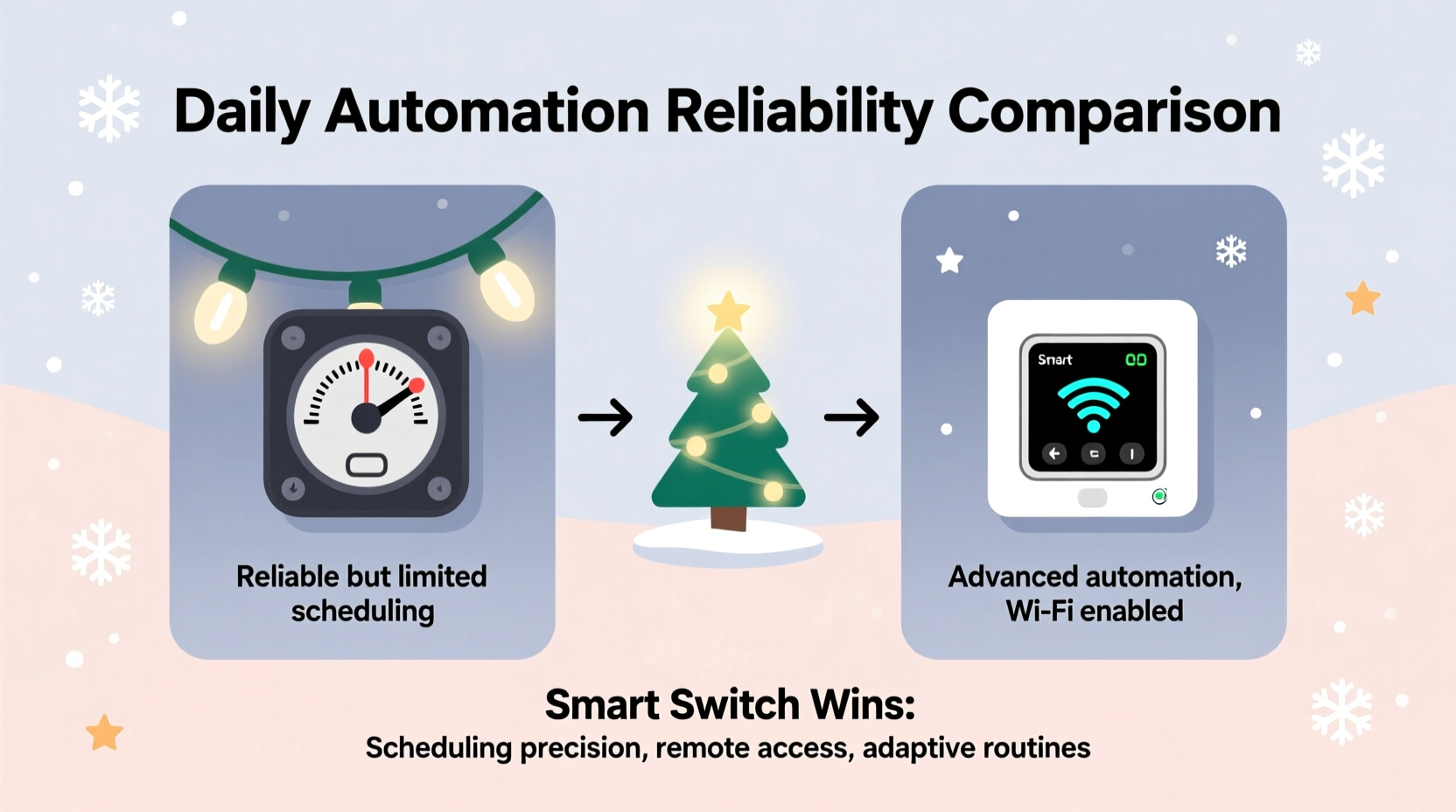
The fundamental distinction between a Christmas light timer and a smart switch lies in how they operate and integrate into your home system. A timer is typically a standalone device—either mechanical (with dials) or digital (with programmed settings)—that plugs into an outlet and controls connected lights on a set schedule. In contrast, a smart switch connects to your home’s Wi-Fi network and allows control through smartphone apps, voice assistants, or cloud-based routines.
Timers function independently. Once programmed, they do not require internet connectivity or additional infrastructure. Smart switches, however, depend on a stable network connection, mobile app functionality, and often a hub or cloud service to execute schedules. This dependency introduces potential points of failure that don’t exist with simpler devices.
For seasonal lighting setups, especially outdoors where environmental factors play a role, independence from digital ecosystems can be a significant advantage. A timer continues working even if your router reboots, your phone dies, or your smart home platform undergoes maintenance.
Reliability Under Real-World Conditions
When evaluating reliability, consider three key stressors: power interruptions, environmental exposure, and software dependency.
- Power Interruptions: Most plug-in timers retain their programming after a power outage. Digital models with backup batteries can preserve time and schedule data even during extended blackouts. Smart switches also store schedules locally in some cases (like newer Zigbee or Z-Wave models), but many rely on cloud syncing. If power returns before your router restarts, a smart switch might boot up without network access and fail to trigger scheduled events until connectivity resumes.
- Environmental Exposure: Outdoor-rated timers are designed to withstand moisture, temperature swings, and UV exposure. They’re built for temporary seasonal use. Smart switches, particularly indoor-only models, are not meant for direct outdoor installation unless housed in protective enclosures. Even then, prolonged cold or dampness can affect electronic components and Wi-Fi reception.
- Software Dependency: Smart switches require firmware updates, app availability, and account authentication. Occasionally, manufacturers discontinue support for older models, rendering them obsolete. Timers have no such risk—they work purely on electrical and mechanical principles.
In practical terms, this means a $15 digital timer can outperform a $35 smart plug over multiple holiday seasons simply because it doesn't need anything beyond electricity to function.
“Simplicity often wins when it comes to seasonal automation. The fewer dependencies, the higher the reliability.” — Daniel Reeves, Home Automation Engineer
Comparison Table: Timer vs Smart Switch Features
| Feature | Plug-In Timer | Smart Switch |
|---|---|---|
| Setup Complexity | Low – Plug in and program manually | Medium – Requires app setup, Wi-Fi pairing |
| Internet Required? | No | Yes, for full functionality |
| Remote Access | No | Yes – via app or voice assistant |
| Weather Resistance | High – Many models rated for outdoor use | Low to Medium – Indoor use only unless protected |
| Schedule Precision | Good – Accurate within minutes | Excellent – Can sync with GPS sunrise/sunset |
| Failure Risk | Very Low – Mechanical/digital simplicity | Moderate – Network, server, or firmware issues |
| Lifespan (Typical) | 5–10 years | 3–7 years (subject to tech obsolescence) |
Real-World Example: Two Homes, One Holiday Season
Consider two neighbors: Sarah uses a digital outlet timer for her front yard lights, while James relies on a smart plug linked to his home automation system.
Sarah sets her timer in early December to turn lights on at 5:00 PM and off at 11:00 PM. She places the timer in a weatherproof box near her exterior outlet. Over the next six weeks, there are three brief power outages. Each time, the timer resets correctly using its internal clock and resumes the schedule automatically. No intervention needed.
James programs his smart plug through an app to follow sunset times, adjusting dynamically each day. During week two, his internet provider performs routine maintenance, causing a four-hour outage. When power returns, his router takes 10 minutes to reconnect. The smart plug boots up but cannot reach the cloud server. As a result, it defaults to “off” and fails to activate until James notices the issue the next morning and manually restarts the schedule.
Despite James’s more sophisticated setup, Sarah’s display runs flawlessly throughout the season. Her solution proves more reliable precisely because it avoids reliance on external systems.
Step-by-Step Guide: Choosing and Setting Up the Most Reliable Option
Follow these steps to ensure maximum reliability for your automated Christmas lights:
- Determine Location and Power Source: Identify whether your lights will be indoors or outdoors. For exterior installations, choose a timer rated for outdoor use or house any device in a UL-listed weatherproof enclosure.
- Decide on Automation Needs: Ask yourself: Do you need remote control or dynamic sunset tracking? If not, skip the complexity of a smart switch.
- Select Device Type: For pure reliability, opt for a digital plug-in timer with battery backup. Avoid mechanical dial timers if precise timing is important, as they can drift slightly over days.
- Program the Schedule: Set on/off times conservatively—e.g., 30 minutes before dusk and 30 minutes after dawn—to ensure visibility during peak evening hours.
- Test Before Deployment: Plug in the device and test the schedule over a 24-hour period. Confirm it operates correctly after unplugging and replugging to simulate a power outage.
- Monitor Early Operation: Check the system nightly for the first week. With timers, this is usually just confirming consistency. With smart switches, verify app notifications and uptime.
- Label and Store Properly Off-Season: After the holidays, label cords and store the timer in a dry container. Avoid coiling cords tightly, which can damage insulation.
When a Smart Switch Might Be Worth the Trade-Off
While timers generally win on reliability, smart switches offer unique advantages worth considering—if you accept the risks.
Dynamic scheduling based on actual sunset and sunrise times adjusts automatically across the season. This eliminates the need to reprogram weekly as daylight changes. Voice control and integration with holiday scenes (e.g., “Deck the Halls” mode) enhance convenience. You can also monitor energy usage and receive alerts if a circuit trips.
Smart switches shine in permanent installations or whole-home holiday themes synchronized through platforms like Google Home or Apple HomeKit. If you already have a robust smart home ecosystem with mesh networking (e.g., Thread or Zigbee), adding a compatible outdoor-rated smart plug can be highly effective.
However, for simple, single-point lighting displays—like porch lights or tree illumination—a timer remains the most dependable choice.
Essential Checklist for Reliable Holiday Lighting Automation
- ☐ Choose an outdoor-rated device if installing outside
- ☐ Verify battery backup for digital timers
- ☐ Test all connections before final setup
- ☐ Program schedule with buffer times around dusk/dawn
- ☐ Simulate a power outage to confirm auto-resume function
- ☐ Avoid daisy-chaining multiple high-wattage strings
- ☐ Label all components for easy storage and reuse
- ☐ Keep spare fuses or replacement timers on hand
Frequently Asked Questions
Can I use a smart switch outdoors?
Most smart switches are designed for indoor use only. However, some models (like the TP-Link Kasa KP400 or certain Aeotec outdoor relays) are rated for outdoor installation. Always check the IP rating and install in a covered, dry location—even if the device claims weather resistance.
Do digital timers lose time during power outages?
Higher-quality digital timers include a small backup battery (often CR2032) that maintains the clock and settings during short outages. Cheaper models may reset completely. Look for “memory backup” in product specifications to ensure continuity.
Which option saves more energy?
Neither device consumes meaningful energy themselves. However, both help save energy by preventing lights from staying on unnecessarily. Smart switches may offer slight efficiency gains through precise geofencing or adaptive scheduling, but the difference is minimal for seasonal use.
Final Recommendation: Prioritize Simplicity for Long-Term Reliability
After weighing features, real-world performance, and failure modes, the evidence strongly favors plug-in timers for reliable daily automation of Christmas lights. Their independence from networks, low cost, durability, and consistent operation make them ideal for seasonal applications.
Smart switches bring modern conveniences but introduce fragility through software updates, connectivity loss, and potential obsolescence. Unless you require remote access or dynamic scheduling across multiple zones, the added complexity rarely justifies the reliability trade-off.
For most households, a well-built digital timer costing under $20 will deliver five or more years of flawless service with zero maintenance. That kind of longevity and dependability is hard to match in today’s fast-evolving smart home market.




 浙公网安备
33010002000092号
浙公网安备
33010002000092号 浙B2-20120091-4
Comments
No comments yet. Why don't you start the discussion?