
As the holiday season approaches, many homeowners begin planning their Christmas light displays with care—balancing aesthetics, energy efficiency, and convenience. One critical component often overlooked is the timer that controls when those lights turn on and off. While some light sets come with built-in timers, others rely on external plug-in models. The real question isn’t just about convenience—it’s about control. Which option gives you more precise, flexible, and reliable scheduling? The answer depends on your needs, but understanding the differences can help you make a smarter choice.
How Built-In Timers Work
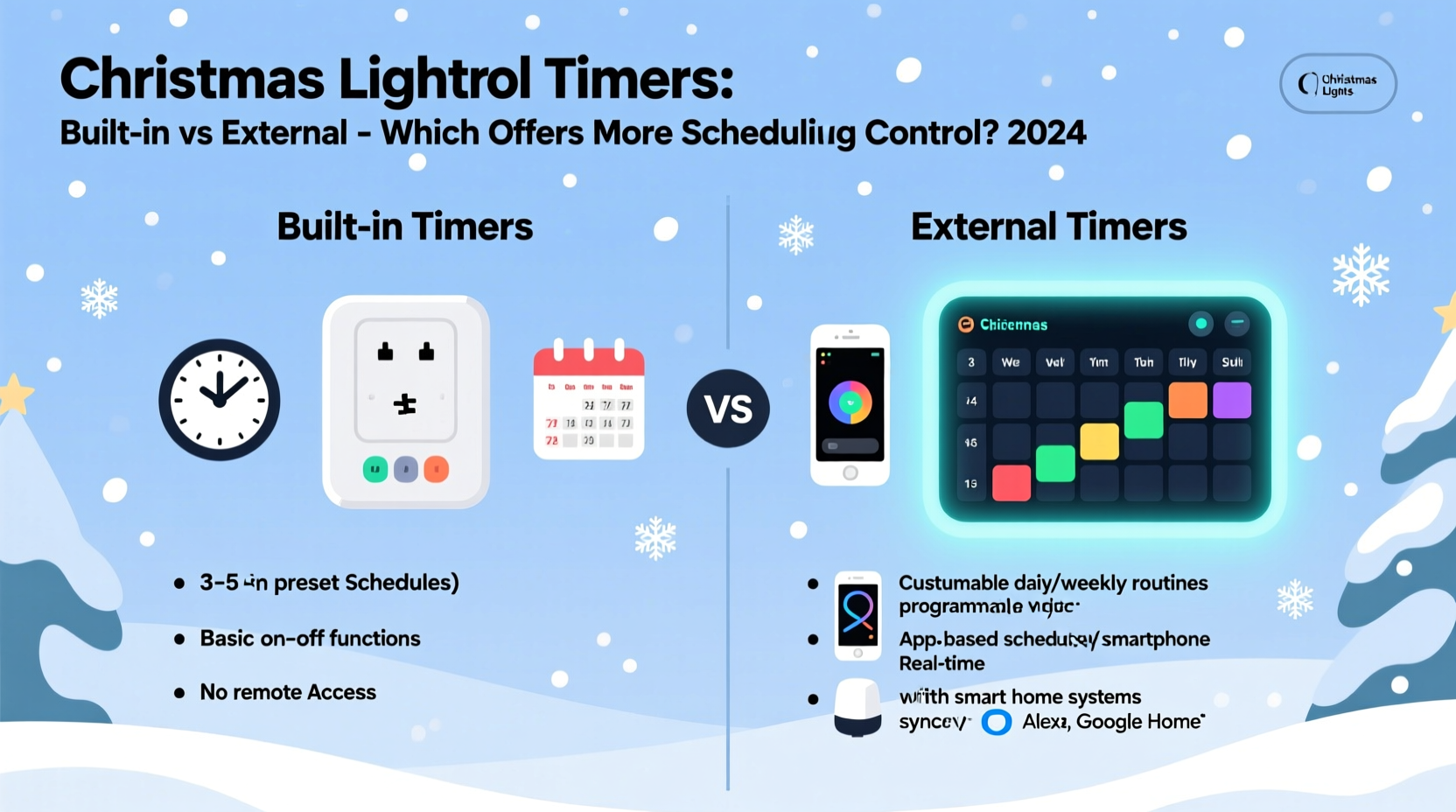
Built-in timers are small electronic circuits embedded directly into strands of Christmas lights. These are commonly found in pre-lit garlands, mini-light strings, and some LED net lights. They typically offer preset functions such as “steady on,” “twinkle,” “slow fade,” or “on for 6 hours, off for 18.” Most operate via a simple button or switch on the light set itself, cycling through modes with each press.
The appeal lies in simplicity: no extra devices to plug in, fewer cords to manage, and an all-in-one solution. However, this convenience comes at a cost—limited customization. Built-in timers usually lack the ability to set specific on/off times. Instead, they follow fixed intervals. For example, a strand might turn on at dusk and shut off automatically after six hours, regardless of whether you want it on until midnight or only during dinner time.
The Advantages of External Timers
External timers are standalone devices that plug into a wall outlet, with your light string then plugged into the timer. These range from basic mechanical models with rotating dials to advanced digital units and smart Wi-Fi-enabled versions. Unlike built-in options, external timers give users granular control over when lights activate and deactivate.
Digital external timers allow you to program multiple on/off events per day—ideal if you want lights on from 5 PM to 10 PM every evening, or different schedules for weekdays versus weekends. Smart timers take this further by enabling remote access via smartphone apps, geofencing (lights turn on when you’re near home), and integration with voice assistants like Alexa or Google Assistant.
This level of precision makes external timers especially valuable for elaborate displays, rental properties where electricity use is monitored, or households aiming to reduce energy waste. You’re not bound by factory presets—you decide exactly how long and when your lights shine.
“With external programmable timers, homeowners gain true command over their lighting schedules. It’s not just about turning lights on; it’s about creating ambiance, security, and efficiency.” — Marcus Tran, Electrical Systems Consultant
Comparing Scheduling Control: A Detailed Breakdown
To understand which system offers superior scheduling capabilities, consider these key factors:
- Time Precision: Can you set exact start and end times?
- Multiple Daily Events: Can lights turn on, off, and back on within a single day?
- Day-Specific Programming: Can you schedule different routines for different days of the week?
- Manual Override: Can you temporarily disable or adjust without reprogramming?
- Environmental Sensing: Does the timer respond to ambient light or motion?
Built-in timers generally score poorly across these metrics. Most operate on fixed cycles triggered by internal clocks or light sensors, offering little to no user input beyond selecting a mode. In contrast, mid-range and high-end external timers excel in all categories.
Feature Comparison Table
| Feature | Built-In Timer | External Timer (Digital/Smart) |
|---|---|---|
| Set Exact On/Off Times | No | Yes |
| Multiple Daily Events | No | Yes (up to 4–8 events) |
| Weekly Scheduling | No | Yes (weekday vs weekend) |
| Remote Access | No | Yes (smart models) |
| Manual Override | Limited (cycle through modes) | Yes (button or app toggle) |
| Battery Backup | None | Yes (in most digital models) |
The data shows a clear winner when scheduling control is the priority: external timers outperform built-in models in every measurable category. Even budget-friendly digital plug-in timers offer more functionality than the most advanced built-in systems.
Real-World Example: The Neighborhood Display Dilemma
Consider Sarah, a homeowner in Denver who prides herself on her annual Christmas light show. Her display includes roofline lights, animated figures, pathway markers, and a motorized sleigh. She wants lights on from 5:00 PM to 11:00 PM nightly during the week, but extends to midnight on Fridays and Saturdays. She also plans to turn everything off early on Christmas Eve for a family dinner.
If Sarah relied solely on built-in timers, she’d be stuck with inconsistent behavior—some strands turning off after six hours, others flashing unpredictably. Coordinating multiple sets would be chaotic, and manual adjustments nightly would defeat the purpose of automation.
Instead, she uses two smart external timers—one for main lights, another for animations. Using a mobile app, she programs distinct weekday and weekend schedules, sends a one-time override to shut down early on December 24th, and even receives notifications if a timer loses power. The result? A seamless, professional-quality display with zero daily effort.
When Built-In Timers Make Sense
Despite their limitations, built-in timers aren’t obsolete. They serve well in low-complexity scenarios:
- Single strand used on a patio tree or indoor wreath
- Renters who can’t install additional devices
- Situations where minimizing outlets is crucial
- Temporary or portable displays (e.g., table centerpieces)
For these uses, the simplicity of a built-in timer outweighs the need for precision. Just be aware of the trade-offs: less control, potential mismatch with local darkness times (especially as sunset shifts weekly), and inability to adapt to special events.
Step-by-Step: Choosing and Setting Up the Right Timer
Follow this sequence to ensure optimal scheduling control for your holiday lights:
- Assess Your Display Needs: Count how many light strands or zones you have. Determine if they’ll run on the same or different schedules.
- Select Timer Type: For full control, choose digital or smart external timers. Look for models with at least 7-day programming and battery backup.
- Check Load Capacity: Ensure the timer can handle the total wattage of connected lights. Overloading can cause failure or fire risk.
- Plan Outlet Access: Use outdoor-rated extension cords and GFCI outlets. Position timers under eaves or protective covers if exposed to weather.
- Program in Advance: Set clocks accurately, define on/off times, and test at least one full cycle before final installation.
- Label Each Timer: Especially useful if managing multiple zones. Label with location (e.g., “Front Porch,” “Garage Roof”).
- Monitor and Adjust: After setup, check performance over several days. Tweak timing based on actual sunset/sunrise and neighborhood activity.
FAQ: Common Questions About Christmas Light Timers
Can I use an external timer with lights that already have a built-in timer?
It’s technically possible, but not recommended. Running both timers creates unpredictable behavior—conflicting signals may cause lights to flicker or fail to turn on. Disable the built-in function (if possible) or bypass it by choosing a constant-on mode before plugging into an external timer.
Do smart timers work during power outages?
Most smart timers include battery backup for the internal clock, so they retain settings after brief outages. However, they cannot power lights during an outage unless connected to a generator or UPS. Always verify battery compartment requirements (usually AA or CR2032).
Are external timers safe for outdoor use?
Only if rated for outdoor use. Look for timers with UL certification and weather-resistant casings. Protect connections with covered outlet boxes or waterproof enclosures. Never use indoor-only timers outside, even under cover.
Final Checklist Before Installation
- ☐ Confirm total wattage of lights does not exceed timer capacity
- ☐ Choose between mechanical, digital, or smart timer based on control needs
- ☐ Verify outdoor rating and GFCI compatibility for exterior installations
- ☐ Test timer operation indoors before final mounting
- ☐ Program schedule with accurate current time and desired on/off windows
- ☐ Install surge protection if in lightning-prone area
- ☐ Keep instruction manuals and warranty info accessible
Conclusion: Maximize Control with External Timers
While built-in timers offer convenience for small, simple setups, they fall short when scheduling precision matters. External timers—especially digital and smart models—deliver unmatched control, flexibility, and reliability. Whether you're illuminating a single tree or orchestrating a block-wide spectacle, the ability to define exact on/off times, automate weekly variations, and adjust remotely transforms holiday lighting from a chore into a seamless experience.
Don’t let preset limitations dim your display. Invest in external timers that grow with your ambitions, save energy, and keep your home glowing exactly when you want it to. This season, take command of your lights—and enjoy a brighter, smarter celebration.




 浙公网安备
33010002000092号
浙公网安备
33010002000092号 浙B2-20120091-4
Comments
No comments yet. Why don't you start the discussion?