
In the boundless world of Minecraft, creativity knows no limits. While boats, minecarts, and even elytra-powered gliders dominate transportation, few players have mastered the art of constructing functional airplanes. Unlike real-world aviation, Minecraft doesn’t include planes by default—but that hasn’t stopped imaginative builders from designing flying machines that soar across skies with style and precision. With the right combination of building techniques, redstone mechanics, and command blocks, you can craft an airplane that not only looks impressive but actually flies.
This guide walks you through every phase: planning your design, gathering materials, assembling key components, programming flight mechanics, and executing liftoff. Whether you're playing in Creative or Survival mode, these methods will help you build a working aircraft that turns heads and defies gravity—Minecraft style.
Step 1: Planning Your Airplane Design
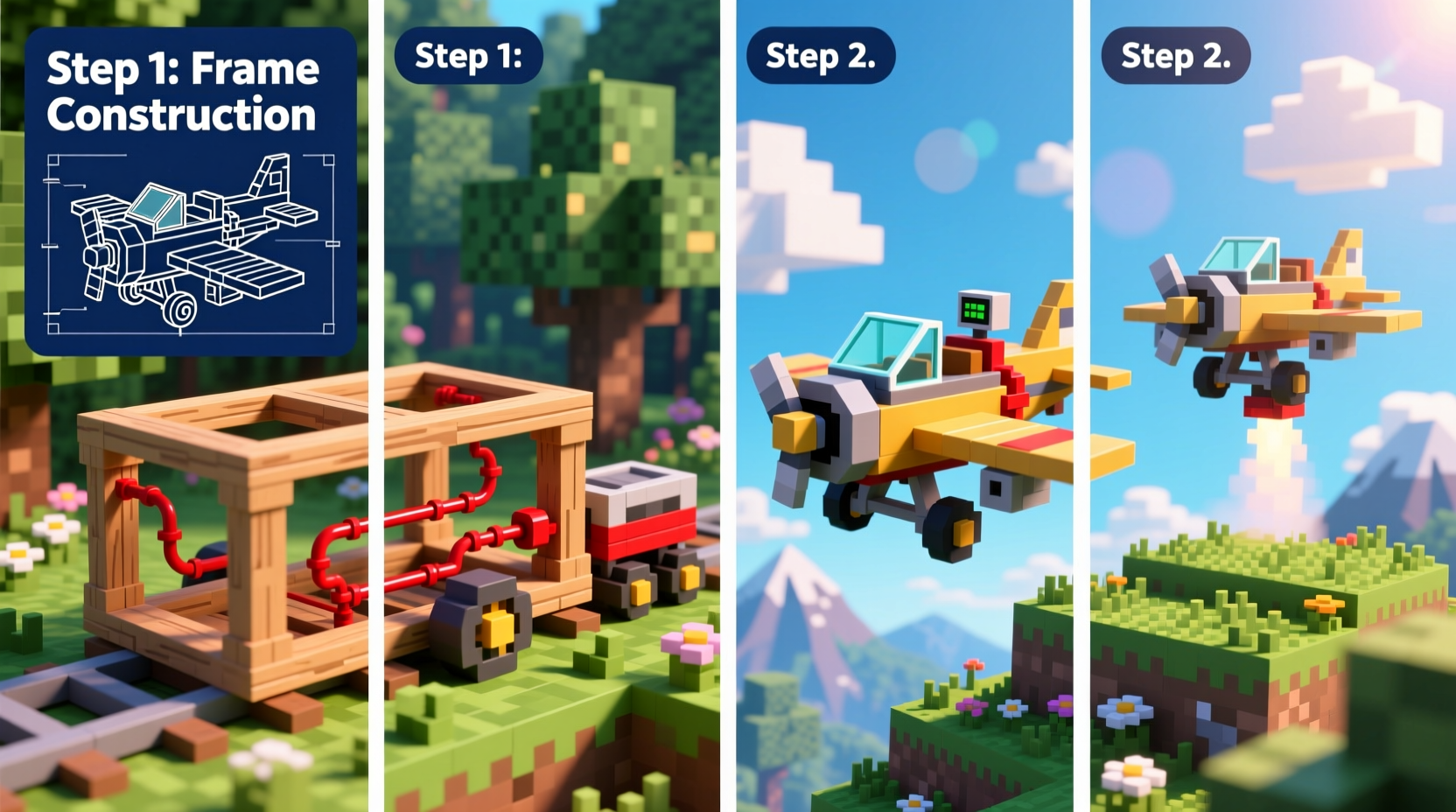
Before placing a single block, sketch out your airplane’s blueprint. Consider scale, symmetry, and aerodynamic appearance—even though physics don’t apply literally, visual realism enhances immersion. Decide whether you want a small propeller-driven biplane, a sleek jet fighter, or a massive cargo plane. Each type demands different proportions and structural support.
Key factors to consider:
- Size: Larger planes require more complex stabilization systems.
- Symmetry: Use grid-based building for balanced wings and fuselage alignment.
- Cockpit placement: Ensure clear forward visibility and easy access to control mechanisms.
- Flight path: Will it fly straight, loop, or follow custom routes?
Step 2: Gathering Materials and Tools
Your material list depends on both aesthetics and functionality. For decorative builds, use colored wool, concrete, or quartz. For functional movement, you’ll need redstone components and potentially command blocks if you’re enabling self-propulsion.
| Purpose | Materials Needed | Optional Upgrades |
|---|---|---|
| Structure | Planks, concrete, iron blocks, glass panes | Glowstone for interior lighting |
| Propulsion (Redstone) | Slime blocks, pistons, observers, redstone blocks | Sticky pistons for smoother motion |
| Flight Control (Commands) | Command blocks, scoreboard objectives | Repeat/chain command blocks for automation |
| Decoration | Wool, banners, signs, armor stands | Custom name tags for branding |
Survival players may need to farm redstone, obsidian (for command blocks via cheats), and slimeballs. Creative mode users can instantly access all items via inventory menus.
Step 3: Building the Airframe
Start with the fuselage—the central body. A simple rectangular prism made of lightweight blocks works well. Extend wings symmetrically from the sides using slabs or stairs to create lift-like surfaces. Tail fins should be built at the rear for directional stability.
- Lay down the main cabin: 5–7 blocks long, 3 high, 3 wide.
- Add wings: Extend 6–10 blocks per side, 2 blocks thick at root tapering outward.
- Install tail section: Vertical stabilizer (fin) + horizontal stabilizers (small wings at back).
- Place glass panes as windows and cockpit windshield.
- Use banners or painted concrete to add logos or national markings.
For moving parts like propellers, attach a series of blocks rotated via piston arrays or rotating minecart tricks. A spinning blade at the front gives the illusion of thrust.
“Functional artistry is what separates great Minecraft builds from legendary ones. Movement transforms static models into living machines.” — Lucas Reed, Redstone Engineer & Minecraft Educator
Step 4: Enabling Flight Mechanics
Minecraft has no native flight system for custom vehicles, so you must simulate flight using either redstone contraptions or command-based propulsion.
Option A: Redstone-Powered Hovering (Limited Mobility)
Create a hovering platform beneath the plane using alternating sticky pistons and slime blocks. When activated, this setup \"jogs\" upward repeatedly, keeping the plane aloft. However, directional control is limited without additional lateral pistons.
Option B: Command Block Flight (Full Control)
This method allows true flight simulation. First, set up a scoreboard objective to track activation:
/scoreboard objectives add flyPlane dummy
Then, place a repeating command block inside the cockpit with the following command:
/execute as @e[type=armor_stand,name=PlaneController] at @s run tp @e[distance=..2,name=Player] ~ ~0.1 ~
This teleports any nearby player slightly upward each tick, creating continuous ascent. Combine with directional movement using conditional commands based on player rotation:
/execute as @e[type=armor_stand,name=PlaneController] at @s facing entity Player north run tp @e[distance=..2,name=Player] ~0.1 ~ ~
Duplicate for south, east, and west directions. Link controls via buttons or pressure plates labeled “Pitch Up,” “Turn Left,” etc.
Step 5: Testing, Tuning, and Taking Off
Before full deployment, test your airplane in a flat, open area. Activate the system and observe behavior. Common issues include:
- Uneven lift causing tilting
- Delayed response due to command lag
- Player dismounting during sharp turns
To stabilize, add counterweights or adjust piston timing. For smoother flight, reduce teleport intervals (e.g., ~0.05 instead of ~0.1) and increase command block tick speed.
Mini Case Study: The Skyhawk Mk.IV Project
Jamie, a builder on a multiplayer server, wanted a reusable reconnaissance plane. Using command blocks linked to a joystick-style button panel, she programmed four flight modes: climb, descend, turn left, and cruise. By anchoring movement to a central armor stand and syncing velocity vectors, her plane achieved stable forward motion at 20 blocks per second. After three test crashes into mountains, she added a terrain-warning sign system and now offers guided tours above the server’s capital city.
Frequently Asked Questions
Can I fly my airplane in Survival mode without cheats?
Without command blocks or mods, true flight isn’t possible. However, you can simulate short bursts using TNT cannons or ender pearls. For consistent flight, enable cheats to use command blocks, even in Survival.
How do I prevent my airplane from flipping over?
Ensure weight distribution is even. Add heavier blocks (like iron or stone) along the bottom centerline to act as ballast. Avoid placing large structures only on one wing or side.
Can multiple players ride together?
Yes. Use larger teleport ranges (e.g., @e[distance=..5,r=4]) to include nearby entities. You can also attach minecarts under seats for passengers who prefer mounted stability.
Checklist: Building a Functional Minecraft Airplane
- ☑ Choose airplane type and sketch basic design
- ☑ Gather structural and mechanical materials
- ☑ Build fuselage, wings, tail, and cockpit
- ☑ Install redstone circuitry or program command blocks
- ☑ Set up control interface (buttons, levers, panels)
- ☑ Test flight mechanics in safe environment
- ☑ Adjust balance and responsiveness
- ☑ Decorate and personalize with paint, lights, or sounds
Final Thoughts and Takeoff
Building an airplane in Minecraft blends architecture, engineering, and imagination. It’s not just about making something that flies—it’s about creating a vehicle that reflects your personal vision of adventure. From the first block placed to the moment your creation lifts off into the clouds, every stage offers opportunities for innovation.
Don’t worry if your first model crashes. Even the Wright brothers had setbacks. Refine your design, optimize your commands, and soon you’ll have a fleet soaring over your world. Share your designs with friends, challenge others to dogfights, or start an airline service between distant bases.




 浙公网安备
33010002000092号
浙公网安备
33010002000092号 浙B2-20120091-4
Comments
No comments yet. Why don't you start the discussion?