
The Nintendo Switch is a marvel of modern gaming: compact, portable, and powerful. But its portability only works when you can carry it efficiently. Many owners quickly discover that their official or third-party carrying case fills up fast—not just with the console and Joy-Cons, but also with games, cables, adapters, and accessories. Without thoughtful organization, what should be a streamlined travel companion becomes a cluttered mess. The good news? With a few clever strategies, you can transform even the most basic carrying case into a highly functional, well-organized kit tailored to your gaming lifestyle.
Assess Your Current Case and Contents
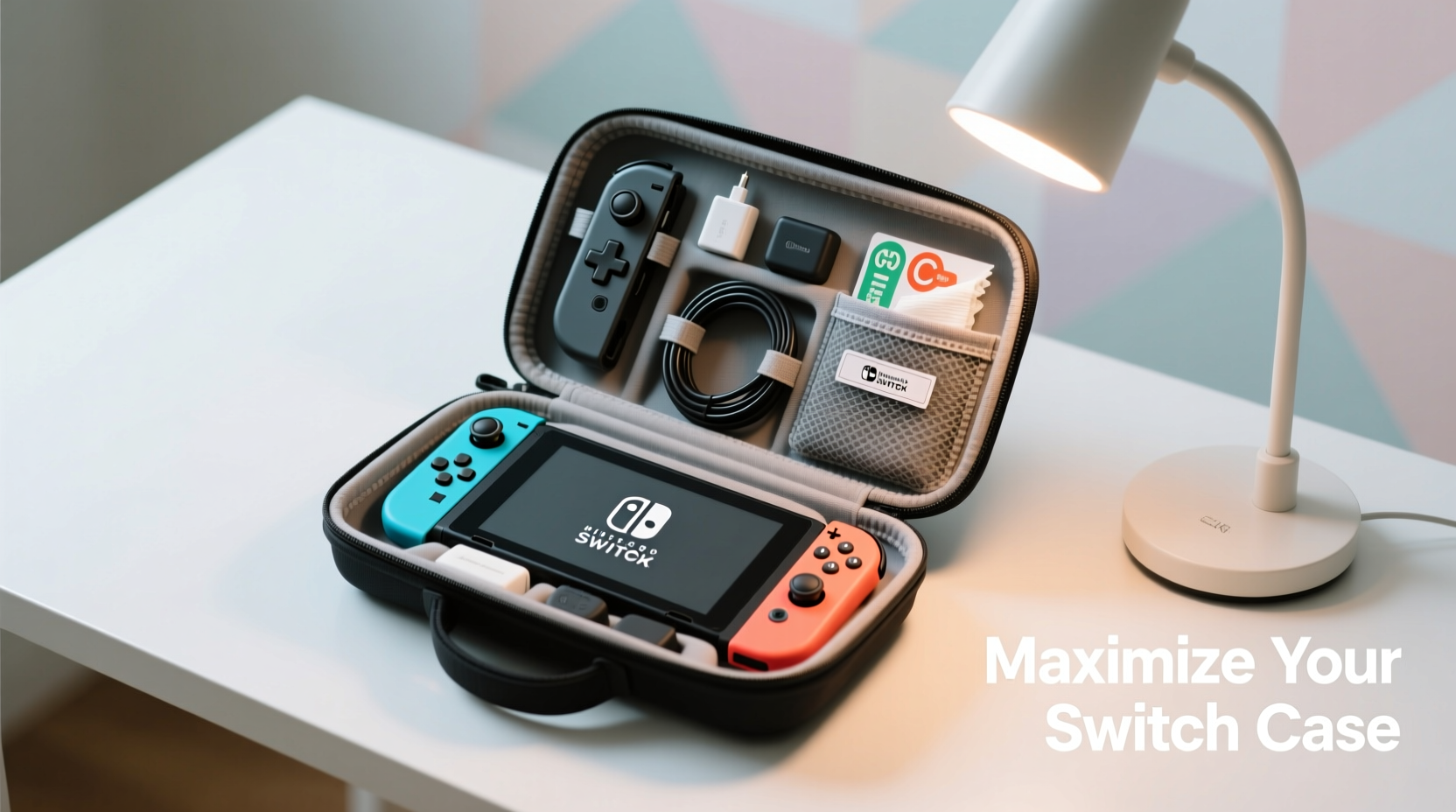
Before making any changes, take stock of what you have. Remove everything from your carrying case and lay it out on a flat surface. Identify each item:
- Nintendo Switch console (original, OLED, or Lite)
- Joy-Con controllers and wrist straps
- AC adapter and USB-C cable
- Game cartridges and protective cases
- Screen protector tools or extra stylus (for Switch Lite)
- Headphones, microSD cards, or charging dock
Now, evaluate your case’s layout. Does it have dedicated slots for games? Is there padding for the screen? Are there mesh pockets, elastic loops, or Velcro compartments? Understanding the built-in structure helps you work with, not against, the design.
Optimize Game Cartridge Storage
Most standard Switch cases hold between 4 and 12 game cartridges. If you’re like many players, you own more than that—or at least want to bring multiple options on longer trips. Here are several ways to expand or improve game storage without sacrificing protection:
- Use slimline cartridge sleeves: Instead of bulky retail cases, slide games into thin, rigid plastic sleeves. These protect the label and chip while reducing bulk.
- Create a labeled index: Place a small sticky note or laminated card in a mesh pocket listing which games you’ve packed and their positions. This saves time when switching titles mid-travel.
- Stack vertically, not horizontally: If your case allows, orient cartridges upright rather than flat. This prevents shifting and makes them easier to grab.
For those who frequently rotate games, consider using a removable wallet-style insert. Some aftermarket organizers fit inside larger cases and hold up to 24 games in a fan-fold design—ideal for collectors or families sharing one system.
Smart Accessory Management with Modular Inserts
One of the biggest space-wasters in a carrying case is loose accessories. Cables tangle, earbuds knot, and SD cards get lost. The solution? Think modular.
Small fabric or neoprene organizer pouches—often marketed as toiletry or tech kits—fit perfectly inside most Switch cases. Dedicate one pouch per category:
- Cable Kit: USB-C charging cable, AC adapter, HDMI cable (if needed)
- Audio & Input: Headphones, headphone splitter, stylus
- Expansion: MicroSD cards in labeled sleeves, card reader
- Maintenance: Screen wipes, cleaning cloth, spare wrist straps
| Accessory Type | Storage Solution | Space Saved? |
|---|---|---|
| Loose cables | Velcro cable wraps or zippered pouch | High |
| Multiple game cards | Fan-fold wallet or labeled sleeve stack | Medium |
| Joy-Con wrist straps | Loop around controller or use elastic hook | Low-Medium |
| MicroSD cards | Dedicated card holder with labels | High |
“Efficient accessory organization isn’t about owning more—it’s about accessing what you need instantly, especially during travel.” — Jordan Lee, Tech Lifestyle Organizer
Step-by-Step: Build Your Ideal Layout
Follow this sequence to reconfigure your case for maximum efficiency:
- Empty and clean: Remove all items and wipe down surfaces.
- Prioritize essentials: Decide what must come with you (e.g., charger for overnight stays).
- Group by function: Cluster similar items (cables, games, personal care).
- Select organizers: Choose pouches or inserts that fit snugly without overstuffing.
- Test the layout: Close the case gently—ensure no pressure on the screen or hinges.
- Label if needed: Use small labels or color-coding for quick identification.
- Reassess monthly: Update contents based on recent usage patterns.
This process turns chaos into clarity. Over time, you’ll develop a personalized system that feels intuitive and reliable.
Real-World Example: The Family Travel Setup
Samantha, a parent of two, uses her Switch OLED case during road trips. Initially, she struggled with tangled headphones and missing game cartridges. Her kids would argue over which game was where, and the charging cable often blocked the zipper.
She redesigned her case using three small zippered pouches: one red for multiplayer games, one blue for single-player adventures, and a clear vinyl bag for all cables and chargers. She added a mini binder clip to the interior mesh pocket to hold a printed list of games and their ratings (helpful for managing screen time). Now, her children can independently choose games, and setup takes under a minute. The case lasts longer too—no more sharp edges poking through from loose cartridges.
Checklist: Optimize Your Switch Case in One Session
Use this checklist the next time you organize your case:
- ☐ Empty the entire case and clean interior surfaces
- ☐ Sort items into categories (console, games, cables, etc.)
- ☐ Discard unnecessary duplicates or broken accessories
- ☐ Assign each category a dedicated pouch or zone
- ☐ Secure loose cables with wraps or clips
- ☐ Label game slots or use color-coded sleeves
- ☐ Ensure the Switch fits securely without pressure on the screen
- ☐ Test closing and opening the case multiple times
- ☐ Store in a cool, dry place when not in use
Frequently Asked Questions
Can I fit the Dock in my carrying case?
Most standard Switch cases are not designed to hold the full dock. However, compact third-party docks (like the Hori Split Pad Pro or smaller travel docks) can sometimes fit alongside the console if you remove non-essential items. For regular dock transport, consider a larger padded laptop-style case designed specifically for full setups.
How do I prevent screen scratches when storing the Switch?
Always ensure the screen is free of dust before closing the case. Use a screen protector, and avoid placing any hard objects (like game cartridges or cables) directly against the display. If your case lacks a secure console strap, consider adding a soft silicone skin to create a buffer layer.
Are third-party cases better than the official one?
It depends on your needs. Official cases offer guaranteed fit and durability, but limited customization. Many third-party options provide expanded game storage, additional pockets, and sturdier zippers. Look for models with reinforced corners and soft inner lining if upgrading.
Conclusion: Turn Your Case Into a Command Center
Your Nintendo Switch carrying case doesn’t have to be just a protective shell—it can become a thoughtfully curated command center for your mobile gaming life. By applying smart categorization, modular storage, and routine maintenance, you gain more than space; you gain peace of mind. Whether you're commuting, traveling, or simply moving from room to room, an organized case means less frustration and more playtime.




 浙公网安备
33010002000092号
浙公网安备
33010002000092号 浙B2-20120091-4
Comments
No comments yet. Why don't you start the discussion?