
The debate between curved and flat monitors has intensified as curved displays have become more accessible. Once reserved for high-end gaming rigs and professional editing suites, curved screens now appear across mainstream price ranges. But does the curvature genuinely enhance the viewing experience, or is it a cosmetic upgrade with minimal real-world benefit? The answer depends on use case, screen size, viewing distance, and personal preference — not just marketing claims.
Manufacturers often tout “immersion” as the primary advantage of a curved display. Yet many users report little difference after switching from flat to curved, while others swear by the change. To cut through the noise, it's essential to examine the science behind screen curvature, user ergonomics, and practical application in gaming, productivity, and media consumption.
How Curvature Works: The Science Behind the Curve
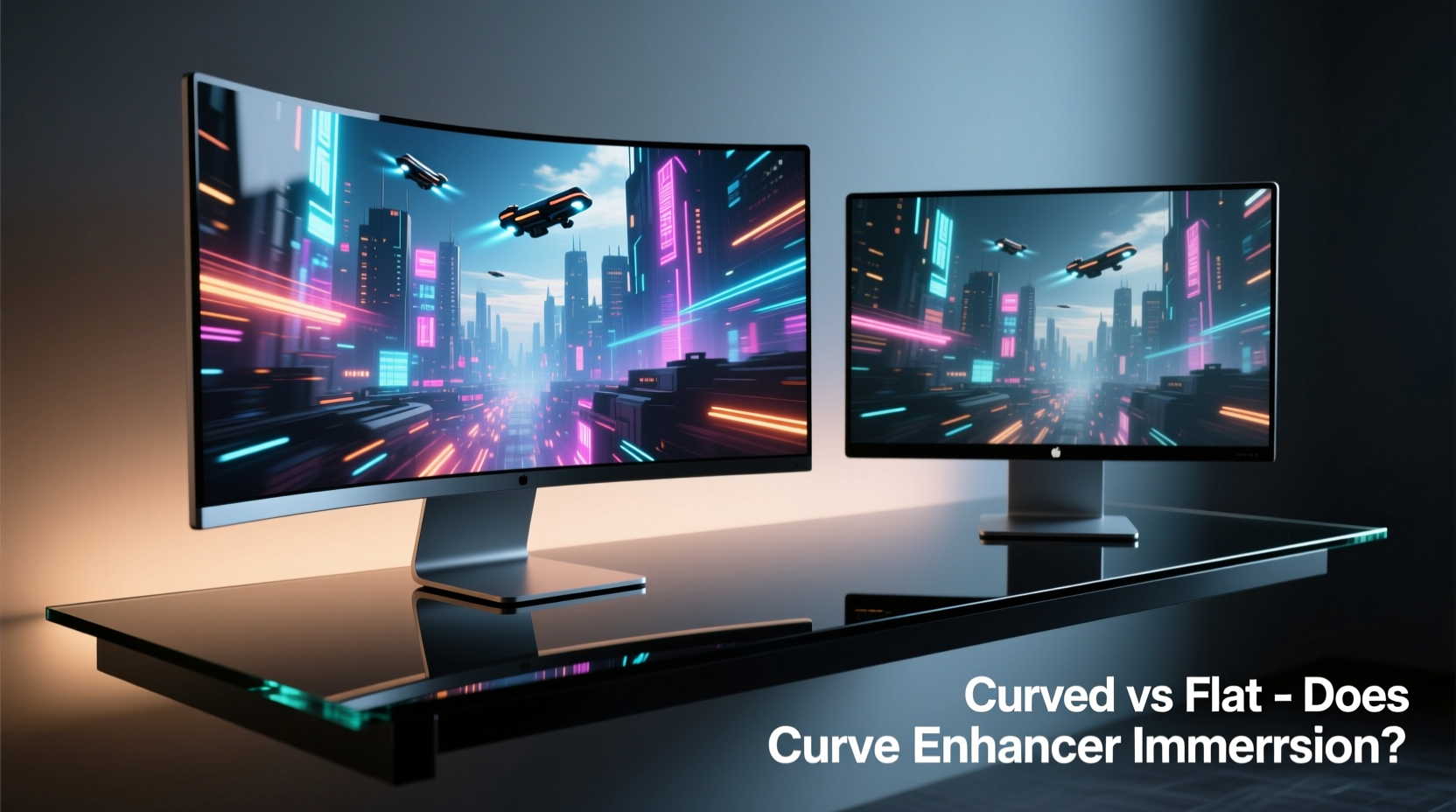
Human vision isn't flat — our peripheral field extends naturally around us, and our eyes perceive depth and edges in a slightly arc-shaped manner. Flat monitors project images onto a plane that doesn't match this natural curvature, potentially causing subtle distortions at the edges, especially on wider screens. A curved monitor attempts to align the display surface more closely with the way our eyes receive light.
The degree of curve is measured in millimeters using a radius notation like “1800R,” meaning the screen is part of a circle with an 1800mm radius. The smaller the number, the more pronounced the curve. For example:
- 3800R: Very gentle curve, barely noticeable.
- 1800R: Common in mid-range gaming monitors.
- 1500R or lower: Aggressive curve, typically found in ultrawide gaming panels.
This curvature reduces angular distortion and keeps pixels equidistant from your eyes across the screen. On wide ultrawide monitors (29” and above), this can reduce eye strain and create a more consistent focus point without requiring constant refocusing or head movement.
“Curved displays are most effective when they match the natural focal arc of human vision. When properly implemented, they reduce cognitive load during long viewing sessions.” — Dr. Alan Reyes, Visual Ergonomics Researcher, University of Michigan
Immersion: Real Benefit or Marketing Hype?
Immersion is subjective, but certain objective factors contribute to it: field of view, edge clarity, and perceived depth. Curved monitors excel in these areas under specific conditions.
In gaming, particularly with racing sims, flight simulators, or open-world titles, a curved ultrawide monitor (like 34” or 49”) can make the environment feel more encompassing. Peripheral vision picks up the bent edges of the screen less abruptly than a flat panel, creating a sense of being “wrapped” in the scene. This effect is amplified when sitting at the optimal distance — usually 24 to 36 inches from the screen.
However, immersion gains diminish on smaller screens. A 24-inch curved monitor offers negligible perceptual difference compared to its flat counterpart because the curve is too subtle to impact peripheral perception. In fact, some users report mild distortion or a \"fishbowl\" effect if the curve is mismatched to screen size or viewing distance.
For video consumption, curved monitors can simulate a more cinematic feel, especially with ultrawide content. But standard 16:9 videos often appear stretched at the edges due to the curvature, unless software correction is applied. Additionally, multiple viewers cannot all sit at the center sweet spot, making curved screens less ideal for shared viewing.
Flat Monitors: Still the Standard for Accuracy and Versatility
Despite the rise of curved displays, flat monitors remain dominant in professional environments. Designers, video editors, and data analysts often prefer flat screens for their geometric accuracy and consistency. With a flat surface, straight lines stay straight across the entire display — critical when working with CAD models, spreadsheets, or precise color grading.
Flat monitors also offer better multi-monitor setups. Trying to align multiple curved monitors side-by-side creates visible gaps and viewing angle inconsistencies. In contrast, flat panels can be seamlessly tiled for extended desktops, a major advantage for traders, programmers, and control room operators.
Another key factor is calibration. Professional workflows demand uniform brightness, contrast, and color temperature across the screen. While modern curved panels have improved significantly, micro-variations along the curve can still affect color perception at extreme angles — something flat IPS panels handle more consistently.
Finally, flat monitors are generally easier to mount, clean, and position under varied lighting. Glare can be more problematic on curved surfaces, which may reflect ambient light from multiple directions due to their shape.
Comparative Breakdown: Curved vs Flat Monitors
| Feature | Curved Monitor | Flat Monitor |
|---|---|---|
| Immersion | High (especially on ultrawides) | Moderate to low |
| Ergonomics | Better for single-user focus | Neutral; consistent across positions |
| Multi-Monitor Setup | Poor (gaps, alignment issues) | Excellent (seamless tiling) |
| Color Accuracy | Good (modern panels), but slight edge variance | Excellent (uniform across screen) |
| Viewing Angles (Multiple Users) | Poor (only one optimal position) | Good (consistent from various angles) |
| Gaming Experience | Enhanced depth and engagement | Familiar, reliable |
| Productivity | Mixed (depends on layout) | Superior for multitasking |
| Price | Typically 10–25% higher | Generally more affordable |
Real-World Example: A Day in the Life of Two Setups
Consider Mark, a financial analyst who uses three 27-inch monitors for tracking markets, managing portfolios, and communicating with clients. He tested a dual-curved setup but found the gap between screens disrupted his workflow. Data spanning multiple monitors appeared fragmented, and he had to turn his head excessively to read the far edges. After reverting to flat panels in a linear array, his efficiency improved by nearly 15%, according to self-tracked metrics.
In contrast, Sarah, a freelance game designer and avid sim racer, upgraded to a 34-inch 1500R ultrawide curved monitor. She noticed immediate improvements in her ability to track enemies in her peripheral vision during gameplay. During design work, she appreciated the reduced eye fatigue over 8-hour sessions. For her, the curve wasn’t a gimmick — it was a functional upgrade tailored to her immersive, single-user workflow.
These cases illustrate that context matters. The same feature can be transformative for one user and disruptive for another.
Choosing the Right Monitor: A Practical Checklist
Before investing in a curved or flat monitor, consider the following checklist to ensure you’re making a decision based on need, not novelty:
- ✅ Primary Use: Are you gaming, editing, coding, or multitasking?
- ✅ Screen Size: Is it 30 inches or larger? Smaller screens gain little from curvature.
- ✅ Viewing Distance: Do you sit within 3 feet of the screen? Closer distances amplify curve effects.
- ✅ Single vs. Multiple Users: Will others frequently view the screen?
- ✅ Multi-Monitor Needs: Do you rely on side-by-side displays?
- ✅ Budget: Are you paying a premium for a feature you won’t fully utilize?
- ✅ Content Type: Do you consume ultrawide or 16:9 content primarily?
FAQ: Common Questions About Curved vs Flat Monitors
Do curved monitors reduce eye strain?
Yes, in specific scenarios. By maintaining a more consistent focal distance across the screen, curved monitors can reduce the need for constant refocusing, especially on large ultrawide displays. However, improper positioning or excessive curvature can increase strain. Ergonomic setup remains crucial regardless of screen type.
Can you mount a curved monitor on a wall or arm?
Yes, most curved monitors support VESA mounting standards. However, due to their depth and weight distribution, ensure your mount can handle the balance. Some arms may not accommodate the rear protrusion of deeply curved panels.
Are curved monitors bad for productivity?
Not inherently, but they’re often less optimal. Tasks involving multiple windows, coding, or spreadsheet navigation benefit from the uniform geometry and tiling capability of flat screens. If your workflow relies heavily on precision and multi-application visibility, flat remains the safer choice.
Final Verdict: Gimmick or Genuine Advantage?
The curve is neither a universal upgrade nor a hollow marketing ploy. It’s a design solution optimized for particular use cases. When matched to the right environment — a single user, a large screen, immersive content, and proper viewing distance — the curve delivers measurable benefits in comfort and engagement.
But for general computing, professional work, or multi-monitor arrangements, flat monitors continue to outperform in versatility, accuracy, and value. The premium cost of curved panels often outweighs the marginal gains for average users.
The key is intentionality. Don’t choose a curved monitor because it looks futuristic. Choose it because your usage pattern aligns with its strengths. Likewise, don’t dismiss curvature outright — if you spend hours in expansive virtual worlds or edit panoramic footage, it might be the missing piece in your setup.
“The best monitor isn’t the most advanced — it’s the one that disappears into your workflow.” — Lena Torres, UX Designer and Display Consultant
Take Action: Optimize Your Viewing Experience
Your monitor is the primary interface between you and your digital world. Whether you choose curved or flat, prioritize fit over features. Measure your desk space, assess your daily tasks, and test configurations whenever possible. Small adjustments — like height, tilt, and ambient lighting — often make a bigger difference than screen shape.
If you're considering an upgrade, start by defining what you want to improve: immersion, comfort, productivity, or visual fidelity. Then match that goal to the right technology. The curve may help — but only if it serves your needs, not the other way around.




 浙公网安备
33010002000092号
浙公网安备
33010002000092号 浙B2-20120091-4
Comments
No comments yet. Why don't you start the discussion?