
When shopping for a new monitor, one of the most visible design choices is whether to go with a curved or flat screen. Curved monitors have gained popularity in recent years, especially among gamers and creative professionals, often marketed as more immersive and ergonomic. But does the curvature deliver on those promises, or is it simply a visual trend with minimal real-world benefit? The answer depends on usage, setup, and personal preference — but understanding the physics, ergonomics, and perceptual psychology behind screen curvature can help cut through the marketing noise.
The Science Behind Screen Curvature
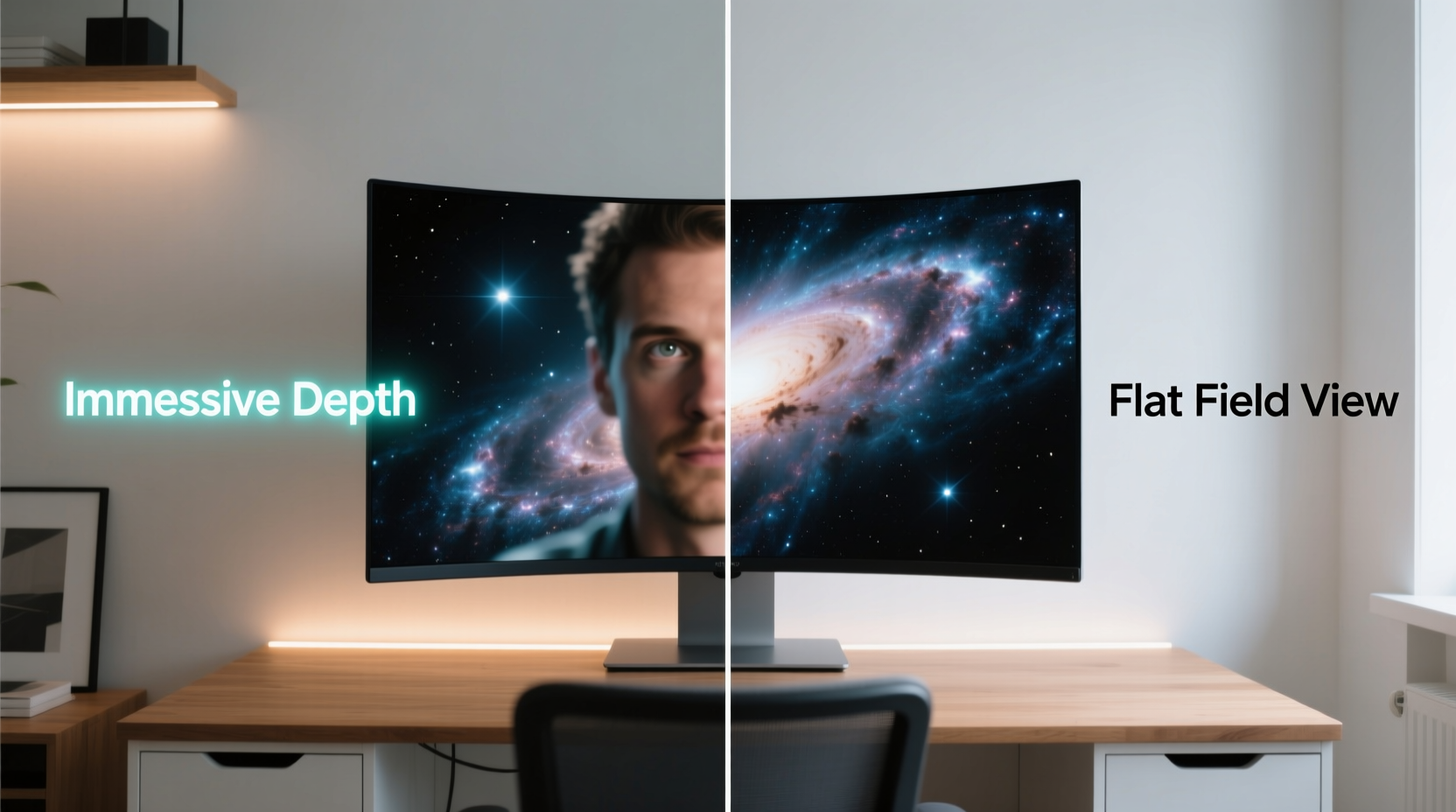
Curved monitors are designed to mimic the natural arc of human peripheral vision. Our eyes don’t perceive the world through a flat plane; instead, our field of view wraps slightly around us. A curved display attempts to align with this by bringing the edges of the screen closer to the viewer’s line of sight, reducing angular distortion and eye movement across wide displays.
The degree of curvature is measured in millimeters (e.g., 1800R, 1500R), where a lower number indicates a tighter curve. For example, a 1500R monitor has a radius of curvature of 150 centimeters, meaning it would form part of a circle with that radius if extended. This curvature becomes meaningful only at specific viewing distances and screen sizes — typically 27 inches and above.
Studies from institutions like the Korea Advanced Institute of Science and Technology (KAIST) suggest that curved screens reduce eye strain during prolonged use because they minimize the need for lateral eye movement and maintain consistent focal distance across the entire screen. However, these benefits are most pronounced in ultrawide formats (21:9 or 32:9), where flat screens inherently create viewing angles that distort image quality at the edges.
“Curvature isn’t about making things look cooler — it’s about matching the display to the biomechanics of human vision.” — Dr. Lin Park, Human Factors Researcher at KAIST
Immersion: Psychological and Visual Impact
Immersion is a subjective experience, but certain physical properties contribute to how “engaged” a user feels with their screen. Gamers and video editors often report that curved monitors make them feel more “inside” the action. This sensation stems from two key factors: reduced edge distortion and enhanced peripheral engagement.
On a flat screen, especially a large one, the corners appear farther away and may require slight head movement to see clearly. A curved panel pulls those edges forward, creating a more uniform viewing experience. In fast-paced games or cinematic content, this can subtly enhance spatial awareness and presence.
However, immersion doesn’t scale linearly with curvature. Overly aggressive curves on smaller screens (below 27”) can introduce new distortions, such as bowing or warping at the edges when viewed off-center. Additionally, productivity tasks like coding or document editing rarely benefit from immersion — here, screen real estate and clarity matter more than perceptual wrapping.
Flat vs Curved: A Practical Comparison
| Feature | Curved Monitor | Flat Monitor |
|---|---|---|
| Viewing Angle Consistency | Superior – maintains focus across screen width | Moderate – edges may appear distorted |
| Ergonomics (Eye Strain) | Better for long sessions on large screens | Can cause lateral eye fatigue on wide panels |
| Immersion (Gaming/Media) | Enhanced sense of depth and presence | Neutral – relies on resolution and size |
| Productivity & Multitasking | Good, but text may warp slightly at edges | Excellent – no geometric distortion |
| Wall Mounting / Multi-Monitor Setup | Limited flexibility – gaps between units | Ideal – seamless alignment possible |
| Price (Same Size/Resolution) | Typically 15–25% higher | Generally more affordable |
| Reflection Handling | Potentially worse due to angled surface | Easier to position away from light sources |
The data shows that curved monitors excel in specific scenarios — particularly single-display setups used for media consumption or gaming. Flat screens remain the standard for professional workstations, multi-monitor arrays, and environments where precision and consistency are paramount.
Real-World Example: A Day in the Life of a Dual-Use Professional
Consider Alex, a graphic designer who also streams games in the evenings. During the day, Alex uses a dual-monitor setup: two 27-inch flat 4K panels side by side for photo editing and client communication. The alignment allows seamless cursor movement and pixel-perfect accuracy across both screens. Text remains crisp, colors are consistent, and there’s no distortion at the seams.
In the evening, Alex switches to a 34-inch ultrawide curved monitor for gaming. The curvature fills more of the peripheral vision, making open-world exploration in games like *Starfield* or *Cyberpunk 2077* feel more enveloping. The single screen eliminates the bezel gap that would otherwise disrupt the game’s horizon. While the same game could be played on a flat screen, the curved display adds a subtle layer of engagement — not because it’s “better,” but because it changes the relationship between the viewer and the virtual space.
This hybrid approach highlights a growing trend: using different monitor types for different purposes. The curve isn’t universally superior — it’s contextually advantageous.
When Curvature Adds Value — And When It Doesn’t
Not all curved monitors are created equal. The actual benefit depends on three key variables: screen size, aspect ratio, and viewing distance.
- Screen Size: Below 27 inches, curvature offers negligible advantage. The human eye won’t detect a meaningful difference in focus or immersion.
- Aspect Ratio: Ultrawide (21:9 or 32:9) monitors benefit most from curvature. Their extended horizontal span naturally suits a wrapped design.
- Viewing Distance: Optimal range is 24–36 inches. Beyond 40 inches, the curve becomes visually flat, negating its purpose.
Additionally, content type plays a role. Watching a panoramic landscape video on a curved 3440x1440 display feels expansive. But reading a PDF or spreadsheet may reveal minor text distortion at the far edges, where letters appear slightly stretched due to the angle of the panel.
Expert Insights: What Designers and Engineers Say
While consumer perception often drives adoption, industry professionals offer a more nuanced perspective. According to display engineer Rajiv Mehta, formerly with LG Display, curvature was initially developed to solve a technical limitation: edge brightness drop-off on early OLED panels.
“We weren’t trying to create a ‘cinematic’ feel — we were compensating for luminance variance. The immersive side effect was noticed later by users.” — Rajiv Mehta, Display Systems Engineer
Today, modern panels have largely overcome those issues, yet the design persists due to market demand. Some manufacturers now offer “soft curve” models (like 3800R) that provide slight ergonomic benefits without dramatic shaping. These are increasingly popular in corporate settings where wellness and comfort are prioritized.
Step-by-Step Guide: Choosing the Right Monitor Type
Follow this decision framework to determine whether a curved or flat screen suits your needs:
- Define Your Primary Use: Gaming or media? Consider curved. Office work or coding? Lean toward flat.
- Measure Your Desk Space: Ensure you can sit within 3 feet of the screen for curvature to be effective.
- Check Screen Size: If below 27”, skip the curve unless aesthetics are a top priority.
- Plan for Future Expansion: Need multiple monitors? Flat panels align better and reduce bezel interruptions.
- Test in Real Conditions: Visit a retailer to compare identical content on both types under similar lighting.
- Consider Mounting Options: Wall mounts and articulating arms may limit curved monitor compatibility.
- Balance Budget: Allocate extra cost only if you’ll actively use the immersion benefit.
Frequently Asked Questions
Does a curved monitor reduce eye strain?
Yes, but only under the right conditions. On large ultrawide screens used at close range, a curved monitor can reduce lateral eye movement and maintain consistent focus, which may decrease fatigue over long sessions. However, on smaller screens or at greater distances, the effect is negligible.
Can I use a curved monitor for office work?
You can, but there are trade-offs. Curved monitors may cause slight text distortion at the edges, and they’re harder to pair with additional screens. For pure productivity, a flat 4K monitor often delivers sharper readability and better multitasking flexibility.
Is the immersion from a curved screen worth the extra cost?
That depends on your priorities. If you spend hours playing games or watching movies on a single large display, the added sense of presence may justify the premium. For general computing, the value is much lower, and the money might be better spent on higher resolution, better color accuracy, or faster refresh rates.
Final Verdict: Gimmick or Genuine Advantage?
Calling curved monitors a “gimmick” oversimplifies a complex evolution in display design. While some models are undoubtedly marketed more on aesthetics than function, the underlying principle — aligning screen geometry with human vision — is scientifically sound. The key is matching the technology to the use case.
For single-display setups larger than 30 inches, especially ultrawides used for gaming, film, or immersive simulations, the curve enhances both comfort and engagement. But for productivity, multi-monitor configurations, or small desks, flat screens remain the practical choice.
The curve isn’t magic. It doesn’t make colors richer or response times faster. But when implemented thoughtfully — with appropriate size, radius, and placement — it can subtly improve the way we interact with digital content. That’s not a gimmick. It’s refinement.




 浙公网安备
33010002000092号
浙公网安备
33010002000092号 浙B2-20120091-4
Comments
No comments yet. Why don't you start the discussion?