
Choosing the right monitor for coding is more than a matter of screen size or resolution—it's about long-term comfort, visual clarity, and workflow efficiency. As curved monitors have gained popularity in both gaming and professional environments, developers are increasingly asking: Are curved displays better for coding, or do they introduce visual distortions that could hinder focus and accuracy? The answer isn't straightforward, as it depends on usage patterns, desk setup, and individual perception. This article examines the technical and ergonomic differences between curved and flat monitors, focusing specifically on whether curvature introduces meaningful distortion during prolonged coding sessions.
Ergonomic Design and Visual Field Coverage
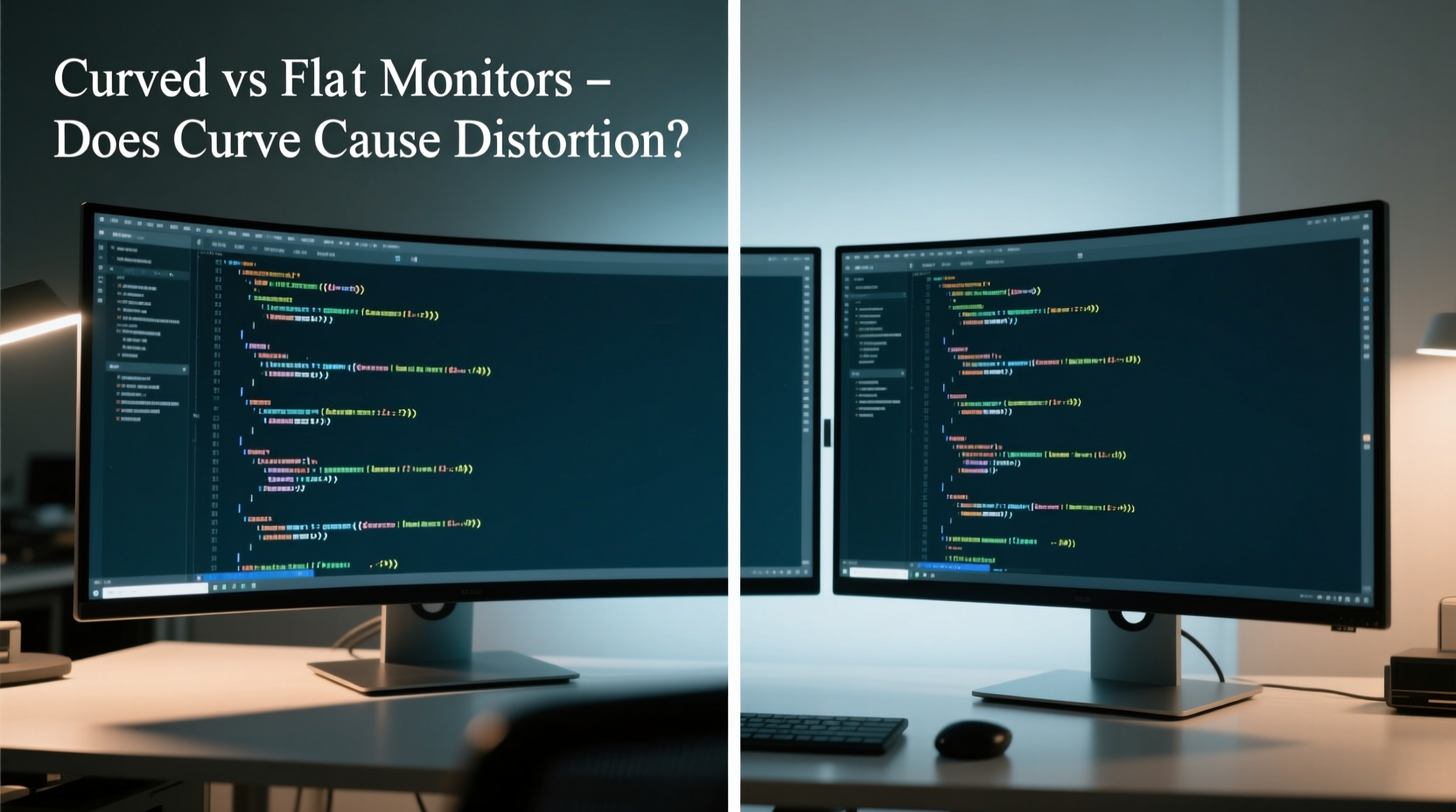
The human field of vision is naturally curved. Our eyes don’t perceive the world in a perfectly flat plane—instead, peripheral vision wraps slightly around us. Curved monitors aim to replicate this natural arc, aligning the screen with the curvature of your retina. This design can reduce eye movement and create a more immersive viewing experience, especially on larger displays (34 inches and above).
For coders working with multiple panes—such as an IDE split between code, terminal, and documentation—a curved screen may offer more uniform distance from the eyes across the entire display. On a flat monitor, the edges are farther away than the center, forcing subtle head movements to maintain focus. A well-designed curve (typically 1500R to 1800R radius) minimizes this effect, potentially reducing eye fatigue over long coding stretches.
Do Curved Monitors Cause Distortion?
The concern about distortion in curved monitors often centers on two types: geometric and perceptual.
- Geometric distortion refers to actual bending of straight lines, particularly visible at the edges of the screen. This is most common in aggressively curved models (e.g., 1000R) used beyond their optimal viewing distance.
- Perceptual distortion is how the brain interprets text alignment, spacing, and layout when viewed off-axis—even if no physical warping exists.
In practice, high-quality curved monitors from reputable brands apply optical corrections and panel tuning to minimize geometric distortion. When properly calibrated and positioned, vertical lines in code editors (like indentation guides or bracket matching) remain visually straight to most users.
However, some developers report mild discomfort when reading long lines of code near the screen’s edges. This is especially true for those who sit too far back or too close to the monitor. The sweet spot for a curved display is narrower than for flat ones—typically 24 to 36 inches from the screen, depending on size and curvature.
“While curved monitors offer improved immersion, we’ve observed minor spatial disorientation in developers using them for precision UI layout tasks. For pure text-based coding, the impact is negligible with proper setup.” — Dr. Lena Park, Human-Computer Interaction Researcher, MIT Media Lab
Flat Monitors: The Standard for Precision and Consistency
Flat monitors have long been the default choice for software development, and for good reason. They offer consistent geometry across the entire surface, making them ideal for pixel-perfect work such as debugging responsive layouts, reviewing diffs in version control, or designing interfaces.
Because there’s no curvature to compensate for, flat screens eliminate concerns about edge distortion entirely. Text alignment remains predictable, and multi-monitor setups are easier to configure without parallax issues. Additionally, flat panels tend to be available in higher resolutions (4K and above) at lower price points, which benefits developers who rely on dense information displays.
That said, large flat ultrawides (34”+) can still cause eye strain due to increased angular deviation between center and edge content. Without a curve to bring the sides closer optically, users may subconsciously shift their heads more frequently, leading to neck fatigue over time.
Comparative Analysis: Curved vs Flat for Coding Tasks
| Feature | Curved Monitor | Flat Monitor |
|---|---|---|
| Ergonomic immersion | High – reduces eye movement | Moderate – requires more head scanning |
| Edge-to-edge clarity | Good (with proper calibration) | Excellent – no inherent warping |
| Multimonitor compatibility | Poor – parallax and alignment issues | Excellent – seamless tiling |
| Text readability (long lines) | Fair to good – slight edge skew possible | Consistently high |
| Price per inch (premium models) | Higher – curved tech adds cost | Lower – mature manufacturing |
| Best for single-display setups? | Yes – especially ultrawide | Depends – better for dual+ configurations |
Real-World Developer Experience: A Mini Case Study
Jamal Chen, a senior full-stack developer at a fintech startup in Toronto, switched from a dual 27-inch flat setup to a single 34-inch curved ultrawide (3440x1440, 1500R) to declutter his desk and improve focus. Initially excited by the immersive feel, he noticed within a week that long JSON payloads and SQL queries displayed near the left and right edges appeared slightly “tilted.” While not objectively distorted, the perception affected his ability to scan syntax quickly.
After adjusting his chair height, recline angle, and moving his seating position directly centered with the screen, the issue diminished significantly. He also enabled pixel-shifting features in his OS to reduce burn-in risk from static IDE elements. After three months, Jamal reported a net improvement in concentration and reduced eye strain—though he acknowledged the learning curve was steeper than expected.
“It’s not that the curve distorts the code,” he explained. “It’s that your brain has to relearn where ‘straight’ is. Once it adapts, the extra screen real estate without bezels is worth it.”
Key Factors That Influence Perceived Distortion
Not all curved monitors behave the same way. Several variables determine whether distortion becomes a practical issue:
- Curvature Radius: Measured in millimeters (e.g., 1800R), this indicates how tightly the screen is bent. Lower numbers mean tighter curves. For coding, 1500R to 1800R is ideal—aggressive curves (1000R) are better suited for gaming.
- Screen Size and Aspect Ratio: Curvature benefits are most noticeable on 30-inch and larger ultrawide displays. On 24–27 inch screens, the difference is minimal and often not worth the premium.
- Viewing Distance: Sitting too far (>40 inches) reduces immersion and exaggerates edge distortion. Too close (<24 inches) causes peripheral blurring. Aim for 28–32 inches for 34-inch curved models.
- Panel Type: VA panels commonly used in curved monitors have slower response times and black smearing compared to IPS. However, modern VA variants have improved significantly.
- Calibration and Settings: Enabling factory presets, disabling overscan, and using correct aspect ratio modes help maintain image fidelity.
When to Choose Curved vs Flat: A Practical Checklist
Use this checklist to guide your decision based on your coding environment and preferences:
- ✅ Choose a curved monitor if:
- You work primarily with one large display (not dual/triple monitors)
- You use an ultrawide aspect ratio (21:9 or 32:9)
- You want reduced eye movement and improved immersion
- Your desk allows centered, direct viewing at ~30 inches
- You value aesthetic minimalism and bezel-free continuity
- ✅ Choose a flat monitor if:
- You use multiple monitors side-by-side
- You perform pixel-accurate work (UI design, frontend debugging)
- You prefer maximum text clarity across the entire screen
- Budget is a constraint (flat panels offer better value at 4K)
- You sit very close or far from the screen regularly
Frequently Asked Questions
Does a curved monitor make text look warped?
Not inherently. High-quality curved monitors are engineered to maintain text legibility. Some users report mild perceptual skew at the edges, but this usually fades after adaptation. Proper positioning and calibration eliminate most issues.
Can I use two curved monitors together for coding?
Technically yes, but not recommended. The inward curve creates a \"tunnel\" effect with visible gaps and parallax misalignment. Flat monitors provide a seamless experience in multi-display setups.
Is screen burn-in a concern for coders using curved monitors?
Potentially. Many curved monitors use OLED or VA panels, which are more susceptible to burn-in from static elements like line numbers or toolbars. Enable screen savers, auto-dimming, or pixel refresh features if available.
Final Recommendation: Match Monitor Shape to Workflow
There is no universal winner between curved and flat monitors for coding. The question of distortion is less about objective flaws and more about subjective adaptation. For developers working solo on expansive codebases with wide-screen workflows, a moderately curved ultrawide can enhance comfort and focus. But for those relying on multi-monitor precision, strict alignment, or budget-conscious upgrades, flat screens remain the pragmatic standard.
The key is intentionality. Don’t choose a curved monitor because it looks futuristic. Choose it because your workflow benefits from reduced eye travel and a more enveloping workspace. Likewise, stick with flat panels if consistency, clarity, and compatibility matter most.
“The best monitor is the one that disappears into your workflow—not the one that draws attention to itself.” — Arjun Mehta, Principal UX Engineer at CodeFlow Systems
Take Action: Optimize Your Coding Environment Today
Your monitor is your primary interface with code—the digital workspace where ideas become functional reality. Whether you prefer the clean predictability of flat panels or the immersive embrace of a curved display, ensure your choice supports sustainable focus and long-term comfort. Evaluate your current setup: Is eye strain increasing? Are you constantly adjusting your posture? These may be signs that a change—curved or flat—is overdue.




 浙公网安备
33010002000092号
浙公网安备
33010002000092号 浙B2-20120091-4
Comments
No comments yet. Why don't you start the discussion?