
In an era where smartphone battery life is a top concern, users are increasingly turning to software-level optimizations like dark mode to extend device uptime. One of the most commonly cited benefits of dark mode is its ability to reduce power consumption—especially on devices with OLED displays. But just how effective is it? And what kind of real-world savings can you expect? The answer isn’t universal; it depends on display technology, screen brightness, app design, and usage patterns. This article dives deep into the science behind OLED efficiency, quantifies actual battery savings, and offers practical advice for maximizing energy conservation through intelligent use of dark mode.
How OLED Displays Work and Why Black Matters
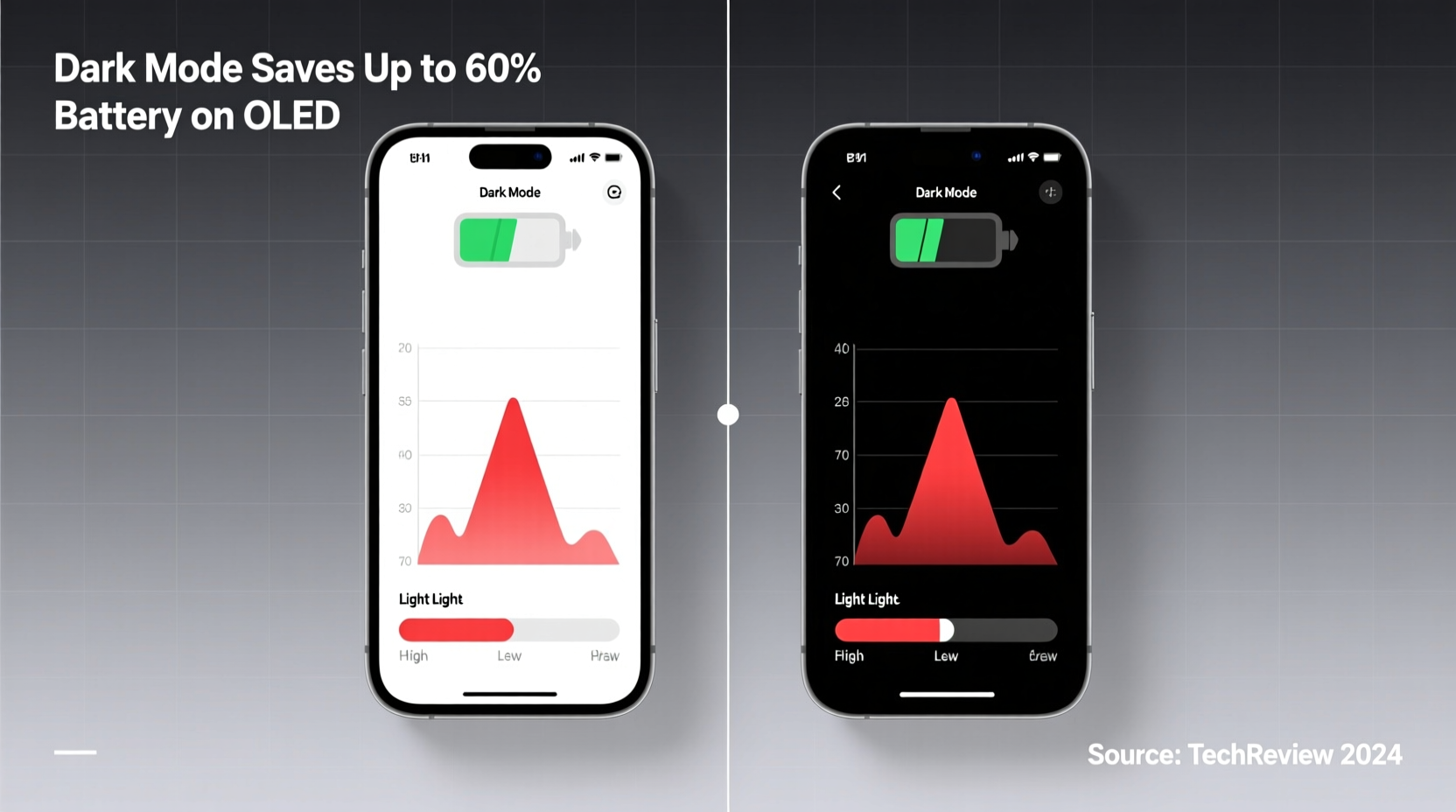
OLED (Organic Light-Emitting Diode) screens differ fundamentally from traditional LCDs in how they produce light. In LCD panels, a backlight illuminates all pixels uniformly, regardless of whether they're displaying black or white. Even when showing a \"black\" pixel, some light leaks through, meaning the screen continues consuming power across the entire surface.
OLED technology operates differently. Each pixel generates its own light. When a pixel is supposed to display black, it turns off completely—emitting no light and consuming virtually no power. This per-pixel illumination is what gives OLED its hallmark deep blacks and high contrast ratios. More importantly, it’s also the reason dark mode can significantly reduce energy use: fewer lit pixels mean less overall power draw.
The key principle here is simple: the darker the content, the lower the power consumption on OLED screens. A fully white screen, where every pixel is emitting light at maximum intensity, uses substantially more energy than a mostly black interface. This effect scales with brightness—the higher the screen brightness, the greater the differential between light and dark content.
Quantifying the Power Savings: Real-World Data
While the theory behind OLED efficiency is sound, real-world performance varies. Several independent tests have measured the actual impact of dark mode on battery life under controlled conditions.
A 2020 study conducted by DisplayMate Technologies tested multiple flagship smartphones with OLED panels under identical usage scenarios—browsing, messaging, and video playback—with both light and dark themes enabled. The results showed that at 100% brightness, switching from a white background to a pure black one reduced power consumption by approximately 30–60%, depending on the content.
For example:
- Displaying a typical web page with a white background consumed about 5.5 watts.
- The same page in dark mode dropped to around 2.8 watts—a reduction of nearly 50%.
- Streaming video on YouTube in dark mode saved roughly 18–23% compared to standard viewing.
These savings aren’t uniform across all apps. Some applications implement true black (#000000), which maximizes energy savings. Others use dark gray themes, which still illuminate pixels and therefore offer limited power reduction. True black backgrounds are essential for optimal efficiency.
“On OLED displays, dark mode isn’t just a visual preference—it’s a measurable power-saving feature. The darker the pixel, the less energy it consumes.” — Dr. Raymond Soneira, President of DisplayMate Technologies
Comparison Across Devices and Screen Types
Not all devices benefit equally from dark mode. The display type is the primary determining factor. Below is a comparison of how different screen technologies respond to dark interfaces.
| Display Type | Dark Mode Effective? | Estimated Battery Savings | Notes |
|---|---|---|---|
| OLED | Yes | 15–60% | Pixels turn off completely for black; best gains at high brightness. |
| AMOLED | Yes | 15–58% | Subtype of OLED; same power-saving principles apply. |
| MicroLED | Yes | Similar to OLED | Emerging tech with self-emissive pixels; behaves like OLED. |
| LCD / IPS | No | 0–5% | Backlight remains on; dark mode may slightly reduce GPU load but not display power. |
| Mini-LED | Minimal | 5–10% | Uses local dimming, but backlight never fully shuts off. |
This table underscores a crucial point: if your device uses an LCD screen, enabling dark mode will have negligible impact on battery life. The visual comfort and reduced eye strain may still be worthwhile, but don’t expect meaningful energy savings.
App Design and Implementation Matter
Even on OLED devices, the effectiveness of dark mode hinges on how apps are designed. Not all “dark” themes are created equal. Many apps use dark gray (#121212 or similar) instead of true black (#000000). While this may look more visually balanced, it prevents pixels from fully powering down, reducing potential battery savings by up to 40% compared to true black.
Google has addressed this in its Material Design guidelines by recommending the use of “true black” for OLED optimization. Apps like YouTube, Google Maps, and Gmail now support full black themes on compatible devices. However, third-party developers don’t always follow these standards.
Consider the following scenario:
Mini Case Study: Dark Mode Usage on a Samsung Galaxy S23
Jamal, a digital marketer, uses his Samsung Galaxy S23 (which has a Dynamic AMOLED 2X display) for six hours daily, primarily browsing social media, emails, and news sites. He toggles between light and dark modes weekly to observe battery drain.
Over four weeks, he records the following:
- With light mode: average battery drain of 18% per hour at 80% brightness.
- With dark mode (and true black backgrounds): average drain of 13.5% per hour.
This translates to a **25% reduction in hourly power consumption**—extending his usable screen time by nearly 1.5 hours over a full day. When he manually forces true black in supported apps via developer options, the savings increase to nearly 30%. Jamal concludes that while dark mode isn’t a magic fix, it’s a consistent contributor to longer battery life when used strategically.
Maximizing Battery Efficiency: A Practical Checklist
To get the most out of dark mode on an OLED device, follow these actionable steps:
- ✅ Confirm your device has an OLED, AMOLED, or similar self-emissive display.
- ✅ Enable system-wide dark mode in your device settings.
- ✅ Use apps that support true black themes (e.g., YouTube, Reddit, Twitter).
- ✅ Avoid apps that use dark gray instead of black unless necessary.
- ✅ Increase screen brightness only when needed—higher brightness amplifies savings from dark mode.
- ✅ Consider using custom launchers or browsers that allow forced darkening of web content.
- ✅ Disable auto-brightness if it frequently sets levels above 80%, negating efficiency gains.
When Dark Mode Doesn’t Help (And What to Do Instead)
There are situations where dark mode provides little to no benefit—even on OLED screens. These include:
- Low screen brightness: At 20–30% brightness, the absolute power difference between light and dark content shrinks. While percentage-wise savings remain, total wattage reduction is minimal.
- Mixed-content usage: Alternating between dark and light apps (e.g., reading a white-background PDF after using a dark chat app) dilutes cumulative savings.
- Video-heavy workflows: Most videos are mastered in standard dynamic range with bright scenes. Dark mode won’t alter the content’s luminance.
- Non-OLED devices: As established, LCD-based iPhones, tablets, and budget phones see no meaningful improvement.
In such cases, alternative strategies become more effective:
- Reduce screen timeout duration.
- Use adaptive brightness intelligently calibrated to ambient light.
- Limit background app refresh and location services.
- Enable battery saver modes during low-power situations.
Frequently Asked Questions
Does dark mode save battery on iPhones?
Only on iPhone models with OLED displays—specifically the iPhone X and later (except SE models). The iPhone 12 and newer benefit more due to improved OLED efficiency. iPhones with LCD screens (like the SE series) do not experience significant battery savings from dark mode.
How much longer will my battery last with dark mode?
Under typical mixed-use conditions, expect a 15–30% increase in screen-on time when using dark mode on OLED devices. In extreme cases—such as constant reading of dark-themed articles or messaging at high brightness—savings can reach up to 60% for that specific task.
Is true black better than dark gray for saving battery?
Yes. True black (#000000) turns off OLED pixels completely, while dark gray still requires pixel illumination. Using true black can improve power efficiency by up to 40% compared to dark gray themes, especially at higher brightness levels.
Conclusion: A Smart Habit for OLED Users
Dark mode is more than a trendy aesthetic choice—it’s a functional tool for conserving battery life on devices equipped with OLED displays. By leveraging the fundamental efficiency of self-emissive pixels, users can achieve tangible improvements in daily usability. While the exact savings depend on brightness, app usage, and theme implementation, the consensus is clear: dark mode reduces power consumption, extends screen-on time, and enhances viewing comfort in low-light environments.
However, it’s not a substitute for broader battery management practices. It works best as part of a holistic approach that includes mindful brightness control, app optimization, and hardware awareness. If you own an OLED device, enabling dark mode is a simple, zero-cost adjustment that pays dividends over time. For those using LCD screens, the benefits are primarily visual and ergonomic rather than energetic.




 浙公网安备
33010002000092号
浙公网安备
33010002000092号 浙B2-20120091-4
Comments
No comments yet. Why don't you start the discussion?