
In an era where smartphone usage is nearly constant, battery life remains a top concern for users. One of the most widely promoted tips for extending battery longevity is enabling dark mode — swapping bright white backgrounds for deep blacks across apps and interfaces. But does this simple setting actually deliver meaningful power savings? The answer isn’t a universal yes or no. It depends heavily on your device’s display technology, usage habits, and the apps you use most. To truly understand whether dark mode is worth adopting for battery conservation, we need to examine the underlying hardware, real-world testing data, and practical implications.
How Smartphone Displays Affect Power Consumption
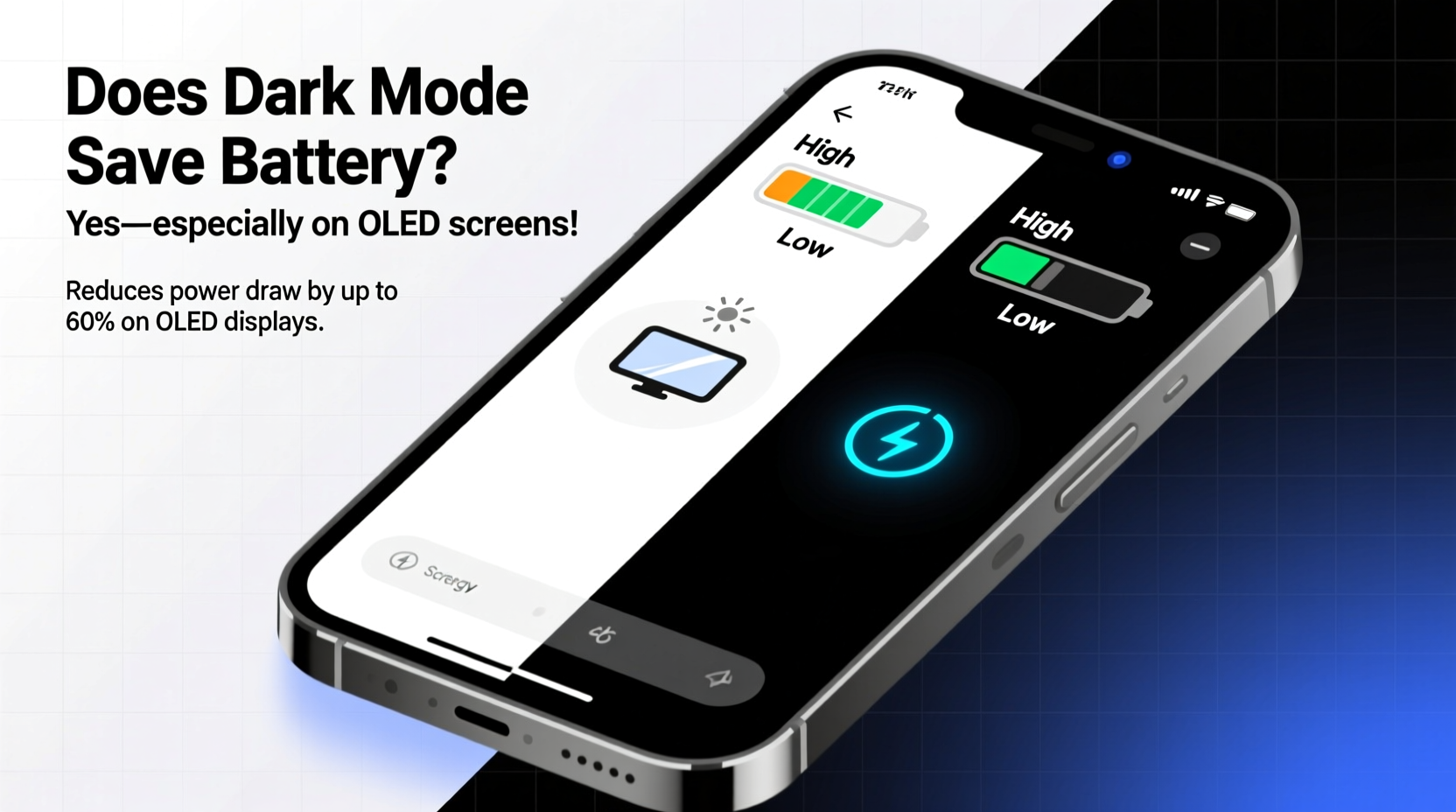
The foundation of whether dark mode saves battery lies in the type of screen your phone uses. Not all displays are created equal when it comes to energy efficiency, especially under different color conditions.
There are two dominant display technologies in modern smartphones: OLED (Organic Light-Emitting Diode) and LCD (Liquid Crystal Display). Their fundamental differences determine how much power dark mode can actually save.
OLED vs. LCD: A Fundamental Difference
OLED screens are built with individual pixels that emit their own light. When a pixel displays black, it turns off completely — consuming virtually no power. This means that the more black pixels on the screen, the less energy the display uses. In contrast, LCD screens rely on a constant backlight that shines through liquid crystals to create images. Even when displaying black, the backlight remains on, so dark colors don’t reduce power consumption in the same way.
This distinction is crucial. On an OLED device, dark mode can lead to measurable battery savings, especially when viewing content with large areas of black or dark gray. On an LCD screen, however, switching to dark mode may improve visual comfort but offers little to no energy benefit.
Battery Savings: How Much Can You Actually Expect?
Several studies have quantified the impact of dark mode on battery life, particularly for OLED-equipped devices. The results vary based on screen brightness, app design, and typical usage patterns.
A 2020 study conducted by Purdue University tested popular apps like YouTube, Twitter, and Reddit under both light and dark modes at maximum brightness. The findings were revealing: on average, switching to dark mode saved between 3% and 47% of display energy, depending on the app. For example:
- YouTube in dark mode reduced display power consumption by about 47%.
- Twitter saw around a 25% reduction.
- Reddit saved approximately 20%.
However, these savings apply only to the display — which typically accounts for 30% to 60% of total battery drain. So while a 47% saving on screen power sounds impressive, it translates to a smaller gain in overall battery life. For instance, if your display uses 50% of your battery and dark mode cuts its consumption by 30%, that’s a 15% improvement in total battery efficiency — significant, but not transformative.
Real-World Usage Scenarios
Most users don’t operate their phones at maximum brightness or exclusively use full-screen dark apps. In everyday conditions — moderate brightness, mixed app usage, and frequent notifications — the actual battery extension from dark mode tends to be more modest.
Apple’s iPhone 12 and later models feature OLED displays. According to internal testing reported by Macworld, using dark mode during typical daily use extended battery life by roughly 10–15%. That could mean an extra hour or two of screen time over a full day, which many users would appreciate.
In contrast, older iPhones with LCD screens — such as the iPhone 8 or SE (2nd generation) — show no measurable battery improvement from dark mode. Similarly, mid-range Android phones using LCD panels won’t benefit in terms of power savings, regardless of how dark the interface appears.
“On OLED devices, dark mode isn’t just a visual preference — it’s a legitimate power-saving strategy. But the real-world gains depend on what you do with your phone.” — Dr. Linus Huang, Display Technology Researcher, MIT Media Lab
App Design Matters: Not All Dark Modes Are Equal
Even on OLED devices, not every implementation of dark mode delivers optimal savings. Some apps adopt “dark gray” instead of true black, meaning pixels remain partially lit and continue consuming power. True battery efficiency requires pure black (#000000), which fully deactivates OLED pixels.
Consider the difference between two common messaging apps:
| App | Dark Mode Background | Potential Battery Impact (OLED) |
|---|---|---|
| Messenger (Meta) | #1c1c1e (dark gray) | Low – pixels still emit light |
| Signal | #000000 (true black) | High – pixels turn off completely |
| Gmail (Android) | #121212 (near-black) | Moderate – minimal emission |
| YouTube | #000000 (true black) | Very High – full pixel shutdown |
The takeaway is clear: the effectiveness of dark mode isn’t just about enabling a system-wide toggle. It also depends on how individual apps implement their dark themes. Users seeking maximum battery savings should prioritize apps that use true black backgrounds, especially during prolonged viewing sessions.
Mini Case Study: Two Users, Two Devices
Let’s consider two realistic scenarios to illustrate how dark mode impacts battery differently based on hardware and behavior.
User A: Sarah owns a Samsung Galaxy S23, which features a high-efficiency OLED display. She uses her phone heavily throughout the day — checking email, browsing Reddit, watching YouTube, and texting. She enables dark mode system-wide and notices that her evening battery level is consistently 18% higher than when she used light mode. Over time, this allows her to delay charging until after dinner instead of needing a mid-afternoon top-up.
User B: James uses a Google Pixel 4a, which also has OLED, but he primarily uses Facebook and Instagram — apps that use dark gray rather than true black in their dark modes. While he sees some reduction in eye strain at night, his battery lasts only about 6% longer with dark mode enabled. The limited pixel shutdown means the energy savings are far less dramatic than Sarah experiences.
This comparison shows that even among OLED users, the benefits of dark mode are highly dependent on software design and personal usage patterns.
Step-by-Step Guide to Maximize Battery Savings with Dark Mode
If you're interested in leveraging dark mode for better battery performance, follow this practical sequence to get the most out of it:
- Determine your phone’s display type. Check your device specifications online. Look for “OLED,” “AMOLED,” or “Super AMOLED” for potential savings. If it says “LCD” or “IPS LCD,” dark mode won’t help much with battery life.
- Enable system-wide dark mode. Go to Settings > Display > Theme (or similar path depending on OS) and switch to dark mode.
- Adjust app-specific settings. Some apps allow independent dark mode toggles. Ensure they’re aligned with the system setting or manually enable dark themes where available.
- Use true black wallpapers and launchers. Third-party launchers like Niagara or Action Launcher support fully black backgrounds, minimizing pixel activity when idle.
- Lower screen brightness. Combine dark mode with reduced brightness for compounded power savings.
- Monitor battery usage weekly. Use built-in battery reports to compare screen-on time and discharge rates before and after enabling dark mode.
Frequently Asked Questions
Does dark mode save battery on all phones?
No. Dark mode only provides significant battery savings on phones with OLED, AMOLED, or similar self-emissive displays. Devices with LCD screens see little to no improvement in battery life from using dark mode, though users may still enjoy reduced eye strain in low-light environments.
Can dark mode extend my battery life by hours?
It depends. On OLED devices used primarily with dark-themed apps (like YouTube or reading apps with black backgrounds), dark mode can add up to 1–2 hours of screen time under heavy use. For mixed usage, expect closer to 30–60 minutes of additional battery life per charge cycle.
Is dark mode better for my eyes?
For many users, yes — especially in dimly lit environments. Dark mode reduces overall screen luminance, which can decrease glare and blue light exposure. However, readability may suffer for some, particularly with low-contrast text. Use it where comfortable, but don’t assume it’s universally better for eye health.
Checklist: Is Dark Mode Worth It for Your Device?
Before deciding whether to keep dark mode enabled for battery reasons, go through this quick checklist:
- ✅ My phone has an OLED/AMOLED display
- ✅ I frequently use apps that support true black backgrounds
- ✅ I use my phone in low-light conditions often
- ✅ I want to minimize screen-related battery drain
- ✅ I find dark interfaces visually comfortable
If you checked three or more items, dark mode is likely beneficial for both battery and usability. If most apply except the first, the battery advantage disappears — though aesthetic and ergonomic benefits may still make it worthwhile.
Conclusion: Smart Choices for Real-World Results
Dark mode does save battery life — but only under specific conditions. On OLED-equipped smartphones, especially when paired with well-designed dark-themed apps, the power savings are both measurable and useful. For LCD users, the benefit is largely cosmetic. Understanding your device’s hardware and how you interact with it is key to making informed decisions about settings like dark mode.
Rather than treating dark mode as a one-size-fits-all battery hack, think of it as part of a broader energy-conscious strategy. Combine it with adaptive brightness, app usage monitoring, and efficient charging habits to maximize your phone’s endurance. And remember: small improvements add up. Saving 10–15% on display power might not seem revolutionary, but over weeks and charges, it translates into fewer plug-ins, less anxiety about running out of juice, and greater convenience in daily life.




 浙公网安备
33010002000092号
浙公网安备
33010002000092号 浙B2-20120091-4
Comments
No comments yet. Why don't you start the discussion?